
1. Wprowadzenie
The PHOTONTEK XT 1000W CO2 Pro LED is a high-performance grow light designed for professional indoor cultivation. This fixture delivers a balanced, full-spectrum light with high Photosynthetic Photon Flux Density (PPFD) levels, optimized for plant growth cycles. It is engineered for use in 5'x5' coverage areas, particularly when supplemented with CO2, but can also be adapted for 6'x6' areas without CO2 supplementation. This manual provides essential information for the safe and effective installation, operation, and maintenance of your PHOTONTEK XT 1000W CO2 Pro LED grow light.
2. Informacje dotyczące bezpieczeństwa
Please read all safety warnings and instructions carefully before installing or operating the PHOTONTEK XT 1000W CO2 Pro LED. Failure to follow these instructions may result in electric shock, fire, or other serious injury.
- Always disconnect power before installation, maintenance, or moving the fixture.
- Nie należy używać urządzenia, jeśli przewód lub wtyczka są uszkodzone.
- Upewnij się, że osprzęt jest solidnie zamontowany, aby zapobiec jego upadkowi.
- Do not look directly at the operating LEDs; prolonged exposure can cause eye damage.
- Aby zapobiec przegrzaniu, należy zapewnić odpowiednią wentylację wokół urządzenia.
- Produkt przeznaczony jest wyłącznie do użytku wewnątrz pomieszczeń.
- Przechowywać z dala od wody i innych płynów.
3. Co znajduje się w pudełku
Po rozpakowaniu należy sprawdzić, czy wszystkie elementy są obecne i nieuszkodzone.
- PHOTONTEK XT 1000W CO2 Pro LED Panel
- Przewód zasilający
- Hanging Kit (typically includes hangers/ratchets)
- Instrukcja obsługi (ten dokument)
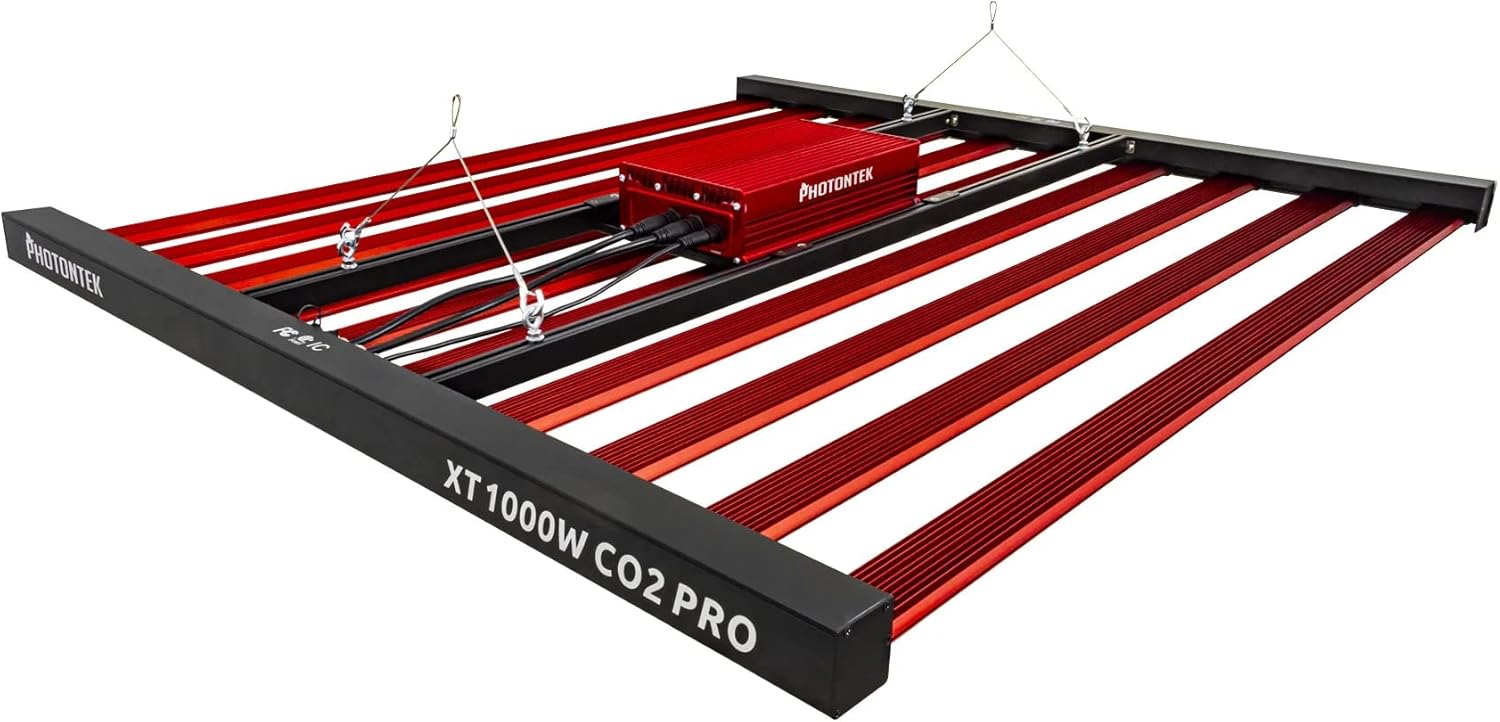
Rysunek 1: The PHOTONTEK XT 1000W CO2 Pro LED grow light, showing the multi-bar design and central driver box. This image illustrates the complete fixture as it would appear when assembled and ready for hanging.
4. Konfiguracja i instalacja
4.1 Rozpakowanie i kontrola
- Ostrożnie wyjąć wszystkie elementy z opakowania.
- Inspect the fixture for any signs of damage during transit. Contact your supplier immediately if any damage is found.
- Ensure all listed components in "What's in the Box" are present.
4.2 Montaż Urządzenia
The PHOTONTEK XT 1000W CO2 Pro LED is designed to be suspended above your plant canopy.
- Identify a sturdy overhead structure capable of supporting the weight of the fixture (approximately 39.7 pounds or 17.999 kg).
- Attach the provided hanging cables or ratchets to the designated hanging points on the fixture.
- Securely attach the other end of the hanging system to your overhead structure.
- Adjust the hanging height to achieve the desired distance from the plant canopy. Refer to the "Operating Instructions" section for recommended hanging heights based on CO2 usage.

Rysunek 2: Strona profile of the PHOTONTEK XT 1000W CO2 Pro LED, illustrating its slim design and the distribution of LED bars. This view helps in understanding the fixture's dimensions for proper placement.
4.3 Podłączenie elektryczne
Upewnij się, że źródło zasilania jest zgodne z objtage requirements of the fixture (277 Volts AC).
- Connect the power cord to the input port on the fixture's driver box. Ensure a secure connection.
- Podłącz drugi koniec przewodu zasilającego do uziemionego gniazdka elektrycznego.
- If using a dimmer or external controller (Control Method: App, Switch Style: Dimmer, Push Button), connect it according to its specific instructions to the designated dimming ports on the fixture.
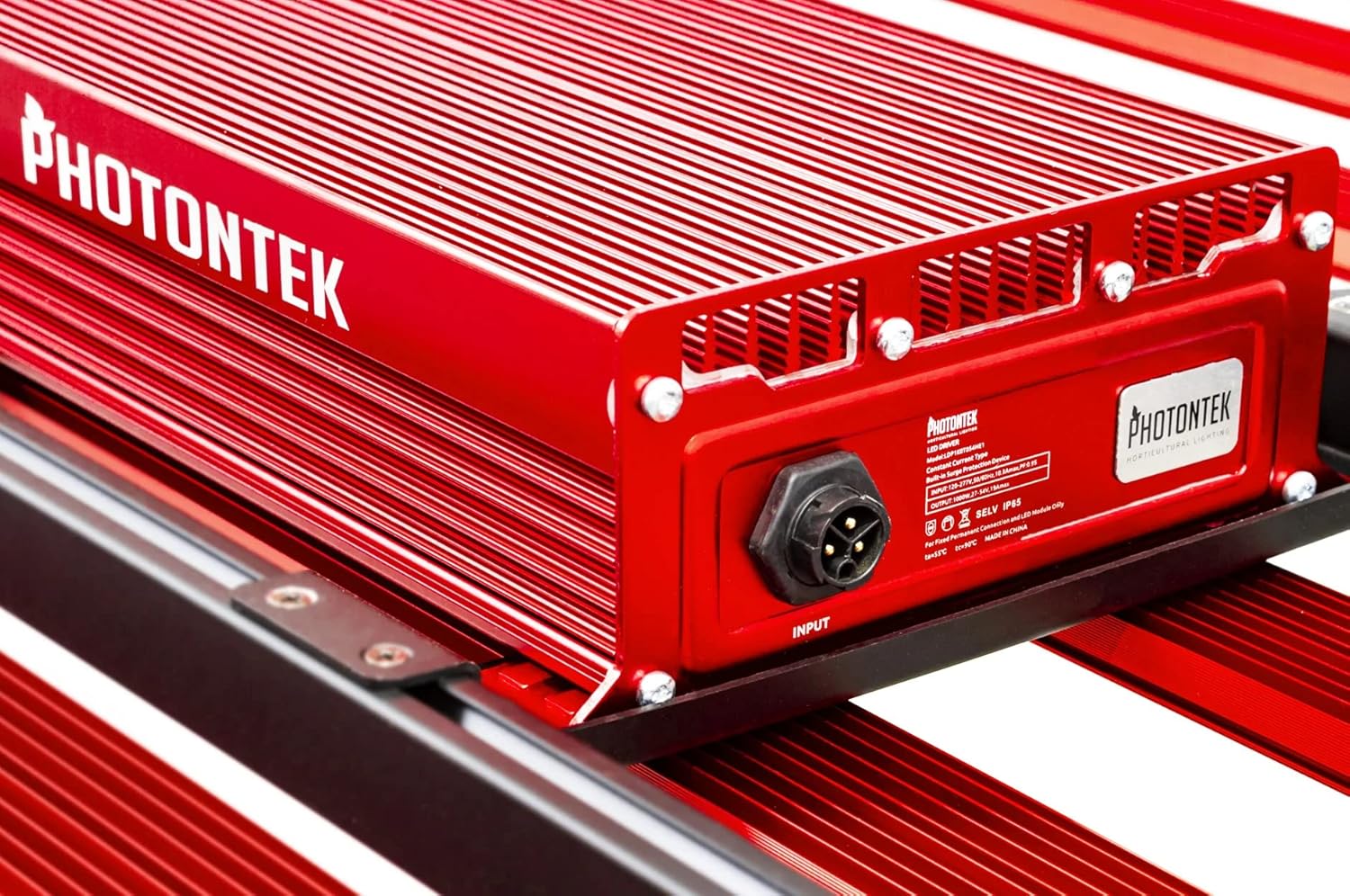
Rysunek 3: Szczegółowy view of the PHOTONTEK XT 1000W CO2 Pro LED driver box, highlighting the input port and product labeling. This shows where the main power connection is made.
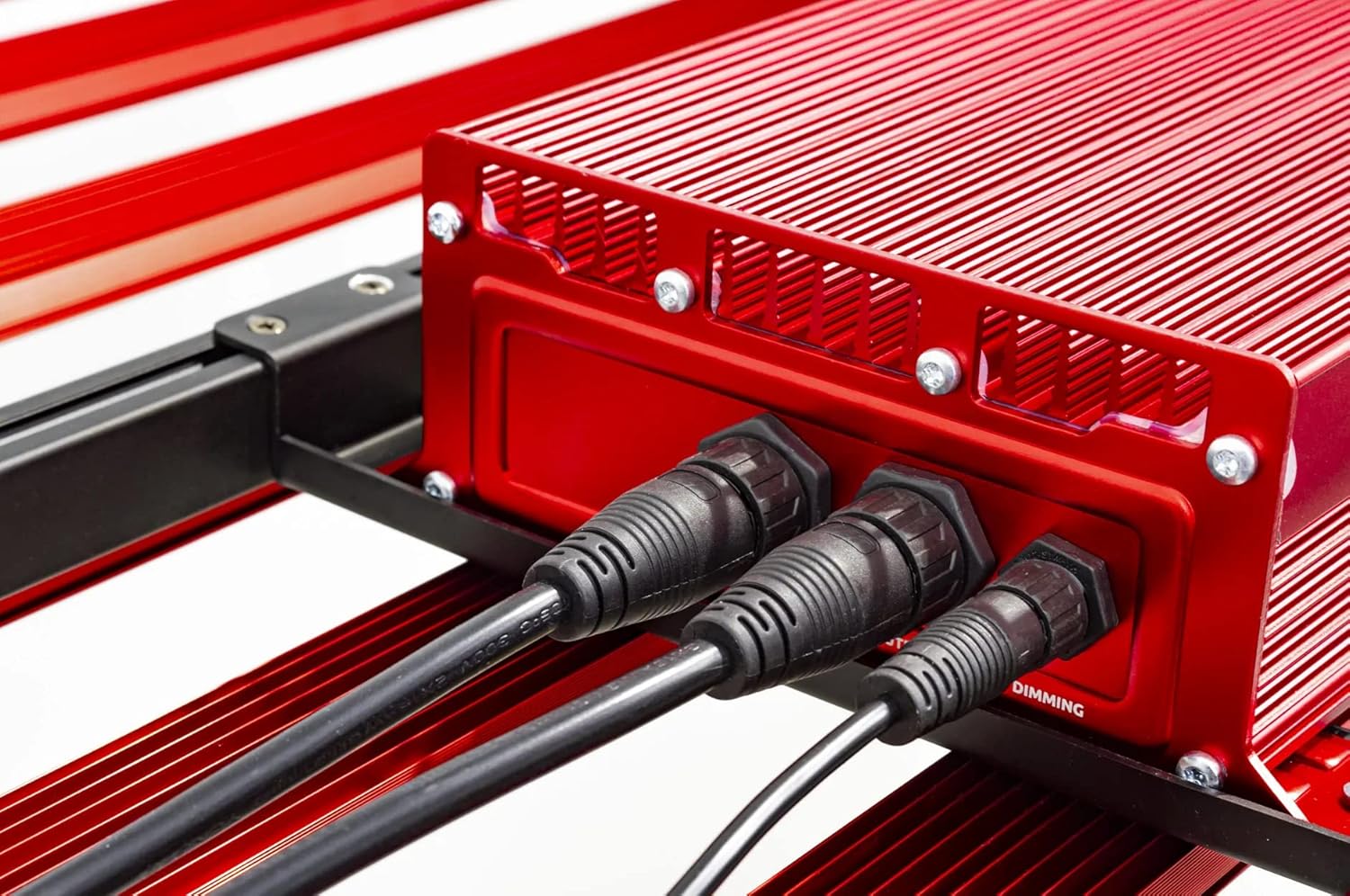
Rysunek 4: Close-up of the connection ports on the PHOTONTEK XT 1000W CO2 Pro LED driver, showing both power input and dimming control ports. This image clarifies where to connect the power cord and any optional dimming accessories.
5. Instrukcja obsługi
5.1 Włączanie/wyłączanie
Once the fixture is securely mounted and connected to power, it can be turned on.
- To power on, ensure the power cord is plugged into a live outlet. If using a timer, set the desired light cycle.
- To power off, disconnect the power cord from the outlet or use a connected timer/controller.
5.2 Light Intensity and Spectrum
The PHOTONTEK XT 1000W CO2 Pro LED provides a full spectrum light. The intensity can be adjusted using the integrated dimmer or an external app/controller.
- Sterowanie ściemniaczem: Use the push-button dimmer switch (if present) or the app control to adjust light output from 0-100%.
- Recommended PPFD Levels:
- For 5'x5' coverage with CO2 supplementation: Aim for PPFD levels up to 1500 µmol/s/m². Maintain CO2 levels up to 1500 PPM, matching PPFD levels 1:1 once exceeding 1000 µmol/s/m².
- For 6'x6' coverage without CO2 supplementation: Increase the distance between the fixture and the plant canopy to achieve optimal PPFD levels for the specific growth stage. This will result in lower overall PPFD intensity compared to CO2-supplemented setups.

Rysunek 5: Z bliska view of the individual LED diodes on one of the light bars of the PHOTONTEK XT 1000W CO2 Pro LED. This illustrates the quality and density of the light-emitting components.
6. Konserwacja
Regular maintenance ensures optimal performance and longevity of your PHOTONTEK XT 1000W CO2 Pro LED.
- Czyszczenie: Periodically clean the LED bars and driver box with a soft, dry cloth to remove dust and debris. Ensure the fixture is unplugged and cool before cleaning. Do not use abrasive cleaners or solvents.
- Kontrola: Regularly inspect the power cord, hanging cables, and all connections for any signs of wear or damage. Replace any damaged components immediately.
- Wentylacja: Ensure that the ventilation openings on the driver box are not obstructed to allow for proper heat dissipation.
7. Rozwiązywanie Problemów
If you encounter issues with your PHOTONTEK XT 1000W CO2 Pro LED, refer to the following common problems and solutions.
| Problem | Możliwa przyczyna | Rozwiązanie |
|---|---|---|
| Oprawa nie włącza się. | No power supply; loose connection; faulty power cord/outlet. | Check power cord connection; verify outlet is live; try a different outlet; inspect power cord for damage. |
| Moc światła jest słaba lub migocze. | Dimmer setting too low; loose connection; power supply issue. | Adjust dimmer setting; check all electrical connections; ensure stable power supply. |
| Oprawa się przegrzewa. | Poor ventilation; obstructed vents. | Ensure adequate airflow around the fixture; clear any obstructions from vents. |
| Kontrola aplikacji nie działa. | Connectivity issue; app malfunction; incorrect setup. | Check Bluetooth/Wi-Fi connection; restart the app and fixture; refer to app-specific instructions. |
If the problem persists after attempting these solutions, please contact PHOTONTEK customer support.
8. Specyfikacje
Detailed technical specifications for the PHOTONTEK XT 1000W CO2 Pro LED.
| Funkcja | Szczegół |
|---|---|
| Marka | FOTONTEK |
| Model | XT 1000W CO2 Pro LED |
| Typ światła | PROWADZONY |
| Funkcja specjalna | Pełne spektrum |
| Cotage | 1000 watów |
| Kolor światła | Biały dzienny |
| Tomtage | 277 V (AC) |
| Liczba jednostek | 1.0 Liczba |
| Liczba elementów | 1 |
| Tworzywo | Aluminium, Plastik |
| Zastosowanie wewnątrz/na zewnątrz | Wnętrz |
| Źródło zasilania | Elektryczny przewodowy |
| Pobór mocy | 1000 watów |
| Typ źródła światła | PROWADZONY |
| Waga przedmiotu | 39.7 funtów (17.999 kg) |
| Źródło światłatage | 1000 watów |
| Metoda kontroli | Aplikacja |
| Średnie życie | 5 lat |
| Efektywność | 2.9 µmol/J |
| Styl | Nowoczesny |
| UPC | 751448506226 |
| Numer części | 751448506226 |
| Liczba świateł | 1 (fixture) |
| Zawarte komponenty | Panel LED |
| Materiał zacieniający | Plastikowy |
| Kierunek światła | LED (Direct) |
| Styl przełączania | Dimmer, Push Button |
| Typ instalacji przełącznika | Wall Mount (for external controller) |
| Data pierwszej dostępności | 13 lipca 2022 r. |
9. Gwarancja i wsparcie
PHOTONTEK products are manufactured to high standards and are designed for durability.
- Informacje o gwarancji: Specific warranty terms and conditions are typically provided with your purchase documentation or can be found on the official PHOTONTEK webStrona. Zachowaj dowód zakupu na wypadek roszczeń gwarancyjnych.
- Obsługa klienta: For technical assistance, troubleshooting beyond this manual, or warranty inquiries, please contact PHOTONTEK customer support directly through their official webstronę internetową lub dane kontaktowe dostarczone wraz z produktem.