
Wstęp
This manual provides detailed instructions for the safe operation and maintenance of your SYMA X660 Mini Drone. Please read this manual thoroughly before operating the drone to ensure proper use and to prevent damage or injury. Keep this manual for future reference.
Zawartość opakowania
Sprawdź, czy w przesyłce znajdują się wszystkie elementy wymienione poniżej:
- 1 x SYMA X660 Drone
- 1 x Pilot zdalnego sterowania
- 1 x kabel ładujący USB
- 4 x dodatkowe śmigła
- 1 x śrubokręt
- 1 x Instrukcja obsługi

Image: Contents of the SYMA X660 Mini Drone package.
Produkt ponadview
Drone Features
- 6-Color LED Light Display
- Full Propeller Guards for Safety
- Kompaktowa i lekka konstrukcja
- Funkcja utrzymywania wysokości
- Start/lądowanie jednym klawiszem
- 3 tryby prędkości
- Tryb bezgłowy
- 360° Flips and other stunt modes
Układ pilota zdalnego sterowania

Image: Remote control layout with functions for left joystick (light effects, trimming), right joystick (speed switch), spin button, rotate button, flip button, one-key takeoff/landing, and power switch.
- Lewy joystick: Short press to change light effects; press and hold for trimming adjustment. To clear trimming settings, press and hold simultaneously with the power button.
- Prawy joystick: Short press to switch between high and low speed modes.
- Przycisk wirowania: Initiates spin flight.
- Przycisk Obróć: Initiates rotary ascent.
- Przycisk Flip: Activates 360° flip stunt.
- Przycisk startu/lądowania jednym klawiszem: For automatic takeoff and landing.
- Przycisk zasilania: Włącza/wyłącza pilota.
Organizować coś
1. Ładowanie akumulatora drona
- Connect the drone's Type-C charging port to the USB charging cable.
- Connect the USB charging cable to a USB power adapter (not included) or a computer's USB port.
- The drone's LED lights will indicate charging status (refer to the full instruction manual for specific light patterns).
- Czas ładowania to około 40 minut.
2. Instalacja baterii w pilocie
- Otwórz komorę baterii znajdującą się z tyłu pilota.
- Insert the required batteries (refer to the remote control for battery type and polarity).
- Dokładnie zamknij komorę baterii.
3. Parowanie drona i pilota
- Umieść drona na płaskiej, poziomej powierzchni.
- Włącz zasilanie drona. Diody LED drona zaczną migać.
- Włącz zasilanie pilota.
- Push the left joystick fully up, then fully down. The drone's LED lights will stop flashing and remain solid, indicating successful pairing.
Instrukcja obsługi
Podstawowe sterowanie lotem

Image: Basic flight controls for the SYMA X660 Mini Drone.
- Startować: Press the One-Key Takeoff/Landing button. The drone will automatically ascend and hover.
- Lądowanie: Naciśnij ponownie przycisk startu/lądowania jednym przyciskiem. Dron automatycznie obniży lot i wyląduje.
- Wspinaczka/Spadanie: Użyj lewego joysticka, aby kontrolować wysokość. Pchnij w górę, aby się wznieść, pociągnij w dół, aby zejść.
- Naprzód wstecz: Za pomocą prawego joysticka możesz poruszać dronem do przodu i do tyłu.
- Skręt w lewo/prawo: Use the right joystick to turn the drone left or right.
Cechy specjalne
6-Color LED Light Display
The drone features 6 vibrant, switchable LED colors. Short press the left joystick on the remote control to cycle through the different light effects. The lights will blink rapidly when the battery is low, indicating it's time to land.

Image: SYMA X660 Mini Drone displaying its 6-color LED lights.
3 tryby prędkości
The drone offers three adjustable speed settings. Short press the right joystick to switch between low, medium, and high speed modes. Beginners should start with the low speed mode.
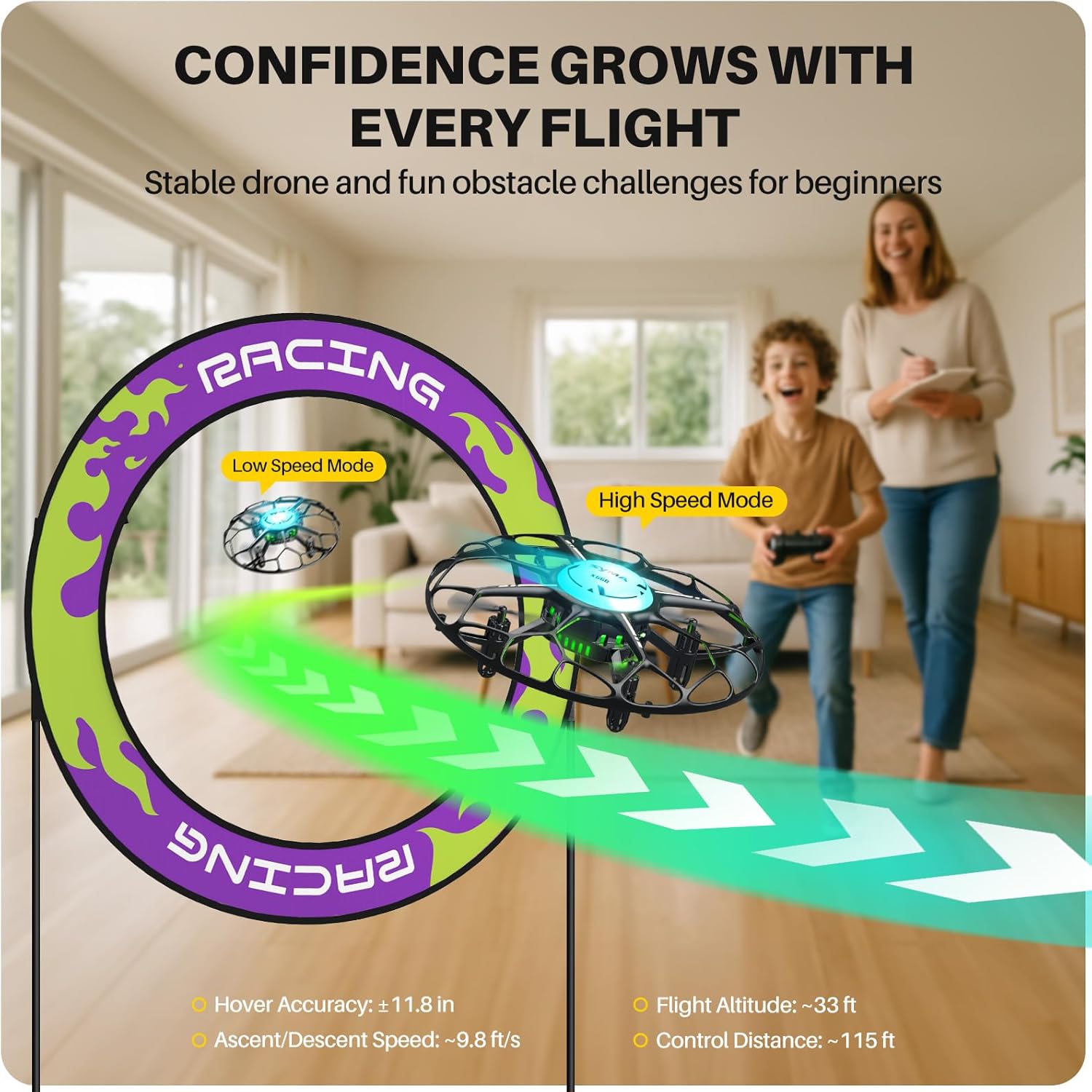
Image: Illustration of the drone's speed modes, showing a drone in low speed and high speed.
Tryb bezgłowy
In Headless Mode, the drone's orientation is relative to the pilot, regardless of the drone's actual front direction. This simplifies control for beginners. Refer to the full instruction manual for activation and deactivation procedures.
Akrobacje na jedno dotknięcie
The SYMA X660 Mini Drone can perform various aerial acrobatics with simple button presses:
- Obrót o 360°: Press the Flip button to execute a 360-degree roll.
- Rotary Ascent: Press the Rotate button to perform a spiraling climb.
- Spin Flight: Press the Spin button to make the drone spin while flying.
- Other stunts include Spin in Place, Diagonal Flip, and Self-spin and Orbital Flight.

Image: Visual guide to mastering 6 drone tricks.
Konserwacja
- Czyszczenie: Do czyszczenia drona i pilota używaj miękkiej, suchej ściereczki. Unikaj wody i rozpuszczalników.
- Wymiana śmigła: If propellers are damaged, use the included screwdriver to replace them with the spare propellers. Ensure correct propeller (A or B) is installed in the corresponding position.
- Pielęgnacja baterii: Do not overcharge or over-discharge the battery. Store the drone and battery in a cool, dry place when not in use. Remove batteries from the remote control if storing for extended periods.
- Składowanie: Przechowuj drona i jego elementy w bezpiecznym miejscu, z dala od bezpośredniego światła słonecznego i ekstremalnych temperatur.
Rozwiązywanie problemów
| Problem | Możliwa przyczyna | Rozwiązanie |
|---|---|---|
| Dron nie reaguje na zdalne sterowanie. | Not paired; low battery in drone or remote. | Re-pair the drone and remote. Charge drone battery; replace remote control batteries. |
| Niestabilny lot lub dryfowanie. | Drone not calibrated; damaged propellers. | Calibrate the drone on a flat surface. Replace damaged propellers. Adjust trimming settings. |
| Krótki czas lotu. | Akumulator nie jest w pełni naładowany; akumulator jest stary. | Upewnij się, że bateria jest w pełni naładowana. Rozważ wymianę baterii, jeśli jest stara lub zużyta. |
| LED lights blinking rapidly. | Low drone battery. | Land the drone immediately and recharge the battery. |
For more detailed troubleshooting, please refer to the complete instruction manual included in your package.
Specyfikacje

Image: Product features and specifications overview.
| Funkcja | Szczegół |
|---|---|
| Marka | SYMA |
| Nazwa modelu | X660 |
| Wymiary produktu | 4.72" dł. x 4.72" szer. x 1.77" wys. |
| Waga przedmiotu | 38 gramów (1.34 uncji) |
| Pojemność baterii | 200 mlnamp Godziny (3.7 V) |
| Czas ładowania | Około 40 minut |
| Czas lotu | Około 6 minut |
| Odległość zdalnego sterowania | Około 115 stopy |
| Technologia łączności | 2.4 GHz |
| Poziom umiejętności | Początkujący |
| Cechy specjalne | 6-Color LED Light Display, Kid-Safe Design, Stunt Modes, Altitude Hold |
Oficjalny film o produkcie
Video: An official product video demonstrating the features and operation of the SYMA X660 Mini Drone.
Informacje o gwarancji
Specific warranty details for the SYMA X660 Mini Drone are typically provided with the product packaging or on the manufacturer's official website. Please refer to those sources for the most accurate and up-to-date warranty information.
Wsparcie i kontakt
If you encounter any issues or have questions regarding your SYMA X660 Mini Drone, please contact our customer support team:
- E-mail: usa@symatoys.com (USA)
- Telefon: +1 (718) 312-0558
For additional resources, you may visit the official SYMA webstrona.