
1. Wprowadzenie
Thank you for choosing the RisoPhy Mechanical Gaming Keyboard. This manual provides detailed instructions for setting up, operating, and maintaining your new keyboard. Please read this manual thoroughly before use to ensure optimal performance and longevity of your device.
2. Koniec produktuview
2.1 Główne cechy
- Responsive Blue Switches: Offers tactile feedback and an audible click for precise and quick key presses.
- Rainbow Backlit RGB: Features 9 different backlight modes, 5 levels of light speed, and 5 brightness levels for customizable illumination.
- 104-Key Full-Size Layout: Includes a numeric keypad and dedicated function keys for comprehensive functionality.
- 100% Anti-Ghosting: Zapewnia dokładne rejestrowanie wszystkich równoczesnych naciśnięć klawiszy.
- 12 Multimedia Shortcuts: Quick access to media controls, volume, and other functions via Fn key combinations.
- Ergonomiczna konstrukcja: Scientific stair-up keycap design and adjustable rear kickstands reduce hand fatigue.
- Konstrukcja odporna na zalanie: Equipped with 4 hydrophobic holes to quickly drain accidental spills.
- Trwała konstrukcja: Ultra-durable double injection ABS engineered keycaps for long-lasting use.
2.2 Zawartość opakowania
- RisoPhy Mechanical Gaming Keyboard (Pink)
- USB Cable (Integrated)
- Ściągacz nasadek klawiszy
- Instrukcja obsługi
2.3 Układ klawiatury
The RisoPhy Mechanical Gaming Keyboard features a standard 104-key layout, including a full numeric keypad and a row of function keys (F1-F12) that can be combined with the Fn key for multimedia shortcuts.

Rysunek 1: Widok z góry na dół view of the RisoPhy Mechanical Gaming Keyboard, showcasing its full 104-key layout and pink color with RGB backlighting.
3. Konfiguracja
Setting up your RisoPhy Mechanical Gaming Keyboard is a simple plug-and-play process.
- Rozpakuj klawiaturę: Ostrożnie wyjmij klawiaturę i wszystkie akcesoria z opakowania.
- Połącz się ze swoim urządzeniem: Locate an available USB-A port on your computer (PC, Mac) or gaming console (Xbox). Insert the USB connector of the keyboard into the port.
- Instalacja sterownika: The keyboard is plug-and-play and does not require additional driver installation for basic functionality. Your operating system will automatically detect and configure the device.
- Dostosuj ergonomię: Flip out the two strong foldable rear kickstands located on the underside of the keyboard to adjust the typing angle for improved comfort.
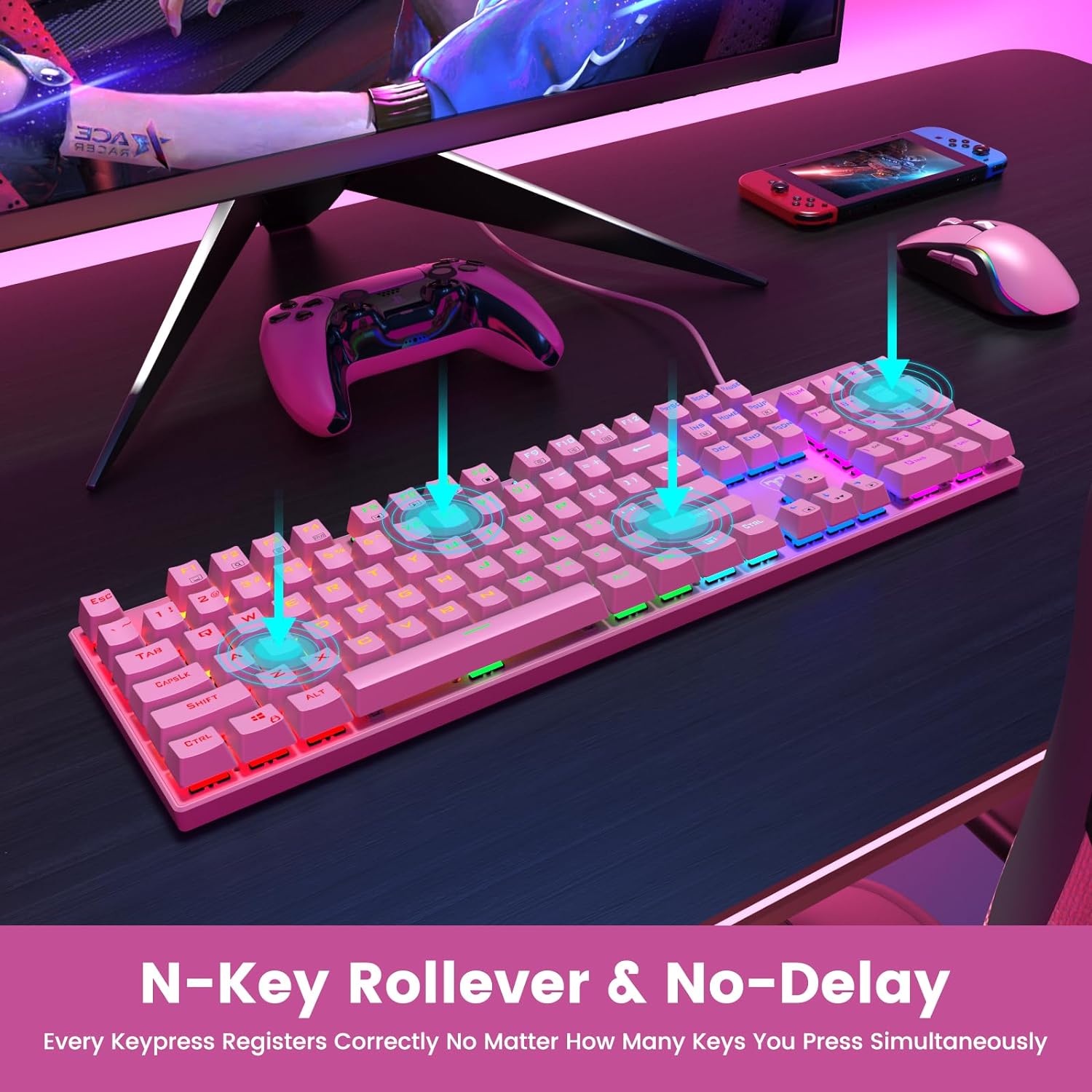
Figure 2: The underside of the RisoPhy keyboard, highlighting the adjustable rear feet that allow users to set a comfortable typing angle.
4. Instrukcja obsługi
4.1 Podstawowa obsługa
The RisoPhy keyboard functions as a standard 104-key keyboard. Simply type as you normally would. The blue mechanical switches provide a distinct tactile and audible feedback with each keypress.
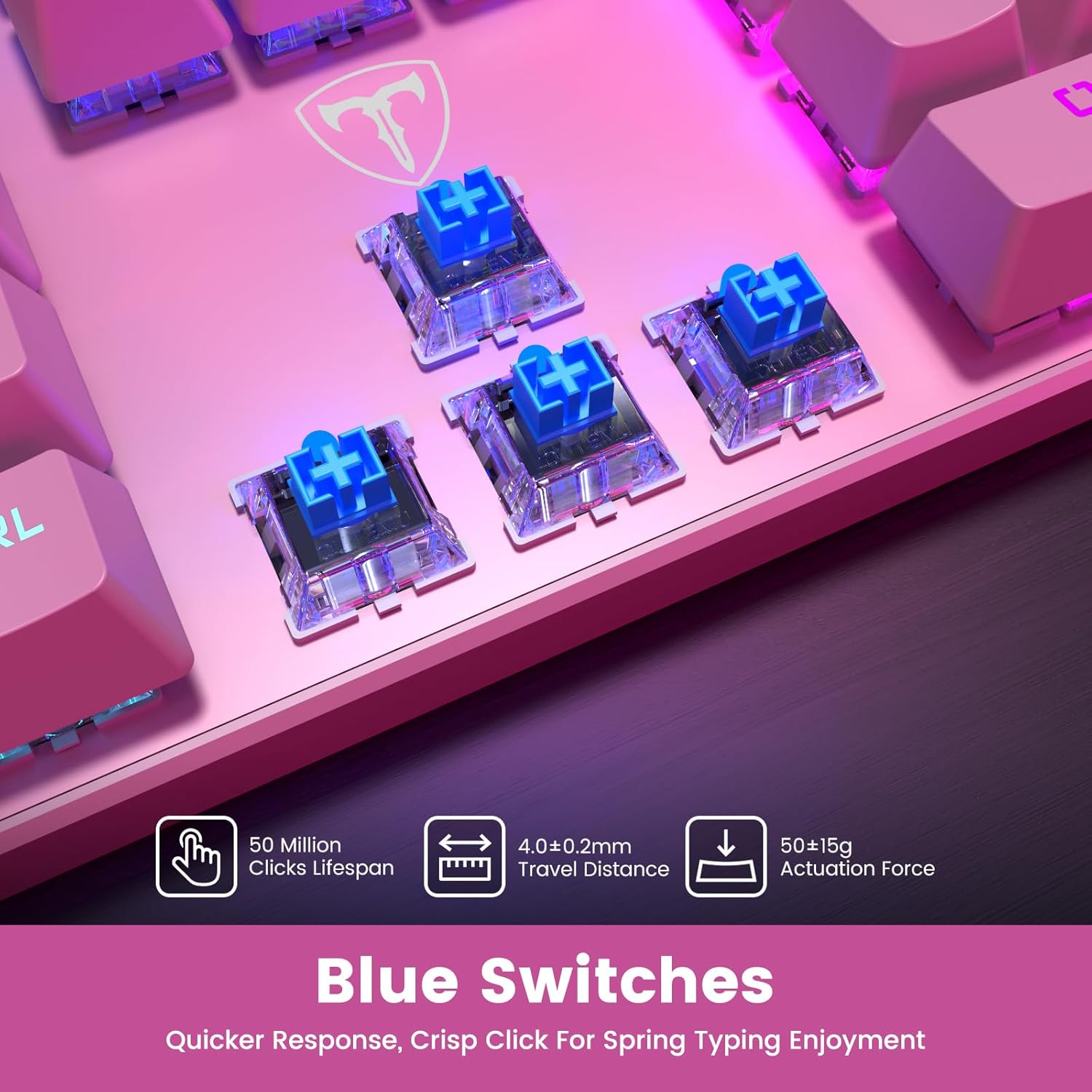
Rysunek 3: Zbliżenie view of the blue mechanical switches beneath the keycaps, illustrating their design for responsive and clicky feedback.
Sterowanie podświetleniem 4.2
Your RisoPhy keyboard features vibrant rainbow backlighting with multiple customization options:
- Zmiana trybów podświetlenia: Use the dedicated backlight mode key (often indicated by a sun or light icon, usually near the arrow keys or F-row) to cycle through 9 different lighting effects.
- Regulacja jasności: Naciskać Fn + PgUp zwiększyć jasność i Fn + PgDn aby zmniejszyć jasność (5 poziomów).
- Adjusting Light Speed: Naciskać Fn + +/- (on the numeric keypad) to adjust the speed of dynamic lighting effects (5 levels).
- Włączanie/wyłączanie podświetlenia: Use the dedicated ON/OFF switch if available, or a specific Fn combination (refer to keyboard markings).

Figure 4: The keyboard illuminated with its rainbow RGB backlighting, demonstrating various lighting modes and brightness levels.
4.3 Multimedia i klawisze skrótów
The keyboard includes 12 multimedia shortcut combinations accessible by pressing the Fn key simultaneously with the corresponding F-key (F1-F12).
| Połączenie | Funkcjonować |
|---|---|
| Fn+F1 | Mój komputer |
| Fn+F2 | Szukaj |
| Fn+F3 | Kalkulator |
| Fn+F4 | Odtwarzacz multimedialny |
| Fn+F5 | Poprzedni utwór |
| Fn+F6 | Następny utwór |
| Fn+F7 | Odtwórz/Pauza |
| Fn+F8 | Zatrzymywać się |
| Fn+F9 | Niemy |
| Fn+F10 | Zmniejsz głośność |
| Fn+F11 | Zwiększ głośność |
| Fn + Win | Win Lock (disables Windows key during gaming) |
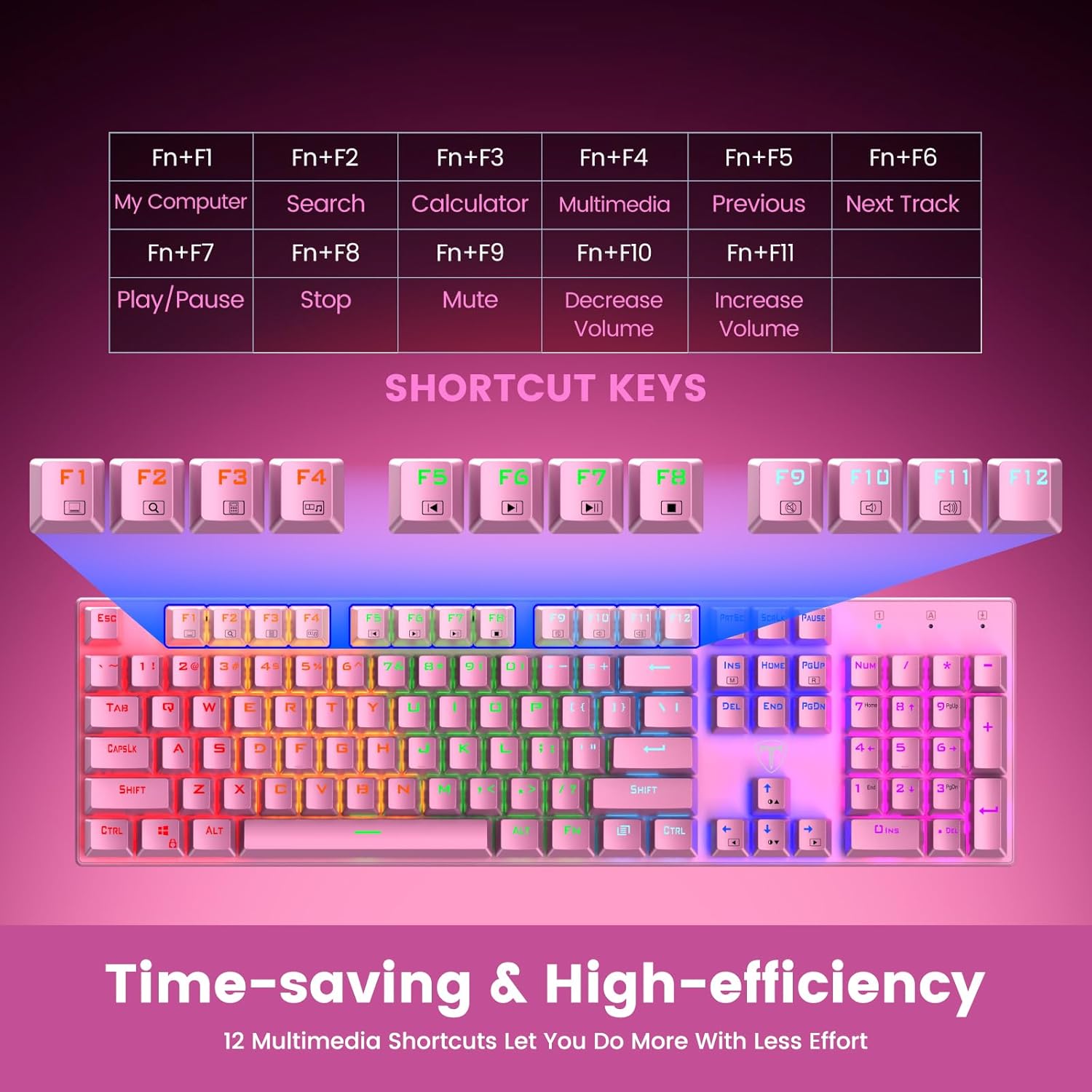
Figure 5: Visual representation of the Fn key combinations for various multimedia and system shortcuts.
4.4 Ochrona przed ghostingiem
The 100% anti-ghosting feature ensures that every keypress is registered accurately, even when multiple keys are pressed simultaneously. This is crucial for fast-paced gaming and rapid typing.
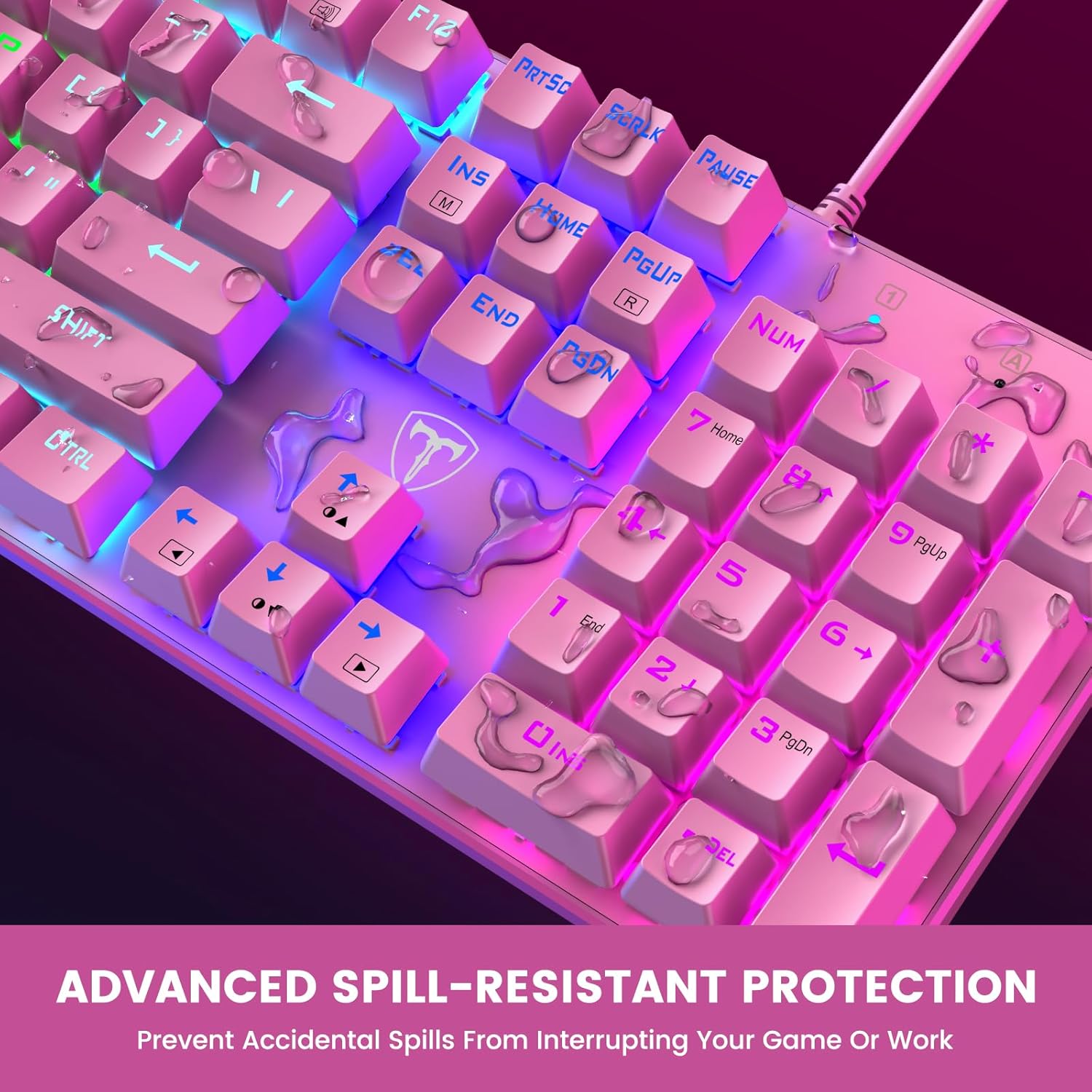
Figure 6: An illustration demonstrating the N-Key Rollover capability, ensuring all key presses are registered without delay.
5. Konserwacja
5.1 Czyszczenie klawiatury
Aby zachować wydajność i wygląd klawiatury, zaleca się jej regularne czyszczenie:
- Odłączyć: Przed czyszczeniem należy zawsze odłączyć klawiaturę od urządzenia.
- Usuwanie kurzu: Za pomocą sprężonego powietrza usuń kurz i zanieczyszczenia spomiędzy klawiszy.
- Czyszczenie powierzchni: Przetrzyj klawisze i powierzchnię klawiatury miękką, lekko wilgotną szmatką.amp, ściereczka niepozostawiająca włókien. Unikaj agresywnych środków chemicznych i materiałów ściernych.
- Keycap Removal (Optional): For deeper cleaning, use the included keycap puller to carefully remove individual keycaps. Gently pull straight up on the keycap. Clean the switch and keycap, then firmly press the keycap back into place until it clicks.

Figure 7: An illustration highlighting the long-lasting and non-fading properties of the double-shot detachable keycaps.
5.2 Spill Resistance
The RisoPhy keyboard is designed with 4 hydrophobic holes to help drain accidental liquid spills. In case of a spill:
- Natychmiast odłącz: Odłącz klawiaturę od urządzenia.
- Drain Liquid: Turn the keyboard upside down to allow liquid to drain through the designated holes.
- Dokładnie osuszyć: Wipe the surface dry with a cloth and allow the keyboard to air dry completely for several hours (or overnight) before reconnecting.
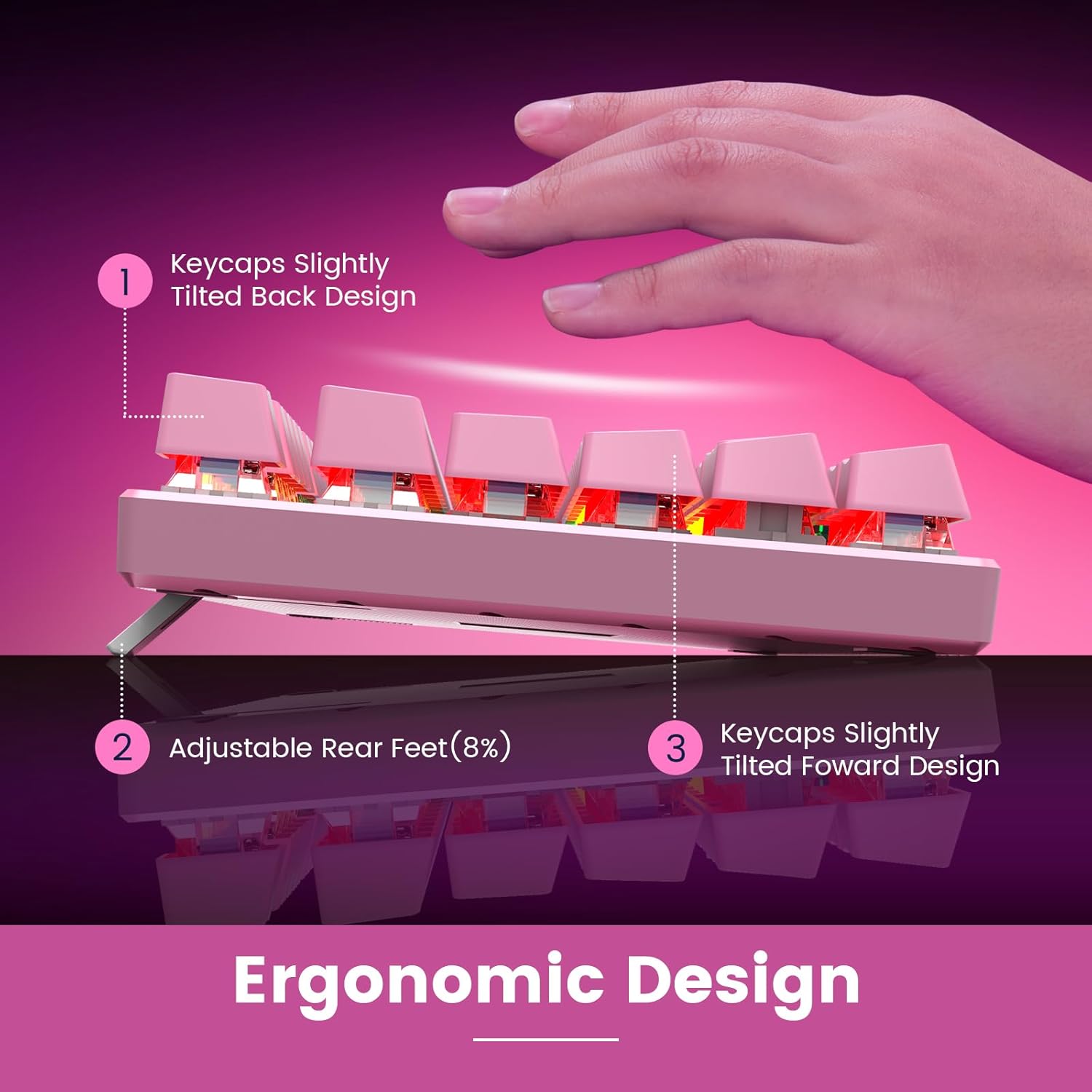
Figure 8: An image depicting water droplets on the keyboard surface, demonstrating its advanced spill-resistant design.
6. Rozwiązywanie Problemów
If you encounter issues with your RisoPhy Mechanical Gaming Keyboard, please refer to the following common solutions:
| Problem | Rozwiązanie |
|---|---|
| Klawiatura nie odpowiada |
|
| Podświetlenie nie działa lub migocze |
|
| Klawisze są lepkie lub nie reagują |
|
| Klawisze multimedialne nie działają |
|
7. Specyfikacje
- Model: B0C5CV369L
- Marka: RisoPhy
- Typ klucza: Mechaniczne niebieskie przełączniki
- Liczba kluczy: 104
- Łączność: USB-A przewodowy
- Podświetlenie: Rainbow RGB (9 modes, 5 brightness, 5 speed levels)
- Materiał nasadek klawiszy: Double Injection ABS
- Ochrona przed duchami: 100% (N-Key Rollover)
- Odporność na zalanie: Yes, with drainage holes
- Zgodne urządzenia: PC, Mac, Xbox, Gaming Consoles
- Wymiary: 17.48 x 6.38 x 1.81 cala (w przybliżeniu)
- Waga przedmiotu: 1.92 funta (w przybliżeniu)
8. Gwarancja i wsparcie
RisoPhy is committed to providing high-quality products and excellent customer service.
- Gwarancja: Produkt objęty jest 2-letnią gwarancją. Prosimy zachować dowód zakupu na wypadek reklamacji.
- Obsługa klienta: For any questions, technical assistance, or warranty inquiries, please contact RisoPhy customer service.
- Metody kontaktu:
- Click on the seller's name on the product page and send messages.
- Click on the store name in your order history and click to send messages.

Figure 9: Information regarding RisoPhy's customer support and warranty details.