
VAIO VJPF11C11N
VAIO Pro PF (VJPF11C11N) Notebook PC User Manual
1. Wprowadzenie
This manual provides essential information for setting up, operating, maintaining, and troubleshooting your VAIO Pro PF (Model: VJPF11C11N) notebook PC. Please read this manual thoroughly before using your device to ensure proper and safe operation.
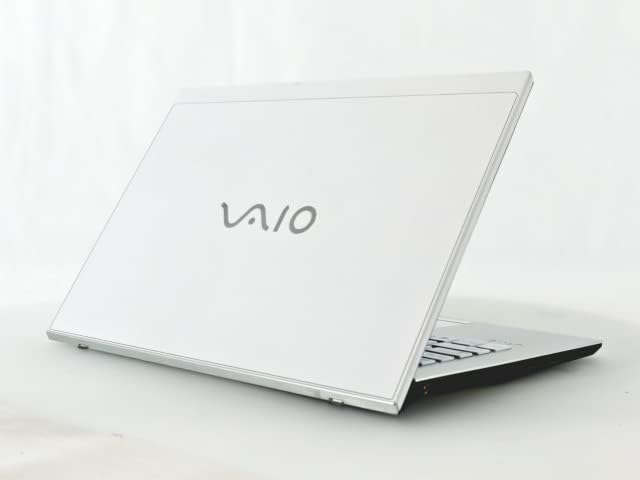
Figure 1: VAIO Pro PF Notebook PC
The VAIO Pro PF is a lightweight and compact mobile notebook designed for productivity. It features an 11.6-inch Full HD display, an Intel 8th Generation Core i5-8250U processor, 8GB of RAM, and a 256GB SSD, running on Windows 11 Pro. The device also includes a backlit keyboard for comfortable typing in various lighting conditions.
2. Konfiguracja
2.1 Rozpakowanie
Ostrożnie wyjmij wszystkie elementy z opakowania. Upewnij się, że znajdują się w nim następujące elementy:
- VAIO Pro PF Notebook PC
- Zasilacz sieciowy i przewód zasilający
- Dokumentacja (niniejsza instrukcja, informacje o gwarancji)
2.2 Podłączanie do zasilania
Before initial use, connect the AC adapter to the laptop's power input port and then plug the power cord into a wall outlet. Allow the battery to charge fully.
2.3 Pierwsze włączenie i konfiguracja systemu Windows
Press the power button to turn on the laptop. Follow the on-screen instructions to complete the initial Windows 11 Pro setup, including language selection, network connection, and user account creation.
3. Operating Your VAIO Pro PF
3.1 Klawiatura i touchpad
The VAIO Pro PF features a full-sized keyboard with a backlight for improved visibility. The touchpad located below the keyboard supports multi-touch gestures for navigation.

Rysunek 2: Układ klawiatury i touchpada
3.2 Podłączanie urządzeń zewnętrznych
Twój laptop jest wyposażony w różne porty umożliwiające podłączanie urządzeń zewnętrznych:
- Porty USB 3.0 (x3): Do podłączania urządzeń USB, takich jak zewnętrzne dyski twarde, myszy lub klawiatury.
- Port HDMI: For connecting to external displays or projectors with HDMI input.
- D-SUB15 (VGA) Port: For connecting to older external displays or projectors with VGA input.
- Wired LAN Port: Do łączenia się z siecią przewodową za pomocą kabla Ethernet.
- Gniazdo słuchawkowe: Do podłączenia słuchawek lub głośników zewnętrznych.
3.3 Łączność bezprzewodowa
The VAIO Pro PF supports both Wi-Fi and Bluetooth connectivity:
- Wi-Fi (802.11n): To connect to a wireless network, go to Windows Settings > Network & Internet > Wi-Fi, turn Wi-Fi on, and select your desired network.
- Bluetooth: To connect Bluetooth devices, go to Windows Settings > Bluetooth & devices, turn Bluetooth on, and pair your device.
3.4 Korzystanie z Web Kamera
Zintegrowany web camera can be used for video calls and conferences. Access it through applications like Camera, Microsoft Teams, or Zoom.
4. Konserwacja
4.1 Czyszczenie laptopa
To clean the exterior of your laptop, use a soft, lint-free cloth slightly dampened with water or a mild, non-abrasive cleaning solution. Avoid spraying liquids directly onto the device. For the screen, use a specialized screen cleaner.
4.2 Aktualizacje oprogramowania
Regularly check for and install Windows updates to ensure your system has the latest security patches and performance improvements. Go to Windows Settings > Windows Update.
4.3 Pielęgnacja baterii
Aby przedłużyć żywotność baterii, należy unikać ekstremalnych temperatur i częstego całkowitego rozładowywania baterii. W przypadku długotrwałego przechowywania naładuj baterię do około 50–70%.
5. Rozwiązywanie Problemów
This section addresses common issues you might encounter with your VAIO Pro PF.
| Problem | Rozwiązanie |
|---|---|
| Laptop się nie włącza. | Upewnij się, że zasilacz sieciowy jest prawidłowo podłączony, a gniazdko elektryczne działa. Spróbuj przytrzymać przycisk zasilania przez 10–15 sekund. |
| Problemy z połączeniem Wi-Fi. | Check if Wi-Fi is enabled in Windows Settings. Restart your router and the laptop. Ensure you are within range of the Wi-Fi network. |
| Podświetlenie klawiatury nie działa. | Check if the backlight function key (often Fn + F key) is enabled. Adjust brightness settings if available. |
| Nie wykryto zewnętrznego wyświetlacza. | Ensure the cable is securely connected to both the laptop and the display. Use Windows display settings to detect or extend displays. Try a different cable or port if available. |
6. Specyfikacje
| Funkcja | Szczegół |
|---|---|
| Nazwa modelu | VAIO Pro PF (VJPF11C11N) |
| Marka | VAIO (Manufacturer: SONY) |
| Rozmiar wyświetlacza | 11.6 cali |
| Rezolucja | 1920x1080 pixels (Full HD) |
| Procesor | Intel Core i5-8250U (8th Gen, 4 Cores, 8 Threads, 1.6 GHz base, up to 3.4 GHz) |
| BARAN | 8 GB pamięci DDR4 SDRAM |
| Składowanie | 256 GB SSD (dysk półprzewodnikowy) |
| System operacyjny | Windows 11 Pro (64-bitowy) |
| Grafika | Intel Integrated Graphics |
| Łączność bezprzewodowa | Wi-Fi (802.11n), Bluetooth |
| Porty | 3x USB 3.0, 1x HDMI, 1x D-SUB15 (VGA), 1x Wired LAN, 1x Headphone Jack |
| Web Kamera | Zintegrowany |
| Klawiatura | Podświetlana klawiatura |
| Waga | Około 0.87 kg (870 g) |
| Pierwsza dostępna data | 10 maja 2023 r. |
7. Gwarancja i wsparcie
For information regarding your product's warranty, please refer to the warranty card included with your purchase or visit the official VAIO support website. For technical assistance, driver downloads, or further inquiries, please contact VAIO customer support through their official channels.
Ask a question about this manual
Ask about setup, troubleshooting, compatibility, parts, safety, or missing instructions. Manuals+ will review the question and use this page’s manual context to help answer it.