
1. Wprowadzenie
This manual provides detailed instructions for the installation, operation, and maintenance of your Podofo 9-inch Portable Car Stereo. This device features a 9-inch IPS touchscreen, wireless Apple Carplay and Android Auto, Bluetooth connectivity, and multiple audio output options. Please read this manual thoroughly before use to ensure proper functionality and safety.
2. Funkcje produktu
- 9-calowy ekran dotykowy IPS: High-resolution 1024x600P display for clear visuals and responsive touch control.
- Bezprzewodowy Apple Carplay i Android Auto: Bezproblemowa integracja ze smartfonem umożliwiająca nawigację, słuchanie muzyki, wykonywanie połączeń i wysyłanie wiadomości.
- Sterowanie głosowe: Możliwość korzystania z Siri lub Asystenta Google w celu obsługi systemu bez użycia rąk zwiększa bezpieczeństwo i wygodę.
- Wiele trybów wyjścia audio: Connect via Bluetooth, AUX, FM Transmitter, or use the built-in speaker.
- Regulowane mocowanie: Umożliwia optymalne viewing angles and easy installation/removal without altering the original car stereo.
- Szeroki zakrestage Kompatybilność: Supports 7-32V power input, suitable for various vehicles including cars, trucks, caravans, vans, trailers, and campPierwszy
- Tył View Obsługa kamery: Compatible with external rear view cameras (camera not included) for enhanced parking safety.
- Link lustrzany: Funkcja kopiowania ekranu dla zgodnych urządzeń.
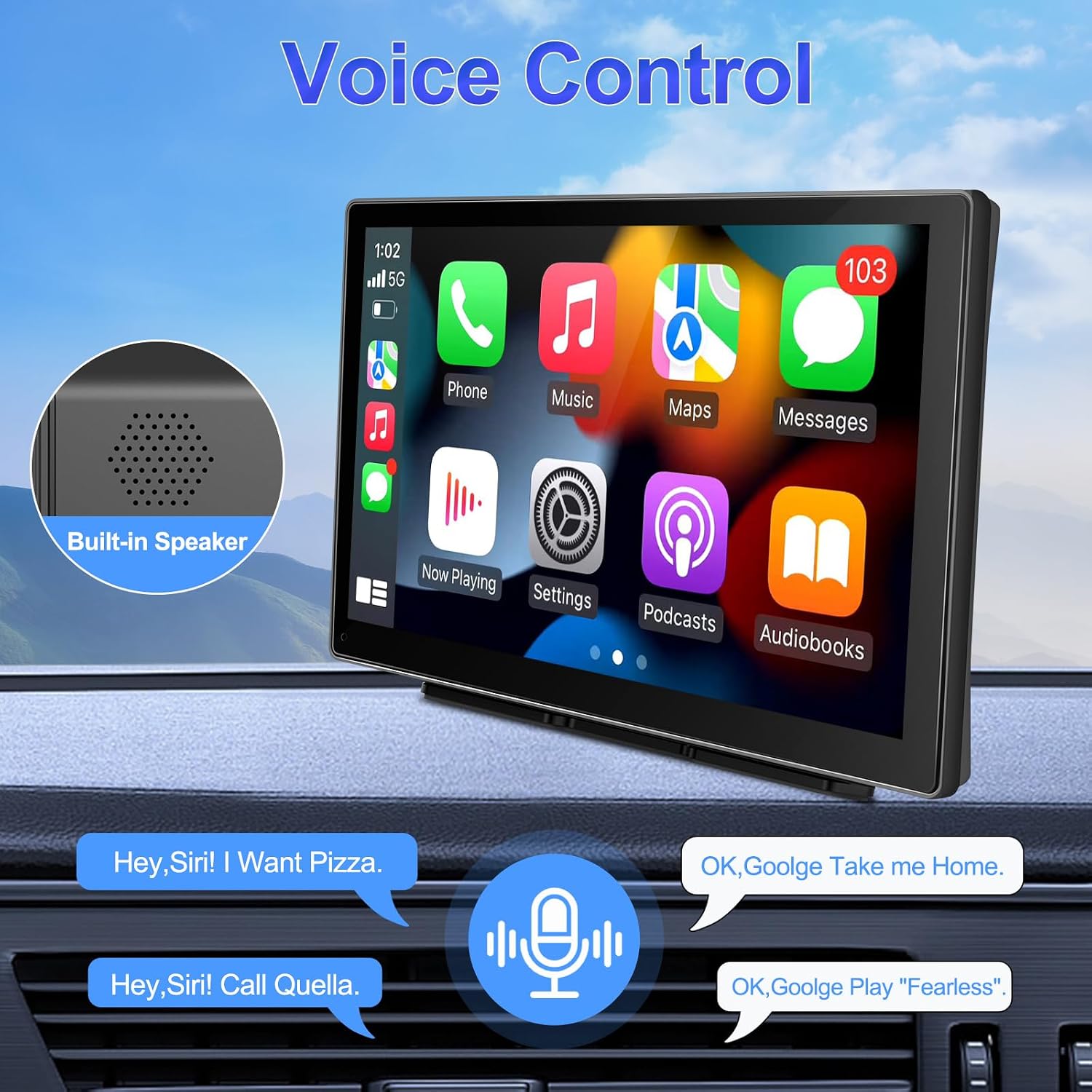
Image: The 9-inch display showing various connectivity options like Apple Carplay, Android Auto, and Mirror Link.

Image: Visual representation of the wide 7-32V compatibility across different vehicle types.
3. Konfiguracja i instalacja
The Podofo Portable Car Stereo is designed for convenient installation using its adjustable mount. It typically connects via a car cigarette lighter socket.
3.1 Montaż urządzenia
Attach the adjustable mount to the back of the car stereo. Position the device on your car's dashboard or windshield using the suction cup or adhesive base. Adjust the angle and distance to achieve the best visual experience. The design allows for easy removal, keeping your original car's interior intact.
3.2 Połączenie zasilania
Connect the provided power cord to the device and plug the other end into your car's cigarette lighter socket. Ensure the connection is secure. The device supports a voltagZakres 7-32V.
Ważna uwaga: If you are not using the original charger, ensure any replacement cigarette lighter charger is of high quality and compliant with voltage requirements to prevent damage to the unit or potential injury from insufficient voltage lub przegrzanie.

Image: Illustration of the convenient cigarette lighter installation method.
4. Instrukcja obsługi
4.1 Wireless Apple Carplay / Android Auto
- Upewnij się, że w smartfonie są włączone Bluetooth i Wi-Fi.
- On the car stereo, navigate to the Carplay or Android Auto option.
- Pair your phone's Bluetooth with the car stereo (default password: 0000). The Bluetooth name will appear as "CarBT123".
- Once paired, the system will automatically switch to the Zlink application, displaying the Carplay or Android Auto interface.
- You can now access smartphone functions like music, GPS navigation, calls, messages, and more directly on the car stereo screen.
The system will automatically connect to your phone for Carplay/Android Auto on subsequent uses.

Image: Wireless Apple Carplay and Android Auto functionality displayed on the screen.
4.2 Sterowanie głosowe
With your smartphone connected via Carplay or Android Auto, you can use voice commands (Siri for Apple, Google Assistant for Android) to control various functions. This includes making calls, playing music, getting directions, and sending messages, all without taking your hands off the wheel.

Image: Demonstrating voice control capabilities with a built-in speaker.
4.3 Tryby wyjścia audio
The device offers several ways to output audio:
- Wbudowany głośnik: Do bezpośredniego odtwarzania dźwięku z urządzenia.
- Bluetooth: Connect to your car's existing Bluetooth system for clearer and more stable audio.
- AUX: Use the provided AUX cable to connect to your car's AUX input for high-quality audio transmission.
- Nadajnik FM: Przesyłaj dźwięk bezprzewodowo do radia FM w swoim samochodzie, dostrajając oba urządzenia do tej samej częstotliwości FM.

Obraz: Ponadview of the four available audio output modes.
4.4 Funkcjonalność podzielonego ekranu
Urządzenie obsługuje wyświetlanie na podzielonym ekranie, co pozwala na: view dwóch aplikacji jednocześnie, np. nawigacji i odtwarzania muzyki.

Image: The split screen feature in action, displaying navigation and media.
5. Łączność
The Podofo car stereo offers various connectivity options:
- Bluetooth: For wireless audio streaming and hands-free calling.
- Wejście AUX: Podłącz zewnętrzne urządzenia audio za pomocą kabla AUX 3.5 mm.
- Port USB: For media playback from USB drives or charging devices.
- Gniazdo karty TF: Insert a TF (microSD) card for media playback.
- Port typu C: For additional connectivity or power.
- Tył View Wejście kamery: Podłącz kompatybilny tylny view camera (not included) for automatic display when reversing.

Image: The device supports a rear view kamera wspomagająca parkowanie.
6. Specyfikacje
| Marka | Podofo |
| Numer modelu | f1c25435-828c-4349-8ebb-c117c310998c |
| Rozmiar ekranu | 9 cali |
| Rozdzielczość ekranu | 1024x600P |
| Technologia łączności | AUX, Bluetooth, USB, Wi-Fi |
| Cechy specjalne | Android Auto, Apple CarPlay, ekran dotykowy |
| Kompatybilne urządzenia | Głośnik, smartfon |
| Tryb wyjścia audio | Stereo, dźwięk przestrzenny |
| Kodeki wideo | H.264, H.265/HEVC |
| Moc wyjściowa | 50 watów |
| Liczba kanałów | 4 |
| Metoda kontroli | Dotyk, głos |
| Zawarte komponenty | Instrukcja obsługi |

Image: Product dimensions and size overview.
7. Rozwiązywanie Problemów
7.1 Problemy z połączeniem Bluetooth
If you encounter difficulties pairing your phone via Bluetooth:
- Upewnij się, że Bluetooth Twojego telefonu jest wykrywalny.
- Try manually connecting the car stereo's Wi-Fi to your phone's hotspot. (Navigate to Car Settings > Android Car Settings > Network > Hotspot Sharing > Enable Hotspot > View > Hotspot Name).
- Delete any existing Bluetooth pairing data for the car stereo on your phone and attempt to reconnect.
7.2 Kwestie ogólne
- Brak zasilania: Check the cigarette lighter connection and ensure the car's power outlet is functioning. Verify the power cord is securely plugged into the device.
- Brak dźwięku: Check the selected audio output mode (Built-in Speaker, Bluetooth, AUX, FM Transmitter). Ensure volume levels are adequate on both the car stereo and your car's audio system.
- Niereagujący ekran dotykowy: Spróbuj ponownie uruchomić urządzenie. Jeśli problem będzie się powtarzał, skontaktuj się z obsługą klienta.
8. Gwarancja i wsparcie
Ten produkt jest dostarczany z 1-letnia gwarancja from the date of purchase. For technical assistance or warranty claims, please contact Podofo customer support. We aim to provide 24-hour support and high-quality service.
For further inquiries, please refer to the contact information provided with your purchase or visit the official Podofo webstrona.