
1. Koniec produktuview
The GMBACK Wireless Switch 2 Pro Controller is a versatile gaming controller designed for a wide range of platforms, including Nintendo Switch 2/Switch/Lite/OLED, Apple devices (iPhone, iPad, Mac, TV, Apple Arcade MFi Games), Android devices (phone, tablet, Android TV, TV boxes), PC/Laptop (Windows 7/8/9/10/11), and Steam. It features advanced functionalities such as programmable buttons, 6-axis gyro motion control, adjustable vibration, turbo modes, and customizable RGB lighting to enhance your gaming experience.

Obraz: Przód view of the GMBACK Wireless Switch 2 Pro Controller, showcasindzięki ergonomicznej konstrukcji i podświetlanym joystickom.
2. Zawartość opakowania
Po rozpakowaniu należy sprawdzić zawartość opakowania, aby upewnić się, że znajdują się w nim wszystkie elementy:
- GMBACK Wireless Switch 2 Pro Controller
- Kabel ładujący USB
- Instrukcja obsługi (ten dokument)
3. Konfiguracja i połączenie
3.1 Szeroka kompatybilność
The controller supports a broad range of devices. Ensure your device's Bluetooth is enabled before attempting to pair.
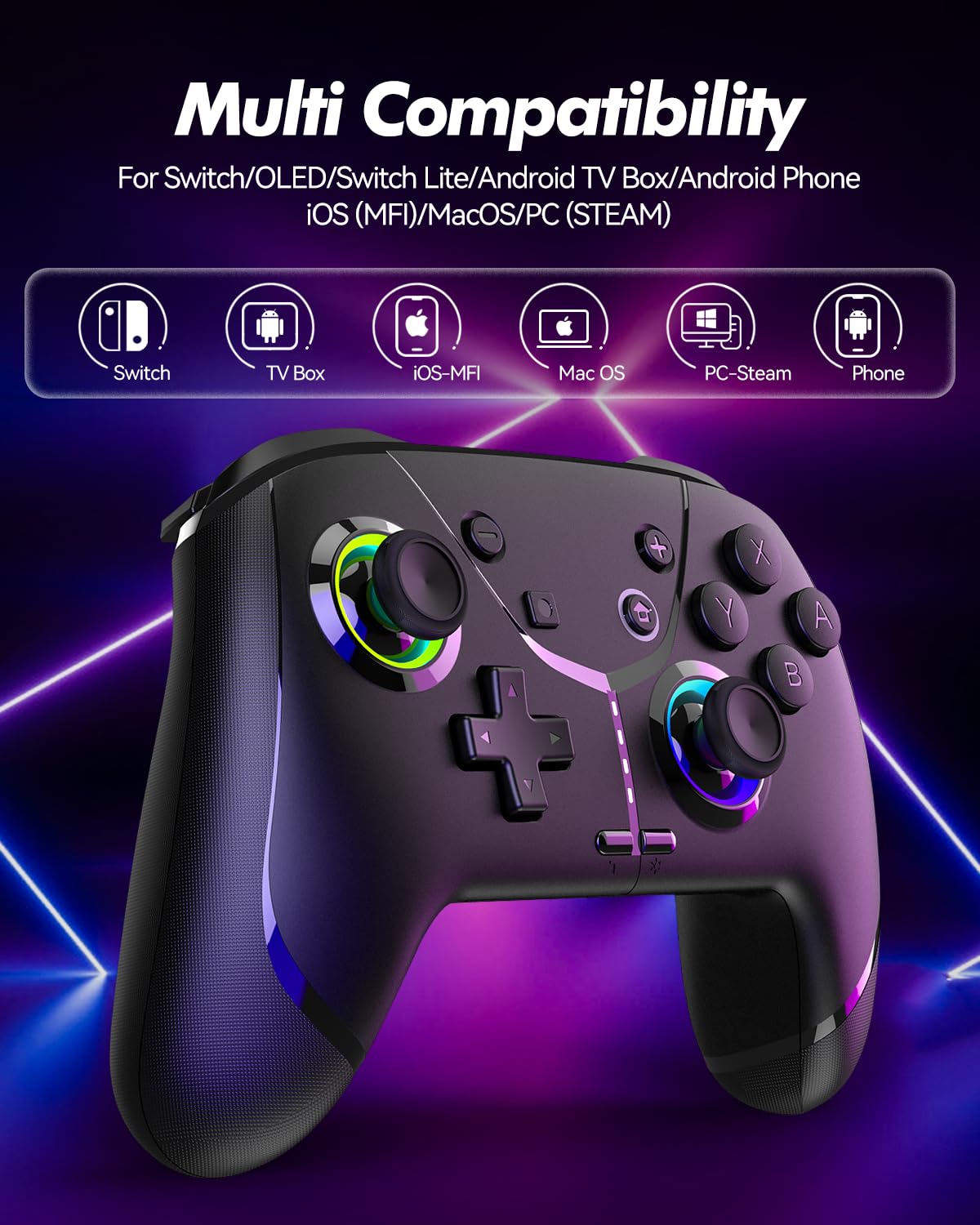
Image: Diagram illustrating the controller's compatibility with Nintendo Switch, TV Box, iOS-MFi, Mac OS, PC-Steam, and Phone devices.
3.2 Połączenie Bluetooth
To pair the controller via Bluetooth:
- Sprawdź, czy kontroler jest odpowiednio naładowany.
- Włącz kontroler naciskając przycisk Home.
- Activate Bluetooth pairing mode on the controller (refer to specific device pairing instructions below).
- On your device (Switch, phone, PC), go to Bluetooth settings and search for new devices.
- Select "Pro Controller" or similar from the list to connect.
- Po nawiązaniu połączenia kontrolki na kontrolerze zaczną świecić stabilnie.
3.3 Połączenie przewodowe
For PC or other compatible devices, you can connect the controller directly using the provided USB cable. This will typically allow for plug-and-play functionality without requiring Bluetooth pairing.
4. Instrukcja obsługi
4.1 Programmable Buttons (AR/AL)
The controller features two programmable buttons (AR and AL) on the back. These can be mapped to single buttons or record a sequence of up to 30 seconds of gaming operations.
- Mapping Single Buttons: Press the Program button, then the button you wish to map (e.g., A, B, X, Y, L, R, ZL, ZR, Left Joystick, Right Joystick, D-pad, +,-), then press AR or AL.
- Recording Macros: Press the Program button, then perform the sequence of actions you wish to record. Press AR or AL again to save the macro.

Obraz: Zbliżenie view of the controller's underside, highlighting the AR and AL programmable buttons and their mapping capabilities.
4.2 Motion Controls (6-Axis Gyro Sensor)
The built-in 6-axis gyro sensor allows for precise motion control in compatible games on Switch, mobile phones, PC, and TV. This feature enables intuitive aiming and movement based on the controller's orientation.

Image: Illustration of the 6-axis gyro sensor functionality, showing a user holding the controller with motion lines indicating active control in a racing game.
4.3 Regulowane wibracje
The asymmetric dual motors provide four adjustable vibration intensities (100%, 70%, 50%, 0%) for an immersive gaming experience. Adjust the vibration level to your preference through the controller's settings or specific button combinations (refer to the quick start guide for details).

Image: Visual representation of the dual vibration feature with intensity levels (None, Weak, Medium, Strong) and the auto/manual turbo function.
4.4 Turbo Modes
The controller offers both auto and manual turbo modes with three adjustable speeds (5, 10, or 15 shots per second). This feature allows for rapid, continuous input of a button press, useful in fast-paced games.
- Ręczna turbosprężarka: Press the Turbo button and the desired action button simultaneously.
- Automatyczna turbosprężarka: Press the Turbo button and the action button twice.
- Regulacja prędkości: While in Turbo mode, press the Turbo button and move the right joystick up or down to cycle through speeds.
4.5 ABXY Function Switching
Easily switch between Nintendo Switch (A/B/X/Y) and Xbox (Y/X/B/A) button layouts without physically removing buttons. This ensures compatibility and comfort across different gaming platforms.

Image: Depiction of the ABXY button layout switching feature, showing the buttons rotating to indicate the change between Nintendo and Xbox configurations.
4.6 Wake-Up Function and RGB Light
The controller supports a wake-up function for connected devices (e.g., Nintendo Switch). It also features cool RGB lighting around the joysticks, which can be customized or turned off to suit your preference.

Image: The controller with illuminated RGB lights around the joysticks, indicating the "Wake Up & Cool LED Light" feature.
4.7 Funkcja zrzutu ekranu
A dedicated screenshot button allows you to capture in-game moments instantly on compatible platforms.
5. Ładowanie i żywotność baterii
The controller is equipped with a built-in 800 mAh rechargeable battery, providing approximately 15-20 hours of gameplay on a full charge. Charging time is typically around 3 hours.
- Connect the controller to a USB power source (e.g., console, PC, USB wall adapter) using the provided USB charging cable.
- Kontrolki pokażą stan ładowania i wyłączą się lub zmienią kolor, gdy urządzenie będzie w pełni naładowane.

Image: Illustration highlighting the controller's ergonomic design and battery specifications: 800mAh Lithium Battery, 3H Charging Time, and 15-20H Playing Time.
6. Konserwacja
To ensure the longevity and optimal performance of your GMBACK Wireless Switch 2 Pro Controller:
- Utrzymuj kontroler w czystości, przecierając go miękką, suchą ściereczką. Unikaj stosowania silnych środków chemicznych i materiałów ściernych.
- Przechowuj kontroler w chłodnym, suchym miejscu, z dala od bezpośredniego światła słonecznego i ekstremalnych temperatur.
- Unikaj upuszczania kontrolera i narażania go na silne uderzenia.
- Nie należy podejmować prób demontażu lub modyfikacji kontrolera, gdyż spowoduje to utratę gwarancji.
- Charge the controller regularly, even if not in frequent use, to maintain battery health.
7. Rozwiązywanie Problemów
| Problem | Możliwa przyczyna | Rozwiązanie |
|---|---|---|
| Kontroler nie włącza się. | Niski poziom naładowania baterii. | Ładuj kontroler przez co najmniej 3 godziny. |
| Nie można sparować przez Bluetooth. | Kontroler nie jest w trybie parowania; zakłócenia Bluetooth; Bluetooth urządzenia wyłączony. | Ensure controller is in pairing mode. Turn off and on device Bluetooth. Move closer to the device. Try wired connection. |
| Opóźnienie lub rozłączenie sygnału wejściowego. | Low battery; too far from device; wireless interference. | Charge controller. Move closer to device. Reduce other wireless device interference. |
| Przyciski/Joysticki nie reagują. | Błąd oprogramowania; uszkodzenie fizyczne. | Restart the controller and the connected device. If problem persists, contact customer support. |
| Wibracje nie działają. | Intensywność wibracji ustawiono na 0%. Gra nie obsługuje wibracji. | Adjust vibration intensity. Check game settings. |
8. Specyfikacje
- Model: 6-osiowy czujnik żyroskopowy
- Łączność: Bluetooth
- Zgodność: Nintendo Switch 2/Switch/Lite/OLED, Apple (iPhone, iPad, Mac, TV, MFi Games), Android (phone, tablet, TV), PC (Windows 7/8/9/10/11), Steam
- Bateria: Bateria litowa 800 mAh
- Czas ładowania: Około 3 godzin
- Czas gry: 15-20 godzin
- Cechy: Programmable Buttons, 6-Axis Gyro, Adjustable Vibration, Turbo Modes, ABXY Function Switching, Wake-up, RGB Light, Screenshot
- Waga przedmiotu: 11.3 uncji
- Wymiary opakowania: 6.61 x 5.2 x 2.76 cala
- Producent: GMBACK
9. Gwarancja i wsparcie
GMBACK is committed to providing high-quality products and excellent customer service. For any issues or inquiries regarding your controller, please refer to the following:
- Informacje o gwarancji: Please retain your proof of purchase for warranty claims. Specific warranty terms may vary; refer to the product packaging or contact GMBACK customer support for details.
- Obsługa klienta: For technical assistance, troubleshooting, or warranty service, please contact GMBACK customer support through the retailer where you purchased the product or visit the official GMBACK store on Amazon: GMBACK Store.
- Instrukcja obsługi online: A PDF version of the user manual may be available for download at https://manuals.plus/m/56f01544f3b9d5425429644adc4053f7681b5d3717aa40f944cdb0f9bfccf36b.