
1. Informacje dotyczące bezpieczeństwa
Please read all safety information before operating the Silverlit TOOKO My First Mist-Projecting Activity Truck. Keep this manual for future reference.
- Ostrzeżenie: Produkt nieodpowiedni dla dzieci poniżej 36 miesięcy ze względu na małe części, które mogą stwarzać ryzyko zadławienia.
- Adult supervision is recommended during play, especially when filling the water tank.
- Nie zanurzaj zabawki w wodzie.
- Upewnij się, że baterie są włożone z zachowaniem prawidłowej polaryzacji. Nie mieszaj starych i nowych baterii ani różnych typów baterii.
- Wyjmij baterie, jeśli zabawka nie będzie używana przez dłuższy czas.
- Use only clean tap water for the mist effect. Do not add any other liquids or chemicals.
2. Koniec produktuview
The Silverlit TOOKO My First Mist-Projecting Activity Truck is an interactive toy designed for young children aged 2 years and above. It features a unique mist effect, sound and light effects, and a simple 'Press & Go' function for easy operation.

3. Zawartość opakowania
Sprawdź, czy w przesyłce znajdują się wszystkie elementy wymienione poniżej:
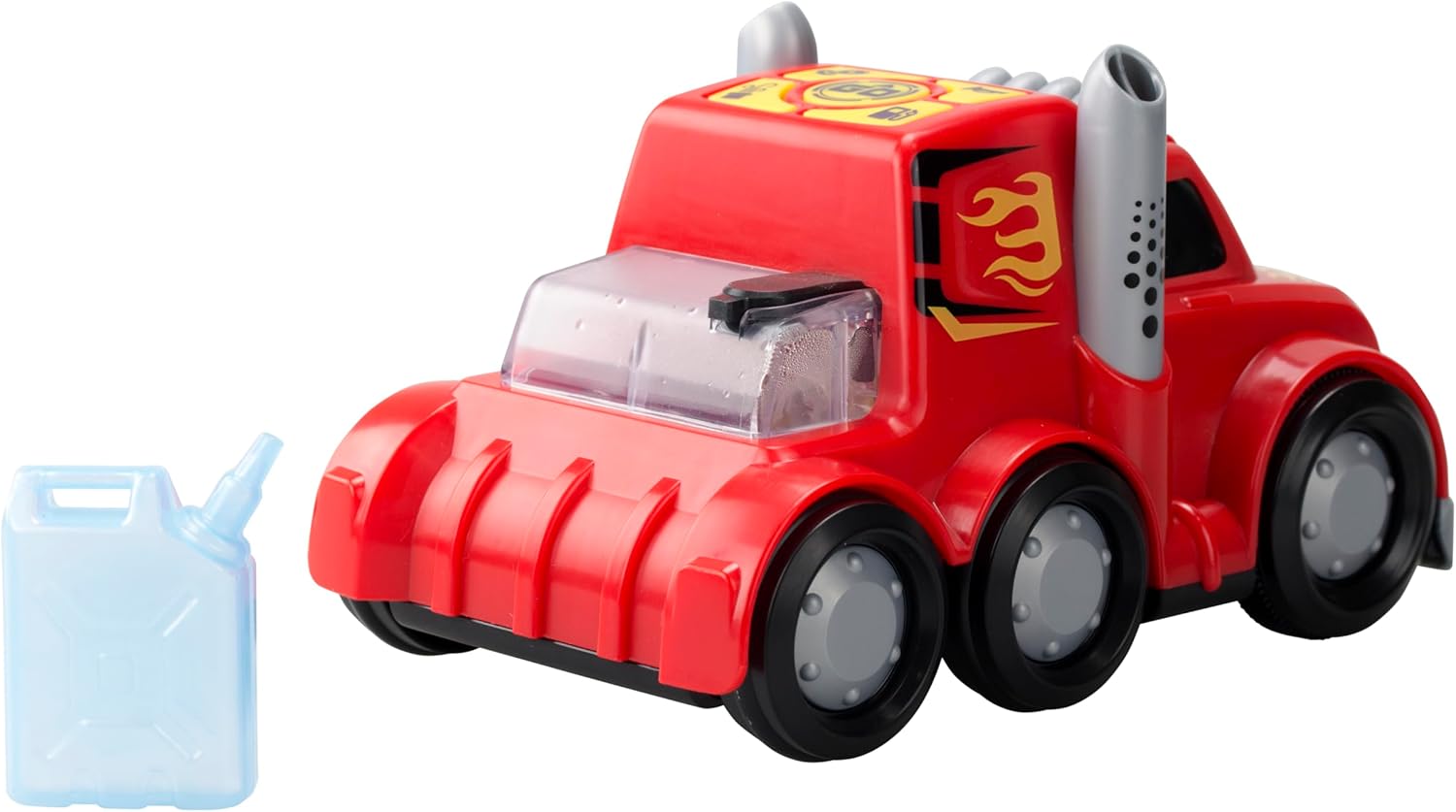
- 1 x Silverlit TOOKO My First Mist-Projecting Activity Truck
- 1 x Water Container (for mist effect)
- Instrukcja obsługi (ten dokument)
4. Konfiguracja
4.1 Instalacja baterii
The truck requires 3 x AAA batteries (not included) for operation.
- Znajdź komorę akumulatora na spodzie ciężarówki.
- Using a screwdriver (not included), unscrew the battery compartment cover.
- Włóż 3 nowe baterie AAA, zwracając uwagę na prawidłową biegunowość (+/-), zgodnie ze wskazaniami wewnątrz komory.
- Załóż pokrywę komory baterii i zabezpiecz ją śrubą.
4.2 Water Filling for Mist Effect
To activate the mist effect, the water tank needs to be filled.
- Locate the water tank opening on the top rear of the truck.
- Fill the provided water container with clean tap water.
- Carefully pour the water from the container into the truck's water tank opening. Do not overfill.
- Ensure the water tank cap (if present) is securely closed after filling.

5. Instrukcja obsługi
5.1 Włączanie/wyłączanie zasilania
Locate the power switch on the underside or side of the truck. Slide the switch to the 'ON' position to power on the toy. Slide it to 'OFF' to power off.
5.2 Press & Go Function
The truck features a simple 'Press & Go' mechanism for forward movement.
- Ensure the truck is powered on.
- Press the designated 'Go' button on the top panel of the truck.
- The truck will move forward for a short distance.

5.3 Mist Effect Activation
Once the water tank is filled and the truck is powered on, the mist effect can be activated.
- Press the dedicated mist button on the control panel.
- Mist will be projected from the exhaust pipes, simulating a real misting truck.
5.4 Sound and Light Effects
The truck is equipped with integrated sound and light features.
- These effects typically activate automatically when the truck is in motion or when specific buttons (e.g., horn button) are pressed.
- Refer to the icons on the control panel for specific sound functions.
6. Konserwacja
6.1 Czyszczenie
- Wytrzyj ciężarówkę miękką szmatką.amp płótno. Nie używaj ostrych środków chemicznych ani ściernych środków czyszczących.
- Przed schowaniem upewnij się, że zabawka jest całkowicie sucha.
6.2 Przechowywanie
- Przechowuj zabawkę w chłodnym i suchym miejscu, z dala od bezpośredniego światła słonecznego.
- Wyjmij baterie, jeśli zabawka nie będzie używana przez dłuższy czas, aby zapobiec wyciekom.
- Empty the water tank completely before storing to prevent mold or residue buildup.
7. Rozwiązywanie Problemów
| Problem | Możliwa przyczyna | Rozwiązanie |
|---|---|---|
| Truck does not move or power on. | Baterie są rozładowane lub nieprawidłowo zainstalowane. | Replace batteries with new ones, ensuring correct polarity. Check power switch is ON. |
| Mist effect is not working. | Water tank is empty or mist nozzle is blocked. | Refill the water tank with clean tap water. Gently check the mist nozzle for any obstructions. |
| Sound or light effects are not working. | Batteries are low or a specific button is not pressed. | Replace batteries. Ensure the correct button for the desired effect is pressed. |
8. Specyfikacje
| Funkcja | Szczegół |
|---|---|
| Numer modelu | SL-81478 |
| Marka | Silverlit |
| Wymiary (dł. x szer. x wys.) | 23.01 x 10.8 x 14 cm (9.06 x 4.25 x 5.51 cala) |
| Waga | 290.3 gramów (0.64 funta) |
| Tworzywo | Plastikowy |
| Źródło zasilania | Zasilany bateryjnie |
| Typ baterii | 3 x AAA (Alkaline recommended, not included) |
| Zalecany wiek | 24 miesięcy i więcej |
| Cechy specjalne | Mist effect, Sound effects, Light effects, Press & Go function |
9. Gwarancja i wsparcie
Ten produkt jest objęty standardową gwarancją producenta na wady materiałowe i wykonawcze. Prosimy zachować dowód zakupu na wypadek roszczeń gwarancyjnych.
For technical support, troubleshooting assistance, or warranty inquiries, please contact Silverlit customer service through their official webwitrynę lub sprzedawcę, u którego zakupiono produkt.
Uwaga: Warunki gwarancji mogą się różnić w zależności od regionu.