
1. Wprowadzenie
Welcome to the ECHO RAINBOW Smartwatch user manual. This guide provides essential information for setting up, operating, and maintaining your new smartwatch. The ECHO RAINBOW Smartwatch is designed to enhance your active lifestyle with integrated sports functions, health sensors, and seamless smartphone connectivity.
Co jest w pudełku
- ECHO RAINBOW Smartwatch
- Kabel ładujący
- Instrukcja obsługi

Image: The ECHO RAINBOW Smartwatch worn on a wrist, showing the time, date, and activity tracking data on its display.
2. Przewodnik konfiguracji
2.1 Pierwsze ładowanie
Before first use, fully charge your ECHO RAINBOW Smartwatch.
- Podłącz kabel ładujący do portu ładowania z tyłu smartwatcha.
- Podłącz koniec kabla USB do standardowego zasilacza USB (nie ma go w zestawie) lub do portu USB komputera.
- The watch display will indicate charging status. Allow approximately 2 hours for a full charge.
2.2 Parowanie ze smartfonem
To unlock all features, pair your smartwatch with the DaFit application on your smartphone.
- Pobierz DaFit application from the Google Play Store (for Android 4.4 and above) or Apple App Store (for iOS 8.0 and above).
- Upewnij się, że Bluetooth jest włączony w Twoim smartfonie.
- Open the DaFit app and follow the on-screen instructions to add your device.
- Select "ECHO RAINBOW" from the list of available devices to complete the pairing process.

Image: The ECHO RAINBOW Smartwatch positioned beside a smartphone, illustrating the connection with the DaFit mobile application.
3. Korzystanie ze smartwatcha
3.1 Poruszanie się po interfejsie
The ECHO RAINBOW Smartwatch features a 1.69-inch rectangular TFT touchscreen.
- Przesuń w górę/w dół: Przewijaj menu i powiadomienia.
- Przesuń w lewo/w prawo: Uzyskaj szybki dostęp do widżetów i różnych tarcz zegarka.
- Uzyskiwać: Wybierz element lub potwierdź czynność.
- Naciśnij przycisk boczny: Powrót do ekranu głównego lub włączanie/wyłączanie zasilania.
3.2 Monitorowanie stanu zdrowia
Utilize the advanced health sensors for comprehensive tracking.
- Tętno: Tap the heart rate icon to measure your current heart rate. Continuous monitoring can be enabled in the DaFit app.
- Ciśnienie krwi: Access the blood pressure function to take a reading.
- Monitorowanie snu: Wear the watch during sleep for automatic sleep analysis, including deep sleep and light sleep duration. View detailed reports in the DaFit app.
- Śledzenie kalorii: The watch automatically tracks calories burned based on your activity.
3.3 Sports Functions
Engage in various sports modes to track your physical activity.
- Krokomierz: Automatycznie liczy Twoje kroki w ciągu dnia.
- Śledzenie odległości: Rejestruje dystans pokonany w trakcie Twojej aktywności.
- Multiple Exercise Modes: Select from various sports modes like outdoor running, cycling, rope skipping, badminton, tennis, mountaineering, walking, basketball, and volleyball to get specific workout data.
3.4 Inteligentna łączność
Stay connected with your smartphone for real-time notifications and controls.
- Powiadomienia: Receive messages, call alerts, and app notifications directly on your watch. Configure notification settings in the DaFit app.
- Pogoda: View aktualne warunki pogodowe i prognozy.
- Sterowanie muzyką: Steruj odtwarzaniem muzyki na swoim smartfonie (odtwarzaj, pauzuj, pomijaj utwory).
- Sterowanie kamerą: Używaj zegarka jako zdalnego wyzwalacza migawki aparatu w smartfonie.
- Możliwość personalizacji tarcz zegarka: Personalize the watch face and display settings via the DaFit app.
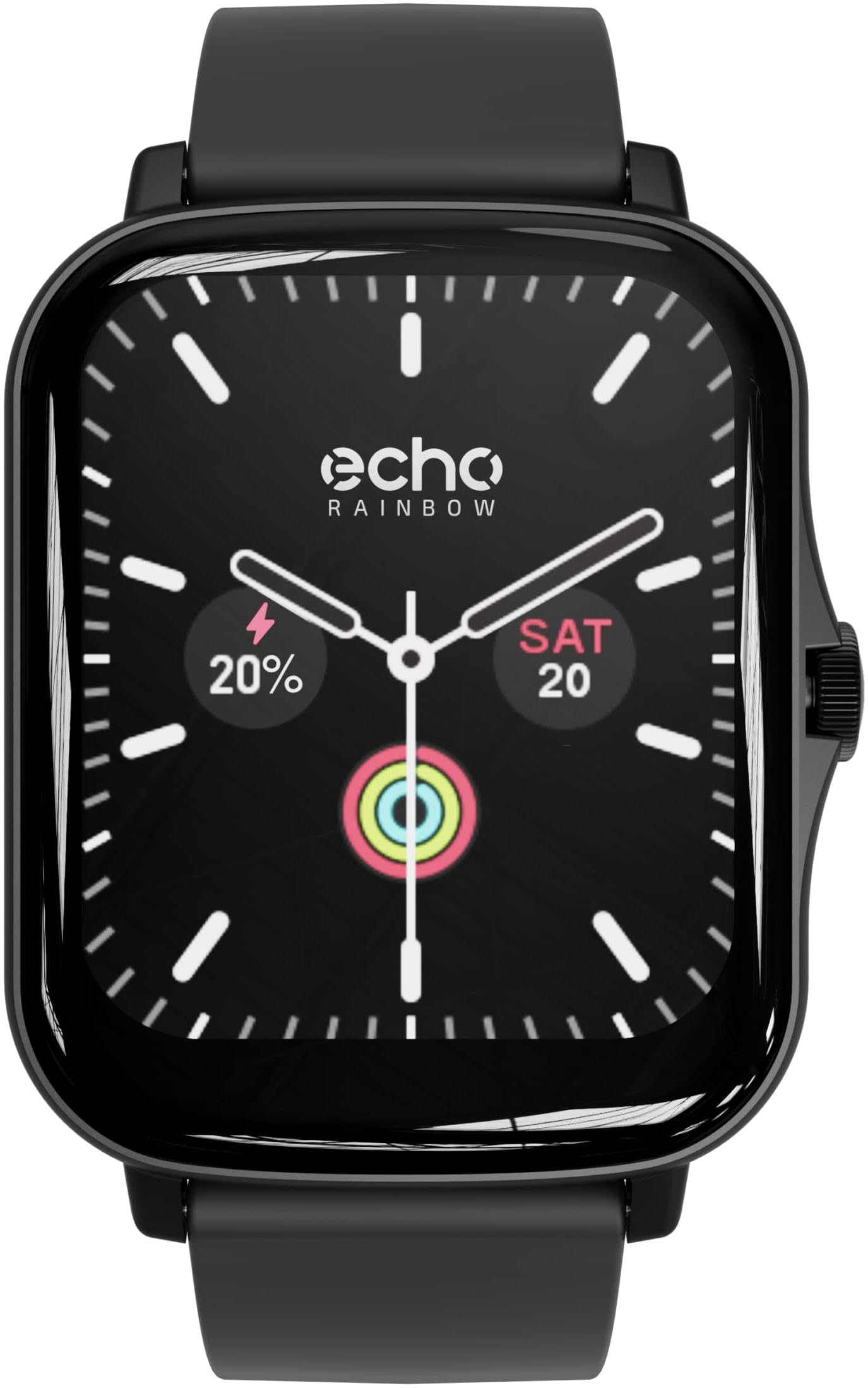
Image: The ECHO RAINBOW Smartwatch worn on a wrist, showing the time, date, and activity tracking data on its display.
4. Główne cechy
- Advanced Health Sensors: Accurately measure calories, blood pressure, and heart rate. Benefit from in-depth sleep tracking and analysis for optimized well-being.
- Integrated Sports Functions: Use the pedometer to count steps, track distance, and engage in various exercises to achieve your fitness goals.
- Inteligentna łączność: Receive messages, check weather, control music and smartphone camera, and customize your watch face and display settings.
- Łączność Bluetooth: Easily connect your watch to your smartphone via Bluetooth for a smooth user experience.
- 1.69-inch Rectangular TFT Touchscreen: Enjoy a high-quality touchscreen with a 240*280 pixel resolution, offering a clear and responsive visual experience.

Image: A display of three ECHO RAINBOW Smartwatches, each featuring a different color strap and watch face, highlighting the product's design versatility.
5. Specyfikacje
| Marka | ECHO |
| Numer modelu | 3662515021580 |
| Kolor | Shark Black |
| System operacyjny | Proprietary (DaFit App compatible with Android 4.4+ & iOS 8.0+) |
| Ekran | 1.69-inch TFT Touchscreen, 240*280 pixels |
| Łączność | Bluetooth (2.4 GHz radio frequency) |
| Cechy specjalne | DaFit App, Metallic casing, Fashion & design, Health and sport tracking |
| Kompatybilne urządzenia | Smartfon |
| Typ baterii | Litowo-polimerowy |
| Akumulator do ponownego ładowania | Tak |
| Pojemność baterii | 180 mAh (approximate) |
| GPS | Za pomocą smartfona |
| Kształt | Prostokątny |
6. Konserwacja
6.1 Czyszczenie smartwatcha
To ensure accurate readings and prolong the life of your device, keep your smartwatch clean.
- Przetrzyj ekran i obudowę miękką, niepozostawiającą włókien ściereczką.
- W przypadku uporczywych plam delikatnieampPrzetrzyj szmatkę wodą. Unikaj stosowania silnych środków chemicznych i materiałów ściernych.
- Clean the sensor area on the back of the watch regularly to maintain optimal performance.
6.2 Pielęgnacja baterii
- Unikaj częstego całkowitego rozładowywania akumulatora.
- Naładuj zegarek za pomocą dołączonego kabla ładującego.
- Nie wystawiaj zegarka na działanie ekstremalnych temperatur, gdyż może to wpłynąć na żywotność baterii.
7. Rozwiązywanie Problemów
7.1 Zegarek się nie włącza
- Upewnij się, że zegarek jest w pełni naładowany. Podłącz go do ładowarki na co najmniej 30 minut.
- Press and hold the side button for 10-15 seconds to perform a forced restart.
7.2 Problemy z parowaniem
- Upewnij się, że Bluetooth jest włączony w Twoim smartfonie i zegarek znajduje się w zasięgu.
- Uruchom ponownie smartfon i smartwatch.
- Ensure the DaFit app is updated to the latest version.
- If previously paired, try unpairing the device from your phone's Bluetooth settings and then re-pairing through the DaFit app.
7.3 Nieprawidłowe odczyty stanu zdrowia
- Upewnij się, że zegarek ściśle przylega do nadgarstka — nie jest za ciasny, ani za luźny.
- Wyczyść czujnik z tyłu zegarka.
- Unikaj nadmiernego ruchu podczas pomiarów.
- Należy pamiętać, że smartwatche nie są urządzeniami medycznymi, a odczyty mają charakter wyłącznie poglądowy.
8. Gwarancja i wsparcie
8.1 Gwarancja producenta
The ECHO RAINBOW Smartwatch comes with a 2-letnia gwarancja producenta. Zachowaj dowód zakupu na wypadek roszczeń gwarancyjnych.
8.2 Obsługa klienta
For further assistance, technical support, or warranty inquiries, please contact ECHO customer service through the official webna stronie internetowej lub u sprzedawcy.