
Wstęp
This manual provides detailed instructions for the installation, operation, and maintenance of your UNITOPSCI 10.36 Inch Portable Wireless CarPlay/Android Auto Car Stereo. Please read this manual thoroughly before using the device to ensure proper functionality and safety.
Informacje dotyczące bezpieczeństwa
- Zawsze korzystaj z urządzenia odpowiedzialnie i zgodnie z lokalnymi przepisami ruchu drogowego. Rozproszenie uwagi podczas jazdy może prowadzić do wypadków.
- Upewnij się, że urządzenie jest bezpiecznie zamontowane i nie przeszkadza. view lub zakłócać sterowanie pojazdem.
- Nie należy podejmować prób demontażu ani modyfikacji urządzenia. Może to spowodować unieważnienie gwarancji i zagrożenie bezpieczeństwa.
- Trzymaj urządzenie z dala od ekstremalnych temperatur, długotrwałego bezpośredniego światła słonecznego i wilgoci.
- Należy używać wyłącznie dołączonego przewodu zasilającego i akcesoriów.
Zawartość opakowania
Sprawdź, czy w przesyłce znajdują się wszystkie elementy wymienione poniżej:
- 1 x Portable Car Stereo
- 1 x Przewód zasilający
- 1 x Akcesoria (Uchwyt montażowy)
- 1 x Bracket Fixing Sticker
- 1 x 3M AUX Cable
- 1 x Instrukcja obsługi

Rysunek 1: Zawartość opakowania i wymiary produktu
Cechy produktu
- Bezprzewodowy Apple CarPlay i Android Auto: Bezproblemowa integracja ze smartfonem umożliwiająca nawigację, wykonywanie połączeń, słuchanie muzyki i wiele więcej.
- Sterowanie głosowe: Możesz obsługiwać urządzenie bez użycia rąk za pomocą Siri lub Asystenta Google.
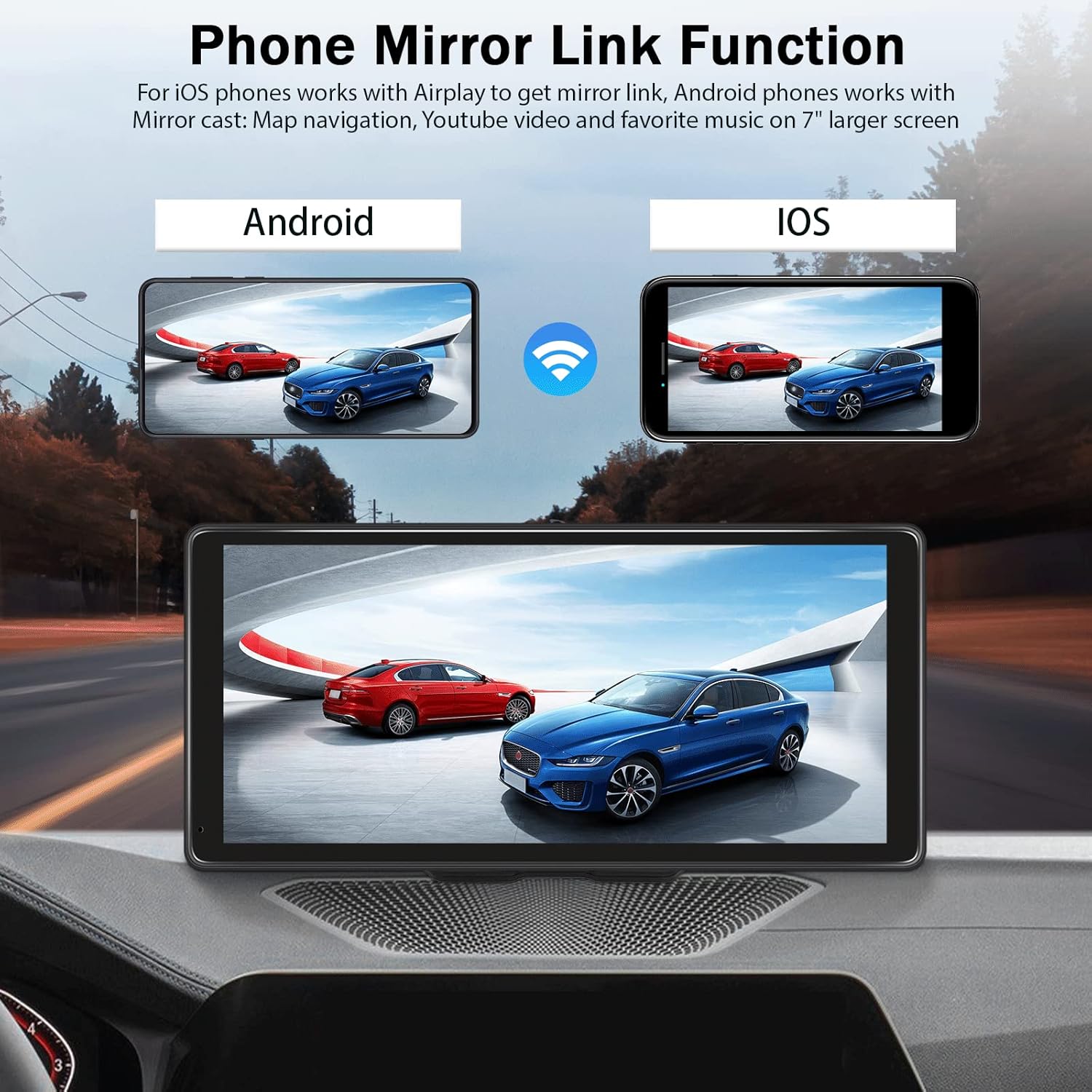
- Funkcja łącza lustrzanego: Display your phone's screen (Android Cast for Android, Airplay for iOS) directly on the stereo.
- Hands-free Bluetooth: Make and receive calls, stream music wirelessly.
- Wiele opcji wyjścia audio: Built-in speaker, FM radio transmitter, AUX output.
- High-Resolution Touch Screen: 10.36-inch HD capacitive touch screen with 1600*720 resolution for clear visuals and responsive interaction.
- Wejście kamery cofania: Supports connection to a backup camera (not included) for enhanced parking safety.
- Szeroka kompatybilność: Compatible with 7-32V DC vehicles, suitable for cars, taxis, trucks, and vans.

Rysunek 2: Zgodność pojazdu

Figure 3: High-Resolution Touch Screen and Backup Camera View
Organizować coś
1. Montaż
The UNITOPSCI car stereo is designed for dash mounting. Use the provided accessories and bracket fixing sticker to securely attach the device to your car's center dashboard in a position that does not obstruct your view or access to vehicle controls.
2. Podłączenie zasilania
Connect the provided power cord to the device and your vehicle's power outlet (e.g., cigarette lighter socket). The device is compatible with 7-32V DC vehicle power systems.
3. Opcje wyjścia audio
The device offers three methods for audio output:
- Wbudowany głośnik: The unit has an integrated speaker for direct audio playback.
- Nadajnik FM: Transmit audio to your car's original stereo system by tuning both the car stereo and the UNITOPSCI unit to the same FM frequency.
- Wyjście AUX: Connect the provided 3M AUX cable from the UNITOPSCI unit's AUX jack to your car's AUX input for a wired audio connection.

Rysunek 4: Metody wyjścia audio
Instrukcja obsługi
1. Bezprzewodowe połączenie CarPlay / Android Auto
Aby połączyć smartfon bezprzewodowo:
- Upewnij się, że w smartfonie są włączone Wi-Fi i Bluetooth.
- On the UNITOPSCI unit, navigate to the Apple CarPlay or Android Auto section.
- On your smartphone, search for and connect to the device's Bluetooth name (e.g., T86-170EED).
- Potwierdź prośbę o sparowanie na obu urządzeniach.
- Once connected via Bluetooth, the system will automatically initiate the wireless CarPlay or Android Auto connection.
Rysunek 5: Bezprzewodowy interfejs CarPlay
Video 1: Demonstration of Wireless CarPlay and Android Auto connection and functionality on the 10.36-inch screen.
2 Funkcja łącza lustrzanego
The Mirror Link feature allows you to display your smartphone's screen on the UNITOPSCI unit.
- Dla telefonów z systemem iOS: Use Airplay to mirror your screen.
- Dla telefonów z systemem Android: Use Android Cast to mirror your screen.
Connect via Bluetooth, then follow the on-screen prompts or your phone's mirroring instructions to synchronize content like maps, videos, or music.

Figure 6: Phone Mirror Link Function
3. Sterowanie głosowe
Once connected to CarPlay or Android Auto, you can use voice commands for various functions:
- Nawigacja: "Hey Siri, navigate home" or "OK Google, go to the nearest gas station."
- Powołanie: "Hey Siri, call Mom" or "OK Google, message Nelson."
- Muzyka: "Hey Siri, play music on Spotify."

Figure 7: Voice Control and GPS Navigation
4. Hands-free Bluetooth Calling
With your phone paired via Bluetooth, you can make and receive calls directly through the UNITOPSCI unit, enhancing driving safety.
5. Wejście kamery cofania
If you have a compatible backup camera (not included), connect it to the designated camera input on the UNITOPSCI unit. When reversing, the screen will automatically display the rear view with calibration lines.
Rozwiązywanie problemów
- Brak zasilania: Ensure the power cord is securely connected to both the device and the vehicle's power outlet. Check the vehicle's fuse for the power outlet.
- Brak dźwięku: Verify your selected audio output method (built-in speaker, FM, AUX). If using FM, ensure the frequencies match. If using AUX, confirm the cable is properly connected and your car's stereo is set to AUX input.
- Bluetooth/CarPlay/Android Auto Disconnection: Ensure your phone's Bluetooth and Wi-Fi are active. Try re-pairing the device. Check for any software updates for your phone or the car stereo.
- Widoczność ekranu w okularach przeciwsłonecznych z polaryzacją: Due to the screen technology, visibility may be reduced when wearing polarized sunglasses. This is a characteristic of some display types and not a defect.
- Ekran dotykowy nie reaguje: Uruchom ponownie urządzenie. Jeśli problem nadal występuje, upewnij się, że ekran jest czysty i wolny od zanieczyszczeń.
Specyfikacje
| Rozmiar wyświetlacza | 10.36 cali |
| Rezolucja | 1600*720 |
| Waga przedmiotu | 2.4 funta |
| Wymiary produktu | 10.6 x 3.7 x 5.2 cala |
| Technologia łączności | Pomocniczy, Bluetooth, USB, Wi-Fi |
| Typ montażu | Montaż na desce rozdzielczej |
| Typ serwisu pojazdu | Samochód, ciężarówka |
| Tryb wyjścia audio | Stereofoniczny |
Gwarancja
The UNITOPSCI 10.36 Inch Portable Wireless CarPlay/Android Auto Car Stereo comes with a 1-year warranty from the date of purchase. Please retain your proof of purchase for warranty claims. The warranty covers manufacturing defects but does not cover damage caused by misuse, accidents, or unauthorized modifications.
Wsparcie
For further assistance, technical support, or warranty inquiries, please contact UNITOPSCI customer service through the retailer where the product was purchased or refer to the contact information provided on the official UNITOPSCI webstrona.

