
1. Wprowadzenie
Dziękujemy za zakupasing the Hoco BS55 Wireless Outdoor Speaker. This manual provides important information regarding the setup, operation, and maintenance of your speaker. Please read it carefully before using the product to ensure proper function and to extend its lifespan. Keep this manual for future reference.
2. Koniec produktuview
2.1 Zawartość opakowania
- Hoco BS55 Wireless Outdoor Speaker
- Kabel ładujący
- Kabel audio (AUX)
- Wired Microphone (may vary by package)
- Instrukcja obsługi
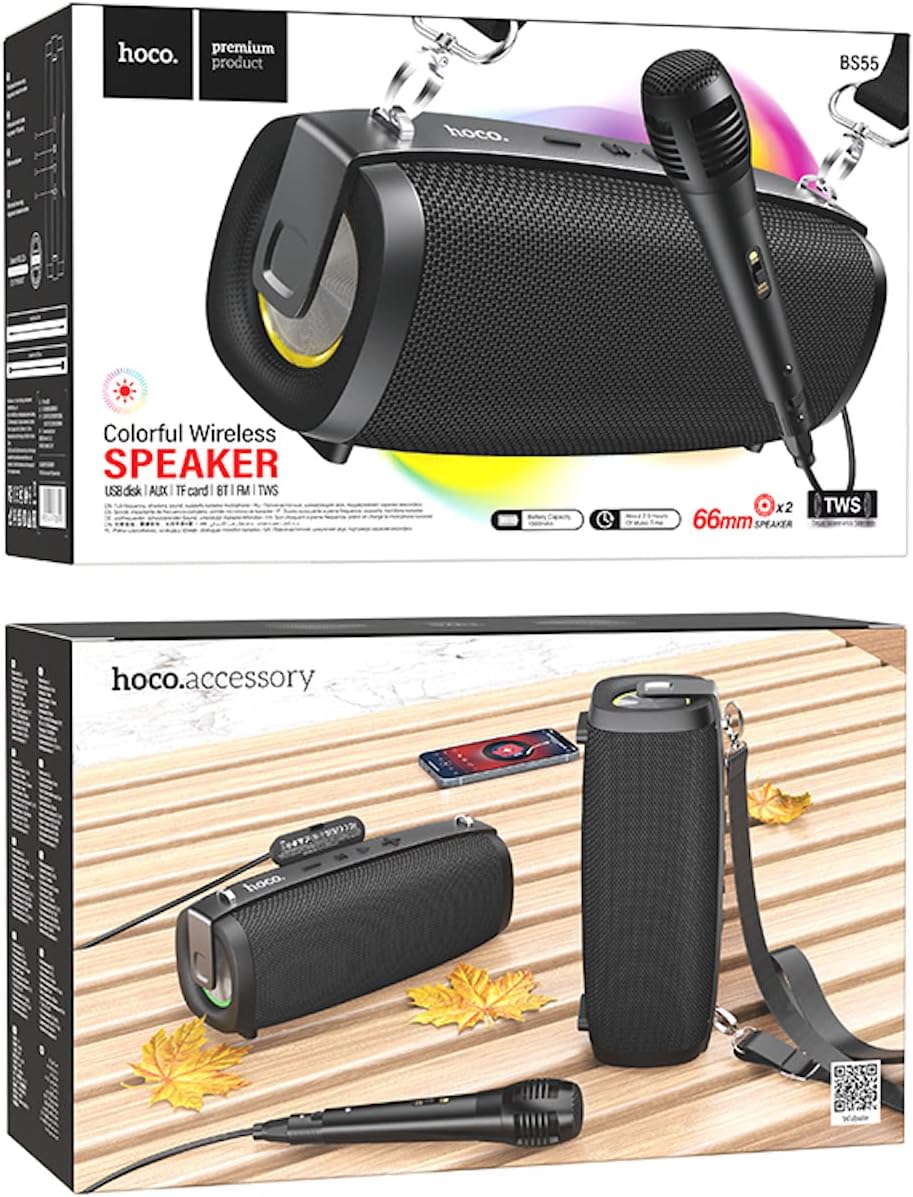
Image: Hoco BS55 Speaker packaging, illustrating the speaker, a wired microphone, and connecting cables.
2.2 Elementy głośnikowe i sterowanie

Image: The Hoco BS55 speaker, highlighting its control panel with buttons and various input ports.
- Przycisk zasilania: Press and hold to turn the speaker ON/OFF. Short press to switch between modes.
- '-' Przycisk: Naciśnij krótko, aby przejść do poprzedniego utworu. Naciśnij długo, aby zmniejszyć głośność.
- Przycisk „M” (tryb): Short press to cycle through input modes (Bluetooth, FM Radio, TF Card, AUX, USB).
- '>' (Play/Pause) Button: Krótkie naciśnięcie powoduje odtwarzanie lub wstrzymywanie muzyki.
- Przycisk '+': Naciśnij krótko, aby przejść do następnego utworu. Naciśnij długo, aby zwiększyć głośność.
- Port USB: For USB flash disk playback.
- Gniazdo karty TF: Do odtwarzania z karty TF (MicroSD).
- Wejście AUX: Do podłączania zewnętrznych urządzeń audio za pomocą kabla audio 3.5 mm.
- Wejście mikrofonowe: Do podłączenia przewodowego mikrofonu.
- Port ładowania: Do ładowania wewnętrznego akumulatora głośnika.
3. Konfiguracja
3.1 Ładowanie głośnika
Before first use, fully charge the speaker. Connect the charging cable to the speaker's charging port and the other end to a USB power adapter (not included) or a computer's USB port. The charging indicator light will illuminate during charging and turn off when fully charged. Charging time is approximately 2 hours.
3.2 Włączanie/wyłączanie
Naciśnij i przytrzymaj Przycisk zasilania for a few seconds to turn the speaker ON. You will hear an audible prompt. To turn OFF, press and hold the Przycisk zasilania Ponownie.
4. Instrukcja obsługi
4.1 Tryb Bluetooth
- Turn on the speaker. It will automatically enter Bluetooth pairing mode, indicated by a flashing light and an audible prompt.
- Włącz Bluetooth w swoim urządzeniu mobilnym (smartfonie, tablecie itp.).
- Szukaj "Hoco BS55" in the list of available Bluetooth devices and select it to pair.
- Po pomyślnym sparowaniu usłyszysz dźwięk potwierdzający. Teraz możesz odtwarzać dźwięk z urządzenia przez głośnik.
- Użyj '+' I '-' buttons for volume control, and the '>' button for play/pause. Short press '+' or '-' dla następnego/poprzedniego utworu.
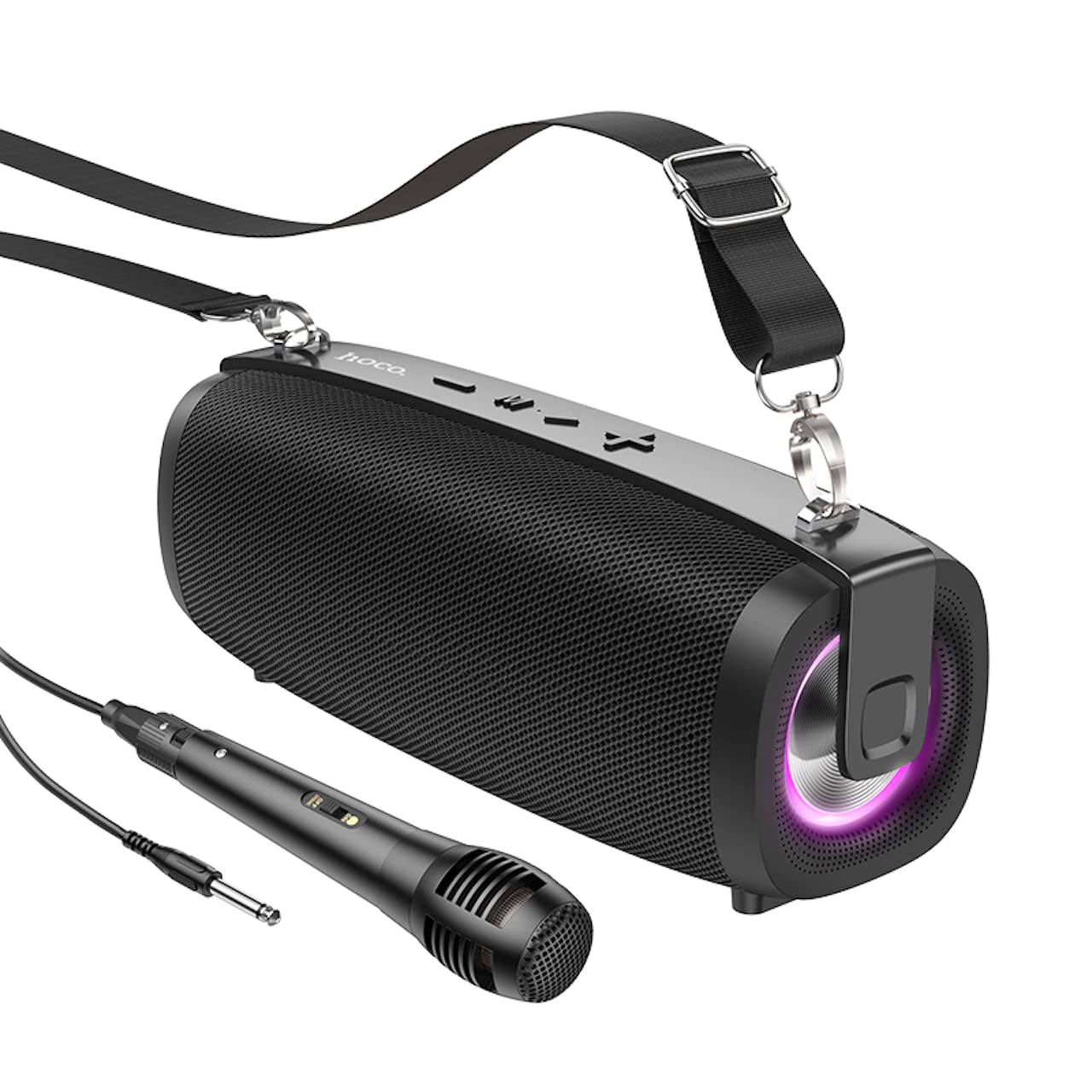
Image: The Hoco BS55 Wireless Outdoor Speaker, ready for use.
Tryb radia FM 4.2
- Naciśnij krótko 'M' (Mode) Button until you hear the FM radio prompt.
- Aby automatycznie przeskanować i zapisać dostępne stacje, naciśnij i przytrzymaj '>' (Play/Pause) ButtonGłośnik automatycznie przeszuka i zapisze stacje.
- Naciśnij krótko '+' or '-' przyciski umożliwiające przełączanie się pomiędzy zapisanymi stacjami FM.
4.3 TF Card / USB Flash Disk Mode
- Insert a TF (MicroSD) card or a USB flash disk into the corresponding slot.
- The speaker will automatically switch to TF Card or USB mode and begin playing audio files. If it doesn't, short press the 'M' (Mode) Button aby wybrać właściwy tryb.
- Użyj '+' I '-' buttons for volume control, and short press them for next/previous track. Use the '>' przycisk odtwarzania/pauzy.
4.4 Tryb wejścia AUX
- Connect one end of the 3.5mm audio cable to the speaker's AUX input port and the other end to the audio output of your external device (e.g., MP3 player, computer).
- Naciśnij krótko 'M' (Mode) Button until you hear the AUX mode prompt.
- Control playback and volume primarily from your external device. The speaker's volume buttons will also function.
Funkcja 4.5 TWS (prawdziwe bezprzewodowe stereo)
The TWS function allows you to pair two Hoco BS55 speakers together for a stereo sound experience.
- Ensure both BS55 speakers are turned ON and are not connected to any Bluetooth device.
- Na jednym z głośników (będzie to głośnik główny) naciśnij i przytrzymaj przycisk 'M' (Mode) Button aż usłyszysz sygnał parowania.
- The two speakers will automatically search and pair with each other. Once connected, you will hear a confirmation sound.
- Teraz połącz urządzenie mobilne z głównym głośnikiem przez Bluetooth, jak opisano w sekcji 4.1. Oba głośniki będą odtwarzać dźwięk stereo.
4.6 Wired Microphone Usage
If your package includes a wired microphone, connect it to the speaker's dedicated microphone input port. The speaker will automatically detect the microphone. Adjust the volume as needed using the speaker's volume controls or your connected device.
5. Konserwacja
- Czyszczenie: Do czyszczenia głośnika należy używać miękkiej, suchej ściereczki. Nie należy używać środków czyszczących o właściwościach ściernych ani rozpuszczalników.
- Składowanie: Przechowuj głośnik w chłodnym, suchym miejscu, z dala od bezpośredniego światła słonecznego i ekstremalnych temperatur.
- Pielęgnacja baterii: Aby przedłużyć żywotność baterii, ładuj głośnik regularnie, nawet jeśli nie jest używany. Unikaj częstego całkowitego rozładowywania baterii.
- Wodoodporność: The Hoco BS55 speaker is nie jest wodoodporny. Avoid exposing it to water, rain, or excessive moisture to prevent damage.
- Unikaj uderzenia: Nie upuszczaj głośnika i nie narażaj go na silne uderzenia.
6. Rozwiązywanie Problemów
| Problem | Rozwiązanie |
|---|---|
| Głośnik nie włącza się. | Upewnij się, że głośnik jest naładowany. Podłącz go do źródła zasilania i spróbuj ponownie. |
| Brak dźwięku. | Sprawdź poziom głośności zarówno głośnika, jak i podłączonego urządzenia. Upewnij się, że wybrano prawidłowy tryb wejściowy. |
| Nie można sparować przez Bluetooth. | Make sure the speaker is in Bluetooth pairing mode. Disable and re-enable Bluetooth on your device. Move the speaker closer to your device. Ensure no other devices are connected to the speaker. |
| Odbiór radia FM jest słaby. | Try repositioning the speaker. Perform an auto-scan again. |
| Parowanie TWS nie powiodło się. | Ensure both speakers are not connected to any other Bluetooth device. Try restarting both speakers and repeating the TWS pairing process. |
7. Specyfikacje
| Funkcja | Specyfikacja |
|---|---|
| Model | BS55 |
| Wymiary (dł. x szer. x wys.) | 202 x 89.5 x 71.4 mm (20.2 x 7.1 x 9 cm) |
| Waga | 810 gramów |
| Wersja Bluetooth | 5.3 |
| Układ Bluetooth | JLAC6965E |
| Pojemność baterii | 1500mAh |
| Czas ładowania | Około 2 godzin |
| Czas odtwarzania muzyki | Do 2.5 godzin |
| Rozmiar głośnika | 66mm * 2 |
| Moc wyjściowa | 5 W * 2 (łącznie 10 W) |
| Opcje łączności | Bluetooth, FM Radio, TF Card, AUX, USB Flash Disk, TWS |
| Obsługa mikrofonu | Wejście mikrofonowe przewodowe |
| Odporność na wodę | Nie jest wodoodporny |
| Kolor | Czarny |
8. Gwarancja i wsparcie
Hoco products are designed and manufactured to the highest quality standards. For warranty information and customer support, please refer to the warranty card included with your purchase or contact your local Hoco distributor or retailer. Keep your proof of purchase for any warranty claims.