
1. Wprowadzenie
This manual provides instructions for the ChargeWorx Wireless Charger Stand, model CX5324BK. This foldable stand is designed to hold and facilitate wireless charging for compatible Apple iPhone 12/13/14/15/16/17 series devices when used with a MagSafe accessory (not included). Its compact and portable design makes it suitable for various environments, including home, office, and travel.

Image 1.1: ChargeWorx Wireless Charger Stand and its retail packaging.
2. Zawartość opakowania
Sprawdź, czy w przesyłce znajdują się wszystkie elementy:
- ChargeWorx Wireless Charger Stand (CX5324BK)
3. Instrukcje konfiguracji
- Rozłóż stojak: Gently unfold the ChargeWorx Wireless Charger Stand from its compact, folded position until it forms a stable upright stand. Ensure all joints are securely locked into place.
- Przygotuj swoje urządzenie: Ensure your Apple iPhone (12/13/14/15/16/17 series) is equipped with a MagSafe accessory. This stand requires a MagSafe accessory (not included) to function as a charging station.
- Insert MagSafe Accessory: Place your MagSafe accessory (e.g., Apple MagSafe Charger) into the circular recess on the upright arm of the stand. Ensure it fits snugly and is properly aligned.
- Podłącz zasilanie: Connect the MagSafe accessory's cable to a compatible USB power adapter (not included) and plug it into a power outlet.
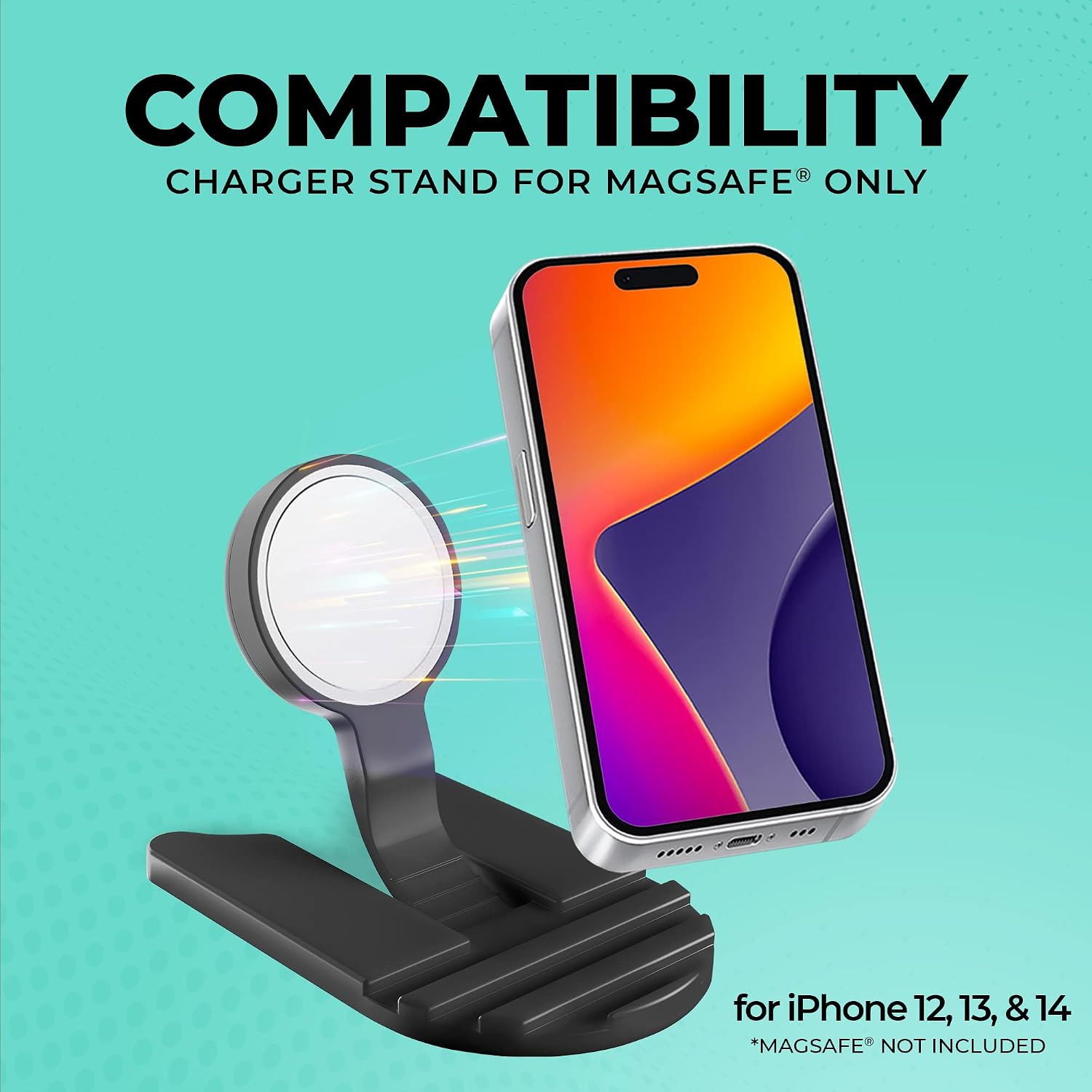
Image 3.1: The stand is compatible with iPhone 12, 13, and 14 series when used with a MagSafe accessory (not included).
4. Instrukcja obsługi
- Umieść swoje urządzenie: Once the stand is set up and powered, gently place your MagSafe-enabled iPhone onto the MagSafe accessory in the stand. The magnetic connection will secure your device.
- Sprawdź ładowanie: Confirm that your device begins charging. A charging indicator typically appears on your iPhone's screen.
- Regulować Viewkąt ing: The stand is designed to hold your device at an optimal viewing angle for hands-free use while charging.
- Składane dla łatwiejszego przenoszenia: To store or transport the stand, carefully fold it back into its compact form. This design allows for easy packing in bags or luggage.

Image 4.1: The stand features a foldable design for convenient travel and storage.

Image 4.2: The stand is light and portable, making it compact and easy to carry for charging on the go.
5. Konserwacja
- Czyszczenie: Disconnect the stand from power before cleaning. Use a soft, dry cloth to wipe the surface. Avoid abrasive cleaners or solvents.
- Składowanie: When not in use, fold the stand to its compact form and store it in a dry, cool place away from direct sunlight and extreme temperatures.
- Obsługiwanie: Handle the stand with care to prevent damage to its folding mechanism and surfaces.
6. Rozwiązywanie Problemów
- Urządzenie się nie ładuje:
- Ensure the MagSafe accessory is correctly inserted into the stand and connected to a working power source.
- Verify that your iPhone is properly aligned with the MagSafe accessory.
- Check if your iPhone is compatible with MagSafe charging.
- Ensure the MagSafe accessory itself is functional.
- Stojak niestabilny:
- Ensure the stand is fully unfolded and locked into its upright position.
- Ustaw stojak na płaskiej i stabilnej powierzchni.
- Urządzenie się ślizga:
- Confirm that your iPhone has a MagSafe-compatible case or no case, allowing for a strong magnetic connection.
- Ensure the MagSafe accessory is clean and free of debris.
7. Specyfikacje
| Numer modelu | CX5324BK |
| Wymiary produktu | 3.9 x 0.7 x 7.4 cala |
| Waga przedmiotu | 12.3 uncji |
| Typ złącza | MagSafe, Wireless |
| Kompatybilne modele telefonów | iPhone (12/13/14/15/16/17 Series) |
| Cechy specjalne | Foldable, Lightweight, Portable, Travel, Wireless Charger, Wireless Charging |
| Kolor | Czarny |
| Wejście Voltage | 5 wolty |
8. Informacje dotyczące bezpieczeństwa
Ostrzeżenie dotyczące propozycji 65: Ten produkt może zawierać chemikalia, o których w stanie Kalifornia wiadomo, że powodują raka i wady wrodzone lub inne szkody rozrodcze.
- Nie wystawiaj urządzenia na działanie ekstremalnych temperatur, bezpośredniego światła słonecznego i wilgoci.
- Przechowywać w miejscu niedostępnym dla dzieci.
- Nie demontuj ani nie próbuj samodzielnie naprawiać urządzenia.
- Use only with compatible MagSafe accessories and power adapters.

Image 8.1: The stand is designed with safety in mind to prevent slips and accidental drops.
9. Gwarancja i wsparcie
For warranty information and customer support, please refer to the documentation provided with your purchase or visit the official ChargeWorx store on Amazon: