
1. Koniec produktuview
The Weewooday Mini Digital Temperature Humidity Meter is designed to provide accurate temperature and humidity readings for various environments. It features a compact LCD display and an external probe for precise measurements.
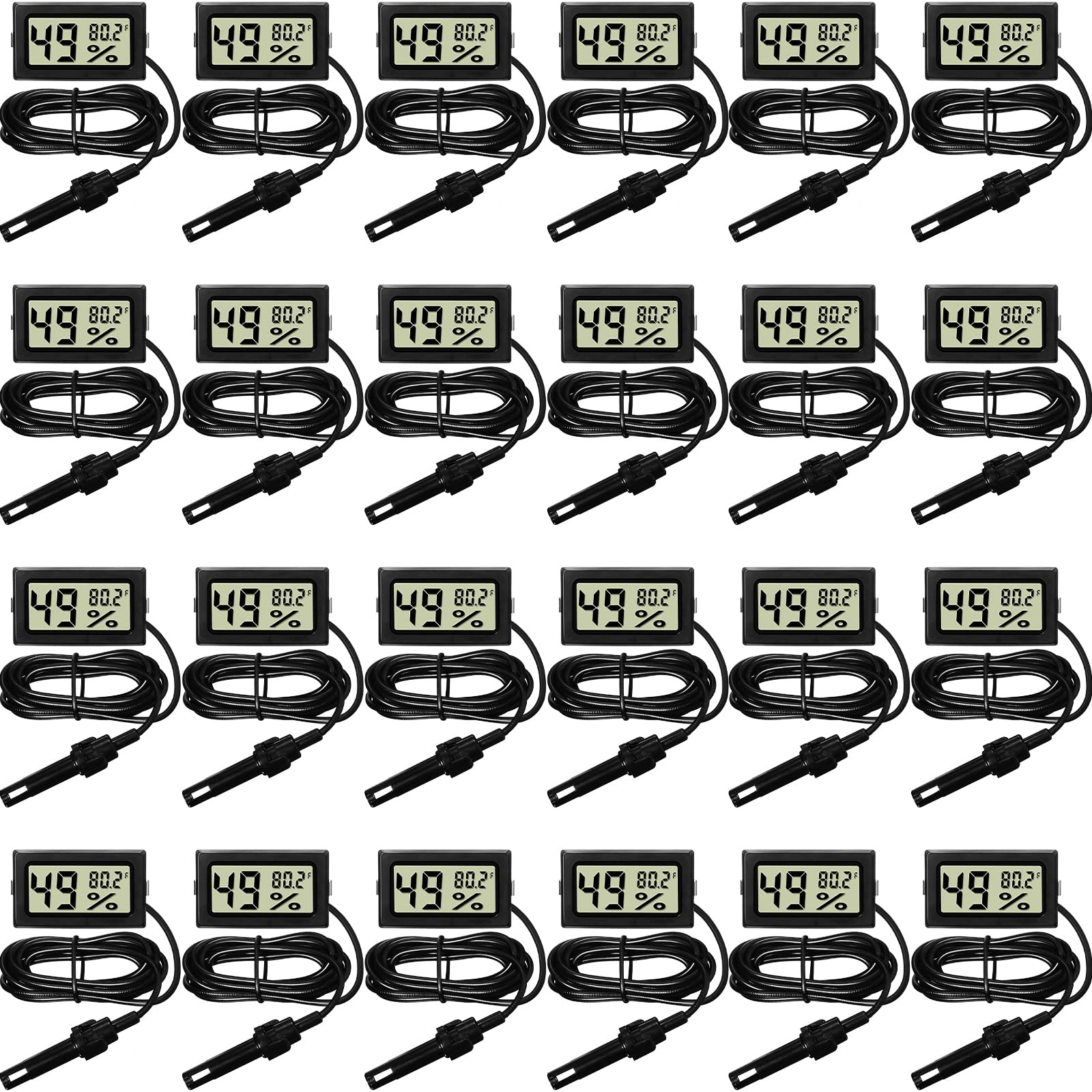
Image 1: Weewooday Mini Digital Temperature Humidity Meter with its external probe.
Główne cechy:
- Duży wyświetlacz LCD zapewniający łatwy odczyt.
- External sensor probe for accurate temperature and humidity measurement.
- Measures temperature in Fahrenheit.
- Fast response time (approximately every 10 seconds).
- Kompaktowa i lekka konstrukcja.
2. Zawartość opakowania
Każda paczka zawiera następujące elementy:
- Digital Hygrometer Thermometer Gauge with Probe
- LR44 Button Batteries (pre-installed or included separately)
3. Specyfikacje
| Funkcja | Szczegół |
|---|---|
| Numer modelu | Weewooday-TT-LL7 |
| Wymiary produktu | 7.28"W x 3.94"H (Display unit) |
| Zakres pomiaru temperatury | -58°F do 158°F |
| Dokładność temperatury | ±2°F |
| Zakres pomiaru wilgotności | Wilgotność względna od 10% do 99% |
| Dokładność wilgotności | ±5% wilgotności względnej |
| Typ baterii | 2 x LR44 Button Batteries |
| Typ montażu | Blat stołu |
| Długość kabla sondy | Około 1.6 metrów (5.25 stóp) |

Image 2: Display unit dimensions and probe cable length.

Image 3: Visual representation of temperature and humidity measurement ranges and accuracy.
4. Konfiguracja i instalacja baterii
The meter requires two LR44 button batteries for operation. These are typically included with the product.
Kroki instalacji baterii:
- Znajdź komorę baterii z tyłu jednostki wyświetlającej.
- Otwórz pokrywę komory baterii.
- Insert two LR44 button batteries, ensuring correct polarity (+/-).
- Dokładnie zamknij pokrywę komory baterii.
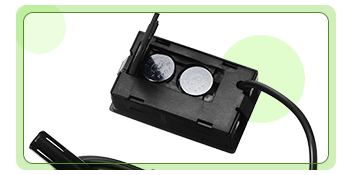
Obraz 4: View of the battery compartment for LR44 button batteries.
5. Działanie
Once batteries are installed, the device will automatically power on and begin displaying temperature and humidity readings.
Odczytywanie wyświetlacza:
- The large digits on the left side of the LCD display show the humidity percentagmi (%).
- The smaller digits on the right side of the LCD display show the temperature in Fahrenheit (°F).
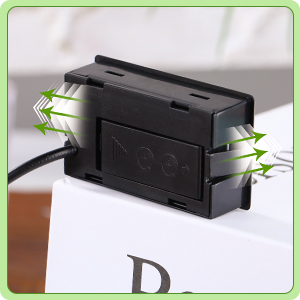
Image 5: Close-up of the LCD display indicating humidity and temperature readings.
Umiejscowienie sondy:
For accurate measurements, place the sensor probe in the specific area or object you wish to monitor. The display unit can be positioned separately due to the long cable.

Obraz 6: Example of probe placement for temperature measurement. Note: The sensor probe is NOT waterproof and should not be used as an aquarium thermometer or submerged in liquids for extended periods.
6. Konserwacja i pielęgnacja
- Czyszczenie: Wipe the display unit and probe with a soft, dry cloth. Do not use abrasive cleaners or immerse the display unit in water.
- Pielęgnacja sondy: The sensor probe is nie wodoodporny. Avoid submerging it in water or other liquids. Exposure to excessive moisture can damage the sensor.
- Wymiana baterii: When the display becomes dim or stops functioning, replace the LR44 batteries. Ensure proper disposal of old batteries according to local regulations.
- Składowanie: Przechowuj urządzenie w chłodnym, suchym miejscu, gdy nie jest używane.
7. Rozwiązywanie Problemów
-
Brak wyświetlacza / pusty ekran:
- Sprawdź, czy baterie zostały prawidłowo zainstalowane i mają właściwą biegunowość.
- Wymień baterie LR44 na nowe.
-
Niedokładne odczyty:
- Ensure the sensor probe is placed in the desired measurement area and not obstructed.
- Allow sufficient time (at least 15-30 minutes) for the sensor to acclimate to a new environment.
- Verify that the probe is not exposed to direct sunlight, drafts, or extreme heat/cold sources that could skew readings.
- Note that the temperature accuracy is ±2°F and humidity accuracy is ±5% RH. Minor variations are within the device's operational parameters.
-
Problemy z wyświetlaniem (np. częściowe cyfry):
- Może to oznaczać niski poziom naładowania baterii. Wymień baterie.
- If the issue persists with new batteries, the unit may be damaged.
8. Ważne informacje dotyczące bezpieczeństwa
- Do not expose the display unit to water or high humidity.
- The sensor probe is nie wodoodporny. Do not submerge it in liquids.
- Baterie należy przechowywać poza zasięgiem dzieci. W przypadku połknięcia natychmiast zasięgnij porady lekarza.
- Do not attempt to disassemble or modify the device. This may cause damage and void any potential warranty.
- Zużyte baterie należy utylizować zgodnie z lokalnymi przepisami ochrony środowiska.
9. Gwarancja i wsparcie
Specific warranty information for this product is not provided in the available documentation. For any questions, technical support, or warranty claims, please contact the manufacturer, Weewooday, or your retailer directly.
Proszę zachować paragon jako dowód zakupu.