
1. Wprowadzenie
Thank you for choosing the Retevis RB639P Mini Two-Way Radio. This manual provides essential information for the safe and efficient use of your device. Please read it thoroughly before operating the radio and keep it for future reference.
2. Informacje dotyczące bezpieczeństwa
Aby zmniejszyć ryzyko pożaru, porażenia prądem elektrycznym i obrażeń, należy zawsze przestrzegać poniższych podstawowych zasad bezpieczeństwa:
- Nie należy używać radia w atmosferach zagrożonych wybuchem (np. w obecności gazów łatwopalnych, cząstek pyłu, proszków metalicznych).
- Nie otwierać radia casing. Repairs should only be performed by qualified technicians.
- Używaj wyłącznie zatwierdzonych baterii i ładowarek.
- Trzymaj radio z dala od wody i wilgoci.
- Unikaj długotrwałego narażenia na bezpośrednie działanie promieni słonecznych i wysokich temperatur.
- Nie używaj radia, jeśli antena jest uszkodzona.
3. Zawartość opakowania
The Retevis RB639P package includes:
- 4 x Retevis RB639P Radio
- 4 x zestaw słuchawkowy bezprzewodowy
- 4 x Klips do paska
- 2 x Type-C One-to-Two Charging Cable
- 1 x Instrukcja obsługi
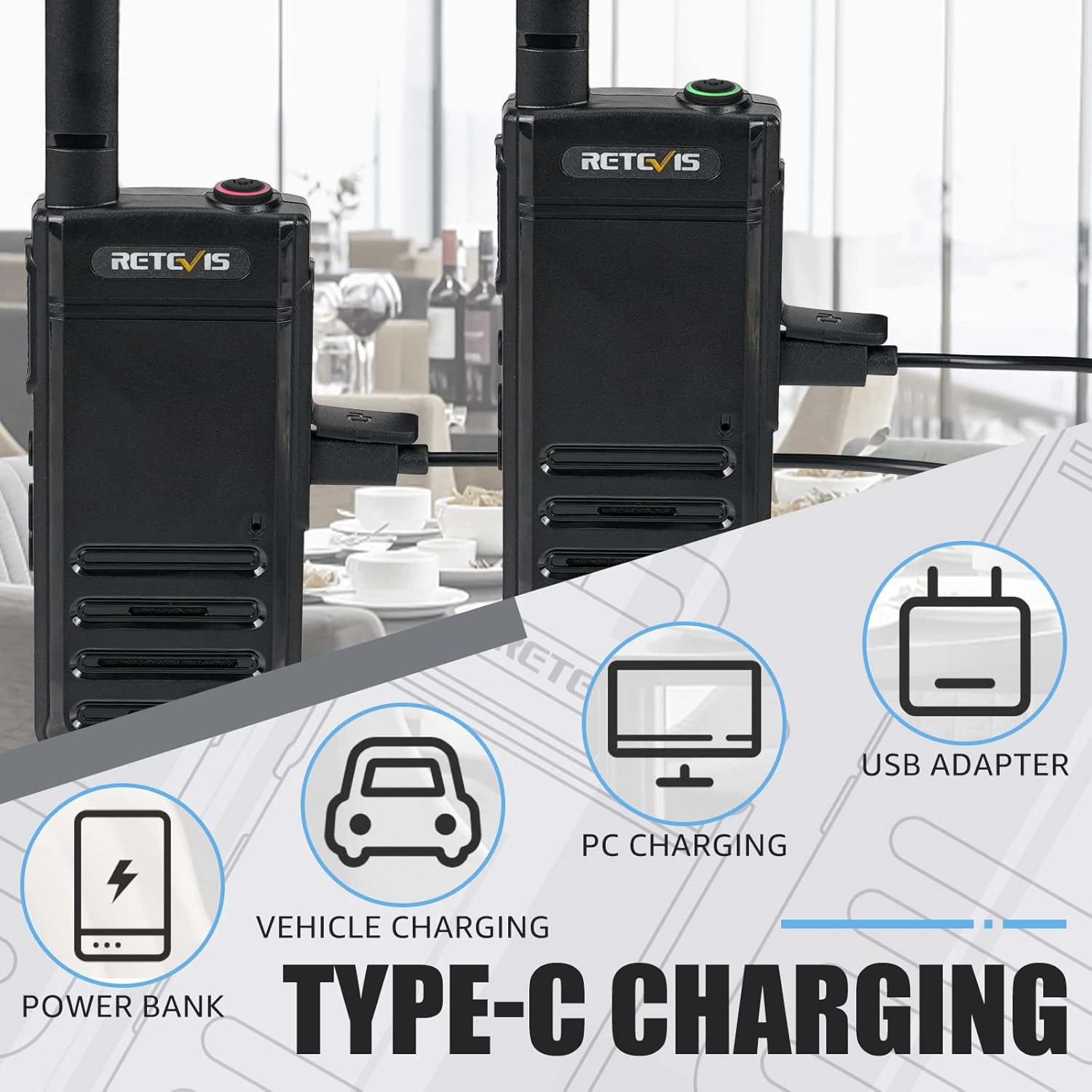
Figure 3.1: Included components of the Retevis RB639P package.
4. Koniec produktuview
The Retevis RB639P is a compact and portable mini two-way radio designed for convenient communication. It features a slim design, VOX function, and USB-C charging.
4.1. Komponenty radiowe

Figure 4.1: The ultra-slim design of the RB639P, measuring 18mm in thickness.

Figure 4.2: Multi-functional menu button with VOX, Bluetooth, Call Tone, and Roger Beep indicators.
5. Konfiguracja
5.1. Ładowanie akumulatora
The RB639P radio is equipped with a 1000 mAh rechargeable Li-ion battery. Before first use, fully charge the battery.
- Connect the Type-C charging cable to the radio's USB-C port.
- Connect the other end of the cable to a USB power source (e.g., USB adapter, PC, power bank, vehicle charger).
- Wskaźnik ładowania pokaże stan naładowania. Pełne naładowanie trwa zazwyczaj około 3 godziny.

Figure 5.1: Various Type-C charging methods for the RB639P.

Figure 5.2: Battery specifications and features.
5.2. Mocowanie zaczepu na pasek
Align the belt clip with the designated slots on the back of the radio and slide it down until it clicks into place.
5.3. Connecting the Wireless Headset
The RB639P supports wireless headset connection for hands-free operation.
- Ensure both the radio and the wireless headset are powered on.
- Follow the headset's instructions to enter pairing mode.
- On the radio, activate Bluetooth pairing via the multi-functional menu button (refer to Figure 4.2).
- Once paired, the headset will connect automatically when both devices are on and within range.

Figure 5.3: Wireless headset connection for hands-free use.
6. Działanie
6.1. Włączanie/wyłączanie zasilania
Aby włączyć radio, obróć pokrętło zasilania/głośności zgodnie z ruchem wskazówek zegara. Aby wyłączyć, obróć je w kierunku przeciwnym do ruchu wskazówek zegara, aż usłyszysz kliknięcie.
6.2. Wybór kanału
The RB639P has 16 channels. Rotate the channel selector knob to choose your desired channel. Ensure all radios in your group are on the same channel for communication.
6.3. Regulacja głośności
Obróć pokrętło zasilania/głośności, aby dostosować głośność słuchania.
6.4. Nadawanie i odbieranie
Aby nadawać, naciśnij i przytrzymaj przycisk PTT (Push-to-Talk) z boku radia. Mów wyraźnie do mikrofonu. Puść przycisk PTT, aby odebrać.
6.5. Funkcja VOX (wymiana sterowana głosem)
The VOX function allows for hands-free transmission without pressing the PTT button. To activate/deactivate VOX:
- Press the multi-functional menu button (refer to Figure 4.2).
- Use the + button to navigate to the VOX setting.
- Press the menu button again to confirm activation or deactivation.

Figure 6.1: Hands-free operation using the VOX function and wireless headset.
6.6. Funkcja alarmu awaryjnego
The RB639P includes an emergency alarm feature for critical situations.
- To activate the emergency alarm, press and hold the designated emergency button (often a side button, refer to your specific radio's button layout).
- The radio will emit a loud alarm sound.
- To deactivate, press the PTT button.

Figure 6.2: Emergency alarm feature for enhanced safety.
7. Konserwacja
7.1. Pielęgnacja baterii
- Unikaj przeładowywania lub całkowitego rozładowania akumulatora.
- Gdy nie używasz baterii, przechowuj ją w chłodnym i suchym miejscu.
- Jeżeli radio nie będzie używane przez dłuższy czas, należy wyjąć baterię.
7.2. Czyszczenie radia
- Wytrzyj radio miękką ściereczką.amp płótno.
- Nie używaj żrących chemikaliów ani ściernych środków czyszczących.
- Ensure the USB-C port cover is securely closed to maintain water resistance.
8. Rozwiązywanie Problemów
| Problem | Możliwa przyczyna | Rozwiązanie |
|---|---|---|
| Radio się nie włącza | Niski poziom naładowania baterii; Bateria nie została prawidłowo zainstalowana | Charge the battery; Reinstall the battery |
| Nie można przesyłać ani odbierać | Incorrect channel; Out of range; Low battery | Verify channel settings; Move closer to other radios; Charge the battery |
| Słaba jakość dźwięku | Low battery; Obstructions; Volume too low/high | Charge the battery; Move to an open area; Adjust volume |
| Wireless headset not connecting | Not paired; Out of range; Headset battery low | Re-pair headset; Move closer; Charge headset battery |
9. Specyfikacje
| Funkcja | Szczegół |
|---|---|
| Numer modelu | RB639P |
| Marka | Retevis |
| Kolor | Czarny |
| Liczba kanałów | 16 |
| Zakres częstotliwości | 446.00625-446.19375 MHz (PMR446) |
| Maksymalny zasięg rozmów | 3 kilometry |
| Typ baterii | Litowo-jonowy (1000 mAh) |
| Żywotność baterii | 11 godzin |
| Czas ładowania | Około 3 godzin |
| Metoda ładowania | USB-C |
| Tomtage | 3.7 wolty |
| Poziom wodoodporności | Wodoodporny (IP67) |
| Wymiary produktu (Gł. x Szer. x Wys.) | Wymiary 1.8 x 5.5 x 16.8 cm |
| Waga | 200 gram |
| Cechy specjalne | Light and thin, VOX, Bluetooth |
| Kompatybilne urządzenia | Słuchawki |
| Zakres temperatur | -20~+55°C |
10. Gwarancja i wsparcie
Retevis offers a 2-year warranty on the radio body and a 1-year warranty on accessories. Additionally, there is a 30-day no-reason return policy. After the warranty period, maintenance services are still available, with buyers responsible for associated costs.
For any inquiries or support, please contact us via Amazon. We aim to respond within 12 hours.
11. Filmy produktowe
There are no official product videos specifically for the Retevis RB639P model available in the provided data.