
1. Wprowadzenie
Thank you for choosing the RecorCam Mini301 Trail Camera. This manual provides detailed instructions for the proper setup, operation, and maintenance of your device. Designed for capturing high-quality images and videos of wildlife, for surveillance, or for general outdoor monitoring, this camera features 20MP photo resolution, 1080P HD video, and advanced night vision capabilities.
2. Informacje dotyczące bezpieczeństwa
- Nie wystawiaj aparatu na działanie ekstremalnych temperatur ani bezpośredniego światła słonecznego przez dłuższy czas.
- Use only specified batteries (4x AA 1.5V) and external power supply (6V). Using higher voltage than 6V will damage the camera's motherboard.
- Trzymaj aparat z dala od silnych pól magnetycznych.
- Nie próbuj demontować ani modyfikować kamery. Spowoduje to unieważnienie gwarancji.
- Aby zachować wodoodporność, upewnij się, że komora baterii jest szczelnie zamknięta.
3. Zawartość opakowania
Sprawdź, czy w przesyłce znajdują się wszystkie elementy:
- RecorCam Mini301 Trail Camera
- Karta Micro SD 32 GB
- USB 2.0 Micro SD Card Reader
- Pasek montażowy
- Mounting Bracket with Screws and Wall Anchors
- Instrukcja obsługi

Obraz 3.1: RecorCam Mini301 Trail Camera with included accessories: 32GB Micro SD card, USB reader, mounting hardware, and strap.
4. Koniec produktuview
The RecorCam Mini301 is designed for ease of use and durability. Its compact size (70x108x45mm) makes it highly portable and discreet.
Obraz 4.1: Dimensions of the RecorCam Mini301 trail camera (70x108x45mm) compared to a smartphone, highlighting its compact size.
Kluczowe elementy obejmują:
- Obiektyw: Przechwytuje obrazy i filmy.
- Czujniki PIR: Pasywne czujniki podczerwieni wykrywają ruch.
- Diody IR: Diody LED podczerwieni do widzenia w nocy.
- 2.0-calowy ekran LCD: Do nawigacji po menu i viewprzechwycone media.
- Przyciski sterujące: MENU, PLAY, OK, and navigation buttons.
- Zmiana trybu: OFF, TEST, ON.
5. Konfiguracja
5.1 Instalacja baterii
- Open the camera's latch and battery compartment.
- Insert 4 AA 1.5V batteries (not included) according to the polarity markings (+/-).
- Zamknij komorę baterii i zabezpiecz zatrzask.
5.2 Instalacja i formatowanie karty SD
- Ensure the camera is in the WYŁĄCZONY pozycja.
- Insert the provided 32GB Micro SD card (Class 6 or higher recommended, up to 32GB capacity) into the SD card slot until it clicks.
- It is crucial to format the SD card before first use and periodically thereafter to ensure optimal performance. To format, switch the camera to TEST mode, navigate to the 'Format' option in the menu, and confirm.
5.3 External Power Supply (Optional)
The camera supports an external 6V power supply. Connect the power adapter (not included) to the DC IN port. Do not use a power supply exceeding 6V, as this will damage the camera.
6. Tryby pracy
The camera features a 3-position mode switch:
- OFF: The camera is completely powered off. Use this mode for installing batteries or the SD card.
- TEST: In this mode, you can access the menu to change settings, preview recorded videos and photos, and manually capture media. The camera will not automatically take photos or videos in TEST mode.
- NA: The camera enters working mode. The screen will turn off after 10 seconds, and button operations will be disabled. The camera will automatically capture photos or videos based on your settings when motion is detected.
7. Podstawowa obsługa
7.1 Robienie zdjęć i nagrywanie filmów
The camera captures 20MP still images and 1080P HD videos. The 0.3-second trigger speed ensures quick capture of detected motion within a 20-meter range.

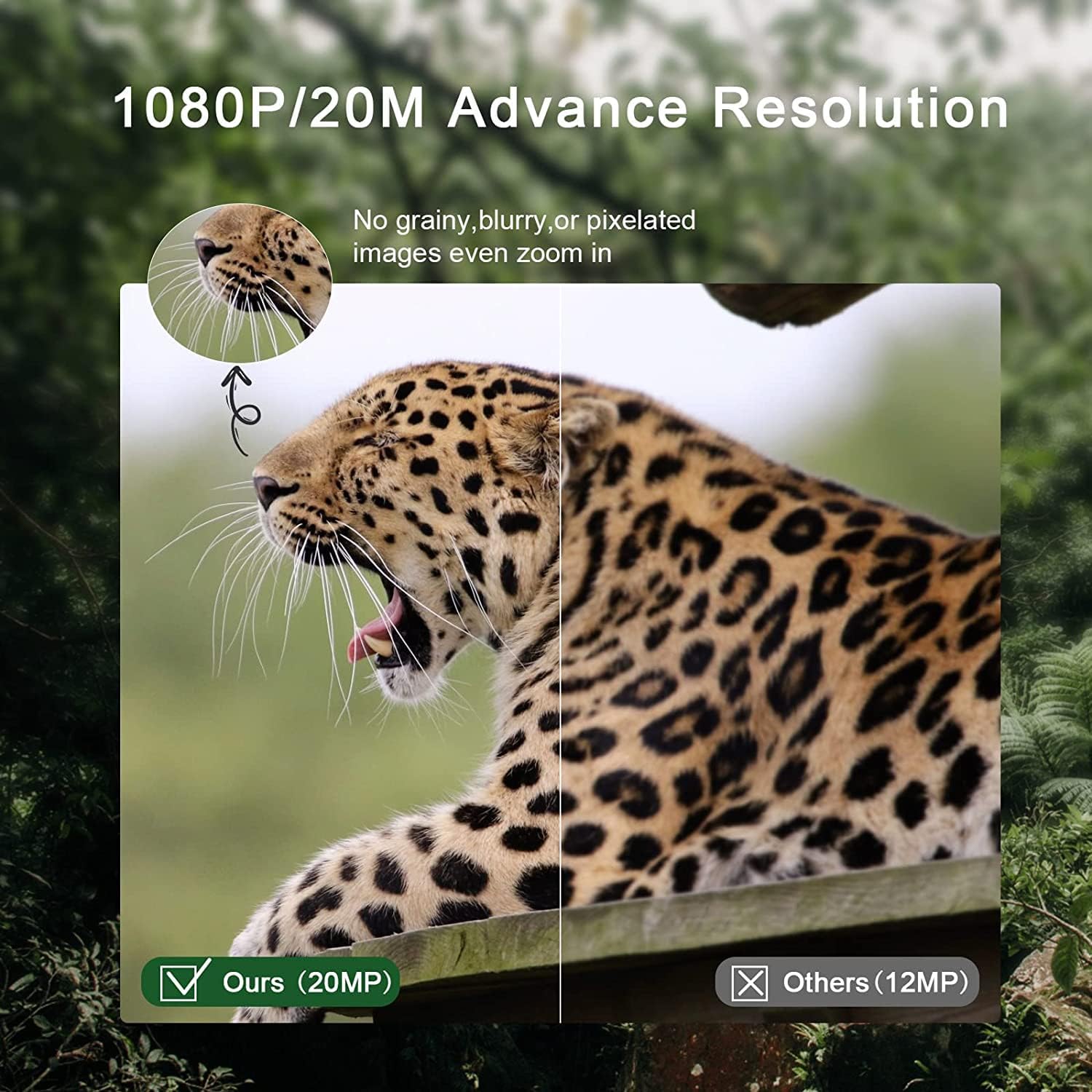
Obraz 7.1: Comparison of 20MP image quality (left) versus 12MP (right), demonstrating enhanced detail.
7.2 Widzenie nocne
Equipped with 2 ultra-high intensity 850NM infrared LEDs, the camera provides clear night vision up to 65 feet (20 meters) without producing a strong flash, ensuring discreet operation.

Obraz 7.2: The RecorCam Mini301 trail camera with an owl in the background, demonstrating its 850nm infrared LEDs for clear night vision up to 65 feet.
7.3 Ustawienia menu
In TEST tryb, naciśnij MENU button to access settings. Use the navigation buttons to scroll and OK to select. Adjustable settings include:
- Rozdzielczość zdjęć/wideo
- Czułość wykrywania
- Data i godzina
- Język
- Ochrona hasłem
- And more, as detailed in the camera's on-screen menu.
8. Zaawansowane funkcje
The Mini301 offers a range of functions for versatile monitoring:
- Long Video Recording: Configure the duration of video clips.
- Ciągłe strzelanie: Zrób wiele zdjęć jedno po drugim.
- Czas wygaśnięcia: Record images at set intervals to observe slow changes.
- Target Recording Duration: Ustaw konkretne godziny, w których kamera ma być aktywna.
- Interval Shooting: Define the delay between consecutive captures.
- Unlimited Capture: Allows continuous recording until the SD card is full.
- Ochrona hasłem: Secure your camera settings and data.
- Data Imprint: Stamp photos/videos with time, date, serial number, and temperature.
9. Montaż i umiejscowienie
The camera's IP65 waterproof and dustproof rating allows it to operate reliably in various weather conditions, including rain, ice, and snow, across a temperature range of -4°F to 150°F.

Obraz 9.1: The camera mounted on a tree in rainy conditions, illustrating its IP65 waterproof and dustproof design.
Consider the following for optimal placement:
- Kąt detekcji: The camera features a 90° detection angle. Position it to cover the desired area effectively.
- Wysokość: Mount the camera at a height appropriate for the subjects you wish to capture (e.g., animal eye level for wildlife).
- Orientacja: Avoid pointing the camera directly at the sun to prevent overexposure.
- Stabilność: Use the provided strap or mounting bracket to secure the camera firmly to a tree or other stable surface.

Obraz 9.2: The camera positioned to capture wildlife, illustrating its 90-degree detection angle and PIR sensors.
The camera is suitable for various applications:

Obraz 9.3: Collage showing various applications for the trail camera: hunting, farm security, wildlife monitoring, and home security.
10. Konserwacja
- Czyszczenie: Use a soft, dry cloth to clean the camera lens and body. Avoid abrasive cleaners.
- Wymiana baterii: Wymień baterie, gdy pojawi się wskaźnik niskiego poziomu naładowania baterii lub gdy wydajność urządzenia ulegnie pogorszeniu.
- Zarządzanie kartami SD: Regularly format the SD card to prevent data corruption and ensure sufficient storage space.
- Składowanie: Jeśli aparat nie będzie używany przez dłuższy czas, należy wyjąć baterie i przechowywać go w chłodnym, suchym miejscu.
11. Rozwiązywanie Problemów
If you encounter issues with your RecorCam Mini301, consider the following:
- Kamera nie włącza się: Check battery installation and ensure batteries have sufficient charge. Verify the mode switch is not in the OFF position.
- Brak wykonanych zdjęć/filmów: Ensure the camera is in ON mode. Check SD card installation and ensure it is formatted. Verify motion detection settings.
- Słaba jakość obrazu/wideo: Clean the camera lens. Check resolution settings. Ensure adequate lighting for night vision (within 65ft range).
- Krótka żywotność baterii: Use high-quality AA batteries. Reduce detection sensitivity or frequency of captures if possible.
For further assistance, please contact RecorCam customer support.
12. Specyfikacje
| Funkcja | Specyfikacja |
|---|---|
| Model | Mini301 |
| Rozdzielczość zdjęcia | 20MP |
| Rozdzielczość wideo | 1080P |
| Kąt wykrywania | 90° |
| Szybkość wyzwalania | 0.3s |
| Odległość wykrywania | Do 20 m (65 stóp) |
| Zakres noktowizora | Do 20 m (65 stóp) |
| Diody podświetlające | 2 x 850NM High Power Infrared LEDs |
| Ekran wyświetlacza | 2.0-calowy wyświetlacz LCD |
| Składowanie | Micro SD card, up to 32GB (Class 6 or higher) |
| Zasilacz | 4x AA 1.5V batteries or external 6V DC |
| Stopień wodoodporności | IP65 |
| Temperatura pracy | -4°F do 150°F (-20°C do 65°C) |
| Wymiary | Wymiary: 70 x 108 x 45 mm |
| Tworzywo | Plastikowy |
13. Gwarancja i wsparcie
RecorCam products are designed for reliability and performance. For warranty information, please refer to the product packaging or contact RecorCam customer service directly. If you have any questions or require technical assistance, please visit the official RecorCam weblub skontaktuj się z działem wsparcia.