
Wstęp
The Chargeworx CX9985 is an advanced wireless car charger designed to provide convenient and safe smartphone mounting and charging in your vehicle. It features a built-in motion sensor for automatic grip operation, wireless charging capability, and a versatile mounting system.
This manual provides instructions for the proper setup, operation, maintenance, and troubleshooting of your Chargeworx CX9985 wireless charging car mount.
Instrukcje konfiguracji
Follow these steps to properly install your Chargeworx CX9985 car mount:
- Wybierz miejsce montażu: The CX9985 can be mounted on your dashboard, windshield, or air vent. Select a location that does not obstruct your view drogi lub zakłócać sterowanie pojazdem.
- Zamontuj uchwyt:
- For Dashboard/Windshield: Clean the surface thoroughly. Press the suction cup firmly onto the desired surface and engage the locking lever to secure it.
- For Air Vent: Attach the vent clip accessory to the main unit. Securely fasten the clip to a sturdy air vent slat.
- Dostosuj kąt: Loosen the adjustment knobs on the mount to position the charging pad at an optimal viewing angle. Tighten the knobs once the desired angle is achieved.
- Podłącz zasilanie: Connect the provided USB Type-C cable to the charging port on the mount and plug the other end into a compatible USB car charger (not included). Ensure the car charger provides sufficient power for wireless charging (e.g., 9V output).
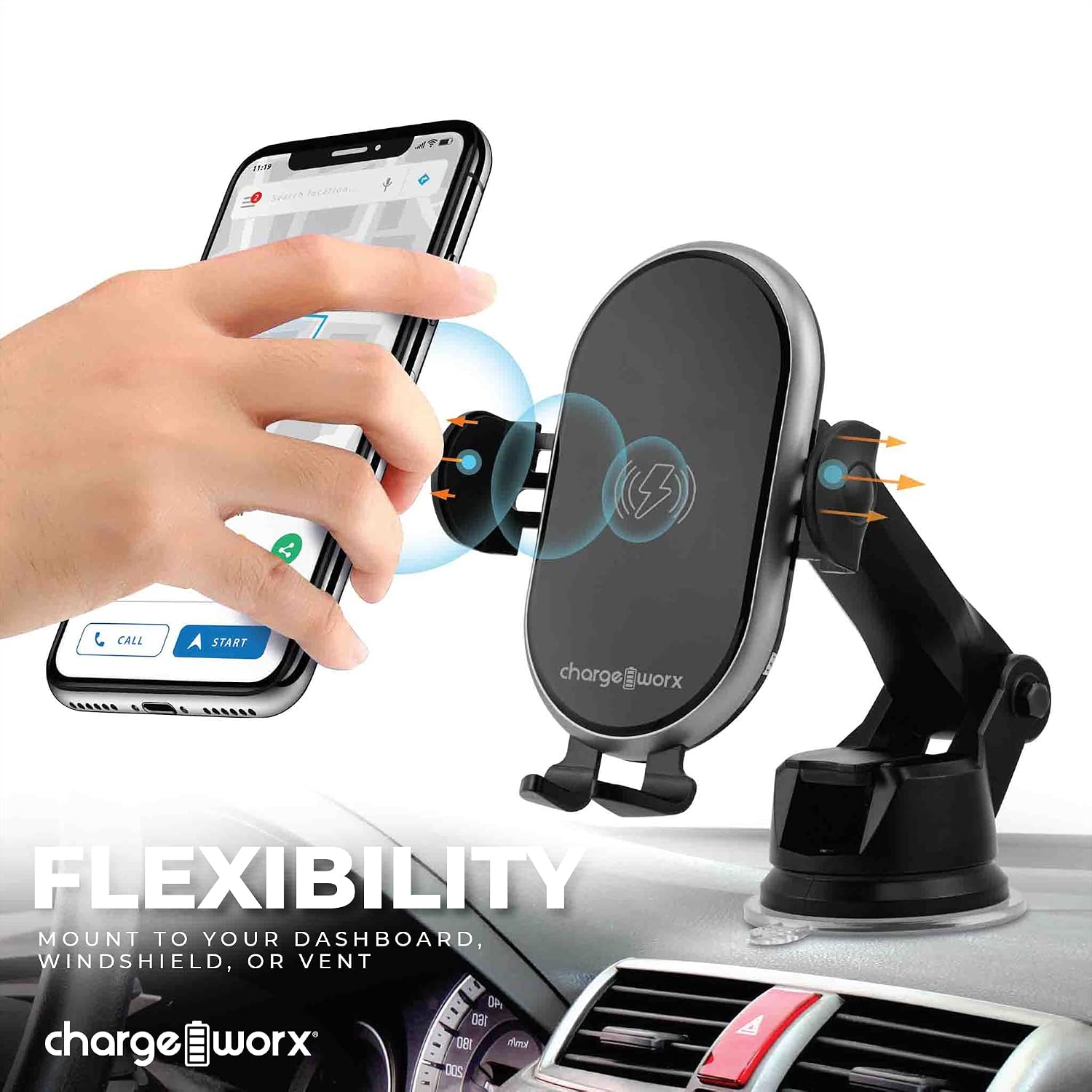
Image: The Chargeworx CX9985 mount attached to a dashboard, demonstrating its versatile mounting capabilities for dashboard, windshield, or vent.
Instrukcja obsługi
The Chargeworx CX9985 is designed for ease of use with its automatic features.
- Placing Your Smartphone: When the mount is powered, the built-in motion sensor will detect your phone's presence. The side grips will automatically open. Place your Qi-compatible smartphone onto the charging pad. The grips will then automatically close to secure your device.
- Ładowanie bezprzewodowe: Once your phone is securely placed, wireless charging will begin automatically. The LED charging indicator on the mount will illuminate to confirm that charging is active.
- Wyjmowanie smartfona: To remove your phone, gently touch the sensor area on the side of the mount. The grips will automatically open, allowing you to retrieve your device. The grips will then close after a few seconds.
- Wskaźnik ładowania LED: The LED indicator provides real-time status:
- Stały niebieski/zielony: Aktywne ładowanie.
- Błyskowy: Error or foreign object detected. Remove the phone and check for obstructions.
- Wyłączony: Not charging or fully charged (depending on model behavior).

Image: A user demonstrating the one-handed operation of placing a smartphone into the Chargeworx CX9985 car mount.

Image: The Chargeworx CX9985 car mount with a smartphone, illustrating the LED charging indicator and the built-in motion sensor functionality.
Konserwacja
To ensure the longevity and optimal performance of your Chargeworx CX9985, follow these maintenance guidelines:
- Czyszczenie: Use a soft, dry cloth to wipe down the surface of the mount. Avoid using abrasive cleaners, solvents, or harsh chemicals, as these can damage the device.
- Pielęgnacja przyssawki: If using the suction cup mount, periodically clean the suction cup and the mounting surface to ensure a strong grip. If the suction cup loses adhesion, rinse it with warm water and let it air dry before reattaching.
- Warunki środowiskowe: Unikaj wystawiania urządzenia na działanie ekstremalnych temperatur, długotrwałego bezpośredniego światła słonecznego i wysokiej wilgotności.
- Zarządzanie kablami: Ensure the USB-C cable is not kinked or pinched, which can lead to damage.
Rozwiązywanie problemów
If you encounter issues with your Chargeworx CX9985, refer to the following common problems and solutions:
| Problem | Możliwa przyczyna | Rozwiązanie |
|---|---|---|
| Urządzenie się nie ładuje. |
|
|
| Grips not opening/closing automatically. |
|
|
| Mount not staying attached to surface. |
|
|
Specyfikacja produktu
| Marka | CHARGEWORX |
| Numer modelu | CX9985 |
| Typ złącza | Bezprzewodowy |
| Kompatybilne urządzenia | Smartfony (zgodne z Qi) |
| Funkcja specjalna | Charging Indicator, Motion Sensor |
| Kolor | Czarny |
| Wejście Voltage | 9 wolty |
| Objętość wyjściatage | 9 wolty |
| Technologia łączności | Bezprzewodowy |
| Typ montażu | Vent Mount, Dashboard, Windshield |
| Źródło zasilania | Vehicle Battery Powered (via USB-C) |
| Typ głównego złącza zasilania | USB typu C |
| Specyfikacja Met | Qi |
| Waga przedmiotu | 0.44 funtów |
| UPC | 643620028056 |
Informacje o gwarancji
The Chargeworx CX9985 Touch-Activated Wireless Charging Car Mount is covered by a 90-dniowa gwarancja producenta od daty zakupu. Niniejsza gwarancja obejmuje wady materiałowe i wykonawcze przy normalnym użytkowaniu.
The warranty does not cover damage resulting from accident, misuse, abuse, improper installation, unauthorized repair or modification, or external causes such as drops or spills. Please retain your proof of purchase for warranty claims.
Obsługa klienta
For further assistance, technical support, or warranty inquiries, please contact Chargeworx customer service. You may also visit the official Chargeworx store for more product information and support resources.
Chargeworx Official Store: https://www.amazon.com/stores/Chargeworx/page/AB38787F-F422-41AA-BC71-4F58F23FD521