
Lexip JVASWI00101
Instrukcja obsługi Lexip PIXMINDS Steelplay Adventure Twinpads
Comprehensive guide for your gaming experience.
Wstęp
The Lexip PIXMINDS Steelplay Adventure Twinpads are designed to enhance your gaming experience on compatible systems. These controllers offer precise input and comfortable handling for extended play sessions. This manual provides essential information for setup, operation, maintenance, and troubleshooting.
Zawartość opakowania
Po otwarciu opakowania należy sprawdzić, czy znajdują się w nim wszystkie elementy:
- Lexip PIXMINDS Steelplay Adventure Twinpads (Left and Right controllers)
- Instrukcja obsługi (ten dokument)
- Required Lithium Ion batteries (pre-installed or included)

Image: The retail packaging for the Lexip PIXMINDS Steelplay Adventure Twinpads, showing the controllers and compatibility information.
Organizować coś
The Twinpads are compatible with Nintendo Switch™ and Nintendo Switch™ OLED models. They connect wirelessly via Bluetooth.
1. Charging the Twinpads
The Twinpads come with Lithium Ion batteries. Before first use, ensure they are fully charged. The LED indicators on the controllers will show charging status.
2. Parowanie z urządzeniem
- Upewnij się, że Twoja konsola Nintendo Switch jest włączona i ma zainstalowane najnowsze oprogramowanie systemowe.
- Z menu HOME wybierz „Kontrolery” > „Zmień uchwyt/kolejność”.
- On each Twinpad, press and hold the small pairing button located on the side or back until the player LEDs begin to flash.
- Once the LEDs stop flashing and remain solid, the Twinpad is successfully paired.
- Repeat for the other Twinpad.
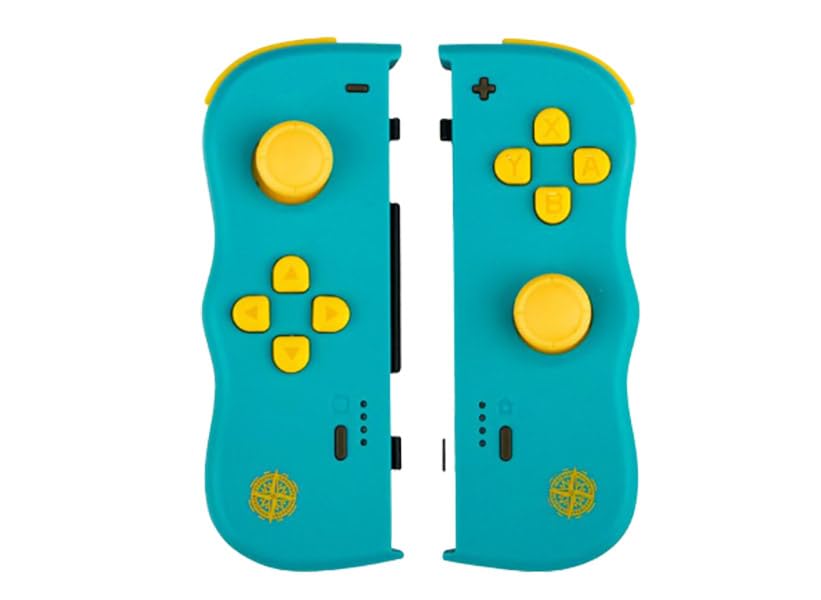
Obraz: Przód view of the Lexip PIXMINDS Steelplay Adventure Twinpads, showing the joysticks, D-pad, and action buttons.
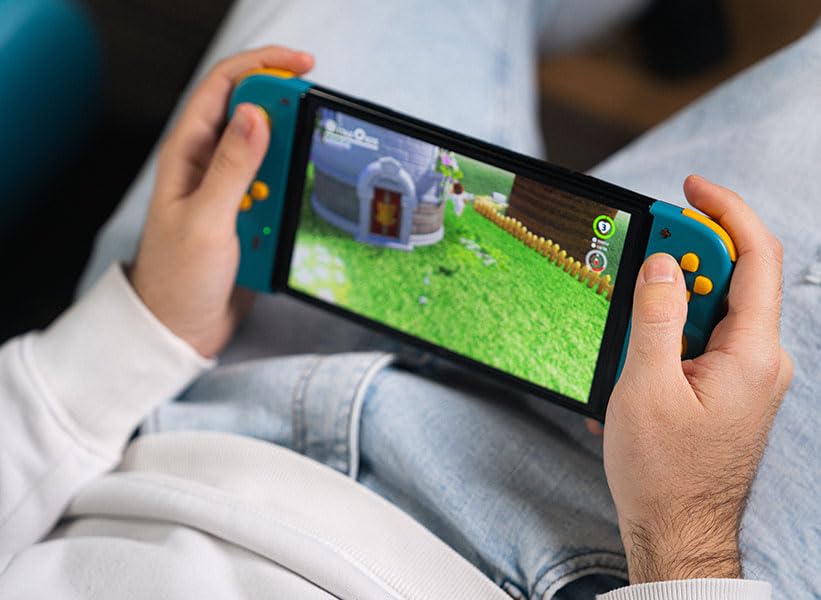
Obraz: Bok view of the Lexip PIXMINDS Steelplay Adventure Twinpads, highlighting the rail for attachment and potential pairing button location.
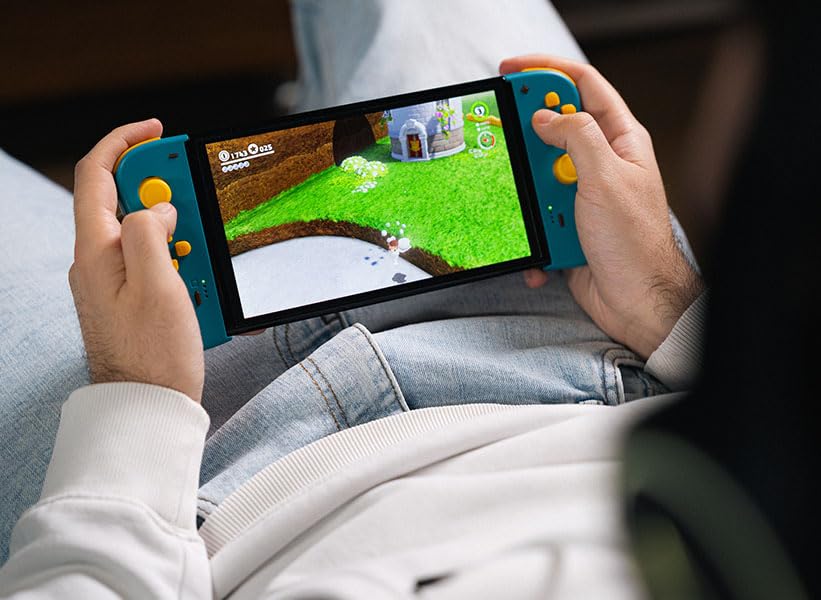
Obraz: Tył view of the Lexip PIXMINDS Steelplay Adventure Twinpads, showing the ergonomic design and additional buttons.
Instrukcja obsługi
Once paired, the Twinpads function as independent left and right controllers, similar to the original Joy-Con controllers. They can be used for various games that support detached controller play.
Układ i funkcje przycisków
- Left Twinpad: Analog Stick, D-pad, Minus (-) Button, Screenshot Button, SL/SR Buttons (on side rail).
- Right Twinpad: Analog Stick, A/B/X/Y Buttons, Plus (+) Button, Home Button, SL/SR Buttons (on side rail).
- Uwaga: Funkcje poszczególnych przycisków mogą się różnić w zależności od gry.
Ponowne łączenie
If the Twinpads disconnect or you wish to reconnect them after turning off the console, simply press any button on each Twinpad. They should automatically reconnect to the last paired console.
Konserwacja
Proper care will extend the lifespan of your Twinpads.
- Czyszczenie: Use a soft, dry cloth to wipe the surface of the controllers. For stubborn dirt, slightly dampPrzetrzyj szmatkę wodą. Unikaj stosowania silnych środków chemicznych i ściernych środków czyszczących.
- Składowanie: Store the Twinpads in a cool, dry place away from direct sunlight and extreme temperatures.
- Pielęgnacja baterii: If storing for an extended period, ensure the batteries are partially charged (around 50%) to maintain battery health. Avoid fully discharging the batteries for long periods.
Rozwiązywanie problemów
If you encounter issues with your Twinpads, try the following solutions:
- Controllers not pairing:
- Ensure the Twinpads are charged.
- Verify Bluetooth is enabled on your console.
- Try re-pairing the controllers by following the "Pairing with Your Device" steps.
- Move closer to the console to ensure a strong Bluetooth signal.
- Uruchom ponownie konsolę Nintendo Switch.
- Opóźnienie lub rozłączenie sygnału wejściowego:
- Ensure there are no obstructions between the controllers and the console.
- Zminimalizuj zakłócenia ze strony innych urządzeń bezprzewodowych.
- Sprawdź poziom naładowania baterii i w razie potrzeby doładuj.
- Przyciski nie reagują:
- Wyczyść okolice przycisków, aby usunąć wszelkie zanieczyszczenia.
- Ensure the controllers are properly paired and connected.
- Test the controllers in a different game or the console's controller test menu.
Specyfikacje
| Funkcja | Szczegół |
|---|---|
| Model | JVASWI00101 |
| Marka | Lexip, PIXMINDS, Steelplay |
| Łączność | Bluetooth |
| Zgodność | Nintendo Switch™, Nintendo Switch™ OLED |
| Typ baterii | 1 bateria litowo-jonowa (w zestawie) |
| Waga przedmiotu | 5.6 uncji (około 158.76 gramów) |
| Wymiary opakowania | 6.18 x 4.72 x 1.26 cala (ok. 15.7 x 12 x 3.2 cm) |
| Producent | PIXMINDS |
| Data wydania | 1 stycznia 2023 r. |
Gwarancja i wsparcie
The Lexip PIXMINDS Steelplay Adventure Twinpads come with a 5-letnia gwarancja, as indicated on the product packaging. To register your product and activate your warranty, please visit the official warranty registration page:
Register Your Product for Warranty
For technical support or further inquiries, please refer to the official Lexip support channels or contact your retailer.
Ask a question about this manual
Ask about setup, troubleshooting, compatibility, parts, safety, or missing instructions. Manuals+ will review the question and use this page’s manual context to help answer it.