
PROSCAN PDVD1332
Proscan 13.3" Portable DVD Player
Model: PDVD1332 - User Manual
Wstęp
This manual provides comprehensive instructions for the safe and efficient operation of your Proscan 13.3" Portable DVD Player, model PDVD1332. Please read this manual thoroughly before using the device and retain it for future reference.
Ważne informacje dotyczące bezpieczeństwa
Aby zminimalizować ryzyko porażenia prądem, pożaru lub obrażeń ciała, należy zawsze przestrzegać podstawowych zasad bezpieczeństwa podczas korzystania z tego produktu.
- Nie wystawiać urządzenia na działanie deszczu i wilgoci.
- Nie blokuj żadnych otworów wentylacyjnych.
- Używaj wyłącznie dodatków/akcesoriów wskazanych przez producenta.
- Odłącz urządzenie od zasilania podczas burzy z piorunami lub gdy nie jest używane przez dłuższy czas.
- Wszelkie prace serwisowe należy powierzać wykwalifikowanemu personelowi.
Zawartość opakowania
Sprawdź, czy w przesyłce znajdują się wszystkie elementy wymienione poniżej:
- Proscan 13.3" Portable DVD Player (PDVD1332)
- Zdalne sterowanie
- Zasilacz sieciowy
- Ładowarka samochodowa
- Słuchawki douszne
- Instrukcja obsługi

Image showing the Proscan 13.3" Portable DVD Player alongside its travel essentials: remote control, earbuds, car charger, and AC power adapter. These accessories are designed to enhance the user's experience, especially during travel.
Produkt ponadview
Familiarize yourself with the various components and controls of your portable DVD player.
Przód i góra View

The Proscan 13.3" Portable DVD Player shown open, displaying its large screen and the intuitive control panel located on the base. The screen is swiveled for optimal viewing.
Strona View i porty

Szczegółowa strona view of the Proscan Portable DVD Player, illustrating the accessible ports including USB, Card Slot (SD/MMC), Headphone Jack, AV Out, AV In, On/Off Switch, and DC 12V Power input.
Główne elementy sterujące:
- MODE/SETUP: Access menu settings.
- GŁOŚNOŚĆ +/-: Dostosuj poziom głośności.
- ODTWÓRZ/PAUZA: Rozpocznij lub wstrzymaj odtwarzanie.
- ZATRZYMYWAĆ SIĘ: Zatrzymaj odtwarzanie.
- POPRZEDNI/NASTĘPNY: Navigate tracks or chapters.
- USB/SD/MMC: Ports for external media.
- Wejście/wyjście AV: Audio/Video input and output.
- 12V DC: Wejście zasilania dla zasilacza sieciowego lub ładowarki samochodowej.
Organizować coś
Ładowanie akumulatora
The portable DVD player is equipped with a built-in lithium-polymer battery for extended playback. Before first use, fully charge the battery.
- Connect the AC power adapter to the DC 12V input port on the player.
- Podłącz zasilacz sieciowy do standardowego gniazdka ściennego.
- The charging indicator light will illuminate. Once fully charged, the light may change color or turn off (refer to specific indicator behavior in the manual if available).
- For car use, connect the car charger to the DC 12V input and plug it into your vehicle's cigarette lighter socket.
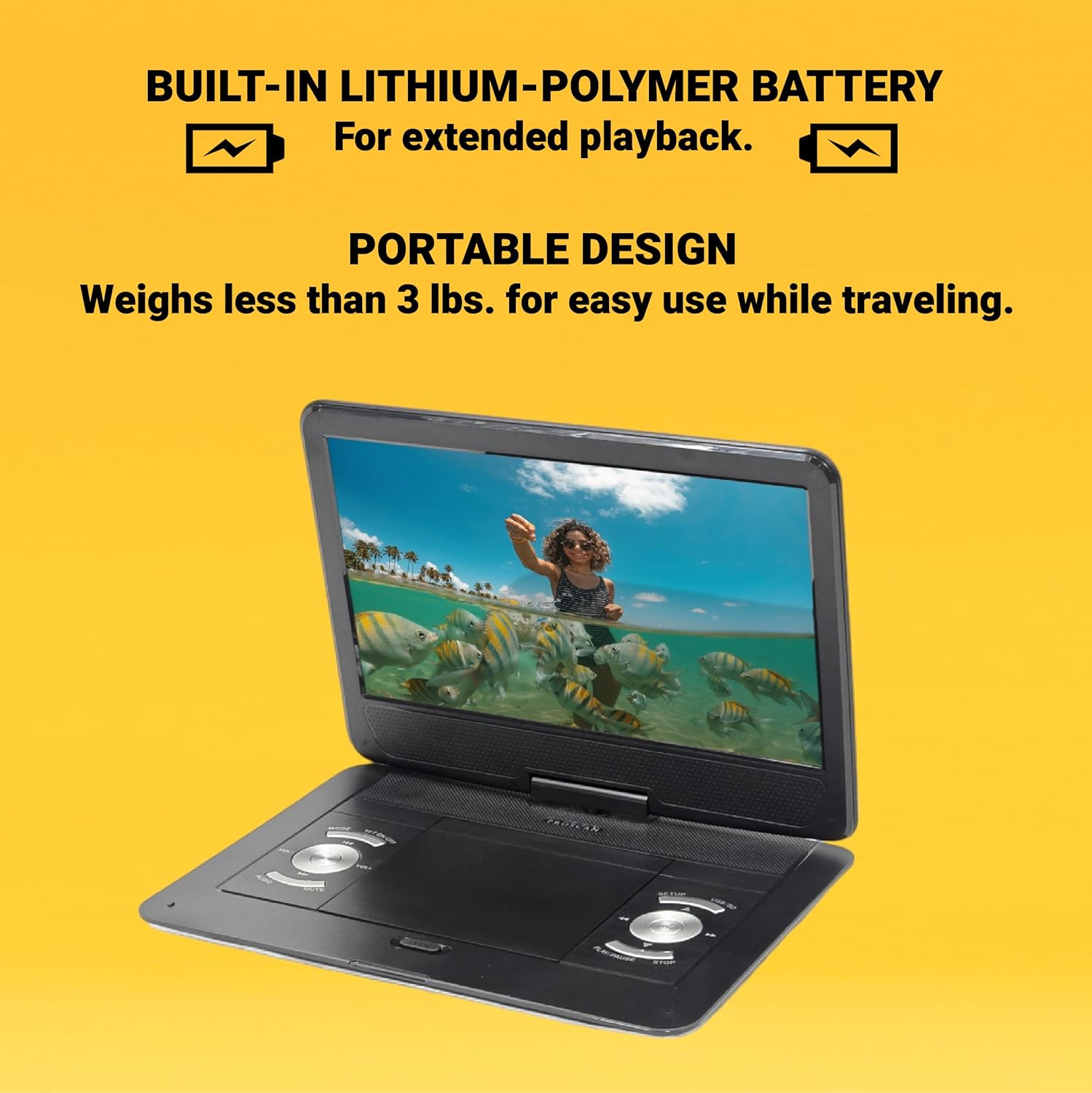
This image emphasizes the Proscan Portable DVD Player's built-in lithium-polymer battery, which provides extended playback, and its lightweight, portable design, weighing less than 3 lbs, making it ideal for travel.
Włączanie/wyłączanie
- Aby włączyć urządzenie, przesuń przełącznik ON/OFF do pozycji „ON”.
- Aby wyłączyć urządzenie, przesuń przełącznik ON/OFF do pozycji „OFF”.
Instrukcja obsługi
Playing a DVD/CD
- Otwórz pokrywę kieszeni na płytę.
- Carefully place a DVD or CD onto the disc spindle with the label side facing up.
- Delikatnie dociśnij płytę, aż zatrzaśnie się na swoim miejscu.
- Close the disc compartment cover.
- The player will automatically begin reading the disc. If not, press the ODTWÓRZ/PAUZA przycisk.
Using USB/SD/MMC Media
The player supports MP3 and JPEG files from USB drives, SD cards, and MMC cards.
- Insert your USB drive into the USB port or your SD/MMC card into the card slot.
- Użyj TRYB button to select the appropriate input source (USB or CARD).
- Poruszaj się po swoim files za pomocą POPRZEDNI/NASTĘPNY buttons and select with the ODTWÓRZ/PAUZA przycisk.
Regulacja głośności
Użyj GŁOŚNOŚĆ +/- buttons on the player or the remote control to adjust the audio volume.
Korzystanie z pilota zdalnego sterowania
The included remote control provides full functionality for operating the DVD player from a distance. Ensure the remote has working batteries and is pointed towards the player's IR sensor.
Konserwacja i pielęgnacja
- Czyszczenie ekranu: Use a soft, lint-free cloth to gently wipe the screen. Do not use liquid cleaners or abrasive materials.
- Czyszczenie urządzenia: Przetrzyj zewnętrzną część odtwarzacza miękką, suchą ściereczką.
- Pielęgnacja dysków: Trzymaj płyty za krawędzie. Utrzymuj je w czystości i bez zarysowań. Przechowuj płyty w pudełkach, gdy ich nie używasz.
- Składowanie: Jeśli odtwarzacz nie będzie używany przez dłuższy czas, należy przechowywać go w chłodnym, suchym miejscu, z dala od bezpośredniego światła słonecznego i ekstremalnych temperatur.
Rozwiązywanie problemów
| Problem | Możliwa przyczyna | Rozwiązanie |
|---|---|---|
| Brak zasilania | Battery drained; Power adapter not connected properly. | Naładuj akumulator. Upewnij się, że zasilacz jest prawidłowo podłączony. |
| Brak odtwarzania płyty | Disc inserted incorrectly; Disc is dirty or scratched; Incorrect region code. | Reinsert disc correctly; Clean or replace disc; Ensure disc is compatible with player's region. |
| Brak dźwięku | Volume too low; Mute function activated; Headphones not connected properly. | Increase volume; Deactivate mute; Reconnect headphones securely. |
| Pilot nie działa | Baterie są rozładowane lub nieprawidłowo włożone; Przeszkoda między pilotem a odtwarzaczem. | Wymień baterie; Sprawdź poprawność biegunowości; Usuń przeszkody. |
Specyfikacje
- Model: PDVD1332
- Rozmiar ekranu: 13.3 cali TFT LCD
- Typ wyświetlacza: LCD
- Obsługiwane formaty płyt: DVD, DVD-R/RW, CD-R/RW
- Obsługiwane formaty multimediów: MP3, JPEG (via USB/SD/MMC)
- Wejścia: USB, SD/MMC Card Slot, AV In, DC 12V
- Wyjścia: Headphone Jack, AV Out
- Bateria: Built-in Lithium-Polymer
- Waga: Około 4 funtów
- Wymiary: Około 15.85 x 14.37 x 3.47 cala
- Kolor: Czarny
Gwarancja i wsparcie
This product is sold as a renewed item. Please refer to the specific warranty terms provided by the seller or retailer at the time of purchase. For technical support or service inquiries, please contact the seller or the Proscan customer service department. Keep your purchase receipt as proof of purchase for any warranty claims.
For further assistance, you may visit the official Proscan website or contact their customer support line, details for which are typically found on the product packaging or the seller's information page.
Ask a question about this manual
Ask about setup, troubleshooting, compatibility, parts, safety, or missing instructions. Manuals+ will review the question and use this page’s manual context to help answer it.