
1. Wprowadzenie
This manual provides detailed instructions for the installation, operation, and maintenance of your Ctronics 5MP 30X Optical Zoom Outdoor WiFi PTZ Camera (Model: CTIPC-550C). Please read this manual thoroughly before using the product to ensure proper functionality and safety.
The camera features a 5MP resolution for high-definition imaging, 30X optical zoom, and Pan-Tilt-Zoom (PTZ) capabilities for comprehensive area coverage. It supports both 2.4GHz and 5GHz WiFi networks and offers advanced features such as automatic cruise, human detection, and automatic tracking. The robust metallic construction and IP66 weather resistance ensure reliable performance in various outdoor conditions.
2. Zawartość opakowania
Sprawdź, czy w przesyłce znajdują się wszystkie elementy:
- Ctronics 5MP 30X Optical Zoom Outdoor WiFi PTZ Camera
- Zasilacz
- Śruby montażowe i kołki ścienne
- Zestaw wodoodporny do kabla sieciowego
- Szybki przewodnik
3. Konfiguracja i instalacja
Wykonaj poniższe kroki, aby skonfigurować kamerę:
- Wybierz miejsce montażu: Wybierz lokalizację zapewniającą optymalne warunki viewing angles and is within range of your WiFi network. Ensure the surface is sturdy enough to support the camera.
- Zamontuj kamerę: Use the provided mounting template (if included) to mark drill holes. Secure the camera bracket to the wall or ceiling using the screws and wall plugs. Attach the camera to the bracket.
- Podłącz zasilanie: Podłącz zasilacz do aparatu i do gniazdka elektrycznego. Aparat włączy się i rozpocznie autotest.
- Połączenie internetowe:
- Połączenie bezprzewodowe: Download the Ctronics Pro app (or specified app) on your smartphone. Follow the in-app instructions to connect the camera to your 2.4GHz or 5GHz WiFi network.
- Połączenie przewodowe (opcjonalnie): For a stable connection, connect an Ethernet cable from your router to the camera's network port. Use the waterproof kit to protect the connection if installed outdoors.
- Konfiguracja wstępna: Complete the initial setup through the mobile app, including setting a strong password for your camera.
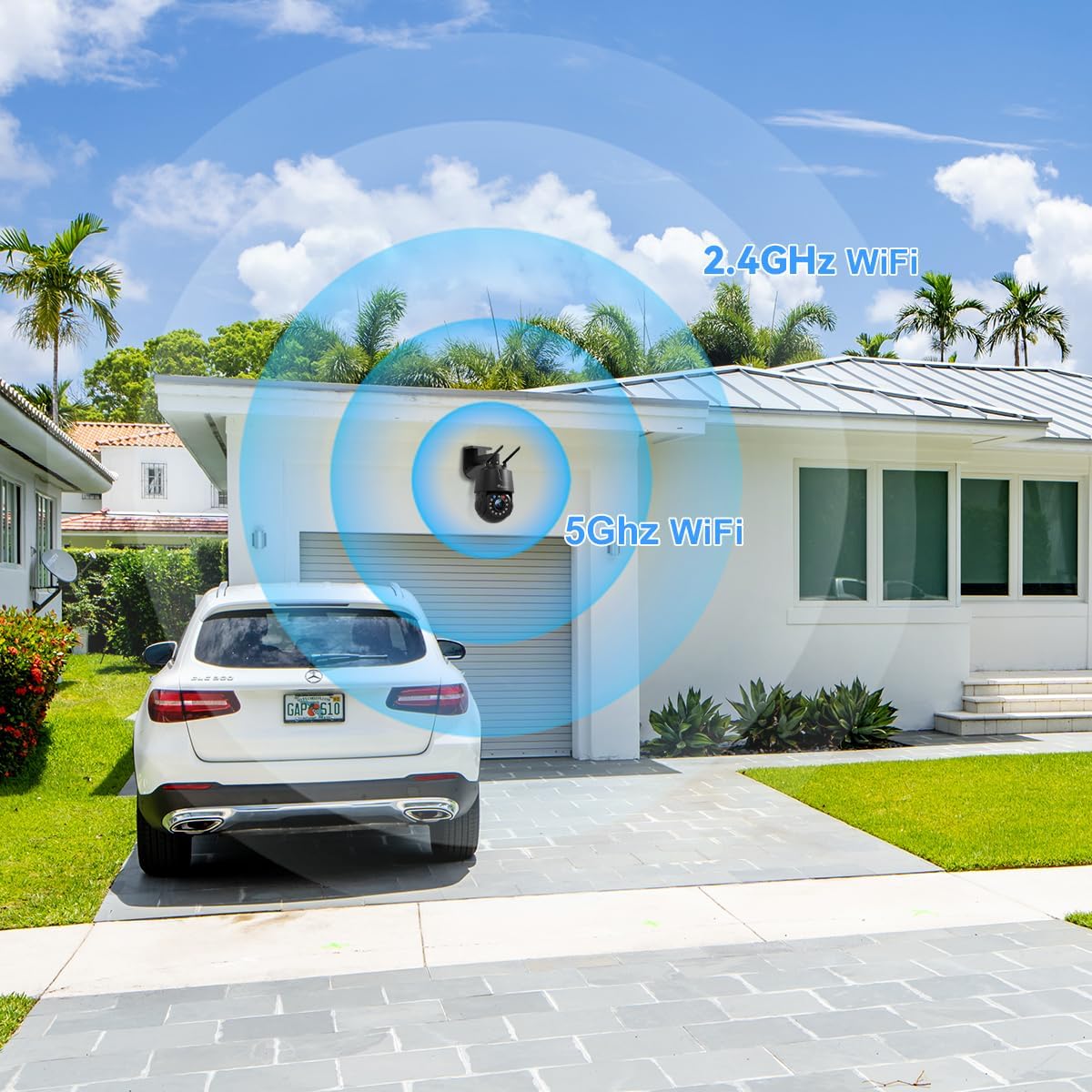
Figure 3.1: The camera supports both 2.4GHz and 5GHz WiFi for flexible network integration.
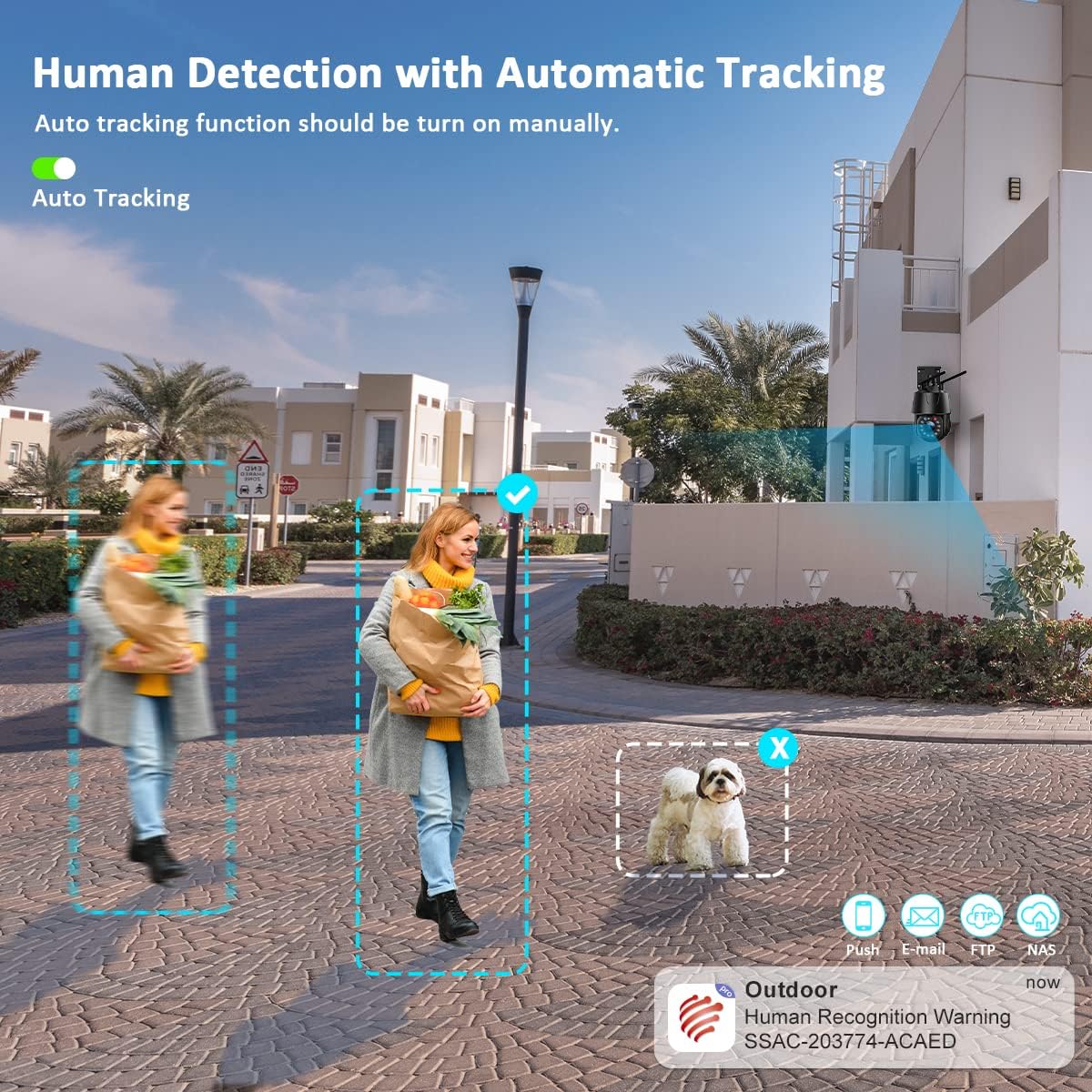
Figure 3.2: The camera system is compatible with various operating systems and devices, including iOS, Android, Windows, and Mac OS, through dedicated applications like Ctronics Pro and HIP2P Client.
4. Instrukcja obsługi
Your Ctronics camera offers a range of features for effective surveillance:
4.1. Na żywo View i sterowanie PTZ
Access the live video feed through the mobile app or desktop software. Use the on-screen controls to pan (355°), tilt (90°), and zoom (30X optical) the camera to monitor different areas. The 5MP resolution (2560 x 1920P) ensures clear and detailed images.
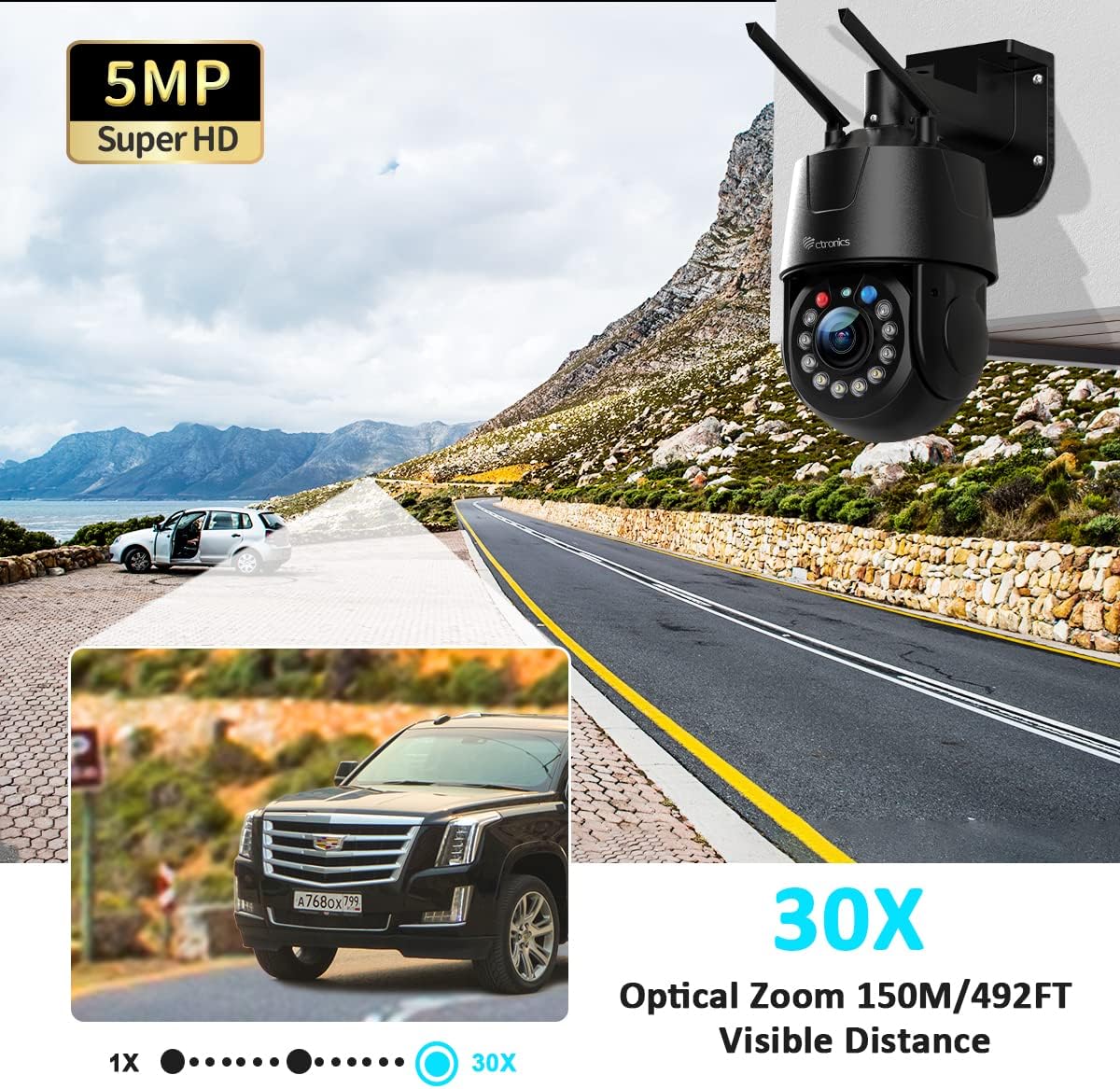
Figure 4.1: The 5MP Super HD resolution combined with 30X optical zoom allows for clear magnification of distant objects up to 150 meters (492 feet).
4.2. Automatic Cruise and Zoom
The camera supports automatic cruise functions with preset points. You can configure two types of cruise modes:
- Zoom Cruise: Follows up to 16 preset points, automatically zooming in on each point.
- Normal Cruise: Follows up to 30 preset points without automatic zoom.
If human movement is detected during zoom cruise, the camera will automatically zoom and track the movement.
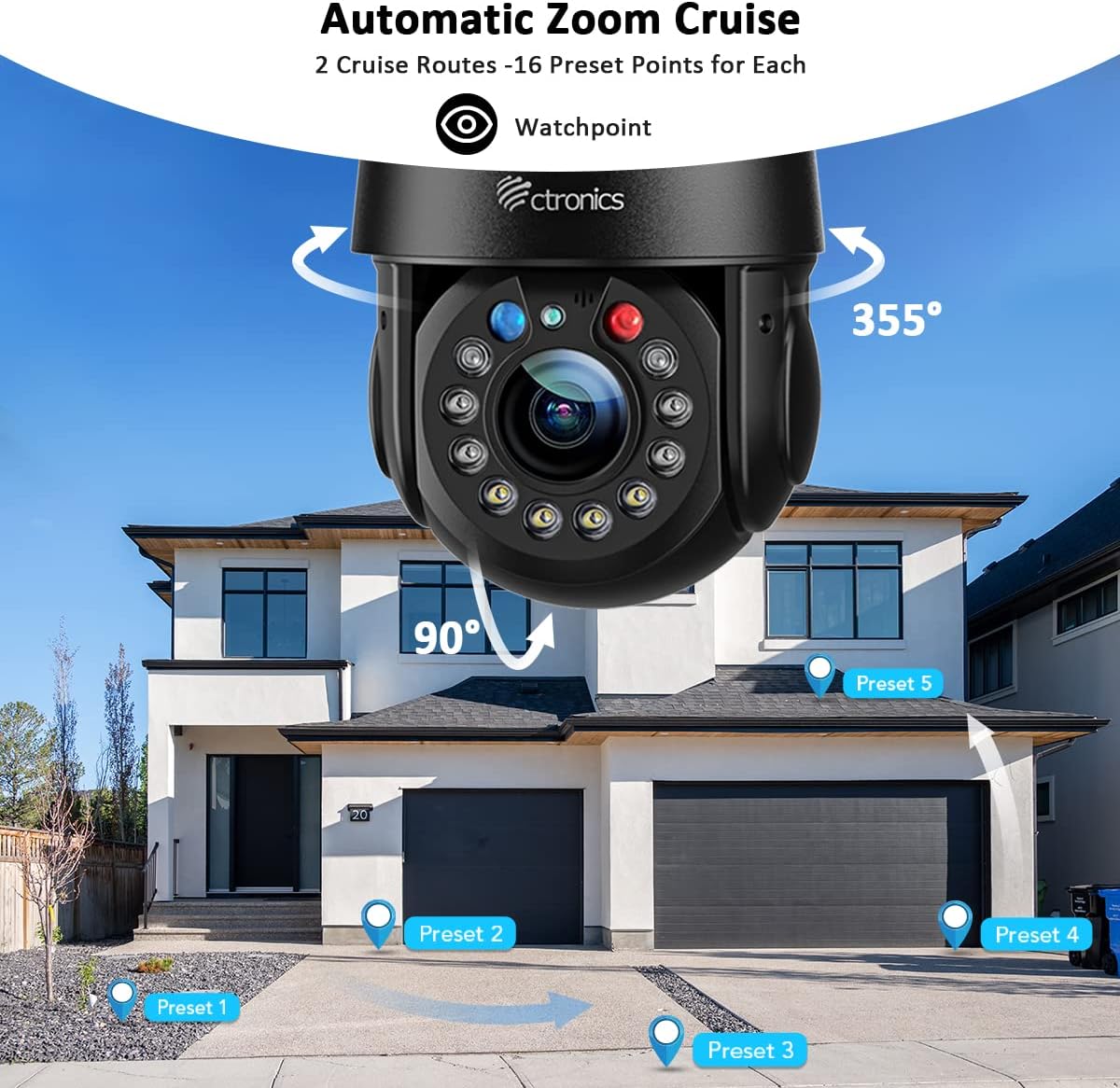
Figure 4.2: Configure automatic zoom cruise routes with multiple preset points for comprehensive area monitoring.
4.3. Intelligent Optical Zoom and Auto Tracking
The camera's intelligent optical zoom automatically adjusts magnification based on the distance of detected objects. When auto-tracking is enabled, the camera will follow detected human movement, keeping the subject in view.
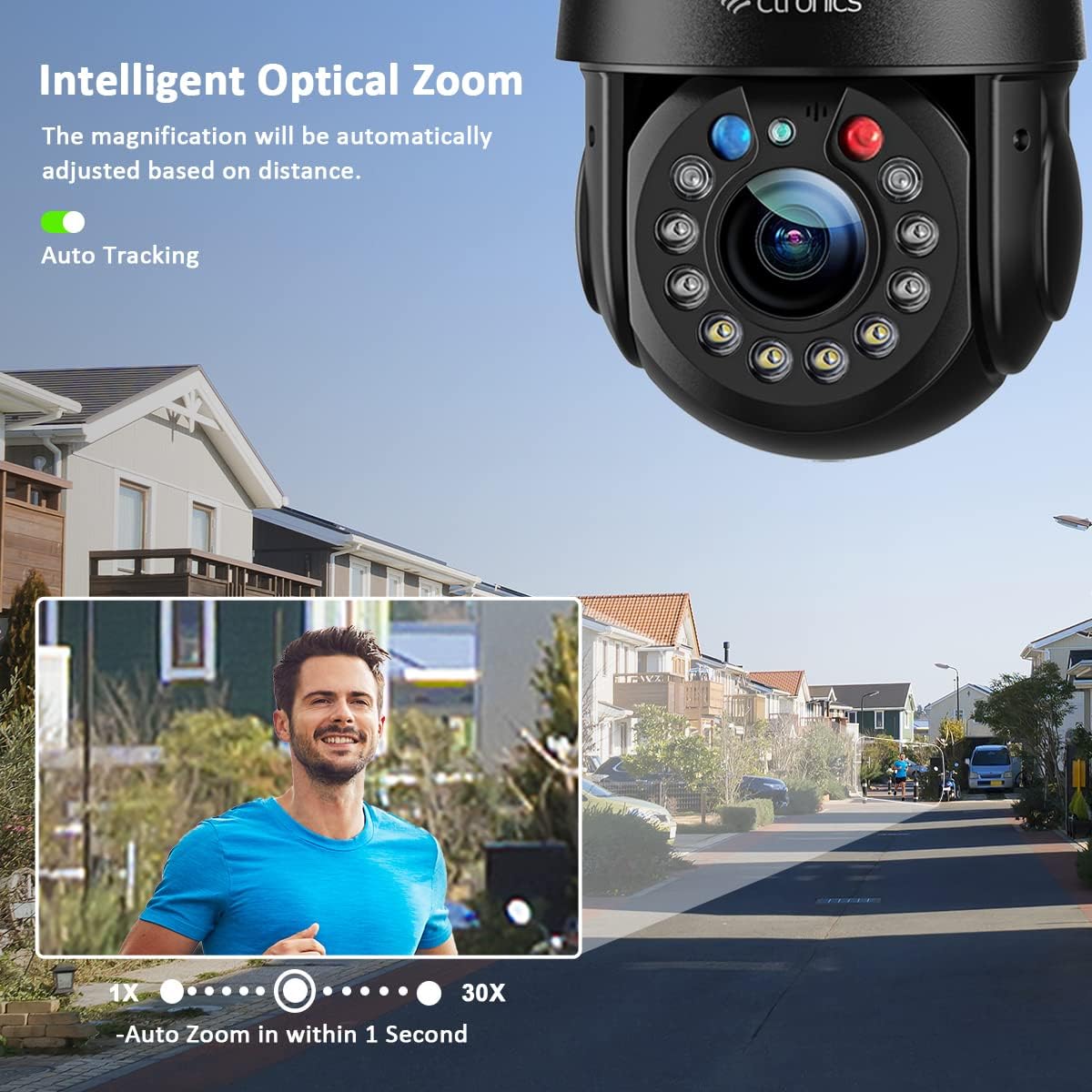
Figure 4.3: Intelligent optical zoom automatically adjusts to maintain clarity, while auto-tracking keeps moving subjects in focus.
4.4. Tryby widzenia nocnego
Kamera oferuje trzy tryby widzenia nocnego:
- Nocna Nocna Wizja: Provides clear black and white images up to 150 meters (492 feet) using 2 laser IR LEDs and 4 IR LEDs.
- Kolorowe widzenie nocne: Utilizes 4 white LEDs to provide full-color images up to 50 meters (164 feet).
- Inteligentne widzenie w nocy: Automatically switches between IR and color night vision based on detected motion.
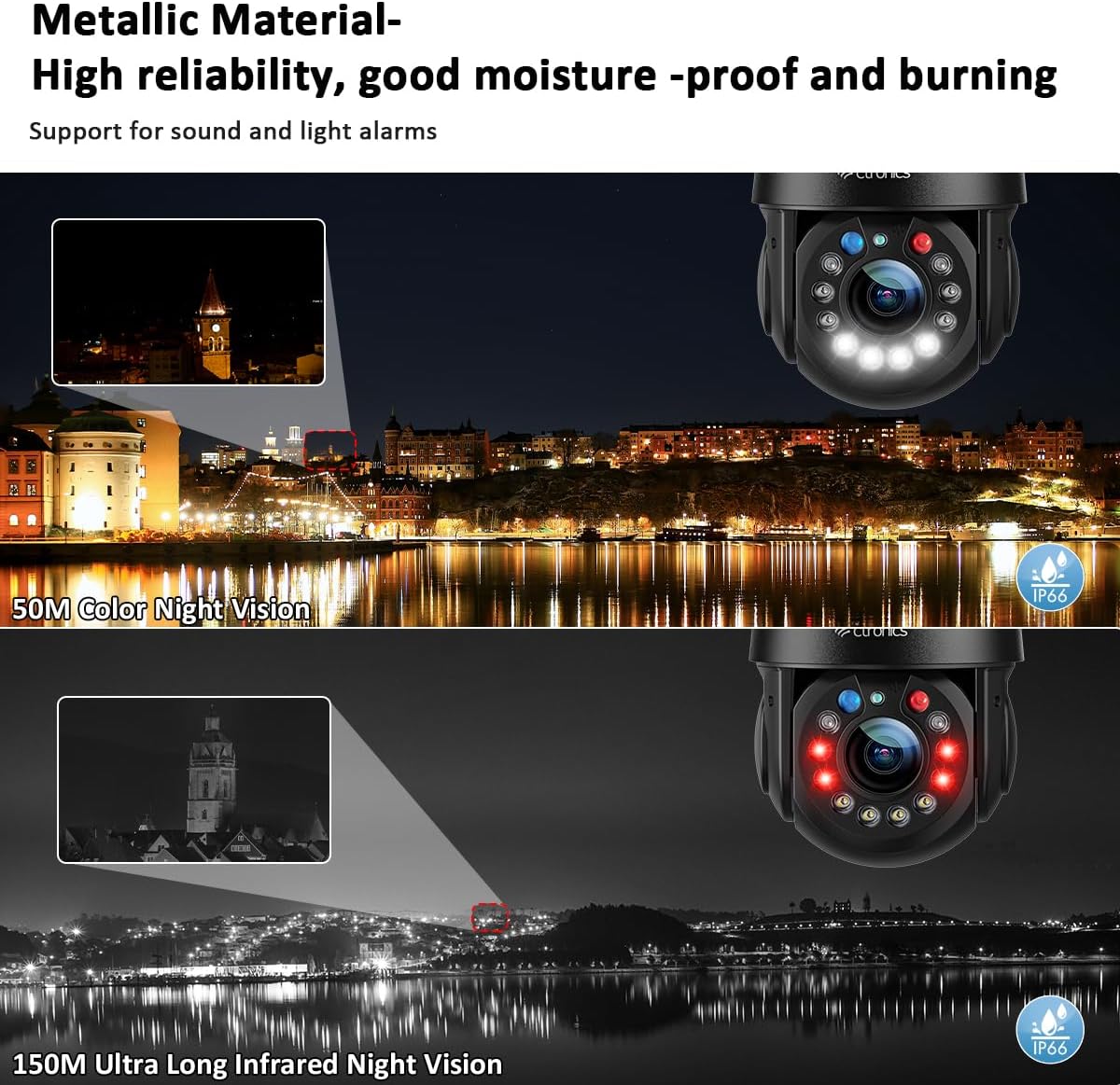
Figure 4.4: Experience clear surveillance with 150M infrared night vision or 50M color night vision.
4.5. Human Detection and Alarms
The camera's human detection feature distinguishes human movement from other motions, reducing false alarms by up to 95%. When a human is detected, the camera can automatically track the movement, trigger red and blue alarm lights, sound a customizable alarm, and send alerts to your smartphone app.
Figure 4.5: Human detection accurately identifies people, triggering alerts and auto-tracking while ignoring non-human movements.
4.6. Dźwięk dwukierunkowy
With built-in high-quality speakers and microphones, the camera supports two-way audio communication. This allows you to speak to visitors or deter intruders directly through the camera from your mobile device.
4.7. Odtwarzanie i przechowywanie wideo
Nagrane footage can be stored on a microSD card (not included) or via cloud storage (subscription may be required). Access and review recorded events through the mobile app or desktop software.
Video 4.1: This video demonstrates the key features of the Ctronics 5MP 30X Optical Zoom Outdoor WiFi PTZ Camera, including its metallic body, various night vision modes (laser, infrared, white light), 360° field of view, 30X optical zoom, customizable preset and cruise tracking, automatic tracking and resizing, 5MP resolution comparison, 150M infrared night vision, 50M color night vision, manual detection and automatic tracking, acoustic and visual alarms, two-way audio, and IP66 weather resistance against rain and snow.
5. Konserwacja
Regularna konserwacja zapewnia optymalną wydajność i długowieczność Twojego aparatu:
- Czyszczenie: Delikatnie przetrzyj obiektyw i korpus aparatu miękką szmatką.amp płótno. Nie używaj ostrych środków chemicznych ani ściernych środków czyszczących.
- Aktualizacje oprogramowania układowego: Periodically check for and install firmware updates through the mobile app. Updates often include performance improvements and security enhancements.
- Kontrola kabla: Regularly inspect power and network cables for any signs of wear or damage. Ensure waterproof connections are secure.
- Bezpieczeństwo sieci: Change your camera's password regularly and ensure your WiFi network is secured with a strong password.
6. Rozwiązywanie Problemów
Jeśli napotkasz problemy, zapoznaj się z poniższymi typowymi krokami rozwiązywania problemów:
- Kamera nie łączy się z siecią Wi-Fi:
- Ensure the camera is within range of your router.
- Verify that you are connecting to the correct 2.4GHz or 5GHz network and have entered the correct password.
- Uruchom ponownie router i kamerę.
- Brak transmisji wideo:
- Sprawdź, czy kamera jest włączona i czy zasilacz jest prawidłowo podłączony.
- Sprawdź łączność sieciową.
- Ensure the mobile app or desktop software is up to date.
- Słaba jakość obrazu:
- Wyczyść obiektyw aparatu.
- Sprawdź prędkość swojego połączenia sieciowego. Wolne połączenie może mieć wpływ na jakość przesyłania strumieniowego.
- Adjust camera settings for resolution and bitrate in the app.
- Fałszywe alarmy:
- Adjust the sensitivity of human detection.
- Define specific detection zones to exclude areas with frequent non-human movement.
If the issue persists, please contact Ctronics customer support.
7. Specyfikacje
| Funkcja | Opis |
|---|---|
| Model produktu | CTIPC-550C |
| Rezolucja | 5 MP (2560 x 1920P) |
| Zoom optyczny | 30X |
| Zakres obrotu/pochylenia | Panoramowanie: 355°, Pochylenie: 90° |
| Łączność | 2.4GHz/5GHz WiFi, Wired Ethernet |
| Wizja nocna | 150M IR Night Vision, 50M Color Night Vision |
| Cechy specjalne | Human Detection, Auto Tracking, Automatic Cruise, Two-Way Audio, Red & Blue Alarm Lights |
| Odporność na warunki atmosferyczne | IP66 |
| Tworzywo | Metaliczny |
8. Informacje o gwarancji
Ctronics products are covered by a limited warranty from the date of purchase. Please refer to the warranty card included in your package or visit the official Ctronics webSzczegółowe warunki gwarancji znajdziesz na stronie. Zachowaj paragon jako dowód zakupu na wypadek roszczeń gwarancyjnych.
9. Obsługa klienta
For technical assistance, product inquiries, or warranty support, please contact Ctronics customer service through the following channels:
- Webstrona: Visit the official Ctronics webwitryna z odpowiedziami na często zadawane pytania, artykułami pomocy i formularzami kontaktowymi.
- E-mail: Refer to your quick start guide or the Ctronics webodwiedź naszą witrynę, aby uzyskać odpowiedni adres e-mail pomocy technicznej.
- Wsparcie w aplikacji: Many issues can be resolved directly through the support features available in the Ctronics Pro mobile application.