
1. Wprowadzenie
The Dangbei Neo Smart Projector is a compact, portable device designed to deliver a high-quality home theater experience. Featuring official Netflix licensing, 1080P Full HD resolution, HDR10 support, and intelligent adjustment technologies, this projector offers versatile entertainment options with ease of use. This manual provides essential information for setting up, operating, and maintaining your projector.

Figure 1: Dangbei Neo Smart Projector.
2. Co znajduje się w pudełku
Upon unboxing your Dangbei Neo Smart Projector, verify that all the following items are included:
- Inteligentny projektor Dangbei Neo
- Zdalne sterowanie
- Zasilacz
- Kabel zasilający
- Instrukcja obsługi
- Ściereczka do czyszczenia

Rysunek 2: Projektor i dołączone akcesoria.
3. Konfiguracja
3.1 Pierwsze włączenie zasilania
- Connect the power cable to the power adapter, then plug the adapter into the projector's DC input port.
- Podłącz kabel zasilający do odpowiedniego gniazdka elektrycznego.
- Naciśnij przycisk zasilania na projektorze lub pilocie, aby włączyć urządzenie.
3.2 Połączenie sieciowe
The projector supports 5GHz Wi-Fi and Bluetooth 5.0 for seamless connectivity.
- Przejdź do menu „Ustawienia” na ekranie głównym projektora.
- Select 'Network' and choose your desired Wi-Fi network. Enter the password if prompted.
- For Bluetooth devices, select 'Bluetooth' in the 'Settings' menu and pair your device.
3.3 Intelligent Adjustment Technologies
The Dangbei Neo features 4-in-1 smart adjustment for an optimal viewdoświadczenie:
- Auto Focus: The projector automatically adjusts for a clear and sharp image.
- Automatyczna korekcja trapezu: The image is automatically adjusted to a rectangular shape, correcting for angled projections.
- Inteligentne dopasowanie do ekranu: The projector automatically aligns the image with the screen boundaries.
- Unikanie przeszkód: The projection automatically adjusts to avoid obstacles in its path.
These features typically activate automatically upon startup or movement of the projector. Manual adjustments are also available in the settings menu.
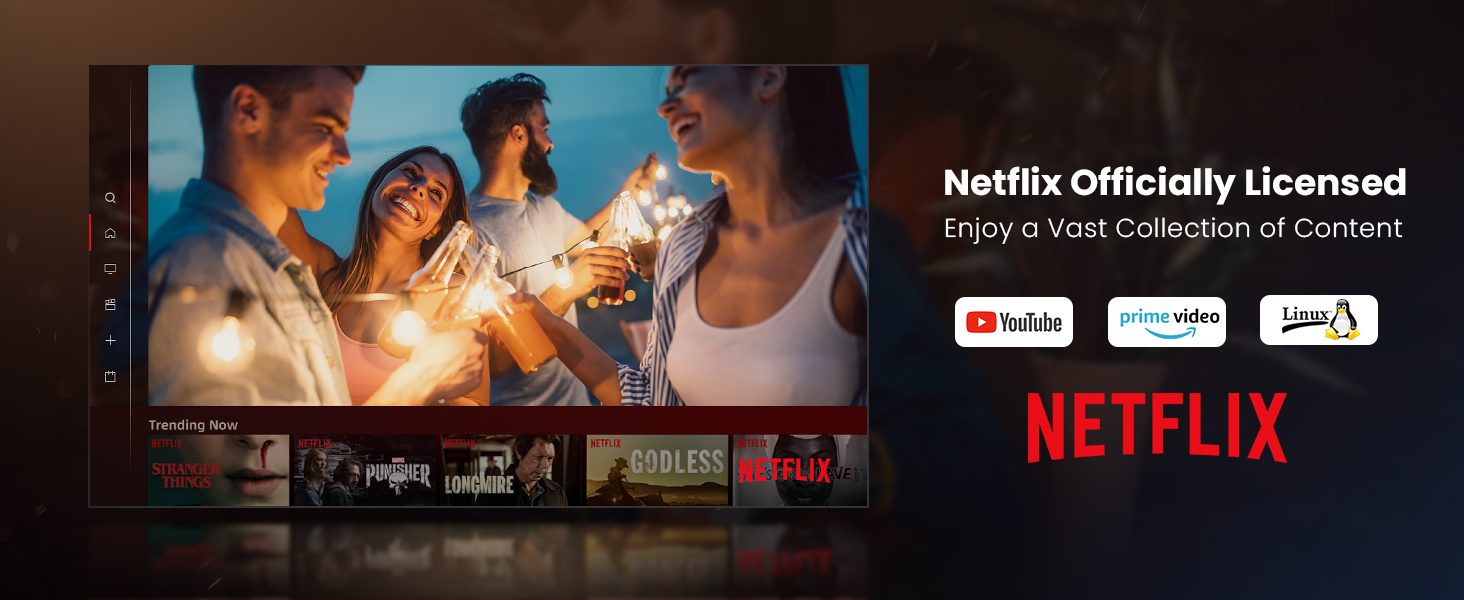
Figure 3: Visual representation of auto-focus and auto-keystone correction.
3.4 Podłączanie urządzeń zewnętrznych
Projektor oferuje wiele opcji łączności:
- HDMI: Connect gaming consoles, laptops, or other HDMI-enabled devices. One HDMI port supports ARC for enhanced audio return.
- USB: Use the USB ports for multimedia playback from external storage devices.
- SPDIF: Do cyfrowego wyjścia audio do kompatybilnych systemów dźwiękowych.
- LAN: Do przewodowego połączenia internetowego.
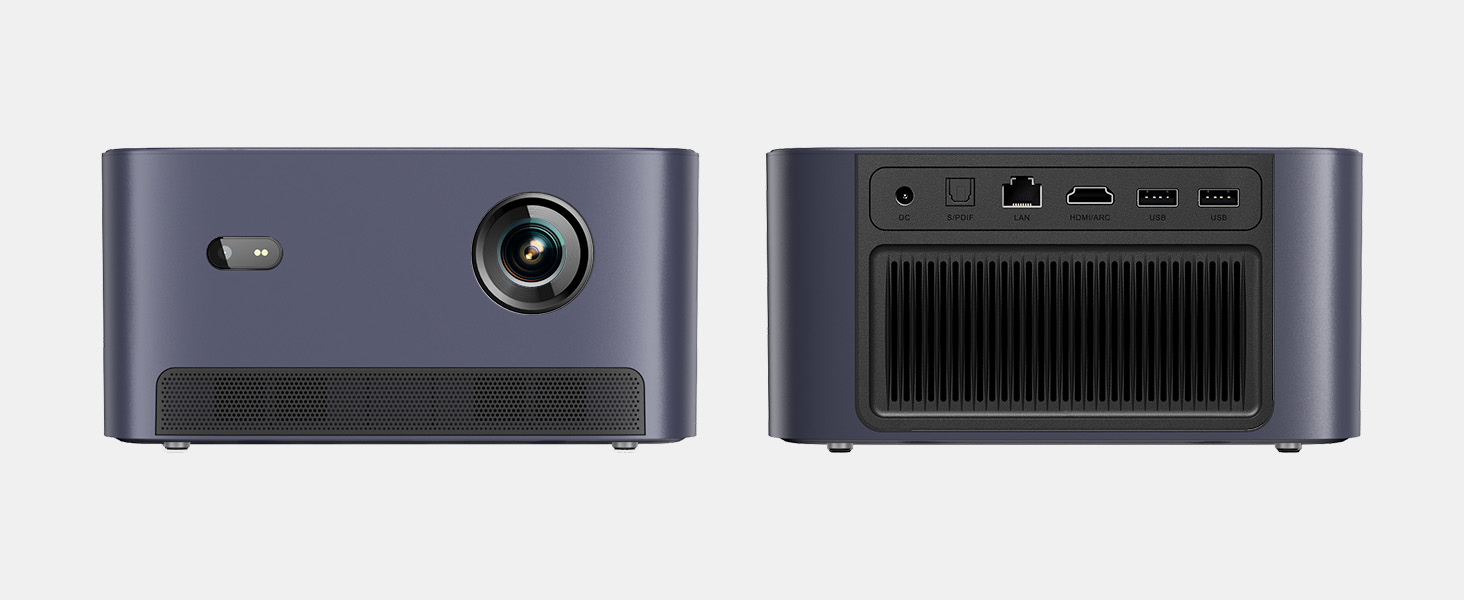
Rysunek 4: Tył view projektora pokazujący różne porty wejścia/wyjścia.
5. Instrukcja obsługi
5.1 Poruszanie się po interfejsie
The projector runs on a Linux-based operating system with a user-friendly interface. Use the remote control's directional pad and 'OK' button to navigate through menus and select options.
5.2 Aplikacje preinstalowane
Enjoy a variety of streaming content with pre-installed and officially licensed applications:
- Netflix: Access your Netflix subscription directly.
- YouTube: Stream videos from YouTube.
- Wideo Prime: Watch content from Amazon Prime Video.
- Additional apps are available through the integrated app store.

Figure 5: Projector displaying the Netflix interface.
5.3 Ustawienia obrazu i dźwięku
Zoptymalizuj swoje viewdoświadczenie z następującymi funkcjami:
- Rezolucja: Native 1080P Full HD with support for HDR10/HLG for sharp, crisp images.
- Rozmiar projekcji: Up to 120 inches for an immersive cinematic experience.
- Audio: Integrated 2x6W speakers with Dolby Audio support provide 360° surround sound.
- Regulacja jasności AI: Automatically optimizes brightness based on ambient light.

Figure 6: Large projected image from the Dangbei Neo.

Figure 7: Illustration of 360° surround sound from the projector.
6. Konserwacja
- Czyszczenie: Use the provided cleaning cloth to gently wipe the lens and exterior surfaces. Avoid abrasive materials or harsh chemicals.
- Wentylacja: Ensure the projector's ventilation ports are clear and unobstructed to prevent overheating.
- Lamp Życie: The laser light source has a lifespan of up to 30,000 hours, providing long-term use without frequent lamp wymiana.
7. Rozwiązywanie Problemów
| Problem | Możliwa przyczyna | Rozwiązanie |
|---|---|---|
| No image/blurry image | Power issue, focus/keystone incorrect, lens obstructed | Check power connection. Use auto-focus/keystone or adjust manually. Clean the lens. |
| Brak dźwięku | Volume too low, audio output settings, external device issue | Increase volume. Check audio settings. Ensure external device audio is working. |
| Problemy z łącznością Wi-Fi/Bluetooth | Nieprawidłowe hasło, urządzenie poza zasięgiem, zakłócenia | Verify password. Move closer to router/device. Reduce interference. |
| Przegrzanie projektora | Blocked ventilation, prolonged use | Ensure vents are clear. Allow projector to cool down. |
8. Specyfikacje
| Funkcja | Szczegół |
|---|---|
| Marka | Danbei |
| Model | Neo |
| Rozdzielczość wyświetlacza | 1920 x 1080 (1080P FHD) |
| Obsługa HDR | HDR10/HLG |
| Źródło światła | Laser (ALPD) |
| Lamp Życie | Do 30,000 godzin |
| Jasność | 2100 lumenów ISO |
| Współczynnik kontrastu | 12,000 1:XNUMX (dynamiczny) |
| System operacyjny | Linux OS |
| Aplikacje wstępnie zainstalowane | Netflix, YouTube, Prime Video |
| Łączność | 5GHz Wi-Fi, Bluetooth 5.0, HDMI (ARC), USB, SPDIF, LAN |
| Audio | 2x6W Dolby Audio Speakers, 360° Surround Sound |
| Inteligentne funkcje | Auto Focus, Auto Keystone Correction, Intelligent Screen Fit, Obstacle Avoidance, AI Brightness Adjustment |
| Wymiary | 7.87 x 6.18 x 3.94 cala |
| Waga | 0.141 uncji |
9. Gwarancja i wsparcie
The Dangbei Neo Smart Projector comes with a standard manufacturer's warranty. For detailed warranty information, product support, or service inquiries, please refer to the warranty card included in your package or visit the official Dangbei webstrona.
Wsparcie online: www.dangbei.com
10. Oficjalny film o produkcie
Obejrzyj oficjalny film o produkcie, aby zobaczyć jego wyglądview of the Dangbei Neo Smart Projector's features and capabilities.
Video: Dangbei Neo Netflix Officially-Licensed Smart Projector. This video highlights key features and usage scenarios.


