
1. Wprowadzenie
Thank you for choosing the Gearlab G220 Wireless Keyboard. This manual provides detailed instructions for setting up, operating, and maintaining your new keyboard. The Gearlab G220 is designed for convenience and efficiency, featuring a US/International layout, wireless connectivity via Bluetooth, and an ergonomic design for comfortable use. Please read this manual thoroughly before using the product to ensure proper functionality and longevity.
2. Zawartość opakowania
Proszę sprawdzić zawartość opakowania po rozpakowaniu. Jeśli brakuje któregokolwiek elementu lub jest on uszkodzony, prosimy o kontakt ze sprzedawcą.
- Gearlab G220 Wireless Keyboard
- Kabel ładujący USB
- Instrukcja obsługi
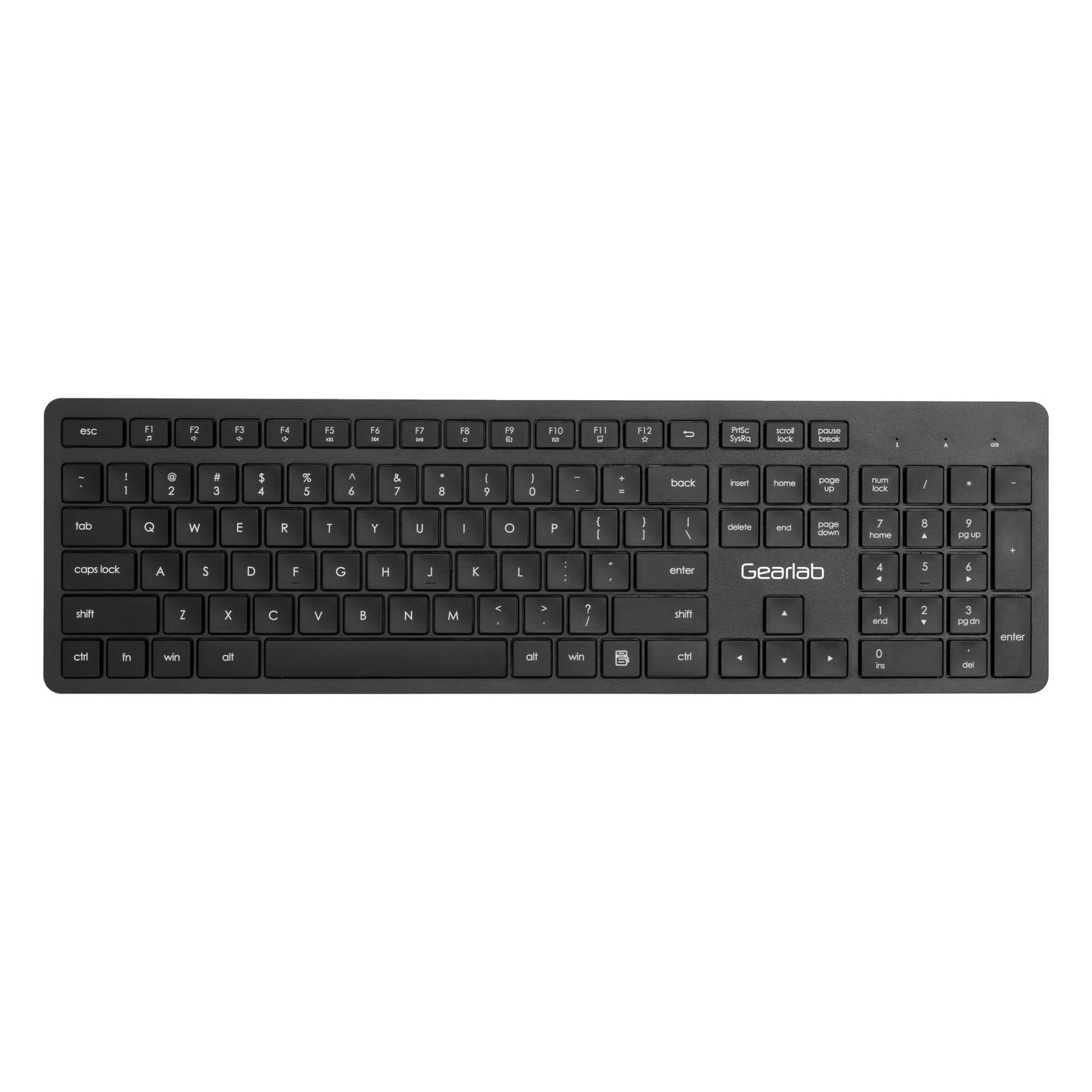
Image: The Gearlab G220 Wireless Keyboard, showcasing its US/International layout and compact design.
3. Konfiguracja
3.1 Ładowanie klawiatury
The Gearlab G220 keyboard is rechargeable. Before first use, ensure the keyboard is fully charged.
- Podłącz dołączony kabel ładujący USB do portu ładowania w klawiaturze.
- Podłącz drugi koniec kabla USB do zasilanego portu USB (np. w komputerze, zasilaczu ściennym USB).
- The charging indicator light will illuminate. Once fully charged, the indicator light may change color or turn off.
3.2 Connecting to a Device (Bluetooth)
The Gearlab G220 uses Bluetooth for wireless connectivity. It is compatible with laptops and other devices supporting Bluetooth input.
- Włącz klawiaturę za pomocą włącznika zasilania, który zazwyczaj znajduje się z boku lub z tyłu klawiatury.
- Activate Bluetooth pairing mode on the keyboard. This typically involves pressing and holding a dedicated Bluetooth pairing button or a function key combination (e.g., Fn + C or a specific Bluetooth icon key) until an indicator light flashes, signifying it's discoverable.
- On your device (e.g., laptop), go to the Bluetooth settings.
- Enable Bluetooth on your device if it's not already on.
- Szukaj new devices. The keyboard should appear as "Gearlab G220" or a similar name.
- Select the keyboard from the list to initiate pairing.
- If prompted, enter a pairing code on the Gearlab G220 keyboard and press Wchodzić, or confirm the connection on your device.
- Once successfully paired, the indicator light on the keyboard will stop flashing and remain solid, or turn off.
4. Instrukcja obsługi
After successful connection, the Gearlab G220 Wireless Keyboard is ready for use.
4.1 Podstawowe funkcje klawiatury
- Pisanie na maszynie: Use the keys as you would a standard keyboard. The layout is US/International English.
- Klawisze funkcyjne: The top row of keys (F1-F12) may have secondary functions (e.g., media control, volume, brightness). These are typically accessed by holding down the Fn key and pressing the desired function key. Refer to the keycap legends for specific functions.
- Oszczędzanie energii: The keyboard may enter a sleep mode after a period of inactivity to conserve battery. Press any key to wake it up.
4.2 Stan baterii
The keyboard features a rechargeable battery. A low battery indicator light (if present) will typically flash or change color when the battery level is low, signaling that it needs to be recharged.
5. Konserwacja
5.1 Czyszczenie
- Przed czyszczeniem wyłącz klawiaturę.
- Użyj miękkiej, niestrzępiącej się ściereczki, lekko wyczyśćampPrzetrzyj powierzchnię klawiatury wodą lub łagodnym środkiem czyszczącym.
- Do not use harsh chemicals, abrasive cleaners, or spray liquids directly onto the keyboard.
- For cleaning between keys, use compressed air or a small brush.
5.2 Pielęgnacja baterii
- Aby przedłużyć żywotność baterii, należy unikać częstego całkowitego rozładowywania klawiatury.
- Jeśli klawiaturę nie używasz przez dłuższy czas, przechowuj ją w chłodnym i suchym miejscu.
- Recharge the keyboard regularly, even if not used daily, to maintain battery health.
6. Rozwiązywanie Problemów
If you encounter issues with your Gearlab G220 Wireless Keyboard, refer to the following common solutions:
| Problem | Możliwe rozwiązanie |
|---|---|
| Klawiatura się nie włącza. | Ensure the keyboard is charged. Connect it to a power source using the USB charging cable. |
| Klawiatura nie łączy się przez Bluetooth. |
|
| Klawisze nie reagują lub działają nieprawidłowo. |
|
| Klawiatura często się rozłącza. |
|
7. Specyfikacje
| Funkcja | Szczegół |
|---|---|
| Marka | Laboratorium przekładni |
| Model | W126339682 |
| Kompatybilne urządzenia | Laptop |
| Technologia łączności | Bluetooth, bezprzewodowy |
| Opis klawiatury | Ergonomic |
| Funkcja specjalna | Możliwość ładowania |
| Język | angielski |
| Orientacja dłoni | Oburęczny |
| Liczba przycisków | 78 |
| Wymiary produktu | 25.4 x 5.08 x 6.86 cm; 560 g (approximately 10 x 2 x 2.7 inches; 1.23 lbs) |
| ASIN | B0BXM1MFCZ |
| Pierwsza dostępna data | 7 marca 2023 r. |
8. Gwarancja i wsparcie
The Gearlab G220 Wireless Keyboard comes with a standard manufacturer's warranty. Please refer to the warranty card included in your package or contact your retailer for specific warranty terms and conditions.
For technical support, troubleshooting assistance beyond this manual, or inquiries regarding parts and service, please contact Gearlab customer support through their official webstronie internetowej lub danych kontaktowych podanych przy zakupie.