
1. Wprowadzenie
Thank you for choosing the JISULIFE FA42 Mini Portable Bladeless Handheld Fan. This device is designed to provide powerful and safe personal cooling with its innovative bladeless design and multiple speed settings. Please read this manual carefully before use to ensure proper operation and maintenance.
2. Ważne instrukcje bezpieczeństwa
- Do not insert fingers or foreign objects into the fan's air inlet or outlet.
- Trzymaj urządzenie z dala od wody i wilgoci.
- Do not disassemble, repair, or modify the fan. Contact customer support if service is required.
- Przechowywać poza zasięgiem małych dzieci bez nadzoru osoby dorosłej.
- Do ładowania należy używać wyłącznie dołączonego kabla ładującego lub certyfikowanego kabla USB-C.
- Avoid exposing the fan to extreme temperatures or direct sunlight for extended periods.
3. Koniec produktuview
The JISULIFE FA42 fan features a compact, bladeless design for enhanced safety and portability. It incorporates a powerful turbo engine and a high-voltage protection chip.
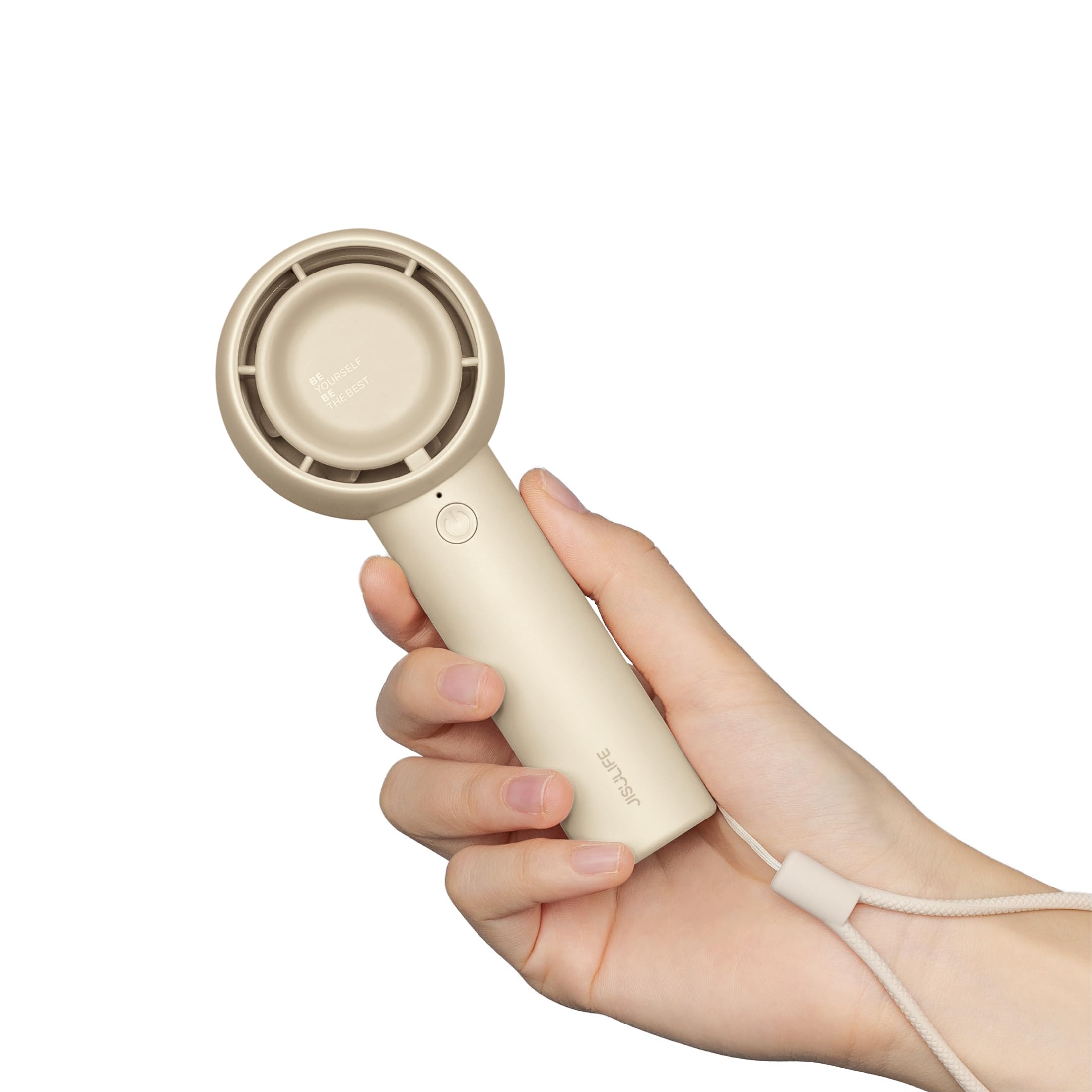
Figure 3.1: JISULIFE FA42 Mini Portable Bladeless Handheld Fan (Brown)

Figure 3.2: Illustration of the fan's gathering air duct technology, demonstrating a larger air outlet area and longer blowing distance.

Rysunek 3.3: Wewnętrzne view highlighting the high-performance brushless motor and curved turbo fan designed for reduced noise and comfortable airflow.
4. Konfiguracja
4.1. Rozpakowanie i opłata początkowa
Upon unboxing, ensure all components are present: the fan unit, USB-C charging cable, and lanyard.

Figure 4.1: The JISULIFE FA42 fan, its packaging, USB-C charging cable, and instruction manual.
Before first use, fully charge the fan. Connect the provided USB-C cable to the charging port on the fan and the other end to a USB power adapter (not included) or a computer's USB port. The indicator light will show charging status.

Figure 4.2: The fan's Type-C charging port in use. A full charge takes approximately 4 hours and provides up to 16 hours of cooling time.
4.2. Mocowanie smyczy
Thread the lanyard through the designated loop at the base of the fan's handle. This allows for convenient carrying on your wrist or attaching to a bag.
5. Instrukcja obsługi
5.1. Włączanie/wyłączanie i regulacja prędkości
The fan features a single power button for all operations:
- Włączanie: Naciśnij przycisk zasilania raz. Wentylator uruchomi się z prędkością 1.
- Aby dostosować prędkość: Press the power button repeatedly to cycle through the 5 available speed settings (Speed 1 to Speed 5).
- Aby wyłączyć: After cycling through Speed 5, pressing the button again will turn the fan off. Alternatively, press and hold the power button for 2 seconds to turn off the fan from any speed setting.

Figure 5.1: The fan offers 5 adjustable speeds, ranging from 5000r/min (Low) to 9000r/min (High).
5.2. Battery Life Indication
The indicator light near the power button also provides battery status. Refer to the product's packaging or official website for detailed light patterns (e.g., solid light for full charge, blinking for low battery).

Figure 5.2: The 4500mAh battery provides up to 16 hours of 'Sleep Wind', 8.5 hours of 'Cold Wind', and 5 hours of 'Strong Wind'.
5.3. Scenariusze użytkowania
The compact and powerful design makes this fan suitable for various activities:
- Aktywności na świeżym powietrzu: Travel, camping, commuting, shopping, music festivals.
- Zastosowanie wewnątrz: Office, dorm room, makeup application, quick-drying lashes.

Figure 5.3: The fan is versatile for use while walking, in the office, during makeup application, and while camping.
Video 5.1: An official product video from JISULIFE-NA demonstrating the features and use of the Mini Handheld Turbo Fan.
6. Konserwacja
6.1. Czyszczenie
To clean the fan, gently wipe the exterior with a soft, dry cloth. Do not use abrasive cleaners, solvents, or immerse the fan in water. Ensure the fan is turned off before cleaning.
6.2. Przechowywanie
When not in use for extended periods, store the fan in a cool, dry place away from direct sunlight and extreme temperatures. It is recommended to charge the fan every 3 months to maintain battery health.
7. Rozwiązywanie Problemów
| Problem | Możliwa przyczyna | Rozwiązanie |
|---|---|---|
| Wentylator nie włącza się | Niski poziom naładowania baterii; przycisk zasilania nie został prawidłowo naciśnięty | Charge the fan; Press and hold the power button for 2 seconds to ensure it powers on. |
| Słaby przepływ powietrza | Low battery; Fan speed set too low | Charge the fan; Increase the fan speed by pressing the power button. |
| Wentylator nie ładuje się | Wadliwy kabel/adapter; Luźne połączenie | Try a different USB-C cable or power adapter; Ensure the cable is securely connected to both the fan and the power source. |
| Niezwykły hałas | Obstruction in air duct; Internal issue | Turn off the fan and check for any obstructions in the air inlet/outlet. If the issue persists, contact customer support. |
8. Specyfikacje
| Funkcja | Szczegół |
|---|---|
| Marka | ŻYCIE ŻYCIA |
| Nazwa modelu | FA42 |
| Kolor | Brązowy |
| Źródło zasilania | Zasilanie bateryjne (w zestawie 1 bateria litowo-jonowa) |
| Pojemność baterii | 4500mAh |
| Maksymalny czas chłodzenia | Do 16 godzin |
| Czas ładowania | Około 4 godzin |
| Typ głównego złącza zasilania | USB-C |
| Liczba poziomów mocy | 5 |
| Wymiary produktu | 1.85" gł. x 2.44" szer. x 5.98" wys. |
| Waga przedmiotu | 148 gramów (5.2 uncji) |
| Poziom hałasu | 50 decybeli |
| Cechy specjalne | Bladeless, Compact, Portable |
9. Gwarancja i wsparcie
Aby uzyskać informacje dotyczące gwarancji i obsługi klienta, zapoznaj się z kartą gwarancyjną dołączoną do opakowania produktu lub odwiedź oficjalną stronę internetową JISULIFE website. You can also contact JISULIFE customer service through their Sklep Amazon.