
Wstęp
The ARENTI OP1-OD is a 4MP outdoor security camera designed for comprehensive home surveillance. It features Pan/Tilt functionality, dual-band 2.4G/5GHz WiFi connectivity, color night vision, sound and light alarms, AI human filtering, auto-tracking, and two-way talk. This manual will guide you through its features and ensure optimal performance.
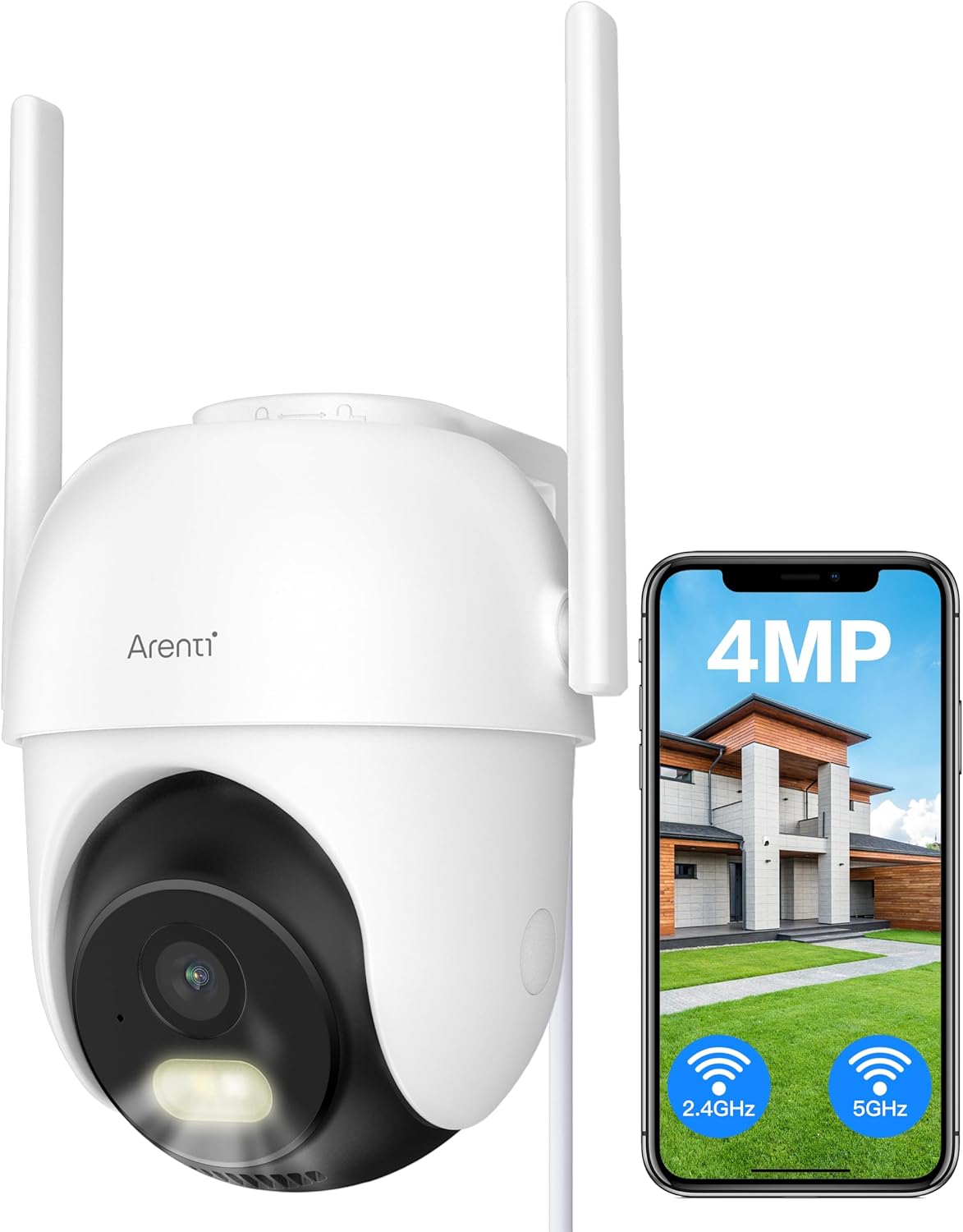
Image: ARENTI OP1-OD Outdoor Security Camera with its accompanying smartphone application interface.
Co jest w pudełku
Po otwarciu opakowania zobaczysz następujące elementy:
- ARENTI OP1-OD Security Camera (x1)
- Zasilacz (x1)
- Kabel USB typu C (x1)
- Wspornik montażowy (x1)
- Pakiet śrub (x1)
- Krótki przewodnik (x1)
- Silicone Plug for Power Cable (x1)
Wideo: Rozpakowywanie i inicjałyview of the ARENTI 5g WiFi Outdoor Security Camera, demonstrating the contents of the package and the camera's physical features.
Organizować coś
Instalacja
The camera is designed for wall mounting. Use the provided mounting bracket and screws to securely attach the camera to your desired outdoor location. Ensure the location provides a clear view and is within range of your WiFi network. The camera is IP65 waterproof, suitable for outdoor use in various weather conditions.

Image: The ARENTI OP1-OD camera shown mounted outdoors, highlighting its IP65 waterproof design.
Video: A demonstration of the easy installation process for the ARENTI 5g WiFi Outdoor Security Camera, including mounting and power connection.
Konfiguracja aplikacji
Download the 'Arenti' app from your smartphone's app store (iOS or Android). Follow the in-app instructions to pair your camera. This typically involves scanning a QR code displayed on your phone with the camera's lens to establish a connection. The camera supports both 2.4GHz and 5GHz WiFi bands for flexible connectivity.

Image: The ARENTI OP1-OD camera positioned next to a smartphone, illustrating the camera's dual WiFi band capability and app integration.
Instrukcja obsługi
Pan, Tilt i Zoom (PTZ)
Kontroluj kamerę viewing angle remotely through the Arenti app. The camera offers 355° pan and 90° tilt capabilities, allowing you to monitor a wide area. Digital zoom is also available for closer inspection.

Image: The camera illustrating its extensive pan and tilt range, alongside its AI human filtering feature.
Wizja nocna
The camera provides 4MP full-color night vision up to 10 meters, ensuring clear surveillance even in low-light conditions. It also features infrared (IR) night vision for traditional black and white viewing.

Image: The camera's full-color night vision capability, providing clear images in dark environments.
Dwukierunkowa rozmowa
Utilize the built-in microphone and speaker for two-way audio communication. This allows you to speak to visitors or deter intruders directly through the camera via the app.
Motion Detection, AI Human Filtering & Auto Tracking
The camera features advanced motion detection with AI human filtering to reduce false alarms. When human motion is detected, the camera can automatically track the subject, ensuring continuous monitoring of relevant activity.
Alarm dźwiękowy i świetlny
Configure the camera to activate a sound and light alarm upon detecting suspicious activity. This active deterrence feature can help ward off intruders and alert you to potential threats.

Image: The camera's active deterrence feature, showing a sound and light alarm being triggered.
24/7 Recording & Playback
The camera supports 24/7 continuous recording to an SD card (up to 128GB, not included) without a subscription fee. You can also access cloud storage services for backup. Easily review nagrano footagpoprzez funkcję odtwarzania w aplikacji.
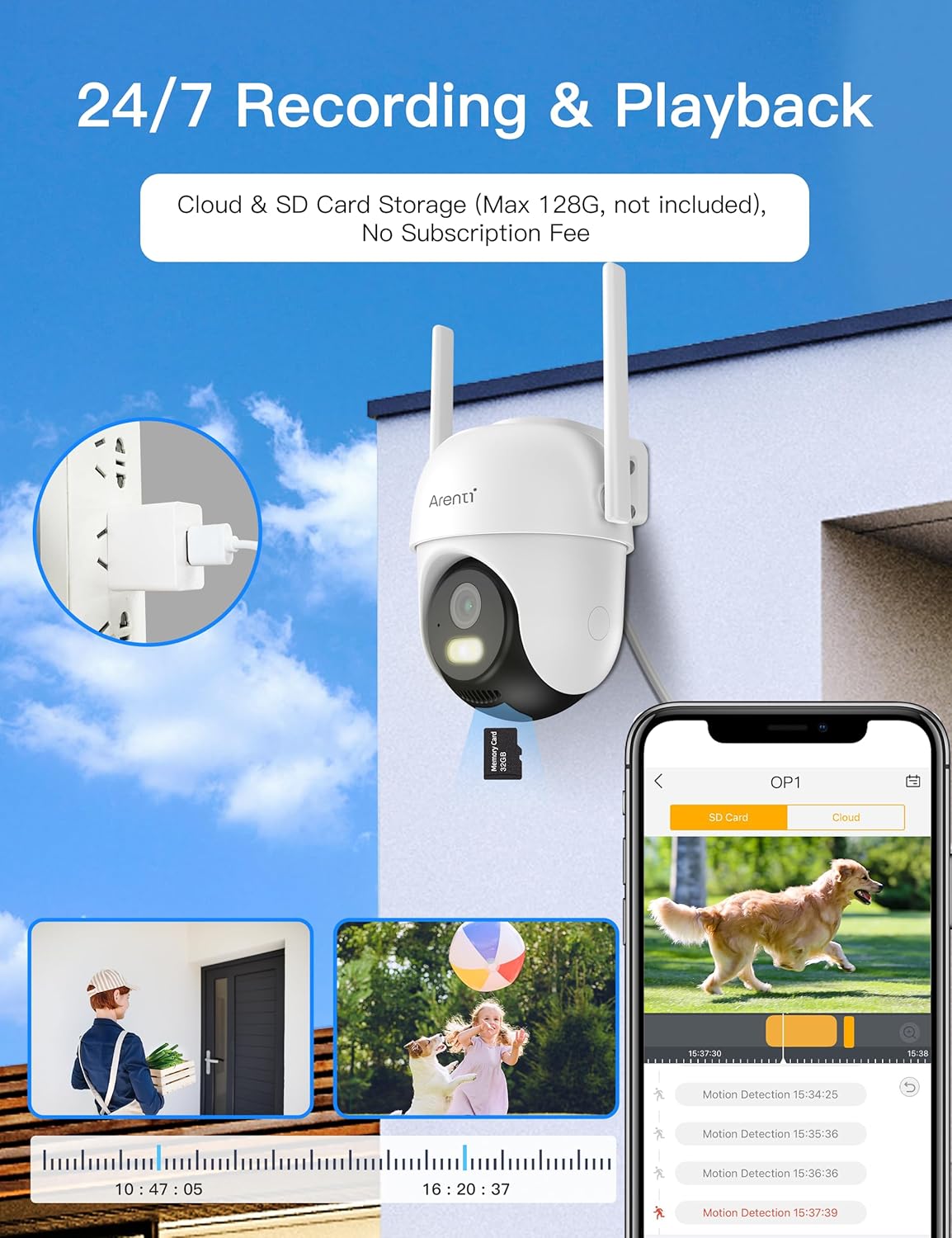
Image: The camera's 24/7 recording and playback capabilities, including options for cloud and SD card storage.
Konserwacja
Regularnie czyść obiektyw aparatu miękką,amp cloth to ensure clear image quality. Periodically check for firmware updates through the Arenti app to ensure your camera has the latest features and security enhancements. Ensure the power cable connection remains secure and protected from environmental elements.
Rozwiązywanie problemów
- Brak zasilania: Ensure the power adapter is securely plugged into both the camera and a working electrical outlet. Check the power cable for any damage.
- Stan offline: Verify your WiFi network is active and the camera is within range. Try restarting your router and the camera. Re-pair the camera with the app if necessary.
- Słaba jakość obrazu: Wyczyść obiektyw aparatu. Upewnij się, że w polu widzenia aparatu nie ma żadnych przeszkód. viewSprawdź prędkość swojego połączenia internetowego.
- Alerty o fałszywym ruchu: Adjust the motion detection sensitivity settings in the app. Utilize the AI human filtering feature to minimize alerts from non-human movements.
- Brak dźwięku: Check the two-way talk settings in the app. Ensure your phone's volume is up and the camera's microphone/speaker are not obstructed.
Specyfikacje
| Funkcja | Szczegół |
|---|---|
| Numer modelu | OP1-OD |
| Rozdzielczość przechwytywania wideo | 4 MP |
| Protokół łączności | Wi-Fi (2.4G/5GHz Dual Bands) |
| Typ montażu | Montaż ścienny |
| Międzynarodowa Ocena Ochrony | IP65 |
| Technologia słabego oświetlenia | Kolor nocy |
| Tryb pracy | Tylko ruch |
| Dwukierunkowa rozmowa | Tak |
| AI Human Filtering | Tak |
| Automatyczne śledzenie | Tak |
| Źródło zasilania | Elektryczny przewodowy |
| Waga przedmiotu | 1.47 funta |
Gwarancja i wsparcie
For warranty information or technical support, please contact ARENTI customer service directly. Refer to the Quick Guide included in your package for contact details or visit the official ARENTI website. Your product is verified by Transparency, ensuring authenticity.