
1. Wprowadzenie
This manual provides comprehensive instructions for the safe and efficient use of your ALITOVE 12V 3A 36W Universal AC/DC Power Adapter. Please read this manual thoroughly before operating the device and retain it for future reference.
2. Koniec produktuview
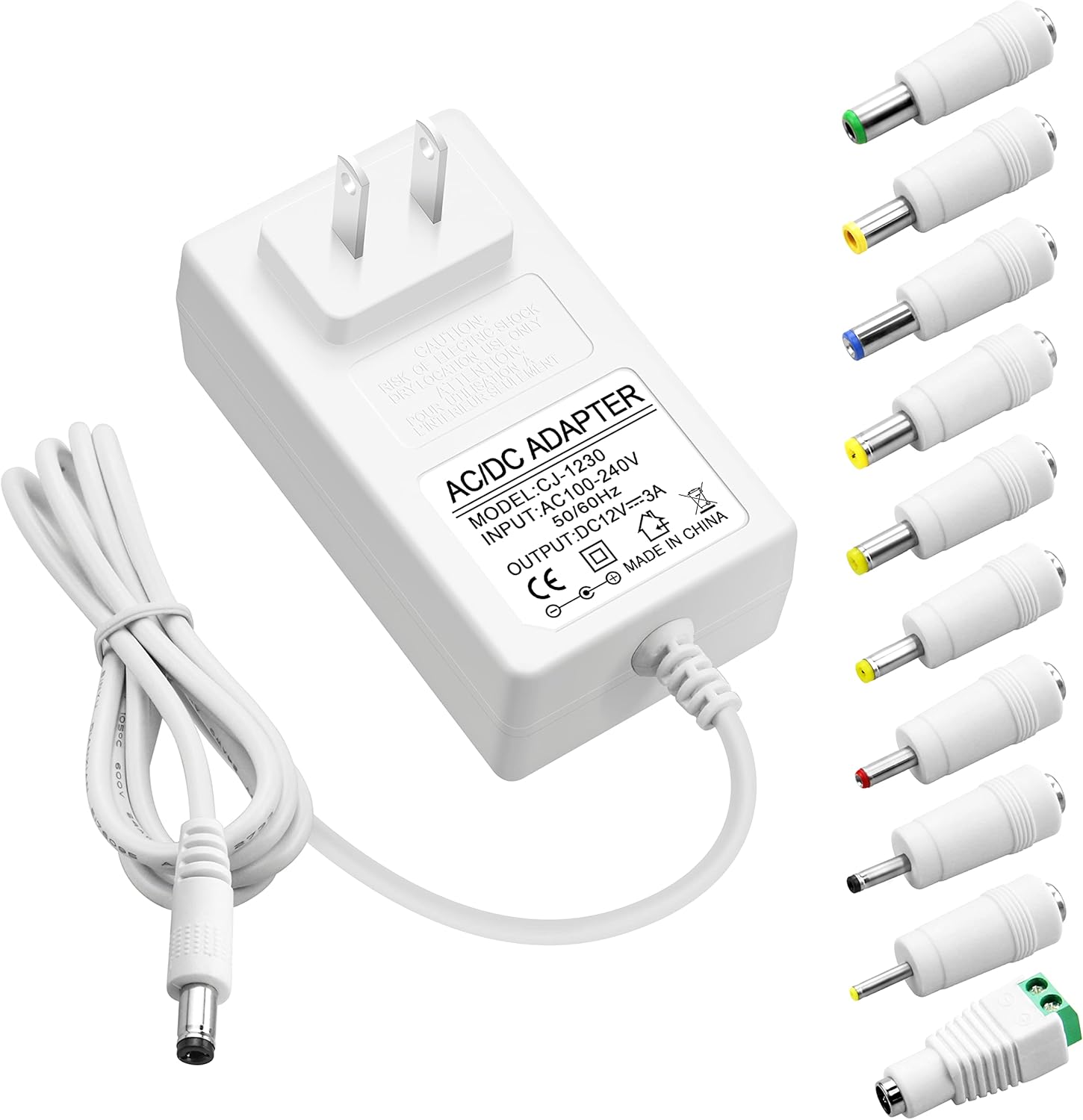
The ALITOVE 12V 3A 36W Universal AC/DC Power Adapter is designed to provide stable power to a wide range of 12V electronic devices. It features multiple safety protections and comes with 10 interchangeable DC tips for broad compatibility.
2.1 Zawartość opakowania
- 1x zasilacz ALITOVE 12V 3A
- 10x DC Connector Tips
2.2 Adapter Features
- Wejście: 100–240 V prądu przemiennego, 50/60 Hz
- Wyjście: 12V DC, 3A (36W Max)
- Zgodność: Works with 12V devices requiring less than 3A (e.g., 500mA, 1000mA, 1.5A, 1.8A, 2A, 2.5A, 2.8A).
- Tworzywo: Robust PC & ABS shell for durability and flame resistance.
- Przewód zasilający: Made of high-quality oxygen-free copper for better conductivity and reliability.
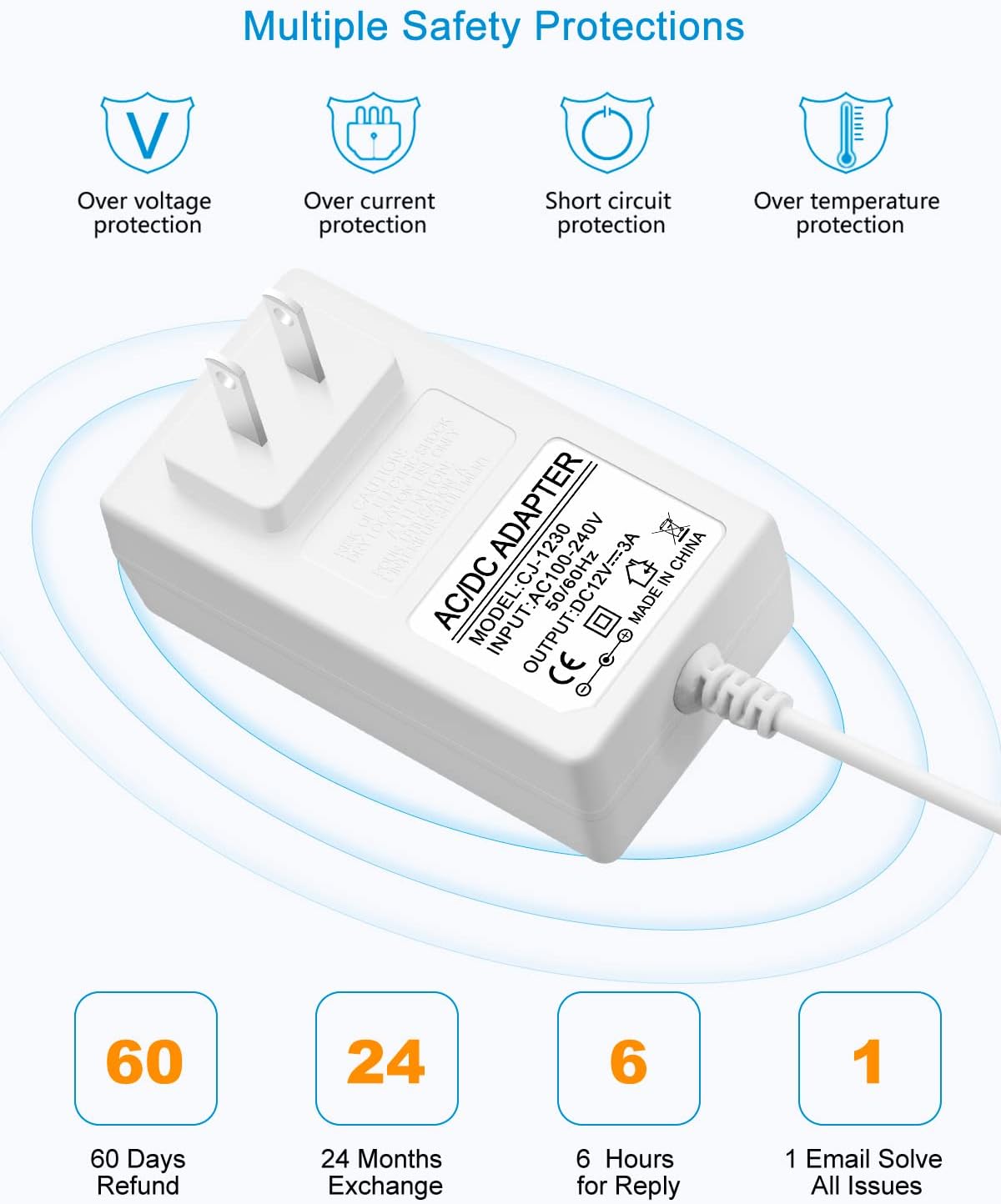
- Bezpieczeństwo: Wbudowane zabezpieczenie nadprądowe, nadmierne objtage, zabezpieczenie przed przegrzaniem i zwarciem.
2.3 DC Connector Tips
The adapter includes an original 5.5x2.5mm tip and 10 additional frequently used tips. The polarity for all tips is internal "+" and external "-".
- 5.5x2.1mm
- 5.5x3.0mm + Pin
- 5.5x1.7mm
- 4.8x1.7mm
- 4.0x1.7mm
- 3.5x1.35mm
- 3.0x1.1mm
- 2.5x0.7mm
- 6.3x3.0mm
- Złącze terminalowe

3. Instrukcje konfiguracji
Follow these steps to correctly set up your power adapter:
- Określ wymagania urządzenia: Przed podłączeniem sprawdź głośnośćtagi i amperage requirements of your electronic device. This adapter is suitable for 12V devices requiring 3A or less.
- Select the Correct DC Tip: Choose the DC connector tip that matches the input port of your device. Ensure a snug fit.
- Connect Tip to Adapter: Firmly insert the selected DC tip onto the output cable of the ALITOVE power adapter.
- Połącz z urządzeniem: Plug the DC tip into your electronic device's power input port.
- Podłącz do gniazdka elektrycznego: Plug the AC power adapter into a standard 100-240V wall outlet.


4. Instrukcja obsługi
Once connected, the power adapter will supply power to your device. Observe the following guidelines for optimal performance and safety:
- Nie przeciążaj: Ensure the connected device's current draw does not exceed 3A. Overloading can damage the adapter and the connected device.
- Zalecane obciążenie: For prolonged lifespan and stable operation, it is recommended that the maximum power usage should not exceed 80% of the adapter's full load (i.e., for a 36W adapter, use with devices requiring up to 29W).
- Stabilny tomtage: The adapter is designed to provide a stable 12V output, protecting your devices from fluctuating voltage.

5. Informacje dotyczące bezpieczeństwa
Your ALITOVE power adapter is equipped with multiple safety features to protect both the adapter and your connected devices.
5.1 Wbudowane zabezpieczenia
- Nadmierna ilośćtage Ochrona: Zapobiega uszkodzeniom spowodowanym nadmierną objętościątage.
- Zabezpieczenie nadprądowe: Automatically cuts off power if current exceeds safe limits.
- Zabezpieczenie przed zwarciem: Zabezpieczenia przed zwarciami.
- Ochrona przed przegrzaniem: Zapobiega przegrzaniu.
5.2 Ogólne ostrzeżenia dotyczące bezpieczeństwa
- Nie wystawiaj adaptera na działanie wody ani nadmiernej wilgoci.
- Do not disassemble or attempt to repair the adapter. Refer servicing to qualified personnel.
- Unikaj używania adaptera w ekstremalnie gorącym lub zimnym otoczeniu.
- Przechowywać w miejscu niedostępnym dla dzieci.
- Ensure proper ventilation around the adapter during use.

6. Specyfikacje
| Funkcja | Specyfikacja |
|---|---|
| Numer modelu | ALT-1203 |
| Wejście Voltage | Prąd zmienny 100-240 V, 50/60 Hz |
| Objętość wyjściatage | 12V prądu stałego |
| Prąd wyjściowy | Maksymalnie 3 A |
| Moc wyjściowatage | 36W Max |
| Biegunowość | Internal "+", External "-" |
| Typ złącza | Barrel Connector (with 10 interchangeable tips) |
| Wymiary produktu | 3.94 x 3.15 x 2.36 cala |
| Waga przedmiotu | 4.9 uncji |
| Kolor | Biały |
| Cechy specjalne | Short Circuit Protection, Over-voltage Protection, Over-current Protection, Over-temperature Protection |
7. Konserwacja
Proper maintenance ensures the longevity and reliable operation of your power adapter.
- Czyszczenie: Disconnect the adapter from the power outlet and device before cleaning. Use a soft, dry cloth to wipe the surface. Do not use liquid cleaners or sprays.
- Składowanie: Jeśli zasilacz nie jest używany, przechowuj go w chłodnym, suchym miejscu, z dala od bezpośredniego światła słonecznego i ekstremalnych temperatur.
- Pielęgnacja kabli: Avoid bending or crimping the power cord excessively, especially at the stress points, to prevent internal wire damage.

8. Rozwiązywanie Problemów
If you encounter issues with your ALITOVE power adapter, refer to the following common problems and solutions:
| Problem | Możliwa przyczyna | Rozwiązanie |
|---|---|---|
| Urządzenie nie włącza się | Incorrect DC tip selected Adapter not fully plugged in Device requires more than 3A Wadliwe gniazdko elektryczne | Ensure correct tip is used Sprawdź wszystkie połączenia Verify device's current requirements (must be ≤3A) Przetestuj z innym gniazdkiem |
| Adapter wydaje się gorący | Normalna praca (lekkie ciepło) Przeciążać Słaba wentylacja | If excessively hot, disconnect immediately Ensure device current is ≤3A Provide adequate space around adapter |
| Przerywana moc | Luźne połączenie Damaged cable/tip | Sprawdź szczelność wszystkich połączeń Inspect cable and tips for visible damage; replace if necessary |
9. Gwarancja i wsparcie
ALITOVE provides the following support for this product:
- Zwrot w ciągu 60 dni: Jeśli nie jesteś zadowolony z produktu.
- Wymiana w ciągu 24 miesięcy: W przypadku wad lub usterek produktu.
- Obsługa klienta: Expect a reply within 6 hours for inquiries. All issues aim to be resolved via email.
For further assistance or to claim warranty, please contact ALITOVE customer support through the retailer where the product was purchased or visit the official ALITOVE store online.


