
1. Wprowadzenie
The NUCOUN NC-5 Money Counter Machine is designed for efficient and accurate counting of banknotes. It features multiple counting modes and advanced counterfeit detection capabilities to ensure the integrity of your cash handling processes. This manual provides detailed instructions for setup, operation, maintenance, and troubleshooting to help you maximize the performance and lifespan of your device.
2. Instrukcje bezpieczeństwa
- Przed uruchomieniem maszyny należy przeczytać wszystkie instrukcje.
- Keep the machine away from water or other liquids.
- Do not open the machine casing; serwisowanie należy zlecić wykwalifikowanemu personelowi.
- Używaj wyłącznie dołączonego zasilacza.
- Podczas pracy maszyny należy zapewnić odpowiednią wentylację wokół niej.
3. Zawartość opakowania
Sprawdź, czy w opakowaniu znajdują się wszystkie elementy:
- NUCOUN NC-5 Money Counter Machine
- Kabel zasilający
- Szczotka do czyszczenia
- Krótki podręcznik

Rysunek 3.1: Zawartość opakowania
4. Koniec produktuview
The NUCOUN NC-5 features a user-friendly interface with a 3.5-inch LED display and a comprehensive control panel.

Figure 4.1: NUCOUN NC-5 Money Counter Machine
Panel sterowania i wyświetlacz

Rysunek 4.2: Panel sterowania i wyświetlacz LED
- 3.5-calowy wyświetlacz LED: Provides clear visibility of counting results and operational status.
- 10 Numeric Keys: For inputting batch numbers and other numerical settings.
- 9 Klawisze funkcyjne: For switching between various counting modes and settings.
5. Konfiguracja
- Rozpakować: Carefully remove the money counter from its packaging.
- Umieszczenie: Umieść maszynę na stabilnej, płaskiej powierzchni.
- Podłączenie zasilania: Podłącz kabel zasilający do urządzenia, a następnie do odpowiedniego gniazdka elektrycznego.
- Włączanie: Naciśnij przycisk zasilania, aby włączyć urządzenie.
6. Instrukcja obsługi
This section details the various counting modes and features of the NC-5 Money Counter Machine.
Video Demonstration: NC-5 Money Counter Features
Video 6.1: This video provides a comprehensive demonstration of the NUCOUN NC-5 Money Counter Machine's key features, including initial setup, counterfeit detection, value counting, batch counting, add mode functionality, connecting to a thermal printer, and proper banknote placement for optimal performance.
6.1. Note Compatibility
The NC-5 is designed to count both paper and polymer banknotes, including currencies like the Canadian dollar and Mexican peso, making it suitable for North American customers.

Figure 6.1.1: Paper and Polymer Banknote Compatibility
6.2. Wykrywanie podróbek
The machine incorporates multiple detection methods to identify suspicious bills:
- Detekcja UV (ultrafioletu): Checks for UV security features on banknotes.
- Detekcja MG (magnetyczna): Weryfikuje wzory tuszu magnetycznego.
- Detekcja IR (podczerwieni): Scans for infrared security marks.
- DD (wykrywanie wymiarów): Checks for correct bill size and thickness.
If a suspicious bill is detected, the machine will emit a sound alarm and display a warning message on the LED screen.

Figure 6.2.1: Counterfeit Detection Capabilities
6.3. Single Denomination Value Counting
This machine is designed for single denomination value counting, meaning it does not recognize mixed denominations automatically. To count the value of a specific denomination:
- Naciśnij 'Denom' button to select the desired denomination (e.g., $10, $20, $100).
- Feed the banknotes of that specific denomination into the hopper. The machine will count the number of bills and calculate the total value based on the selected denomination.
6.4. Add Mode
In Add mode, the machine accumulates the total count of bills across multiple batches. This is useful for counting large volumes of cash that exceed the hopper capacity or for combining counts from different stacks.

Figure 6.4.1: Add Mode Display
6.5. Tryb wsadowy
Batch mode allows you to set a desired number of bills for each batch. The machine will stop counting once the preset number is reached, enabling easy bundling of banknotes.
- Naciśnij 'Batch' przycisk.
- Use the numeric keys to input the desired batch number (e.g., 10, 20, 50).
- Feed the banknotes. The machine will pause after counting the set batch quantity.
6.6. Wybór prędkości
The NC-5 offers three counting speeds to optimize efficiency based on your needs.
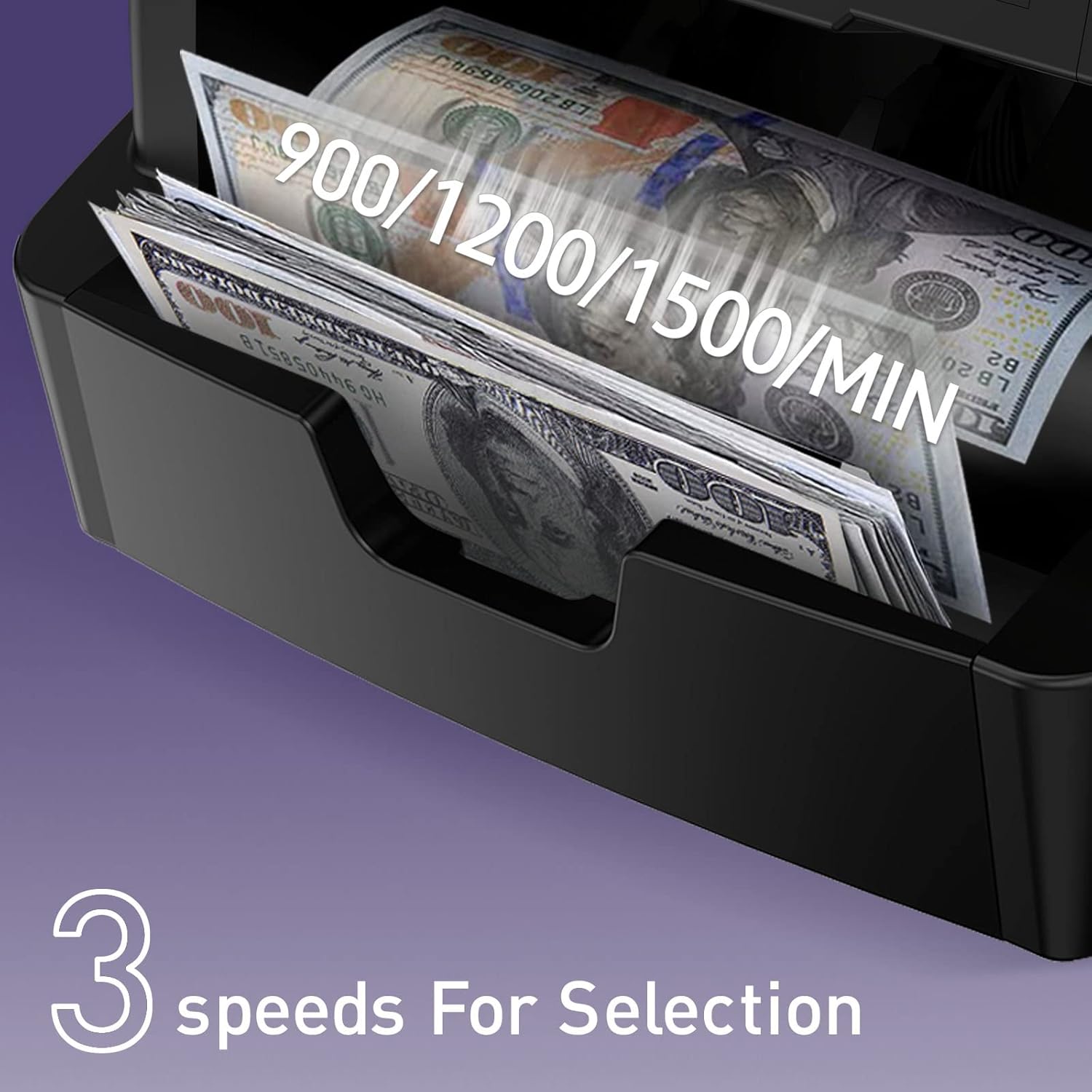
Figure 6.6.1: Counting Speeds
- Naciśnij 'Speed' button to cycle through the available counting speeds.
- Select the speed that best suits the condition of the banknotes and your counting volume.
6.7. Connecting to a Printer or PC
The counting data can be outputted for record-keeping or further analysis:
- Połączenie drukarki: Connect a thermal printer to the machine to print counting details directly.
- Połączenie z komputerem: Use the provided special PC software to output counting data to a computer. The default baud rate of the machine is 115200.

Figure 6.7.1: Printer and PC Connectivity
7. Konserwacja
Regular maintenance ensures optimal performance and longevity of your money counter.
7.1. Czyszczenie
The entire passage of the machine can be opened from the rear side for convenient internal cleaning. Use the provided cleaning brush to remove dust and debris from sensors and rollers.
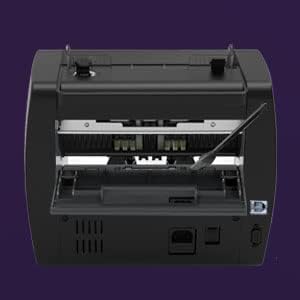
Figure 7.1.1: Open Passage for Cleaning
7.2. Ogólna opieka
- Keep the machine in a clean, dry environment.
- Avoid exposing the machine to direct sunlight or extreme temperatures.
- Do not use abrasive cleaners or solvents on the machine's surface.
8. Rozwiązywanie Problemów
This section addresses common issues you might encounter with the NC-5 Money Counter Machine.
| Problem | Możliwa przyczyna | Rozwiązanie |
|---|---|---|
| Maszyna się nie włącza | Kabel zasilający nie jest podłączony; gniazdko elektryczne jest uszkodzone | Sprawdź połączenie kabla zasilającego; spróbuj innego gniazdka |
| Bills are not feeding smoothly | Dust/debris on rollers; Worn rollers; Improper bill placement | Clean rollers with brush; Ensure bills are neatly stacked and aligned; Contact support if rollers are worn |
| Błędy wykrywania podróbek | Sensors are dirty; Bills are damaged or very old; Actual counterfeit bill | Clean sensors; Try counting new bills; Verify suspicious bills manually |
| Incorrect count results | Bills are stuck together; Sensors are dirty; Improper bill placement | Fan out bills before placing in hopper; Clean sensors; Ensure bills are neatly stacked and aligned |
9. Specyfikacje
| Funkcja | Szczegół |
|---|---|
| Marka | NUCOUN |
| Numer modelu | NC-5 |
| Waga przedmiotu | 14.92 funta |
| Wymiary produktu | 11.42 x 9.65 x 9.84 cala |
| Typ materiału | Poliwęglan |
| Wyświetlacz | Wyświetlacz LED o przekątnej 3.5 cala; |
| Wykrywanie podróbek | UV, MG, IR, DD |
| Poziom hałasu | Mniej niż 75dB |
| Łączność | Printer, PC (Baud Rate: 115200) |
10. Gwarancja i wsparcie
NUCOUN provides comprehensive support for your NC-5 Money Counter Machine:
- Ochrona jakości: Two years of quality protection from the date of purchase.
- Wsparcie techniczne: Lifetime technical support for the bill counter.
- Dedykowany zespół wsparcia: A dedicated US-based support team is available to answer questions within 12 hours.

Figure 10.1: Two-Year Quality Protection

Figure 10.2: Dedicated Support