
Wstęp
This manual provides comprehensive instructions for the safe and effective use, setup, operation, and maintenance of your DMI Digital Ultra Soft Heating Pad. Please read all instructions carefully before use and retain this manual for future reference.
Ważne informacje dotyczące bezpieczeństwa
OSTRZEŻENIE: Aby zmniejszyć ryzyko oparzeń, porażenia prądem, pożaru lub obrażeń, produkt należy stosować zgodnie z następującymi instrukcjami:
- Refer to the user manual for all safety instructions and guidelines.
- Nie używać podczas snu.
- Never use on an infant.
- Never use on a person who is incapacitated, sleeping, unconscious, or unable to move the heating pad.
- Nie stosować na obszarach niewrażliwej skóry.
- Nie używaj w środowisku wzbogaconym w tlen ani w pobliżu sprzętu, który przechowuje lub emituje tlen.
- Do mocowania podkładki nie należy używać szpilek ani innych metalowych elementów.
- Never sit on, lean against, or fold the heating pad during use.
- Nigdy nie ciągnij tej podkładki za przewód zasilający.
- Nie należy stosować tego podkładu z preparatami do nacierania, maściami lub balsamami zawierającymi składniki wytwarzające ciepło, ponieważ może to spowodować oparzenia skóry.
- Do not use this pad on pets.
- Odłączaj urządzenie od zasilania, gdy go nie używasz.
- Do not use if the cord or pad is damaged.
- Trzymaj kontroler z dala od wody.
- Produkt przeznaczony jest wyłącznie do użytku domowego.
Wskazania: This heating pad is designed for temporary relief of minor aches and pains associated with muscle aches, arthritis, sore joints, and chronic back pain.
Cechy produktu
- Konfigurowalne ustawienia ogrzewania: Allows users to set desired heat from 86°F to 150°F.
- Opcja wilgotnego ogrzewania: Includes a moist heat insert for deeper heat penetration.
- Ultra-Soft Micro-Fleece Cover: Machine-washable for easy cleaning.
- Kontroler cyfrowy: Features a backlit display for clear visibility.
- Programowalny zegar: For automatic shut-off.
- Długi przewód zasilający: A 9-foot extension cord provides flexibility in use.
- Wymiary: Wymiary około 12 cala x 15 cala.
Zawartość opakowania
- DMI Digital Ultra Soft Heating Pad with integrated controller
- Removable Micro-Fleece Cover
- Moist Heat Insert
Organizować coś
- Rozpakować: Carefully remove the heating pad and all components from the packaging.
- Sprawdzać: Check the heating pad, cord, and controller for any signs of damage. Do not use if damaged.
- Załóż okładkę: Ensure the micro-fleece cover is properly fitted over the heating pad. The cover is designed to be removable for washing.
- Umieszczenie: Position the heating pad on a flat, stable surface or the area of the body requiring heat therapy. Ensure the pad is not folded or bunched up during use.
- Podłączenie zasilania: Plug the heating pad's power cord into a standard 120-volt electrical outlet. Ensure the connection is secure.

Image: The DMI Digital Ultra Soft Heating Pad with its attached digital controller, ready for use.
Działanie
Korzystanie z kontrolera cyfrowego
The digital controller allows you to customize heat settings and set a timer for automatic shut-off. The backlit display shows the current temperature and remaining time.

Obraz: Zbliżenie view of the digital controller, highlighting its backlit display, power button, temperature adjustment buttons (+/-), and mode button (M).
- Włączanie/wyłączanie: Wciśnij przycisk zasilania (⏻) to turn the heating pad on or off. The backlit display will illuminate upon activation.
- Regulacja ciepła: Użyj + I - buttons to increase or decrease the temperature. The heat range is from 86°F to 150°F. Start with the lowest setting and gradually increase as tolerated.
- Ustaw minutnik: Naciśnij M (Mode) button to cycle through available timer settings. The timer allows the pad to automatically shut off after a set period. The display will show the remaining time.
- Automatyczne wyłączanie: The pad is equipped with an automatic shut-off feature for safety. It will turn off after the programmed time or a default period if no timer is set.
Using Moist Heat
For deeper heat penetration, the moist heat insert can be used. This is particularly beneficial for relieving deep muscle stiffness and pain.
- Prepare Insert: Remove the moist heat insert from the heating pad cover.
- Moisten: Lightly spray or dampen the moist heat insert with water. Do not soak.
- Włóż ponownie: Umieść Dampened insert back into the heating pad cover, ensuring it is flat and evenly distributed.
- Używać: Operate the heating pad as described above. The moisture will enhance the heat therapy.

Image: A hand spraying water onto the moist heat insert, demonstrating how to prepare it for use.
Aplikacja
The DMI Digital Ultra Soft Heating Pad can be applied to various body areas for targeted relief.

Image: A collage showing a person using the heating pad on their lower back, abdomen, and shoulder, illustrating its multi-use capability.
Pielęgnacja i konserwacja
Cleaning the Micro-Fleece Cover
The ultra-soft micro-fleece cover is machine washable for easy cleaning.
- Odłączyć: Przed czyszczeniem należy zawsze odłączyć poduszkę grzewczą od gniazdka elektrycznego.
- Usuń osłonę: Detach the micro-fleece cover from the heating pad.
- Pranie w pralce: Machine wash the cover on a gentle cycle with cold water.
- Suszyć w suszarce: Tumble dry on low heat or air dry. Do not bleach or iron.
- Podłącz ponownie: Once completely dry, reattach the cover to the heating pad.
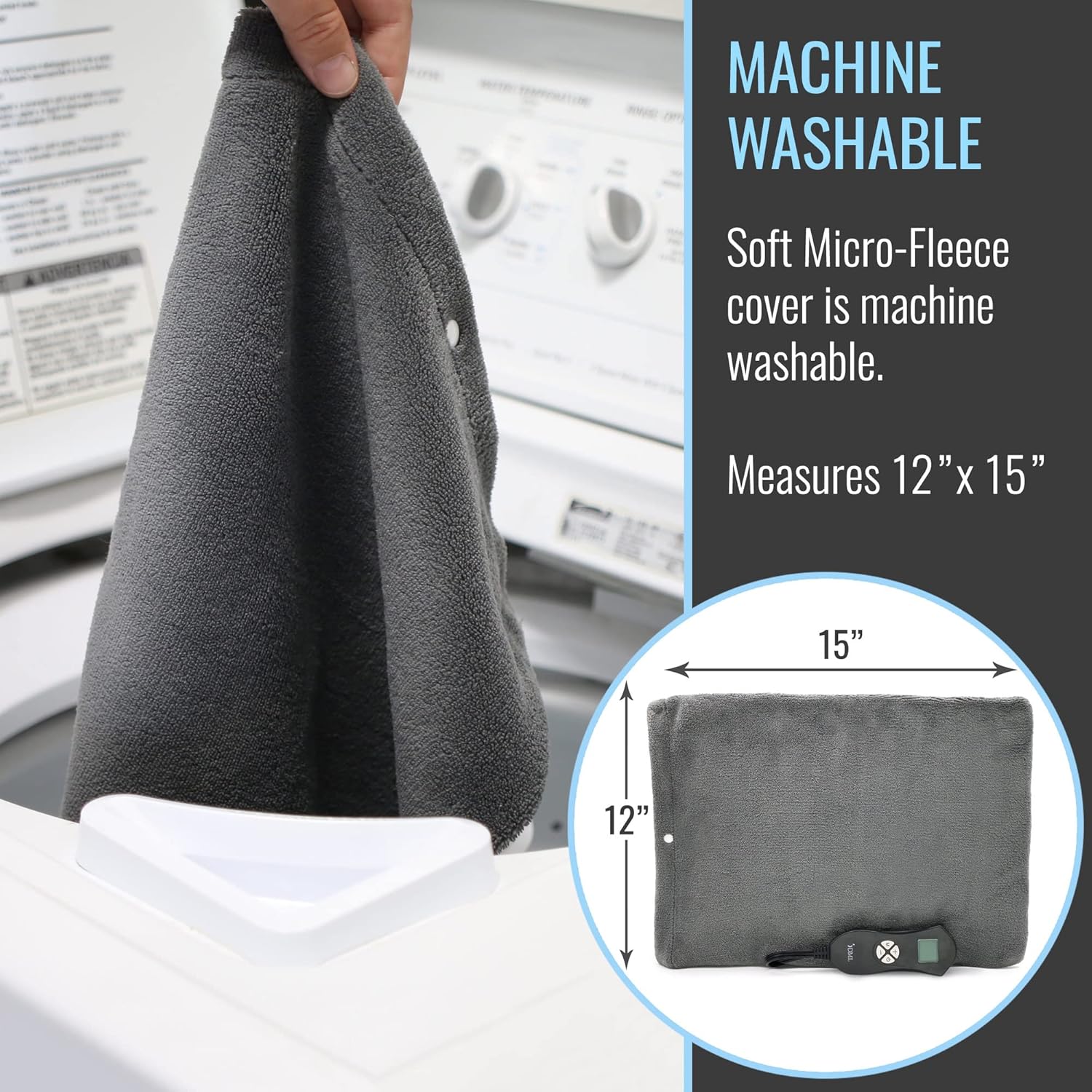
Image: A hand placing the micro-fleece cover into a washing machine, illustrating its machine-washable feature.
Składowanie
When not in use, store the heating pad in a cool, dry place. Do not wrap the cord tightly around the controller or pad, as this can damage the internal wiring.
Rozwiązywanie problemów
- Podkładka nie nagrzewa się:
- Sprawdź, czy przewód zasilający jest prawidłowo podłączony do sprawnego gniazdka elektrycznego.
- Check if the controller is turned on and a heat setting is selected.
- Verify that the automatic shut-off timer has not expired.
- Inspect the cord and pad for any visible damage. If damaged, discontinue use.
- Nierównomierne ciepło:
- Ensure the heating pad is laid flat and not folded or bunched during use.
- Confirm the selected temperature setting on the controller.
- Wyświetlacz kontrolera nie działa:
- Unplug the unit from the wall outlet, wait a few minutes, and plug it back in.
- Ensure the power button is pressed.
Jeśli problem nadal występuje, przerwij korzystanie z usługi i skontaktuj się z działem obsługi klienta.
Specyfikacje
| Numer modelu | 619-5138-1900 |
| Wymiary produktu | 12 inches x 15 inches (approximate pad size) |
| Zakres temperatur | od 86°F do 150°F (od 30°C do 65.5°C) |
| Moc wejściowa | 120 V AC |
| Cotage | 50 watów |
| Tworzywo | Polyester (Micro-Fleece Cover) |
| Cechy specjalne | Automatic Shut-Off, Digital Controller, Moist Heat Option |
| Waga przedmiotu | 1.25 funtów |
| Producent | ZdrowieSmart |
Gwarancja i wsparcie
This DMI Digital Ultra Soft Heating Pad comes with a 1-roczna ograniczona gwarancja od daty zakupu. Niniejsza gwarancja obejmuje wady produkcyjne powstałe w wyniku normalnego użytkowania.
For warranty claims, technical support, or further assistance, please contact DMI customer service. You may also visit the official DMI store for more information:
Zasoby wideo
No official product videos from the seller are available for embedding in this manual at this time.