
BIKECOMM BK-S2
BIKECOMM BK-S2 Motorcycle Bluetooth Intercom Headset
Instrukcja obsługi
Wstęp
The BIKECOMM BK-S2 Motorcycle Bluetooth Intercom Headset is designed to provide clear and reliable communication for motorcyclists. This system features Bluetooth V5.0 for stable connections, advanced noise cancellation, and support for group intercoms up to six riders. It allows for seamless integration of music, GPS navigation, and phone calls while riding, enhancing both safety and entertainment.

Image: Two BK-S2 headsets, highlighting their sleek design and illuminated accents.
Zawartość opakowania
Przed rozpoczęciem instalacji sprawdź, czy w opakowaniu znajdują się wszystkie elementy:
- BK-S2 Main Unit(s)
- 7mm Extra Slim High Sound Quality Helmet Speakers
- Microphone (boom mic for open-face helmets, soft wire mic for full-face helmets)
- Helmet Mounting Bracket (with 3M adhesive tape)
- Velcro Spacers for Speakers
- Kabel ładujący USB
- Podkładka do przygotowywania alkoholu
- Instrukcja obsługi

Obraz: Kompletny view of the BK-S2 package contents, showing all included accessories for installation and use.
Konfiguracja i instalacja
1. Preparing Your Helmet
Select an appropriate location on the side of your helmet for mounting the main unit. Ensure the surface is clean and dry. Use the provided alcohol prep pad to thoroughly clean the area where the 3M adhesive tape will be applied. This ensures a strong and secure bond.
2. Montaż jednostki głównej
Attach the helmet mounting bracket to the cleaned area using the 3M double-sided tape. Press firmly for several seconds to ensure proper adhesion. It is crucial to determine the exact position before applying, as the bond is very strong and difficult to reposition without damage.
3. Instalowanie głośników i mikrofonu
Remove the helmet's internal padding to access the ear pockets. Place the 7mm extra slim speakers into the ear pockets. If needed, use the velcro spacers to adjust the speaker depth for optimal comfort and sound quality. Route the speaker wires and microphone wire neatly under the padding. Connect the wires to the main unit using the detachable connectors. Ensure wires are not bent or pinched, as this may cause static or connectivity issues. Choose the appropriate microphone (boom mic for open-face, soft wire mic for full-face) and position it near your mouth for clear voice transmission.


Image: The slim speaker pads and the main unit, designed for comfortable helmet integration.
4. Ładowanie początkowe
The unit comes partially charged. For first use, fully charge the device. Connect the provided USB charging cable to the BK-S2 unit and a standard 5V USB charger (not included). Do not use rapid chargers, as this can damage the battery. A full charge takes approximately 2.5 to 3 hours. The talk time is approximately 14-15 hours, and music playback is approximately 16-17 hours.
Instrukcja obsługi
1. Włączanie/wyłączanie zasilania
To power on the device, pull the front volume knob (V-knob) down and press the large back button (M-button) for 2 seconds. To power off, repeat the same action.

Obraz: Szczegółowy view of the BK-S2 control interface, indicating the main buttons for operation.
2. Regulacja głośności
Rotate the V-knob upwards to increase volume (V+) and downwards to decrease volume (V-). The knob is designed for easy adjustment even with gloves on.
3. Sterowanie odtwarzaniem muzyki
To play or pause music, press and hold the M-button for 2 seconds, then release. You will hear a voice prompt "Play/Pause."
To skip to the next track, hold the V-knob up for 2 seconds, then release. You will hear a voice prompt "Next track."
To go to the previous track, hold the V-knob down for 2 seconds, then release. You will hear a voice prompt "Previous track."
Video: Demonstrates how to control music playback (play/pause, next/previous track) using the BK-S2 headset's buttons.
4. Funkcjonalność interkomu
The BK-S2 supports Instant Link Fleet Mode Conference Group Intercom for up to six motorcycle helmets. The increased range allows for communication up to 1200 meters apart without obstructions. The system also features an audio mixer, allowing you to listen to FM Radio, Map Navigation/GPS, and music simultaneously while in intercom mode. It supports two headsets listening to the same music at the same time.

Image: Visual representation of the BK-S2's group intercom capability, connecting up to six riders over significant distances.
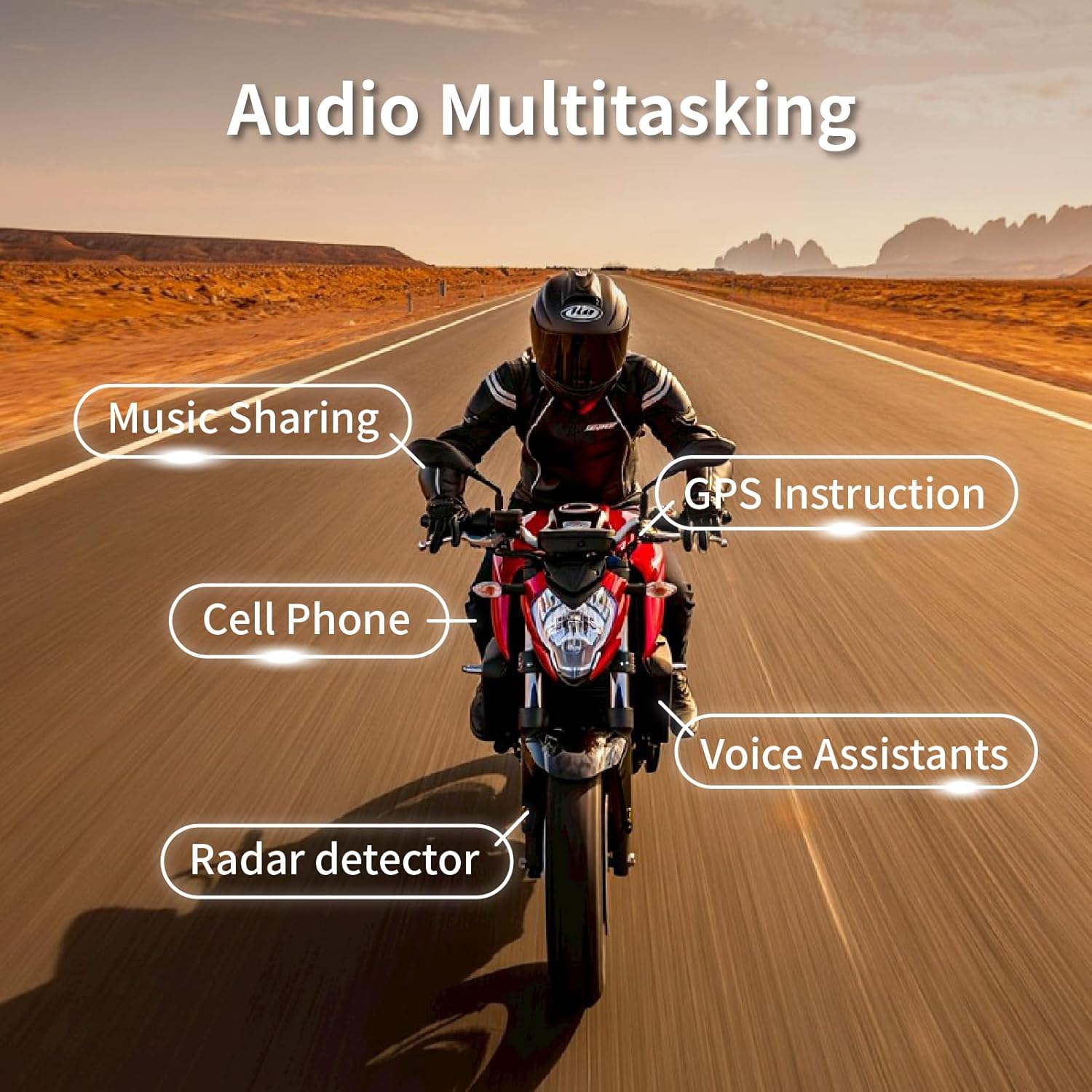
Image: Depicts the multi-tasking audio capabilities of the BK-S2, including music sharing, GPS, phone calls, voice assistants, and radar detector integration.
5. Redukcja szumów
The BK-S2 features a dual noise filtering process utilizing both the microphone and Digital Signal Processing (DSP). The microphone is designed to eliminate low-frequency noise, such as wind noise, while the DSP targets non-human audio like motorcycle engine sounds. This ensures crystal clear audio quality for intercom and music, even at high speeds.

Image: Highlights the advanced audio processing features of the BK-S2, including noise reduction for clear communication and music.
Konserwacja
1. Czyszczenie
Regularly clean the exterior of the main unit and speakers with a soft, damp cloth. For the helmet mounting area, use the provided alcohol prep pad or a similar cleaning solution to remove dirt and residue, especially before re-applying adhesive.
2. Pielęgnacja baterii
To prolong battery life, avoid completely draining the battery frequently. If storing the unit for an extended period (e.g., off-season), ensure it is charged to approximately 50-70% before storage. Recharge the unit periodically during long storage to prevent deep discharge, which can reduce battery capacity.
3. Wodoodporność
The BK-S2 is IPX7 waterproof, meaning it is resistant to sweat, water, and rain. While designed for outdoor use, avoid submerging the unit in water for prolonged periods or exposing it to high-pressure water jets.

Image: The BK-S2 unit shown with water splashing, illustrating its IP67 waterproof durability for various weather conditions.
Rozwiązywanie problemów
| Problem | Możliwa przyczyna | Rozwiązanie |
|---|---|---|
| Static in Dual Music Chatting Mode | Potential interference or specific mode limitation. | Switch to Instant Link mode if static persists. Ensure all connections are secure and wires are not pinched. |
| Device not connecting/linking after storage | Battery drained during storage, causing settings reset. | Fully recharge the unit. Re-link devices as per pairing instructions. Ensure units are powered off when not in use for extended periods. |
| Brak dźwięku z głośników | Loose speaker connection, low volume, or speaker malfunction. | Check that speaker wires are securely connected to the main unit. Increase volume using the V-knob. Test with another audio source if possible. |
| Mikrofon nie odbiera głosu | Incorrect microphone placement or loose connection. | Ensure the microphone is positioned correctly near your mouth. Verify the microphone wire is securely connected to the main unit. |
Specyfikacje
| Funkcja | Szczegół |
|---|---|
| Nazwa modelu | BK-S2_Duo_Carbon |
| Technologia łączności | Bezprzewodowy (Bluetooth) |
| Wersja Bluetooth | 5.0 |
| Kontrola hałasu | Active Noise Cancellation (Microphone and DSP) |
| Poziom wodoodporności | Wodoodporność IPX7 |
| Czas ładowania | Approx. 2.5 - 3 Hours |
| Czas rozmowy | Około. 14-15 godzin |
| Czas odtwarzania muzyki | Około. 16-17 godzin |
| Zasięg domofonu | Up to 1200 meters (no obstructions) |
| Domofon grupowy | Do 6 jeźdźców |
| Typ głośnika | 7mm Extra Slim High Sound Quality Helmet Speakers |
| Zakres częstotliwości | 20Hz - 20,000Hz |
| Waga przedmiotu | 1.92 uncji (0.12 funta) |
| Wymiary produktu | 1.69 x 1.1 x 3.82 cala |
| Typ baterii | 1 bateria litowo-polimerowa (w zestawie) |
| Certyfikaty | FCC, ROHS, BQB |
| UPC | 785104921467 |
Gwarancja i wsparcie
For warranty information and technical support, please refer to the official BIKECOMM webOdwiedź stronę internetową lub skontaktuj się bezpośrednio z działem obsługi klienta. Zachowaj paragon jako dowód zakupu na wypadek ewentualnych roszczeń gwarancyjnych.
Ask a question about this manual
Ask about setup, troubleshooting, compatibility, parts, safety, or missing instructions. Manuals+ will review the question and use this page’s manual context to help answer it.