
IK Multimedia TONEX Pedal
IK Multimedia TONEX Pedal Instruction Manual
Model: TONEX Pedal
Marka: IK Multimedia
1. Wprowadzenie
The IK Multimedia TONEX Pedal is a stereo multi-effects guitar and bass pedal designed to bring ultra-realistic amp and pedal tones to your live performance or studio setup. Utilizing breakthrough AI Machine Modeling technology, it offers a vast library of authentic tone models, along with a comprehensive suite of built-in effects. This manual provides essential information for setting up, operating, maintaining, and troubleshooting your TONEX Pedal.
2. Informacje dotyczące bezpieczeństwa
- Zasilanie: Use only the provided 9V DC power supply. Ensure the correct voltagi biegunowość, aby zapobiec uszkodzeniom.
- Woda i wilgoć: Do not expose the unit to water, rain, or excessive moisture. Avoid operating in damp środowiska.
- Źródła ciepła: Trzymaj urządzenie z dala od źródeł ciepła, takich jak grzejniki, kratki wentylacyjne, piece i inne urządzenia wytwarzające ciepło.
- Wentylacja: Zapewnij odpowiednią wentylację. Nie blokuj żadnych otworów wentylacyjnych.
- Czyszczenie: Czyścić wyłącznie suchą szmatką. Nie używaj środków czyszczących w płynie ani w aerozolu.
- Serwisowanie: Wszelkie prace serwisowe należy zlecać wykwalifikowanemu personelowi. Nie należy podejmować prób samodzielnego serwisowania produktu.
3. Zawartość opakowania
- IK Multimedia TONEX Pedal
- Zasilacz prądu stałego 9V
- Kabel USB
- Registration Card/Software Download Instructions
4. Koniec produktuview
The TONEX Pedal features a robust anodized aluminum chassis designed for durability. Its intuitive layout provides quick access to essential controls and versatile connectivity options.
4.1. Elementy sterujące na panelu przednim
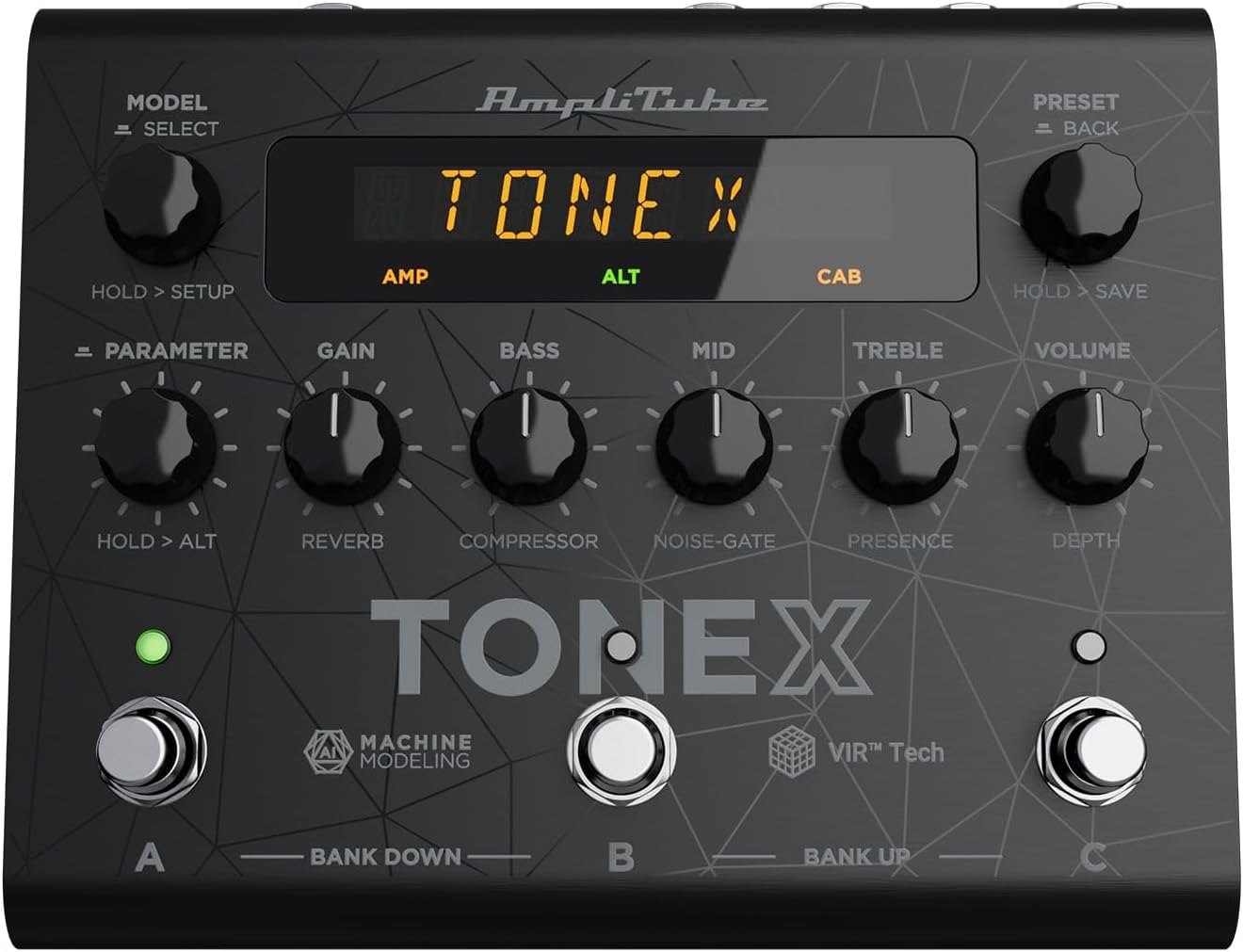
Figure 1: TONEX Pedal Front Panel
Na tym obrazie widać górę view of the TONEX Pedal, highlighting its compact design and the arrangement of knobs, footswitches, and the digital display. Key controls such as 'Model/Select', 'Preset/Back', 'Parameter', 'Gain', 'Bass', 'Mid', 'Treble', and 'Volume' are visible, along with the three footswitches labeled A, B, and C.
- MODEL / SELECT Knob: Used to select tone models and navigate menus. Press and hold for Setup menu.
- PRESET / BACK Knob: Used to select presets and go back in menus. Press and hold to save presets.
- Pokrętło PARAMETR: Adjusts various parameters. Press and hold for alternative parameters.
- Gałka GAIN: Controls the input gain of the tone model.
- Pokrętło basowe: Dostosowuje odpowiedź niskiej częstotliwości.
- Gałka MID: Dostosowuje odpowiedź częstotliwości średnich.
- Pokrętło TREBLE: Dostosowuje odpowiedź wysokich częstotliwości.
- Gałka GŁOŚNOŚCI: Kontroluje ogólną głośność wyjściową.
- Przełączniki nożne A, B, C: Select presets within a bank. Also used for bank up/down (A+B, B+C) and bypass.
- Wyświetlacz: Shows current preset, parameter values, and menu options.
4.2. Złącza panelu tylnego
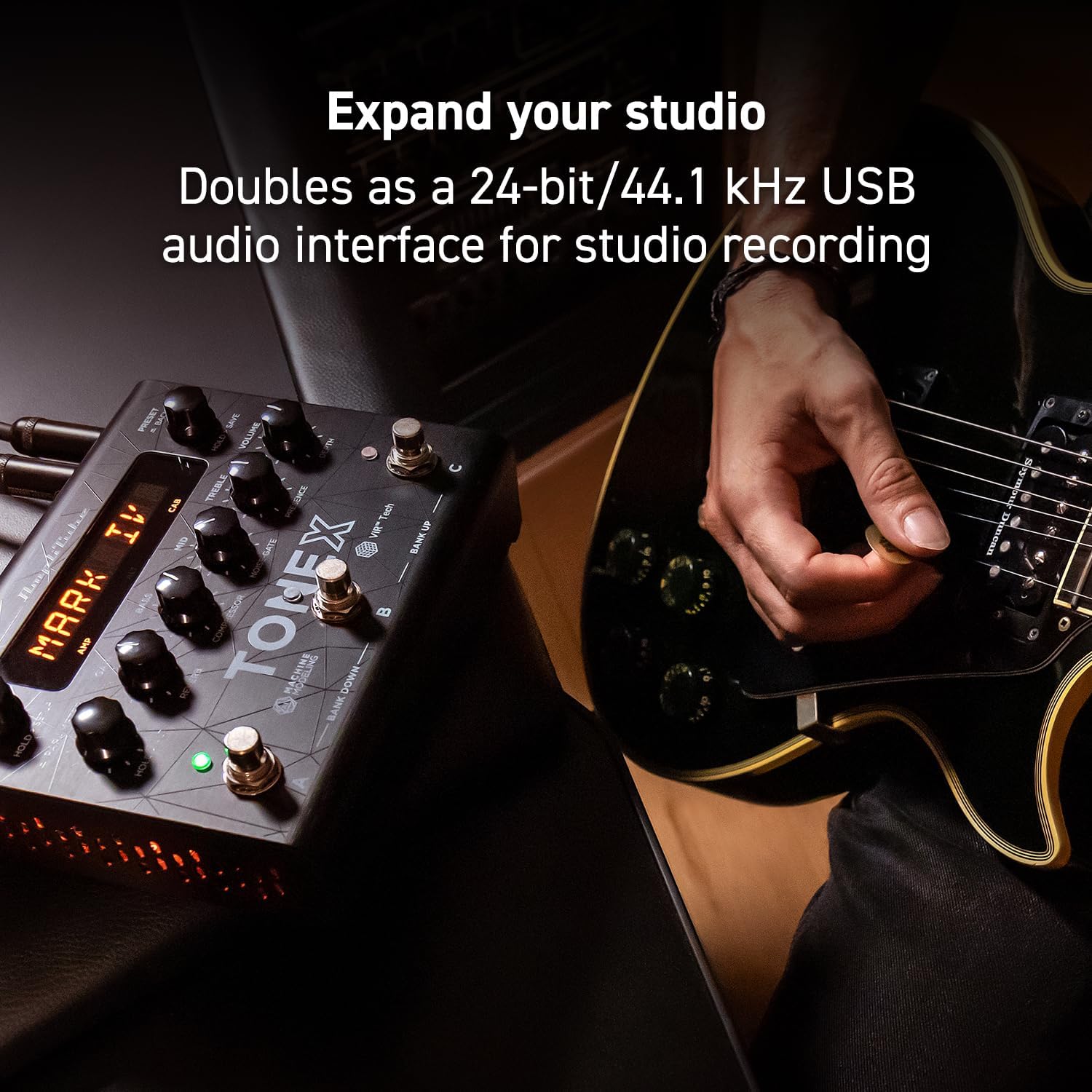
Figure 2: TONEX Pedal Rear Panel Connections
This image shows the rear panel of the TONEX Pedal, detailing its various input and output connections. Visible ports include the instrument input, left and right outputs (mono), headphone output, MIDI In/Out, external control input, USB port, and the 9V DC power input. This panel facilitates integration into various audio setups, from live rigs to studio environments.
- WEJŚCIE: 1/4" mono input for your guitar or bass.
- OUTPUT L/R (MONO): 1/4" stereo outputs for connecting to a PA system, power amp, or audio interface. Use the L output for mono operation.
- SŁUCHAWKI: 1/4" stereo output for silent practice.
- WEJŚCIE/WYJŚCIE MIDI: 5-pinowe złącza DIN do sterowania MIDI i integracji z innymi urządzeniami MIDI.
- EXT. CONTROL: 1/4" input for an external expression pedal or footswitch.
- USB: USB-B port for connecting to a computer (PC/Mac) for software control, preset management, and using the pedal as an audio interface.
- POWER 9V DC: Input for the included 9V DC power supply.
5. Konfiguracja
5.1. Połączenia początkowe
- Podłącz instrument do WEJŚCIE gniazdo na tylnym panelu.
- Połącz WYJŚCIE L (I R for stereo) to your amplifier, PA system, or audio interface.
- If desired, connect headphones to the SŁUCHAWKI podnośnik.
- Podłącz dołączony zasilacz 9V DC do ZASILANIE 9V DC input and plug it into a power outlet. The pedal will power on automatically.
5.2. Instalacja oprogramowania
To unlock the full potential of your TONEX Pedal, including access to ToneNET and advanced editing features, install the TONEX Editor software on your computer.
- Visit the IK Multimedia website and register your product using the provided registration card.
- Download and install the TONEX Editor software for your operating system (Windows 10 or later, macOS 10.15 or later).
- Connect the TONEX Pedal to your computer via the USB port. The pedal can function as a 24-bit/44.1 kHz USB audio interface for studio recording.
- Follow the on-screen instructions in the software to update firmware and manage your tone models and presets.
6. Instrukcja obsługi
6.1. Nawigacja po ustawieniach wstępnych
The TONEX Pedal comes preloaded with 150 gig-ready presets, organized into 50 banks of three presets each.
- Wybieranie ustawień wstępnych: Obróć USTAWIENIA PRESET / WSTECZ knob to quickly scroll through and audition available presets.
- Using Footswitches: Tap footswitches A, B, Lub C to load different presets within the current bank.
- Zmiana banku: Simultaneously press footswitches A I B to move down a bank, or B I C to move up a bank.
- Bypass Tone Model: Once a preset is loaded, tapping its corresponding footswitch a second time will bypass the tone model, allowing for a clean signal.
6.2. Regulacja parametrów
The TONEX Pedal offers five main and five alternative parameters on the front panel for tone shaping.
- Główne parametry: Directly adjust OSIĄGAĆ, BASS, ŚREDNI, POTROIĆ, I TOM using their respective knobs.
- Parametry alternatywne: Przytrzymaj PARAMETR encoder to access alternative parameters: Reverb Level, Compressor Threshold, Noise Gate Threshold, Presence, and Depth. Rotate the corresponding knobs to adjust these.
- Dodatkowe parametry: Naciśnij PARAMETR encoder once to access further parameters for fine-tuning your sound.
6.3. Zapisywanie ustawień wstępnych
- Saving with Renaming/Relocation: Trzymaj USTAWIENIA PRESET / WSTECZ encoder. You can then rotate the USTAWIENIE WSTĘPNE knob to edit characters for renaming, and rotate the MODEL knob to move the cursor or change the bank location. Press the USTAWIENIE WSTĘPNE knob again to confirm and save.
- Quick Save: To quickly save a preset with the same name in the same location, press the MODEL I USTAWIENIE WSTĘPNE encoders simultaneously. The display will show "SAVED".
6.4. Cab Emulation
If connecting to a standard guitar or bass amp with its own speaker cabinet, you may wish to turn off the TONEX Pedal's internal cab emulation to avoid redundant processing. This can be done via the Setup menu (hold MODEL / SELECT pokrętło).
6.5. Official Product Video: TONEX Pedal Main Features
Wideo 1: Overview of the IK Multimedia TONEX Pedal's main features, including its controls, connectivity, and basic operation. This video demonstrates how to navigate presets, adjust parameters, and utilize the pedal's various functions for live and studio use.
7. Konserwacja
- Czyszczenie: Regularly wipe the pedal with a soft, dry cloth to remove dust and grime. Avoid abrasive cleaners.
- Składowanie: Store the pedal in a cool, dry place when not in use. Protect it from extreme temperatures and humidity.
- Zarządzanie kablami: Ensure cables are not kinked or strained to prevent damage to the connectors and ports.
8. Rozwiązywanie Problemów
- Brak zasilania: Ensure the 9V DC power supply is correctly connected to the pedal and a working power outlet.
- Brak dźwięku: Check all audio cable connections (instrument input, outputs to amp/PA, headphones). Verify volume levels on the pedal and connected devices. Ensure the tone model is not bypassed.
- Unexpected Behavior/Glitches: Try performing a factory reset (refer to the full online manual for specific steps). Ensure your firmware is up to date via the TONEX Editor software.
- Problemy z łącznością oprogramowania: Ensure the USB cable is securely connected. Try a different USB port or cable. Restart both the pedal and your computer.
9. Specyfikacje
| Funkcja | Specyfikacja |
|---|---|
| Numer modelu | Pedał TONEX |
| Wymiary (dł. x szer. x wys.) | 6.93 x 5.59 x 2.17 cala (ok. 17.6 x 14.2 x 5.5 cm) |
| Waga przedmiotu | 2.86 funta (ok. 1.3 kg) |
| Kolor | Czarny |
| Źródło zasilania | 9 V DC (prąd przewodzący) |
| Interfejs sprzętowy | USB |
| Format sygnału | Cyfrowy |
| Zgodność z systemem operacyjnym | Windows® 10 or later, macOS® 10.15 or later (macOS® 11 Big Sur required for Modeler) |
| Odpowiedź częstotliwościowa | 5 Hz - 24 kHz |
| Zakres dynamiczny | 123dB |
10. Gwarancja i wsparcie
IK Multimedia products are covered by a limited warranty. For detailed warranty information, product registration, and technical support, please visit the official IK Multimedia webOdwiedź witrynę lub skontaktuj się z działem obsługi klienta. Zachowaj dowód zakupu na wypadek reklamacji.
Webstrona: www.ikmultimedia.pl
Ask a question about this manual
Ask about setup, troubleshooting, compatibility, parts, safety, or missing instructions. Manuals+ will review the question and use this page’s manual context to help answer it.