
1. Wprowadzenie
Thank you for choosing the Statik 65W Laptop Power Bank. This portable power solution is designed to keep your laptops, tablets, and smartphones charged and ready, whether you're traveling, commuting, or simply away from a wall outlet. With its high capacity and versatile charging options, the Statik Power Bank ensures you stay connected and productive on the go.
2. Funkcje produktu
- Duża pojemność: 20,000mAh (74Wh) battery provides multiple charges for smartphones and a full charge for most laptops.
- Dostawa mocy 65 W: Capable of charging laptops at full speed via the USB-C port.
- Ładowanie wielu urządzeń: Charge up to three devices simultaneously (1x USB-C, 2x USB-A).
- Rapid Recharge: Fully recharges in approximately 1.25 hours when using a 65W or higher output charger (not included).
- Versatile Input Ports: Recharge the power bank using USB-C, Lightning, or MicroUSB inputs.
- Trwała konstrukcja: Slim and robust metal body built for travel and daily use.
- Funkcje bezpieczeństwa: Includes short circuit protection and over-charging protection.

Image 1: The Statik 65W Laptop Power Bank, showcasindzięki eleganckiemu wyglądowi i rozmieszczeniu portów.
3. Zawartość opakowania
Proszę sprawdzić, czy w paczce znajdują się następujące elementy:
- Statik 65W Laptop Power Bank (1 unit)
- USB-C to USB-C Charging Cable (1 unit)
- Instrukcja obsługi (ten dokument)
4. Konfiguracja
4.1 Opłata początkowa
Before first use, it is recommended to fully charge your Statik Power Bank.
- Podłącz dołączony kabel USB-C do USB-C do portu USB-C w powerbanku.
- Connect the other end of the cable to a compatible USB-C wall charger (65W or higher recommended for fastest charging).
- Diody LED na powerbanku zaświecą się, pokazując postęp ładowania. Wszystkie cztery diody będą świecić światłem ciągłym po pełnym naładowaniu.
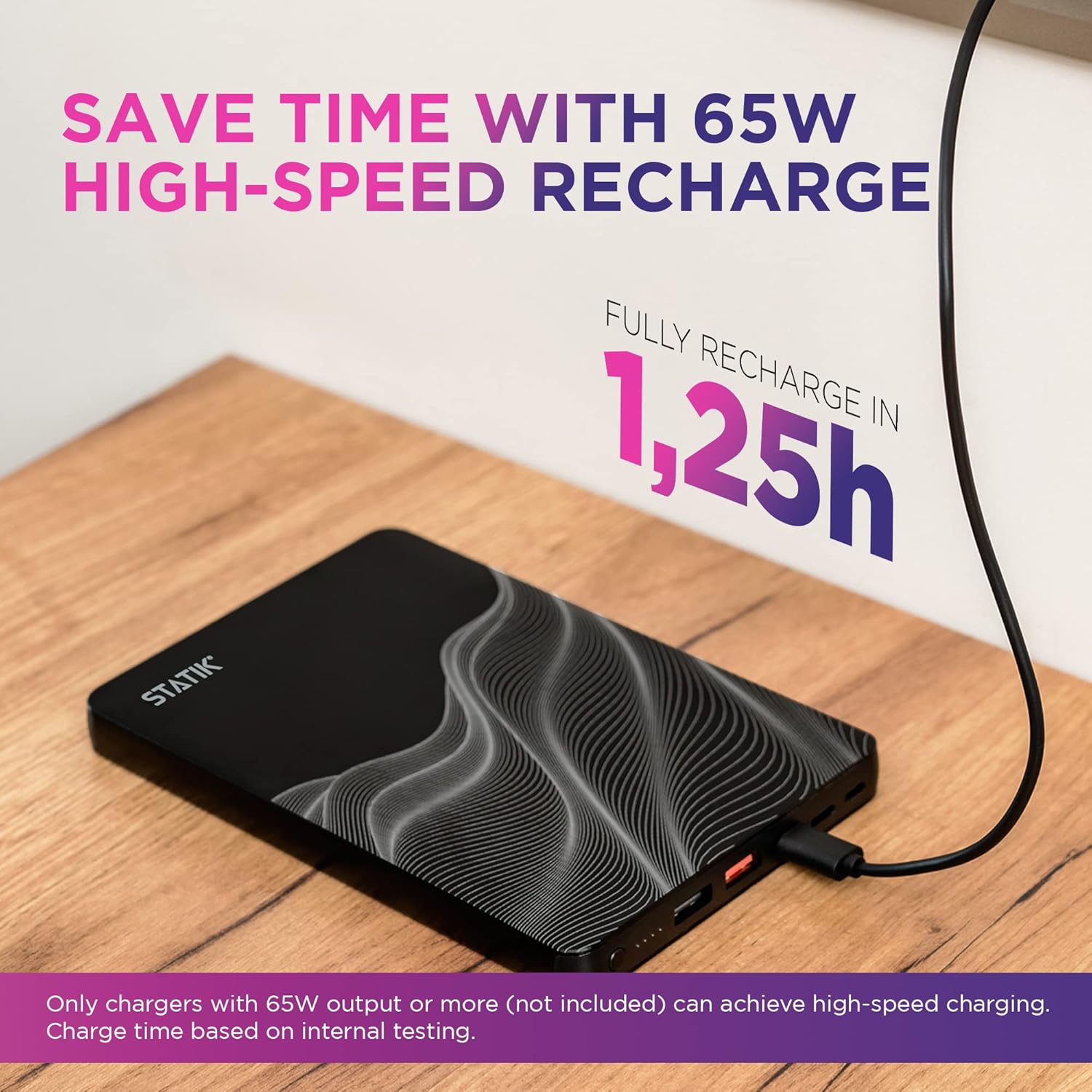
Image 2: The Statik Power Bank connected to a wall charger for recharging.
5. Instrukcja obsługi
5.1 Ładowanie powerbanku
The Statik Power Bank offers multiple input options for recharging:
- Wejście USB-C: Use a USB-C to USB-C cable and a compatible USB-C power adapter. This port supports 65W input for rapid recharging.
- Wejście błyskawicy: Use a Lightning cable to recharge the power bank.
- Wejście MicroUSB: Use a MicroUSB cable to recharge the power bank.
The LED indicator lights show the remaining battery level:
- 1 Light: 0-25%
- 2 światła: 25-50%
- 3 światła: 50-75%
- 4 światła: 75-100%
5.2 Ładowanie urządzeń
The power bank features one USB-C output and two USB-A outputs to charge your devices.
- Podłącz kabel ładujący urządzenia do odpowiedniego portu powerbanku (USB-C lub USB-A).
- Podłącz drugi koniec kabla do urządzenia.
- Power bank automatycznie rozpocznie ładowanie Twojego urządzenia.
Note on Simultaneous Charging:
- When charging a laptop using the USB-C port, the maximum output power is 65W.
- When charging 2 or more devices at once, the maximum output per port is 15W.

Image 3: The Statik Power Bank simultaneously charging a laptop, smartphone, and earbuds.

Obraz 4: Zbliżenie view of the Statik Power Bank fast charging a laptop via its USB-C port.

Image 5: Visual representation of the power bank's wide compatibility with laptops, tablets, and phones.
6. Konserwacja
- Trzymaj powerbank z dala od ekstremalnych temperatur, bezpośredniego światła słonecznego i wilgotnego środowiska.
- Nie wystawiaj urządzenia na działanie wody lub innych płynów.
- Czyść powerbank miękką, suchą ściereczką. Nie używaj środków czyszczących o właściwościach ściernych ani rozpuszczalników.
- Store the power bank in a cool, dry place when not in use. For long-term storage, charge the power bank to approximately 50-75% every 3-6 months to maintain battery health.
7. Rozwiązywanie Problemów
| Problem | Możliwa przyczyna | Rozwiązanie |
|---|---|---|
| Powerbank nie ładuje się |
|
|
| Urządzenie nie ładuje się z powerbanku |
|
|
| Niska prędkość ładowania |
|
|
| Power bank loses charge quickly when idle |
|
|
8. Specyfikacje
| Atrybut | Wartość |
|---|---|
| Numer modelu | 20000mAh Li-ion Polymer Battery //74Wh |
| Pojemność baterii | 20,000 mAh / 74 Wh |
| Porty wejściowe | USB-C, Lightning, MicroUSB |
| Porty wyjściowe | 1x USB-C, 2x USB-A |
| Wyjście USB-C (maks.) | Moc dostarczana 65 W |
| Wyjście USB-A (maks.) | 15W (when multiple devices are connected) |
| Wymiary (dł. x szer. x wys.) | 8.07 x 4.96 x 3.94 cala |
| Waga | 1.05 funta |
| Kolor | Czarny |
9. Informacje dotyczące bezpieczeństwa
Aby zapobiec uszkodzeniu produktu lub obrażeniom ciała, należy zapoznać się z poniższymi wytycznymi bezpieczeństwa i stosować się do nich:
- Nie rozbieraj, nie otwieraj ani nie próbuj naprawiać power banku.
- Do not expose the power bank to fire or high temperatures (above 60°C / 140°F).
- Do not dispose of the power bank in household waste. Recycle responsibly.
- Unikaj upuszczania i narażania power banku na silne uderzenia.
- Przechowywać w miejscu niedostępnym dla dzieci.
- Nie używaj powerbanku, jeśli jest uszkodzony, spuchnięty lub przecieka.
- Używaj wyłącznie zatwierdzonych kabli ładujących i adapterów.
10. Gwarancja i wsparcie
Statik products are designed for reliability and performance. For warranty information or technical support, please contact our customer service team.
E-mail obsługi klienta: obsługa klienta@statikco.com
You can also visit the official Statik store for more information and product updates: Statik Amazon Store


