
Wstęp
The Fanvil W611W is a robust wireless portable phone designed for enhanced communication mobility. Featuring a 2.4-inch color LCD, dual SIP lines, and support for Wi-Fi 6 (2.4GHz & 5GHz) and Bluetooth 5.0, it offers reliable and clear communication. Its IP67 rating ensures durability against water, dust, and drops, making it suitable for various environments.
Główne cechy:
- 2.4" 240 x 320 color screen with intuitive user interface.
- High protection level of IP67, which is waterproof, dustproof, and drop-safe from 1.8-meter height.
- Supports dual-band Wi-Fi 802.11 a/b/g/n/ac/ax (Wi-Fi 6, 2.4GHz & 5GHz).
- Supports IEEE802.11k/v/r roaming for seamless connectivity.
- Supports WPA / WPA2-PSK and 802.1X EAP encryption to ensure communications security.
- 10 hours talk time and 200 hours standby time.
- Type-C USB and 3.5mm 4-pole jack for versatile connectivity.
- Comes with a charging base, belt clip, and power adapter.
Zawartość opakowania
- Fanvil W611W Wireless Portable Phone
- Baza ładująca
- Klips do paska
- Zasilacz
- Akumulator litowo-jonowy
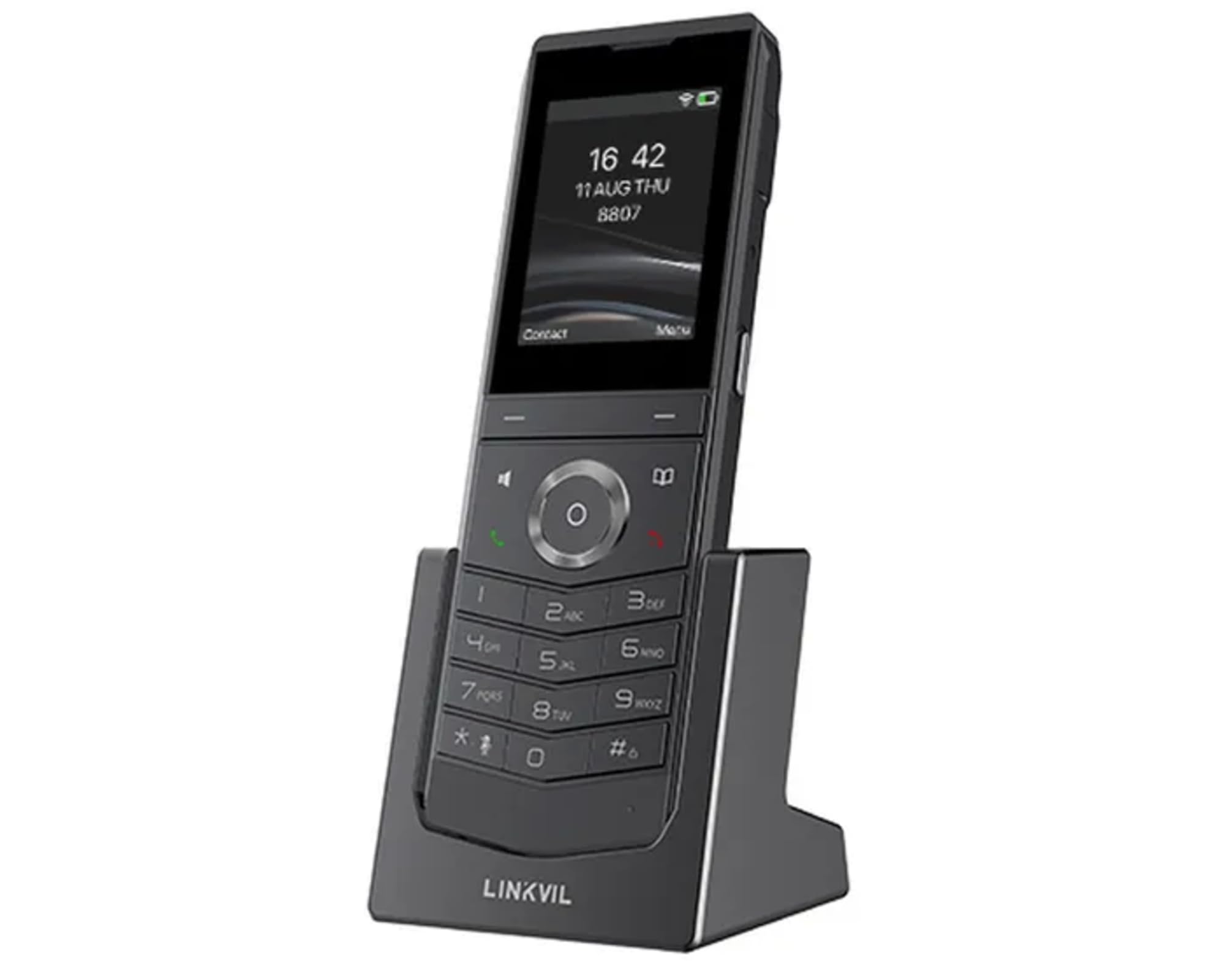
Image: Fanvil W611W Wireless Portable Phone, showcasing the handset and its charging base.
Przewodnik po konfiguracji
- Naładuj baterię: Insert the Lithium Ion battery into the handset. Place the handset on the charging base and connect the power adapter to the charging base and a power outlet. Allow the phone to charge fully before first use (approximately 4 hours).
- Podłącz stację bazową: Connect the charging base to a power source using the provided power adapter.
- Połączenie internetowe: The W611W connects via Wi-Fi. Access the phone's menu to navigate to Wi-Fi settings. Select your desired Wi-Fi network and enter the password if prompted. The phone supports both 2.4GHz and 5GHz bands, including Wi-Fi 6.
- Konfiguracja konta SIP: Access the phone's settings menu to configure your SIP accounts. You will need your SIP server address, user ID, password, and other relevant details provided by your VoIP service provider. The phone supports up to 2 SIP lines.
- Parowanie (jeśli konieczne): If your handset is not pre-paired with a base station, follow the instructions in the phone's menu to initiate the pairing process.
Instrukcja obsługi
Dzwonić:
- Wybieranie: Wprowadź numer telefonu za pomocą klawiatury i naciśnij Dzwonić przycisk (ikona zielonej słuchawki).
- Z kontaktów: Przejdź do Łączność menu, select the desired contact, and press the Dzwonić przycisk.
- Ponowne wybieranie: Naciśnij Ponowne wybieranie przycisk do view recent outgoing calls and select a number to redial.
Odbieranie połączeń:
- Gdy zadzwoni telefon, naciśnij Dzwonić przycisk, aby odpowiedzieć.
- Aby odrzucić połączenie, naciśnij Zakończ połączenie przycisk (ikona czerwonej słuchawki).
During a Call:
- Dostosuj głośność: Use the volume buttons on the side of the handset.
- Zestaw głośnomówiący: Naciśnij Głośnik button to activate/deactivate speakerphone mode.
- Niemy: Naciśnij Niemy button to mute/unmute your microphone.
- Trzymać: Use the menu options to place a call on hold.
- Transfer: Use the menu options to transfer a call to another extension or number.
Poczta głosowa:
- When you have new voicemail messages, an indicator will appear on the screen. Dial your voicemail access number (usually *97 or *98, consult your service provider) to retrieve messages.
Konserwacja
- Czyszczenie: Użyj miękkiego, damp cloth to clean the phone's surface. Avoid harsh chemicals or abrasive cleaners.
- Pielęgnacja baterii: Aby przedłużyć żywotność baterii, należy unikać ekstremalnych temperatur. Jeśli telefon nie będzie używany przez dłuższy czas, należy przechowywać go z częściowo naładowaną baterią.
- Aktualizacje oprogramowania: Periodically check for firmware updates through the phone's settings menu or your service provider's instructions to ensure optimal performance and security.
Rozwiązywanie problemów
- Brak sygnału wybierania:
- Ensure the phone is charged and powered on.
- Verify Wi-Fi connection is active and stable.
- Check SIP account registration status in the phone's settings.
- Poor Call Quality/Range:
- Move closer to your Wi-Fi access point.
- Ensure there are no major obstructions (thick walls, metal objects) between the phone and the access point.
- Check for interference from other 2.4GHz or 5GHz devices.
- Bateria szybko się rozładowuje:
- Ensure the phone is charging correctly on the base.
- Reduce screen brightness or disable unnecessary features to conserve power.
- Jeśli bateria jest stara, rozważ jej wymianę.
- Słuchawka nie rejestruje się:
- Restart the phone and the Wi-Fi access point.
- Re-enter SIP account details carefully.
- Consult your service provider for specific registration steps.
Specyfikacje
| Funkcja | Szczegół |
|---|---|
| Nazwa modelu | W611W |
| Marka | Kowadło |
| Rozmiar ekranu | 2.4 cali |
| Rezolucja | 240x320 |
| Technologia łączności | Bluetooth, WiFi |
| Technologia sieci bezprzewodowej | Wi-Fi 802.11 a/b/g/n/ac/ax (Wi-Fi 6, 2.4GHz & 5GHz) |
| Linie SIP | 2 |
| Czas rozmowy | 10 godziny |
| Czas czuwania | 200 godziny |
| Typ baterii | Litowo-jonowy |
| Pojemność baterii | 1900 mlnamp Godziny |
| Poziom ochrony | IP67 (Waterproof, Dustproof, Drop-safe from 1.8m) |
| Wymiary produktu | 5.91 x 5.91 x 3.15 cala |
| Waga przedmiotu | 15.8 uncji |
Gwarancja i wsparcie
For warranty information and technical support, please refer to the official Fanvil website or contact your authorized Fanvil dealer. Keep your purchase receipt as proof of purchase for warranty claims.
Dodatkowe zasoby
No relevant product videos from the seller were found for the Fanvil W611W in the provided data. Please refer to the official Fanvil website for any available video tutorials or additional support materials.