
Aqua-Vu 100-5194
Aqua-Vu Micro Revolution 5.0 HD Underwater Fishing Camera Instruction Manual
Model: 100-5194
Marka: Aqua-Vu
Wstęp
The Aqua-Vu Micro Revolution 5.0 HD is a portable underwater viewing system designed to enhance your fishing experience by providing crisp 1080p high-definition video of the underwater environment. This compact device allows anglers to observe fish behavior, identify structure, and confirm sonar readings, offering a direct visual insight into what lies beneath the surface. Its integrated cable management system and durable design make it suitable for various fishing conditions, including ice fishing, kayak fishing, and boat use.
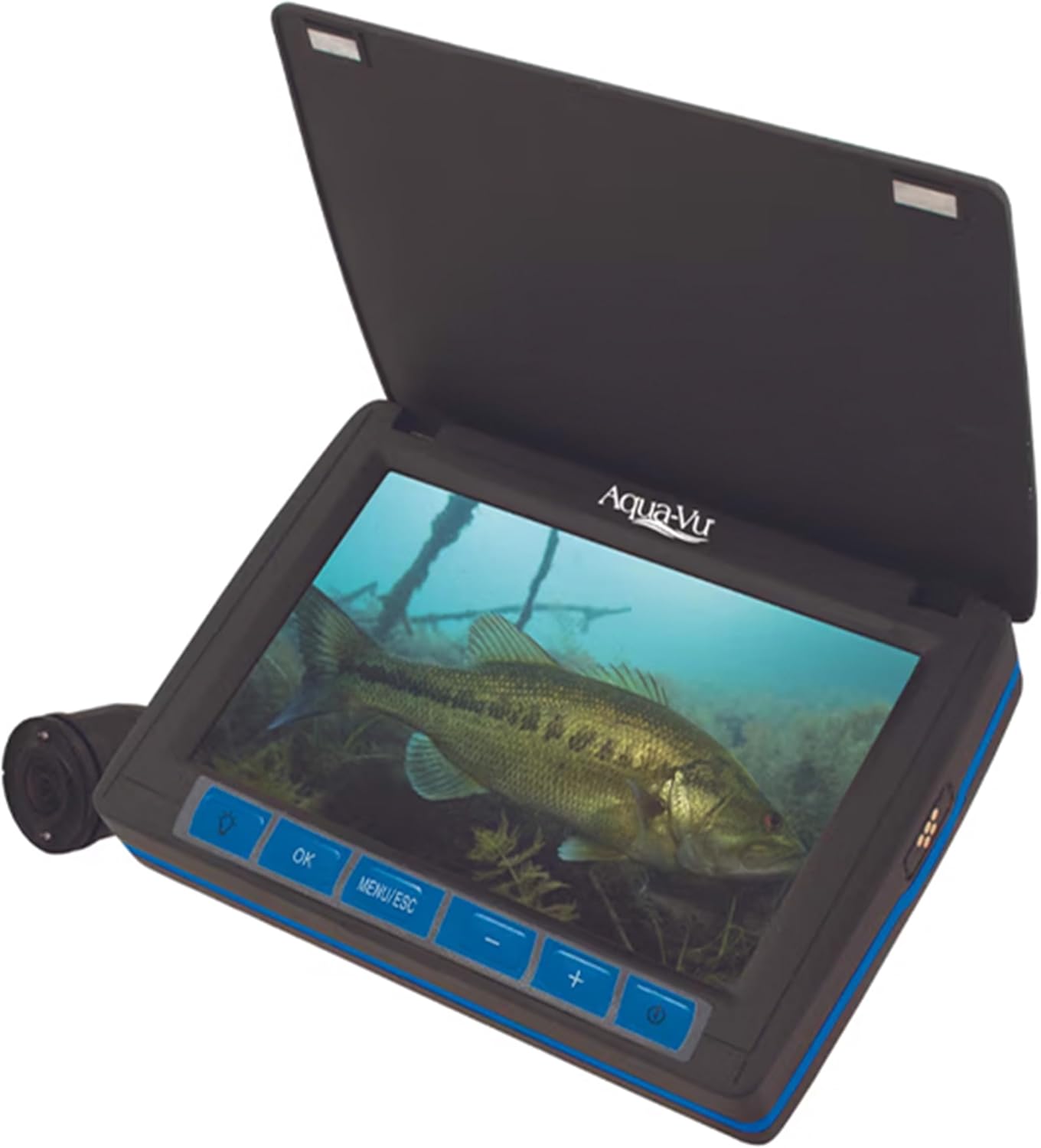
Figure 1: Aqua-Vu Micro Revolution 5.0 HD Underwater Fishing Camera System.
Organizować coś
1. Rozpakowanie i wstępna inspekcja
Upon receiving your Aqua-Vu Micro Revolution 5.0 HD, carefully unpack all components and inspect them for any signs of damage. The package should include:
- Kamera
- Monitor
- Rumak
- Camera Positioning Fin
- Etui do przechowywania
2. Ładowanie urządzenia
Before first use, ensure the device is fully charged. Connect the provided charger to the charging port on the monitor. The device features a magnetic charging port for ease of use and durability. A full charge provides up to 6 hours of operation.
Video 1: Demonstrates the magnetic charging port and features of the Aqua-Vu Micro Revolution 5.0 HD.
3. Attaching the Camera Positioning Fin
The camera positioning fin helps stabilize the camera and allows for directional viewing underwater. Split the fin apart, insert the camera, and secure it. The fin has grooves to set the camera's facing direction (vertical or horizontal) depending on your fishing technique or water conditions.
Video 2: Provides pro tips on how to set up and use the Micro Fin for optimal camera positioning.

Rysunek 2: Tył view of the Aqua-Vu Micro Revolution 5.0 HD showing the camera fin attachment point.
Instrukcja obsługi
1. Powering On/Off and Display Adjustments
To power on the device, press and hold the power button located on the monitor. The 5-inch LCD screen will illuminate. Use the control buttons (OK, MENU/ESC, +, -) to adjust brightness, saturation, and contrast for optimal viewing in various light conditions. The screen cover also acts as a sun shield for improved visibility in bright sunlight.

Figure 3: The Aqua-Vu Micro Revolution 5.0 HD in operation, showing a clear underwater image.
2. Camera Deployment and Retrieval
The integrated Revolution camera reel system allows for fast, tangle-free deployment and retrieval of the 60-foot cable. Simply pull the cable to deploy the camera to your desired depth. To retrieve, use the reel handle to wind the cable back into the unit. This system ensures smooth operation and prevents tangles, allowing you to focus on fishing.

Figure 4: The "Drop. Reel. Repeat." system for efficient cable management.
Video 3: Demonstrates the cable management system and general use of the Aqua-Vu Micro 5.0 HD.
3. Underwater Viewing and Observation
The 1080p HD camera provides clear visuals of the underwater world. Use it to:
- Spot Structure: Identify submerged trees, rocks, and other fish-holding structures.
- Track Fish: Observe fish species, size, and their reaction to your bait.
- Confirm Sonar Marks: Visually verify what your fish finder is detecting.
- Adjust Bait Presentation: See how your lure behaves in the water and make real-time adjustments.
The camera also features IR (Infrared) light for improved visibility in low-light or stained water conditions.
Video 4: Highlights the benefits of using the Aqua-Vu Micro 5.0 HD for understanding underwater environments.
Video 5: Shows the Aqua-Vu Micro Revolution 5.0 HD in action during ice fishing, demonstrating its utility in cold conditions.
Konserwacja
1. Czyszczenie
After each use, especially in saltwater environments, rinse the camera and cable with fresh water to prevent corrosion. Wipe the monitor screen with a soft, damp ściereczką. Unikaj stosowania środków czyszczących o właściwościach ściernych lub rozpuszczalników, które mogłyby uszkodzić ekran lub obudowę.
2. Przechowywanie
Store the Aqua-Vu Micro Revolution 5.0 HD in its provided storage case in a cool, dry place away from direct sunlight and extreme temperatures. Ensure the cable is neatly reeled into the unit to prevent kinks or damage.
3. Pielęgnacja baterii
To maximize battery life, avoid fully discharging the lithium battery regularly. Recharge the device after each use, or at least once every few months if not in frequent use, to maintain battery health.
Rozwiązywanie problemów
| Problem | Możliwa przyczyna | Rozwiązanie |
|---|---|---|
| Brak zasilania | Niski poziom naładowania baterii; przycisk zasilania nie został wciśnięty prawidłowo. | Recharge the battery; Press and hold the power button firmly. |
| Słaba jakość obrazu | Dirty camera lens; Poor water clarity; Incorrect display settings. | Clean the camera lens; Move to clearer water; Adjust brightness/contrast. |
| Cable Tangles | Improper deployment/retrieval; Strong currents. | Ensure smooth deployment; Use the Revolution reel system correctly; Add weight if needed in strong currents. |
If you encounter issues not listed here or if the problem persists, please refer to the official Aqua-Vu support resources.
Specyfikacje
- Wymiary produktu: 10 x 7 x 3 cala
- Waga przedmiotu: 2.1 funta
- Numer modelu: 100-5194
- Rozdzielczość przechwytywania wideo: 1080p
- Rozmiar ekranu: 5-calowy wyświetlacz LCD
- Długość kabla: 60 stóp
- Bateria: Rechargeable Lithium-Ion (up to 6 hours runtime)
- Kolor: Czarny
- Tryby fotografowania: Podwodny
- Typ kontroli ekspozycji: Automatyczny
- Typ nośnika: Micro SD Card, SD Card (for recording, if supported by specific model variant)
- Producent: Outdoors Insight
- Kraj pochodzenia: Chiny
Gwarancja i wsparcie
The Aqua-Vu Micro Revolution 5.0 HD is designed for durability and performance. For specific warranty details, including coverage period and terms, please refer to the warranty card included with your product or visit the official Aqua-Vu webwitryny. Dostępne są również plany ochrony o rozszerzonym zakresie.
For technical support, troubleshooting assistance beyond this manual, or inquiries about replacement parts, please contact Aqua-Vu customer service directly through their official website or contact information provided in your product packaging.
Ask a question about this manual
Ask about setup, troubleshooting, compatibility, parts, safety, or missing instructions. Manuals+ will review the question and use this page’s manual context to help answer it.