
1. Koniec produktuview
The DPVR E3 4K Gaming Combo provides an immersive virtual reality experience, featuring the E3 4K VR Gaming Headset and NOLO Controller system. This PC-tethered VR device is designed for gaming, entertainment, and various applications, offering high-resolution visuals and precise positional tracking.
1.1 Zawartość pudełka
- DPVR E3 4K VR Gaming Headset
- NOLO Controllers (2 units)
- NOLO Base Station
- NOLO HMD Tracker

Image 1.1: The DPVR E3 4K VR Gaming Combo, showing the headset, two NOLO controllers, and the NOLO base station.
2. Instrukcje konfiguracji
Follow these steps to set up your DPVR E3 4K Gaming Combo.
2.1 Wymagania systemowe
- System operacyjny: Windows
- Compatible PC with HDMI and USB ports
2.2 Podłączanie zestawu słuchawkowego
- Connect the HDMI cable from the DPVR E3 headset to your PC's graphics card HDMI port.
- Connect the USB cable from the DPVR E3 headset to an available USB port on your PC.

Image 2.1: Connection diagram for the DPVR E3 headset, illustrating HDMI and USB connections to a PC, and the NOLO tracker attachment point.
2.3 NOLO Tracking System Setup
- Attach the NOLO HMD tracker to the designated area on the top of your DPVR E3 headset.
- Place the NOLO Base Station in a stable position within your play area, ensuring it has a clear line of sight to your headset and controllers.
- Power on the NOLO Base Station and controllers.
2.4 Instalacja oprogramowania
- Download and install the DPVR Assistant software from the official DPVR webstrona.
- Install SteamVR from the Steam platform to access a wide range of VR content.
- Follow the on-screen instructions within DPVR Assistant to complete the initial setup and calibration.
3. Instrukcja obsługi
This section details how to use your DPVR E3 4K Gaming Combo for an optimal VR experience.
3.1. Noszenie zestawu słuchawkowego
- Adjust the ergonomic rubber head belt and spring to comfortably fit your head.
- Ensure the leather face sponge rests gently around your eyes, blocking external light.
- Adjust the headset position for the clearest visual experience.

Image 3.1: The DPVR E3 4K VR headset, highlighting its design for comfort and secure fit.
3.2 Using NOLO Controllers
The NOLO controllers provide 6 degrees of freedom (6DoF) for interactive virtual reality. Hold one controller in each hand.
- Ruch: Use the joystick or trackpad on the controllers for in-game locomotion.
- Wzajemne oddziaływanie: Utilize the buttons and triggers for selecting objects, firing weapons, or other in-application actions.
- Positional Tracking: The controllers, in conjunction with the HMD tracker and base station, provide room-scale tracking, allowing you to move physically within your designated play space.
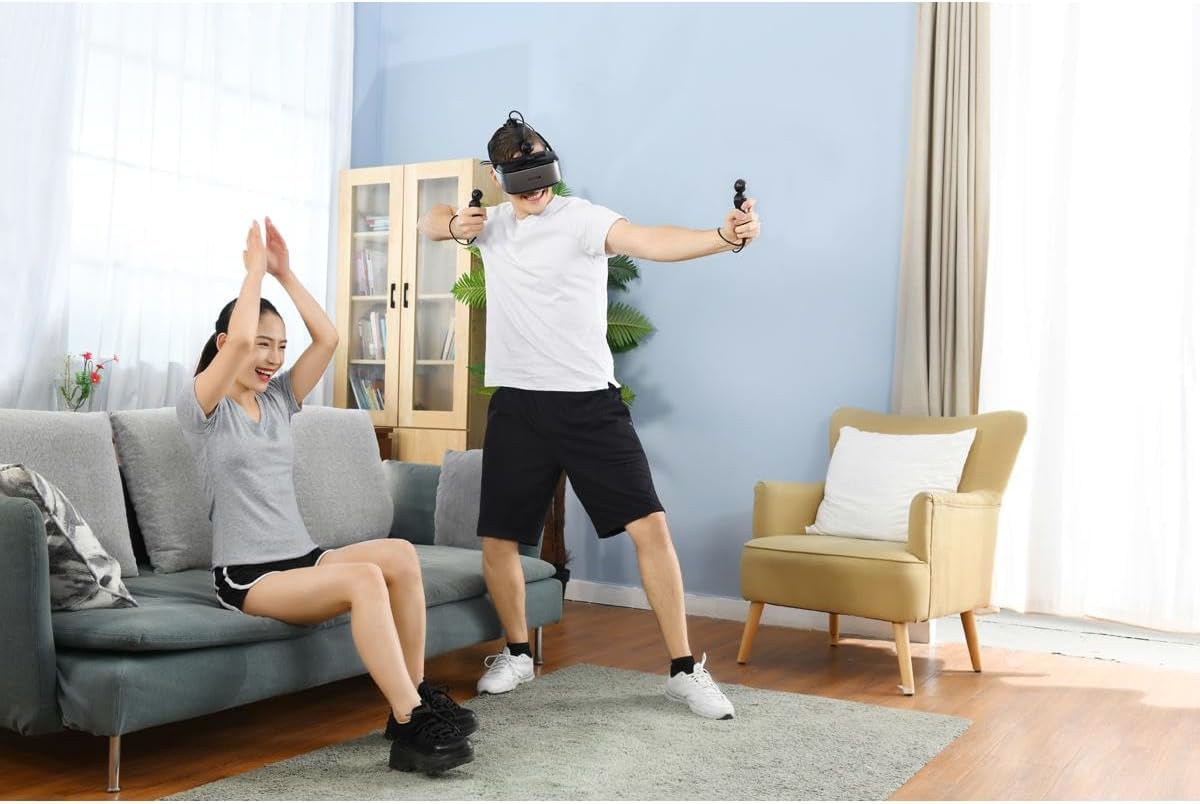
Image 3.2: A user demonstrating active engagement with the DPVR E3 headset and NOLO controllers during a VR session.
3.3 Accessing VR Content
The DPVR E3 headset is compatible with SteamVR, providing access to thousands of VR games and applications.
- Launch SteamVR from your PC.
- Navigate through the SteamVR home environment using your NOLO controllers.
- Select and launch your desired VR game or application.
3.4 Adjusting Visual Settings
You can adjust brightness and angle of view through the DPVR Assistant software or within specific VR applications for an optimized viewzdobywania doświadczenia.
4. Konserwacja
Proper maintenance ensures the longevity and performance of your DPVR E3 4K Gaming Combo.
4.1 Cleaning the Headset and Lenses
- Use a soft, dry microfiber cloth to gently wipe the headset's exterior.
- For lenses, use a specialized lens cleaning cloth. Avoid abrasive materials or harsh chemicals, as these can damage the lens coating.
- The leather face sponge can be wiped with a damp cloth and mild soap, then air-dried. Ensure it is completely dry before reattaching.

Obraz 4.1: Wewnętrzny view of the DPVR E3 headset, showing the lenses and facial interface, which require careful cleaning.
4.2 Przechowywanie
Store the headset and controllers in a cool, dry place away from direct sunlight and extreme temperatures. Use the original packaging or a protective case to prevent dust accumulation and physical damage.
5. Rozwiązywanie Problemów
Rozwiązania typowych problemów znajdziesz w tej sekcji.
5.1 No Display in Headset
- Ensure all HDMI and USB cables are securely connected to both the headset and the PC.
- Verify that your PC's graphics drivers are up to date.
- Check the DPVR Assistant software for any error messages or connection status indicators.
5.2 Tracking Issues with NOLO Controllers
- Ensure the NOLO Base Station has a clear line of sight to the headset tracker and controllers. Obstructions can interfere with tracking.
- Check that the NOLO Base Station and controllers are fully charged and powered on.
- Recalibrate the NOLO system through the DPVR Assistant or NOLO software.
5.3 Low Performance or Lag
- Confirm your PC meets the minimum system requirements for the VR application you are running.
- Close any unnecessary background applications on your PC to free up resources.
- Zaktualizuj sterowniki karty graficznej.
6. Specyfikacje
| Marka | DPVR |
| Numer modelu | E3 |
| Typ wyświetlacza | JDI LCD |
| Rezolucja | 3840 × 2160 (4K) |
| Częstotliwość odświeżania | 75 Hz |
| Pole View (pole widzenia) | 110 stopni |
| System śledzenia | NOLO 6DoF (Degrees of Freedom) |
| Dokładność śledzenia | <2mm position accuracy |
| Opóźnienie śledzenia | <20ms |
| Łączność | HDMI, USB |
| Kompatybilny system operacyjny | Okna |
| Zgodność platformy | SteamVR, DK1/DK2 (DK mode) |
| Cechy specjalne | TUV Rheinland Low-Blue-Light certificated |
| Waga zestawu słuchawkowego | 300 gramów (w przybliżeniu) |
7. Gwarancja i wsparcie
7.1 Informacje o gwarancji
The DPVR E3 4K Gaming Combo is covered by a 1 rok ograniczonej gwarancji od daty zakupu. Niniejsza gwarancja obejmuje wady produkcyjne i wady wykonania przy normalnym użytkowaniu. Prosimy zachować dowód zakupu na wypadek roszczeń gwarancyjnych.
7.2 Obsługa klienta
For technical assistance, troubleshooting, or warranty inquiries, please contact DPVR customer support. Refer to the official DPVR webwitryna zawierająca najnowsze informacje kontaktowe i zasoby pomocy.
DPVR partners with industry leaders to provide comprehensive support and customization for its VR headset products.