
Wstęp
This manual provides essential information for the setup, operation, maintenance, and troubleshooting of your Bmax X15 Plus 15.6-inch laptop. Please read this guide thoroughly to ensure proper use and to maximize the lifespan of your device.
Organizować coś
1. Rozpakowanie i wstępna inspekcja
Ostrożnie wyjmij wszystkie elementy z opakowania. Sprawdź, czy w zestawie znajdują się następujące elementy:
- Bmax X15 Plus Laptop
- Zasilacz/ładowarka
- Instrukcja obsługi (ten dokument)
Sprawdź laptopa pod kątem uszkodzeń fizycznych. Jeśli brakuje któregokolwiek z podzespołów lub jest on uszkodzony, skontaktuj się natychmiast z obsługą klienta.
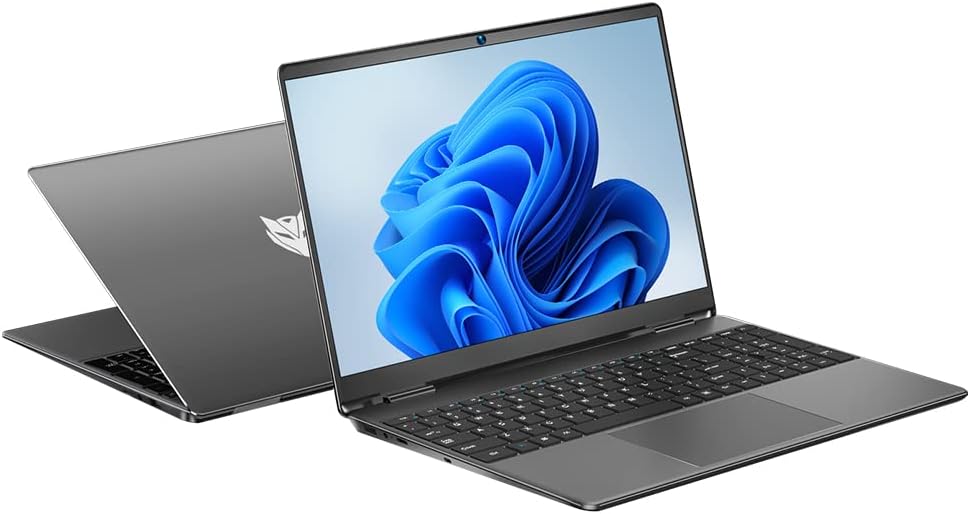
Image: The Bmax X15 Plus laptop displayed open, showing the screen and keyboard.
2. Podłączanie zasilacza
Before first use, connect the power adapter to the laptop's charging port and then to a power outlet. It is recommended to fully charge the battery before initial operation.
Obraz: Zbliżenie view of the laptop's side ports, highlighting the power input, USB 3.0, mini HDMI, and security lock slot.
3. Pierwsze włączenie zasilania i konfiguracja systemu operacyjnego
Press the power button to turn on the laptop. Follow the on-screen instructions to complete the operating system (OS 11) setup, including language selection, network connection, and user account creation.
Korzystanie z laptopa
1. Klawiatura i touchpad
The Bmax X15 Plus features a full-sized keyboard with a numeric keypad and a large trackpad for comfortable navigation and input.

Obraz: widok z góry view of the Bmax X15 Plus laptop, showcasing the full keyboard with numeric pad and large touchpad.
2. Funkcje wyświetlacza
Your laptop is equipped with a 15.6-inch Full HD (1920x1080) IPS display, offering wide viewing angles and vibrant colors. The narrow bezel design maximizes screen space.
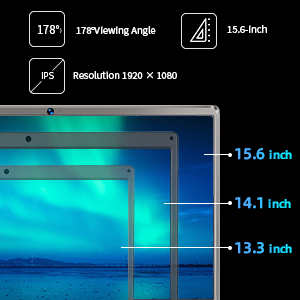
Image: A diagram illustrating the 15.6-inch display size in comparison to smaller screens, emphasizing the IPS technology and 1920x1080 resolution.
3. Wydajność i przechowywanie
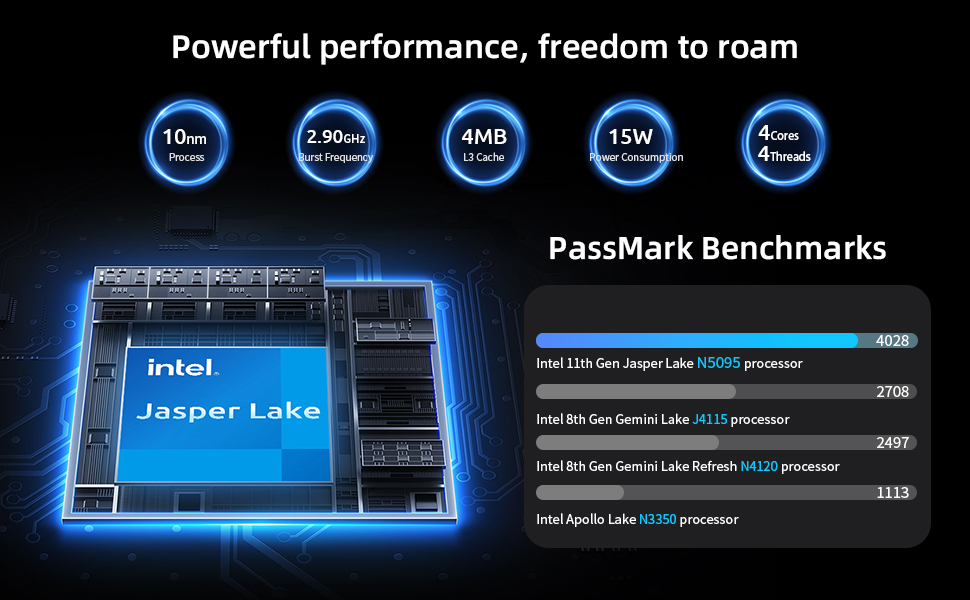
The laptop features an Intel 11th Gen Celeron N5095 Quad-Core Processor (up to 2.9GHz), 12GB DDR4 RAM, and a 512GB SSD for efficient multitasking and fast data access.
4. Łączność
Connect to networks using 2.4GHz/5GHz Dual Band Wi-Fi. Peripheral connectivity includes two USB 3.0 ports, a Micro SD card reader, and a mini HDMI port.
Konserwacja
1. Czyszczenie laptopa
To maintain optimal performance and appearance, regularly clean your laptop. Use a soft, lint-free cloth for the screen and exterior. For stubborn marks, a slightly dampened cloth with water or a specialized electronics cleaner can be used. Avoid harsh chemicals.
2. Storage Upgrade
The Bmax X15 Plus includes an M.2 2280 expandable slot, allowing for easy SSD upgrades up to 1TB to suit your storage needs. Refer to the diagram below for the location of the M.2 slot. It is recommended to consult a professional for hardware upgrades if you are unsure.
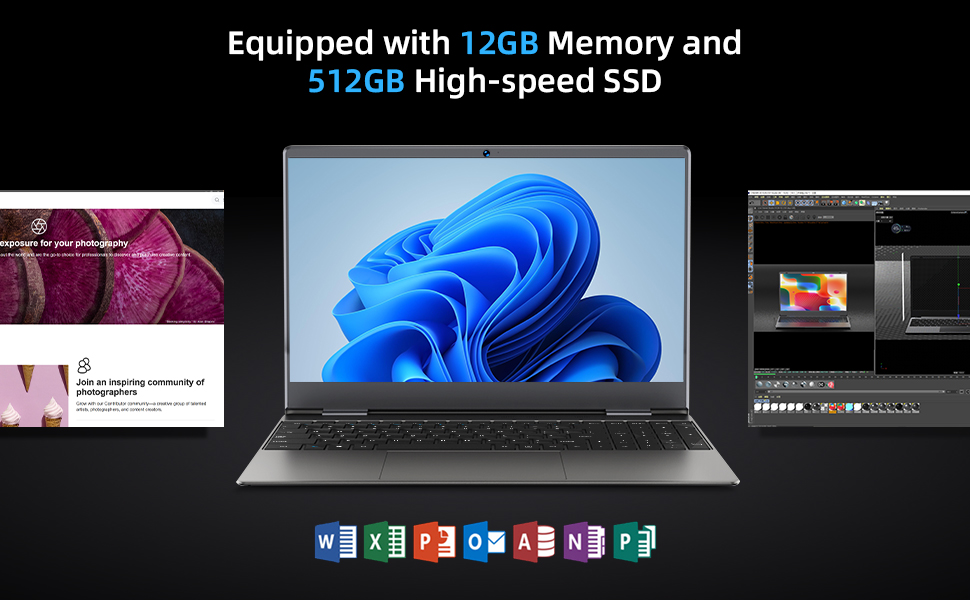
Image: Diagram indicating the M.2 2280 expandable slot on the bottom of the laptop for storage upgrades.
Rozwiązywanie problemów
If you encounter issues with your Bmax X15 Plus laptop, refer to the following common troubleshooting steps:
- Laptop się nie włącza: Ensure the power adapter is securely connected to both the laptop and a working power outlet. Verify the power outlet is functional. If the battery is completely drained, allow it to charge for at least 30 minutes before attempting to power on again.
- Screen remains black after power on: Try connecting an external monitor to the mini HDMI port to check if the display output is working. If an external monitor works, the laptop's internal display may have an issue. If no display on external monitor, try restarting the laptop.
- System działa wolno lub nie odpowiada: Close unnecessary applications. Check for available system updates and install them. Ensure sufficient free space on the SSD. Consider running a system diagnostic or antivirus scan.
- Problemy z łącznością Wi-Fi: Verify that Wi-Fi is enabled in the operating system settings. Restart your router and modem. Ensure you are within range of a Wi-Fi signal.
- Touchpad nie odpowiada: Check if the touchpad has been accidentally disabled via a function key (often Fn + F-key combination). Restart the laptop.
For persistent issues, please contact Bmax customer support.
Specyfikacje
| Funkcja | Szczegół |
|---|---|
| Marka | Bmax |
| Nazwa modelu | X15 Plus |
| Rozmiar ekranu | 15.6 cali |
| Rozdzielczość ekranu | 1920 x 1080 pikseli (FHD IPS) |
| Edytor | Intel Celeron N5095 (up to 2.9 GHz, 4 Cores) |
| BARAN | 12 GB pamięci LPDDR4 |
| Dysk twardy | Dysk SSD 512 GB (Serial ATA-600) |
| Możliwość rozbudowy pamięci masowej | M.2 2280 slot (up to 1TB SSD) |
| Koprocesor graficzny | Grafika Intel UHD |
| System operacyjny | System operacyjny 11 |
| Typ bezprzewodowy | 802.11a/b/g/n/ac (Dual Band Wi-Fi) |
| Porty USB | 2 porty USB 3.0 |
| Inne porty | Mini HDMI, 3.5mm Headset Jack, Micro SD Card Reader |
| Waga przedmiotu | 3.52 funta (ok. 1.6 kg) |
| Wymiary produktu (dł. x szer. x wys.) | 14.1 x 9.5 x 0.78 cala |
| Bateria | 1 Lithium Polymer battery (38Wh) |
Informacje o gwarancji
The Bmax X15 Plus laptop comes with a 12-miesięczna gwarancja from the date of purchase. This warranty covers manufacturing defects and ensures the product functions as intended under normal use. Additionally, a 30-dniowa polityka zwrotów jest oferowane dla Twojego spokoju ducha.
Please retain your proof of purchase for warranty claims. The warranty does not cover damage caused by misuse, accidents, unauthorized repairs, or normal wear and tear.
Obsługa klienta
For any questions, technical assistance, or warranty claims, please contact Bmax customer service. Our team is available to provide friendly support.
- Wsparcie online: Visit the official Bmax webStrona z odpowiedziami na często zadawane pytania i zasobami pomocy.
- Wsparcie e-mailowe: Refer to your product packaging or the official Bmax webstrona internetowa zawierająca dedykowany adres e-mail wsparcia.
- Wsparcie telefoniczne: Contact numbers may be available on the official Bmax webstrona.
When contacting support, please have your laptop's model number (X15 Plus) and purchase information readily available.