
1. Wprowadzenie
The TACTACAM 6.0 Action Camera is designed to capture high-quality video and photos in various outdoor environments. Featuring 4K 60 FPS video recording, 8X zoom, integrated image stabilization, and a waterproof design, this camera offers a robust solution for documenting your activities. Its one-touch operation ensures ease of use, allowing you to focus on the moment while capturing clear footage.
2. Informacje dotyczące bezpieczeństwa
- Stopień wodoodporności: The camera is waterproof up to 30 feet (9 meters). Ensure all ports and covers are securely closed before exposing the camera to water.
- Pielęgnacja baterii: Use only TACTACAM approved batteries and chargers. Do not expose batteries to extreme temperatures or dispose of them in fire.
- Montowanie: Always ensure the camera is securely mounted to prevent accidental detachment during use. Regularly check the tightness of all mounting components.
- Temperatura pracy: Avoid operating the camera in temperatures outside its specified range to prevent damage.
3. Zawartość opakowania
Sprawdź, czy w przesyłce znajdują się wszystkie elementy wymienione poniżej:
- TACTACAM 6.0 Action Camera
- TACTACAM Replacement Battery
- TACTACAM Clamp Uchwyt
- Kabel ładujący USB
- Instrukcja obsługi
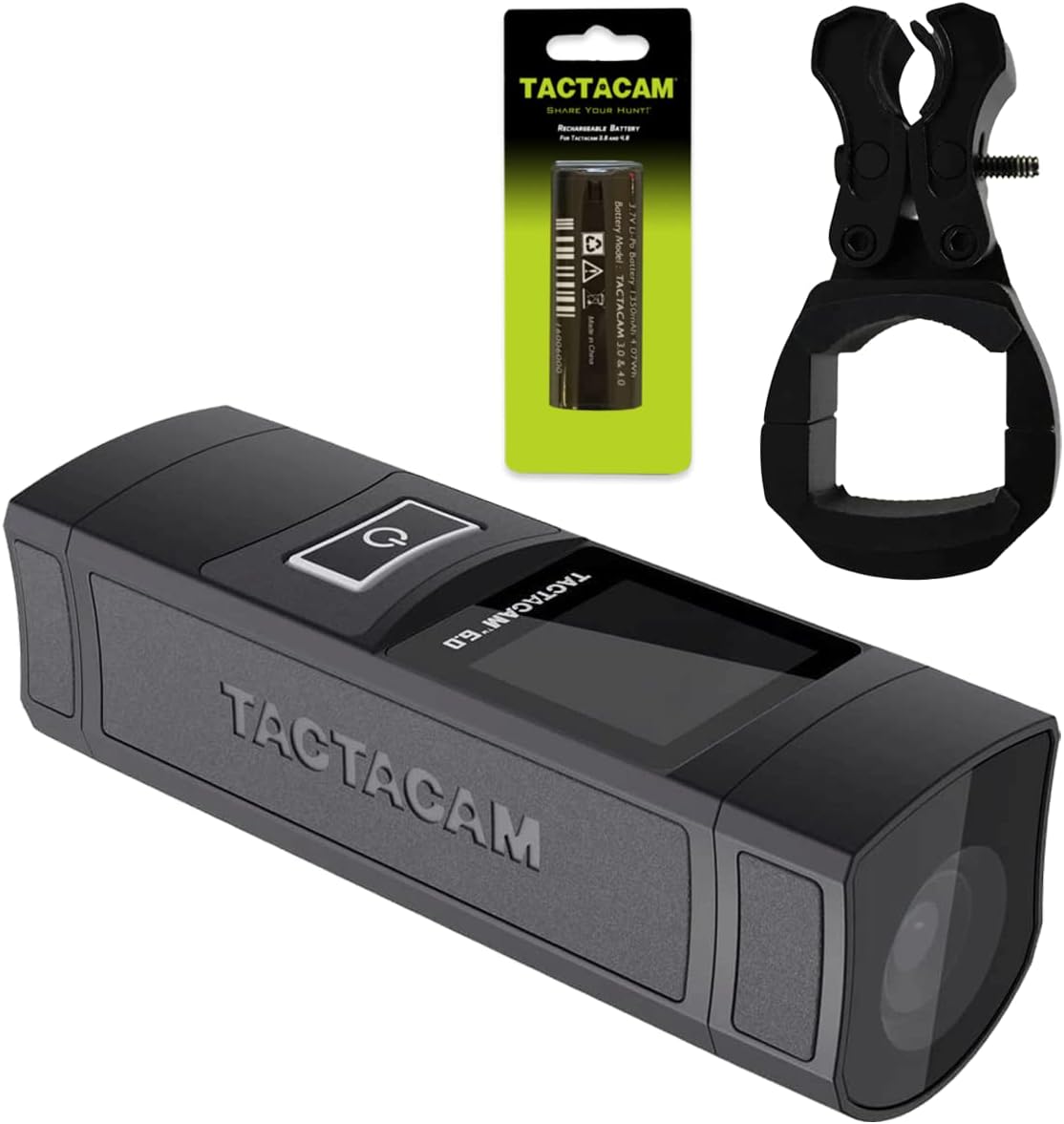
Figure 3.1: TACTACAM 6.0 Action Camera package contents including the camera, replacement battery, and clamp uchwyt.
4. Koniec produktuview
Familiarize yourself with the main components and controls of your TACTACAM 6.0 Action Camera.

Rycina 4.1: Przód view of the TACTACAM 6.0 Action Camera, highlighting the lens and compact design.

Rysunek 4.2: Strona view of the TACTACAM 6.0 Action Camera, showing the integrated display screen and one-touch operation button.
The camera features an integrated display screen for easy menu navigation and shot preview. The main power/record button is prominently located for quick access.
5. Konfiguracja
5.1. Ładowanie akumulatora
Before first use, fully charge the camera battery. Connect the camera to a USB power source using the provided USB charging cable. The charging indicator light will show the charging status.

Figure 5.1: The TACTACAM 6.0 camera connected to a USB power source for charging.
5.2. Wkładanie karty Micro SD
A Micro SD card (not included) is required for recording. The camera supports high-speed Micro SD cards. To insert the card:
- Unscrew the rear cover of the camera.
- Gently insert the Micro SD card into the designated slot until it clicks into place.
- Securely re-attach the rear cover.

Figure 5.2: Proper insertion of a Micro SD card into the camera's slot.
5.3. Montaż kamery
The TACTACAM 6.0 comes with a clamp mount for versatile attachment to various equipment such as rifles or bows. Follow these general steps for mounting:
- Podłącz clamp mount to your desired equipment (e.g., rifle barrel, bow stabilizer). Ensure it is tightened securely.
- Slide the camera onto the mount until it locks into place.
- Adjust the camera angle as needed and tighten any adjustment screws to fix its position.

Figure 5.3: The TACTACAM 6.0 camera securely attached to a rifle using the clamp uchwyt.
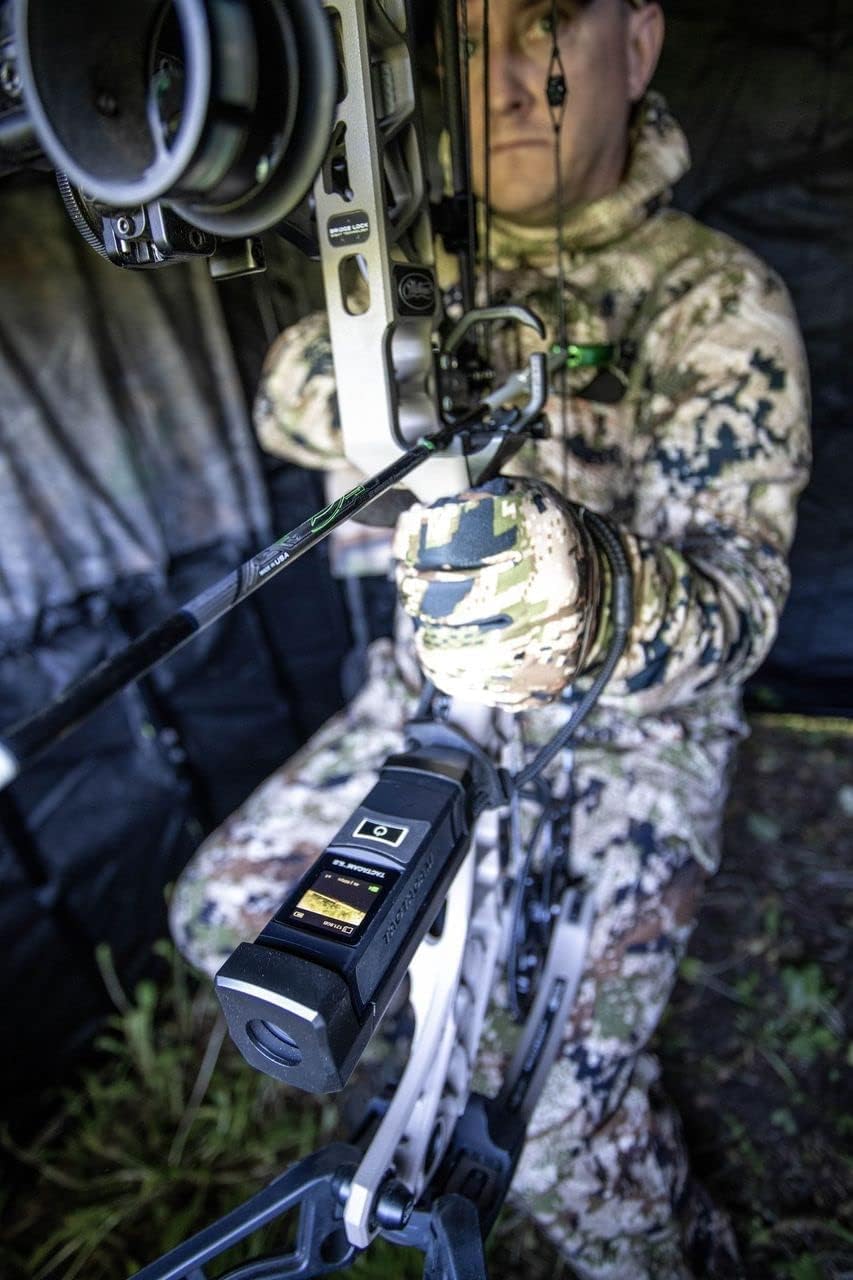
Figure 5.4: The TACTACAM 6.0 camera attached to a bow, ready for action.
For a visual guide on general camera installation, you may refer to the video below. Note that this video demonstrates bike mounts, but the principles of securing the camera to a mount are similar.
Video 5.1: General product installation guide. This video illustrates mounting principles, though it features bike mounts rather than the included clamp uchwyt.
6. Instrukcja obsługi
6.1. Włączanie/wyłączanie zasilania
To power on the camera, press and hold the main power button for approximately 3 seconds until the display screen illuminates. To power off, press and hold the same button for 3 seconds until the screen turns off.
6.2. Nagrywanie wideo
The TACTACAM 6.0 features one-touch operation for video recording:
- Upewnij się, że kamera jest włączona.
- Press the main power/record button once to start recording. The camera will vibrate and an indicator light will confirm recording has begun.
- Press the main power/record button again to stop recording. The camera will vibrate and the indicator light will change.
6.3. Robienie zdjęć
To capture still photos, you may need to switch the camera mode via the Tactacam App (see section 6.4) or through on-device controls if available. Once in photo mode, press the designated capture button (often the same as the record button) to take a picture.
6.4. Connecting to the TACTACAM App (Wi-Fi)
The TACTACAM App allows you to control your camera remotely, view żyćtage, and manage settings. To connect:
- Download the TACTACAM App from your smartphone's app store.
- Power on your TACTACAM 6.0 camera.
- Activate the Wi-Fi feature on your camera (refer to the camera's display or specific button if available). The Wi-Fi indicator light will flash.
- On your smartphone, go to Wi-Fi settings and connect to the TACTACAM camera's Wi-Fi network (e.g., "ActionCam_XXXX").
- Open the TACTACAM App. The app should automatically detect and connect to your camera, allowing you to access its features.

Figure 6.1: The TACTACAM app interface on a smartphone, showing connection to the camera.
For a detailed walkthrough of camera operation and app connection, please watch the video below:
Video 6.1: Product operation and settings guide, including Micro SD card insertion, power on, Wi-Fi connection, and app usage.
6.5. Ulepszone funkcje
The TACTACAM 6.0 includes several advanced features:
- Auto Focus: Automatycznie dostosowuje ostrość, aby uzyskać wyraźne obrazy.
- Nagrywanie w pętli: Ciągłe zapisywanie, nadpisywanie najstarszych files gdy karta pamięci jest pełna.
- Upływ czasu: Wykonuje serię zdjęć w określonych odstępach czasu, tworząc film poklatkowy.
- Moveable Red Dot Option: Provides an on-screen red dot for aiming assistance, configurable via the app.
7. Konserwacja
- Czyszczenie: Use a soft, dry cloth to clean the camera body. For the lens, use a specialized lens cleaning cloth and solution. Do not use abrasive materials.
- Składowanie: Przechowuj aparat w chłodnym, suchym miejscu, z dala od bezpośredniego światła słonecznego i ekstremalnych temperatur. Wyjmij baterię, jeśli przechowujesz go przez dłuższy czas.
- Aktualizacje oprogramowania układowego: Periodically check the TACTACAM webwitryna lub aplikacja umożliwiająca dostęp do aktualizacji oprogramowania sprzętowego w celu zapewnienia optymalnej wydajności i dostępu do nowych funkcji.
8. Rozwiązywanie Problemów
| Problem | Możliwe rozwiązanie |
|---|---|
| Kamera się nie włącza. | Ensure the battery is fully charged. Try charging the battery for at least 2 hours. |
| Cannot connect to the TACTACAM App. | Verify camera Wi-Fi is enabled. Ensure your smartphone is connected to the camera's Wi-Fi network. Restart both the camera and the app. |
| Nagrywanie wideo zostaje nieoczekiwanie przerwane. | Check if the Micro SD card is full or corrupted. Use a high-speed Micro SD card (Class 10 or higher). Ensure the battery has sufficient charge. |
| Słaba jakość wideo. | Clean the camera lens. Ensure sufficient lighting. Check camera settings in the app for resolution and frame rate. |
9. Specyfikacje
| Funkcja | Szczegół |
|---|---|
| Nazwa marki | TACTACAM |
| Waga przedmiotu | 1.49 funta |
| Wymiary opakowania | 11.2 x 8.27 x 4.84 cala |
| Numer modelu przedmiotu | TA-C-FB-6 |
| Kolor | Czarny |
| Cechy specjalne | Słabe światło |
| Technologia czujnika fotograficznego | CMOS |
| Rozdzielczość przechwytywania wideo | 4K |
| Maksymalna apertura | 1.8 stopnia |
| Typ pamięci flash | Mikro SD |
| Format przechwytywania wideo | MP4 |
| Rozmiar ekranu | 1.5 cali |
| Technologia łączności | Wi-Fi |
10. Gwarancja i wsparcie
10.1. Informacje o gwarancji
The TACTACAM 6.0 Action Camera comes with a one-year warranty when purchased from an official TACTACAM Dealer. Please retain your proof of purchase for warranty claims.
10.2. Obsługa klienta
For technical assistance, troubleshooting, or warranty inquiries, please visit the official TACTACAM weblub skontaktuj się bezpośrednio z działem obsługi klienta. Dane kontaktowe zazwyczaj można znaleźć na stronie producenta. webwitryny lub opakowania produktu.