
1. Wprowadzenie
This manual provides detailed instructions for the setup, operation, and maintenance of your ThreeH H-AC61Blue Walking Pedometer. Please read this manual thoroughly before using the device to ensure optimal performance and accurate tracking of your activity.
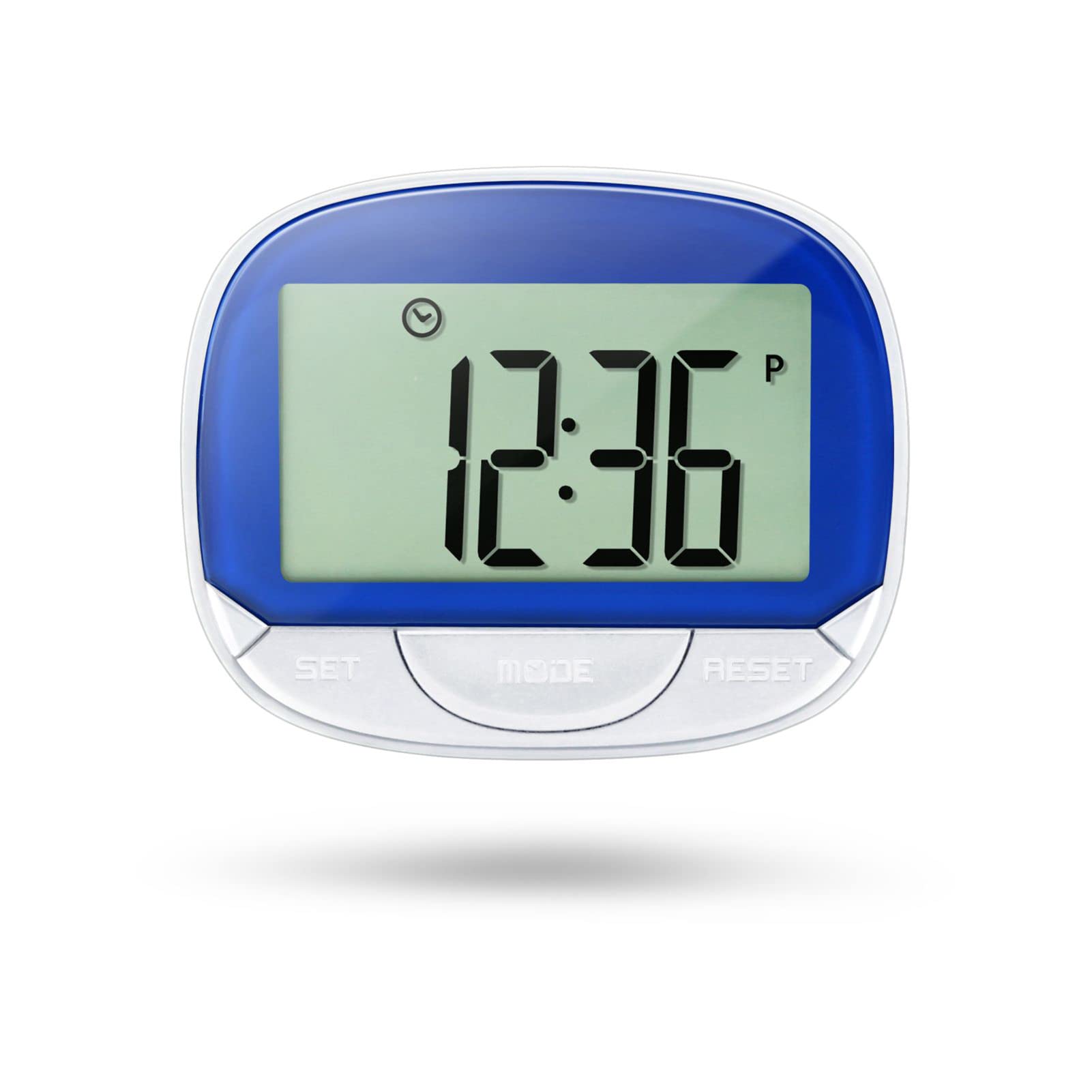
Image 1: ThreeH H-AC61Blue Walking Pedometer. This image shows the pedometer with its large LCD screen displaying "12:36" and three buttons labeled SET, MODE, and RESET. A person is seen running in the background, indicating its use for fitness tracking.
2. Co znajduje się w pudełku
- 1 x ThreeH H-AC61Blue Walking Pedometer
- 1 x Instrukcja obsługi (ten dokument)
3. Funkcje produktu
- Large LCD Screen Display: A 55 mm (2.2 inch) screen for clear readability of data and current time.
- Multi-function Tracking: Tracks steps, distance traveled, and calories burned.
- Wyświetlacz czasu: Shows current time even when not actively tracking, with 12/24 Hour Mode options.
- Accuracy Feature: Designed to avoid erroneous data by not recording the first 5 steps; subsequent steps are recorded along with the initial 5.
- Przenośna konstrukcja: Small and lightweight with a back clip for easy attachment to a waist belt, arm, leg, or pocket.
- Trwała konstrukcja: Made of ABS material for wear resistance and long-lasting use.
- Długa żywotność baterii: Built-in DC 1.5V AG13 battery designed to last up to one year.
4. Urządzenie ponadview
Familiarize yourself with the main components of your pedometer:
- Ekran LCD: Displays time, steps, distance, and calories.
- Przycisk SET: Used to enter setup mode and confirm settings.
- Przycisk TRYB: Used to switch between display modes (Step, Distance, Calories, Time).
- Przycisk reset: Used to clear data or adjust values during setup.
- Klip z tyłu: For secure attachment to clothing.

Image 2: Dimensions of the ThreeH H-AC61Blue Pedometer. The image shows the pedometer with measurements indicating a width of 65mm (2.55 inches) and a height of 52mm (2.04 inches).
5. Instrukcje konfiguracji
Before first use, or after replacing the battery, you may need to set the time, stride distance, and weight for accurate readings.
- Pierwsze włączenie: The device should power on automatically when the battery is inserted.
- Wejście w tryb konfiguracji: Naciśnij i przytrzymaj USTAWIĆ button for a few seconds until the display changes to indicate setup mode (e.g., time setting).
- Setting Time (12/24 Hour Format):
- While in time setting, press the NASTAWIĆ przycisk umożliwiający przełączanie między formatem 12-godzinnym i 24-godzinnym.
- Naciskać USTAWIĆ to confirm and move to setting the hour.
- Używać NASTAWIĆ aby dostosować godzinę, następnie USTAWIĆ aby potwierdzić.
- Powtarzaj przez kilka minut.
- Setting Stride Distance:
- After time, the display will show stride distance (e.g., "IN" for inches or "CM" for centimeters).
- Naciskać NASTAWIĆ to adjust the stride length. Measure your average stride length for accuracy.
- Naciskać USTAWIĆ aby potwierdzić.
- Setting Weight:
- Next, the display will show weight (e.g., "Lb" for pounds or "KG" for kilograms).
- Naciskać NASTAWIĆ to adjust your weight.
- Naciskać USTAWIĆ to confirm and exit setup mode.
Note: Accurate stride distance and weight settings are crucial for precise distance and calorie calculations.
6. Instrukcja obsługi
6.1 Wearing the Pedometer
For best accuracy, it is recommended to clip the pedometer onto your waist belt, ensuring it remains straight to the ground. It can also be clipped to an arm, leg, or placed in a pocket, but waist placement generally yields the most consistent results.

Image 3: ThreeH H-AC61Blue Pedometer clipped to a person's waist belt. This demonstrates the recommended wearing position for optimal step tracking.
6.2 Tracking Your Activity
- Rozpocznij śledzenie: Naciśnij TRYB button until the screen displays "STEP". The pedometer will automatically begin counting your steps as you move.
- ViewDane: Naciśnij TRYB Naciskaj przycisk wielokrotnie, aby przełączać się między różnymi trybami wyświetlania:
- KROK: Wyświetla całkowitą liczbę wykonanych kroków.
- DYSTANS: Shows the total distance traveled based on your stride setting.
- KALORIE: Displays the estimated calories burned based on your weight and activity.
- CZAS: Pokazuje aktualny czas.
- Resetowanie danych: To clear the current day's tracking data (steps, distance, calories), press and hold the NASTAWIĆ button until the digital display changes to zero. This will not affect your time settings.
Note: The pedometer is designed to ignore the first 5 steps to prevent recording accidental movements. If you continue walking, these initial 5 steps will be added to your count.
7. Konserwacja
- Czyszczenie: Przetrzyj krokomierz miękką, suchą ściereczką. Nie używaj środków czyszczących o właściwościach ściernych ani nie zanurzaj urządzenia w wodzie.
- Wymiana baterii: When the display becomes dim or unresponsive, it's time to replace the built-in DC 1.5V AG13 battery. Refer to the battery compartment for specific instructions on opening and replacing.
- Składowanie: Store the pedometer in a cool, dry place away from direct sunlight and extreme temperatures when not in use.
- Unikaj uderzenia: While durable, avoid dropping the device or subjecting it to strong impacts, which could damage internal components.
8. Rozwiązywanie Problemów
| Problem | Możliwa przyczyna | Rozwiązanie |
|---|---|---|
| Krokomierz nie zlicza dokładnie kroków. | Incorrect wearing position, low battery, or incorrect stride setting. | Ensure the pedometer is clipped securely to your waist belt and remains straight. Replace the battery if low. Verify and adjust your stride setting in setup mode. |
| Wyświetlacz jest ciemny lub pusty. | Niski poziom naładowania baterii lub jej rozładowanie. | Replace the DC 1.5V AG13 battery. |
| Cannot reset data. | RESET button not held long enough. | Naciśnij i przytrzymaj NASTAWIĆ button for several seconds until the display clears to zero. |
| Czas jest nieprawidłowy. | Time not set correctly or battery removed/replaced. | Re-enter setup mode and adjust the time as per Section 5. |
9. Specyfikacje
- Marka: TrzyH
- Model: H-AC61Blue
- Tworzywo: Plastikowy
- Kolor: Niebieski
- Rozmiar ekranu: 2.2 Centimetres (LCD)
- Waga przedmiotu: 35 gram
- Typ czujnika: Krokomierz
- Bateria: Built-in DC 1.5V AG13 (Lithium-Ion)
- Exercise Time Tracking: 0 do 1440 minut
- Wymiary (dł. x szer. x wys.): 6.3 x 5.2 x 2.3 centymetrów
10. Gwarancja i wsparcie
Informacje dotyczące szczegółowych warunków gwarancji i danych kontaktowych działu obsługi klienta nie są dostępne w dostarczonych danych produktu. Prosimy o zapoznanie się z opakowaniem produktu lub informacjami u sprzedawcy. webStrona zawierająca informacje o gwarancji i dane kontaktowe pomocy technicznej.