
1. Wprowadzenie
This manual provides essential information for the setup, operation, and maintenance of your HP Envy 6452e Wireless Inkjet All-in-One Printer. This device is designed for printing, copying, and scanning functions, featuring wireless connectivity and automatic two-sided printing capabilities.
2. Co znajduje się w pudełku
Sprawdź, czy po rozpakowaniu znajdują się wszystkie elementy:
- Drukarka wielofunkcyjna HP ENVY 6452e
- Original HP 67 Black Ink Cartridge
- Original HP 67 Tri-color Ink Cartridge
- Instant Ink flyer
- Ulotka z przepisami
- Przewodnik po konfiguracji
- Przewodnik referencyjny
- Przewód zasilający
- Kabel do drukarki (USB)
3. Konfiguracja
3.1 Konfiguracja fizyczna
- Rozpakuj drukarkę: Ostrożnie wyjmij drukarkę z opakowania i usuń wszystkie taśmy ochronne i materiały opakowaniowe.
- Podłącz zasilanie: Podłącz przewód zasilający do drukarki, a następnie do gniazdka ściennego.
- Włóż papier: Open the input tray and load plain paper. Adjust the paper guides to fit the paper size. The input tray has a capacity of up to 100 sheets.
- Zainstaluj wkłady atramentowe: Open the ink cartridge access door. Insert the black and tri-color HP 67 cartridges into their respective slots until they click into place.

Obraz: Przód view of the HP Envy 6452e printer, highlighting its compact design and the output tray.
3.2 Instalacja oprogramowania i połączenie bezprzewodowe
The HP Smart app is required for easy setup and mobile printing. It guides you through connecting your printer to a wireless network.
- Download HP Smart App: On your computer or mobile device (iOS compatible), download the HP Smart app from your device's app store or HP's official webstrona.
- Postępuj zgodnie z instrukcjami wyświetlanymi na ekranie: Open the HP Smart app and follow the guided steps to connect your printer to your Wi-Fi network. The printer features self-healing dual-band Wi-Fi to help maintain a stable connection.
- Alternative Connectivity: For direct connection, use a USB cable. Bluetooth connectivity is also available.
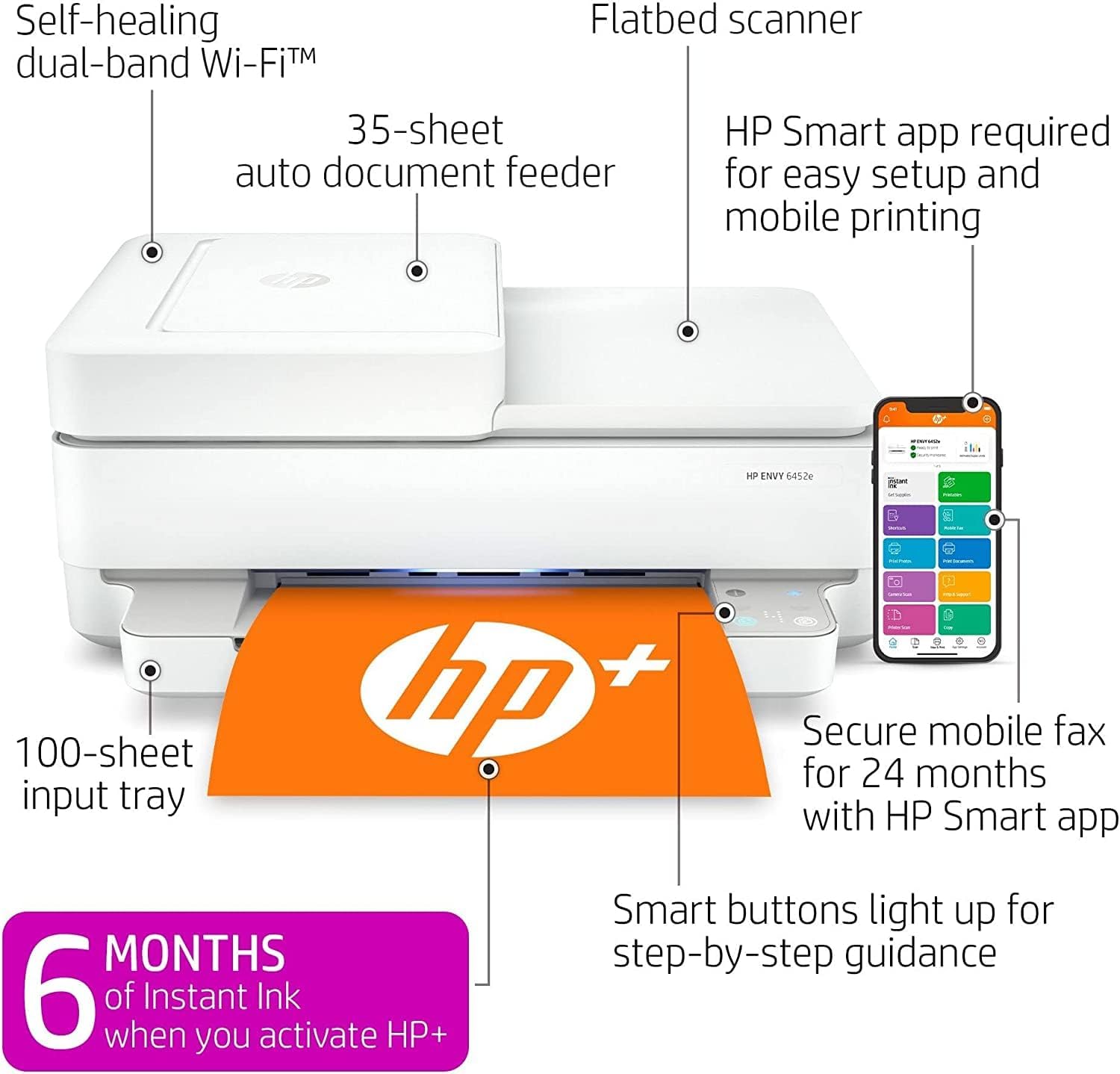
Image: Diagram illustrating key features of the HP Envy 6452e, including the 35-sheet auto document feeder, flatbed scanner, and the HP Smart app interface.
4. Instrukcja obsługi
4.1 Drukowanie
To print documents or photos:
- Sprawdź, czy drukarka jest włączona i podłączona do urządzenia.
- Otwórz dokument lub obraz, który chcesz wydrukować, na komputerze lub urządzeniu mobilnym.
- Wybierz opcję drukowania z aplikacji.
- Choose the HP Envy 6452e from the list of available printers.
- Dostosuj ustawienia drukowania, takie jak rozmiar papieru, jakość wydruku i liczbę kopii.
- Kliknij „Drukuj”.
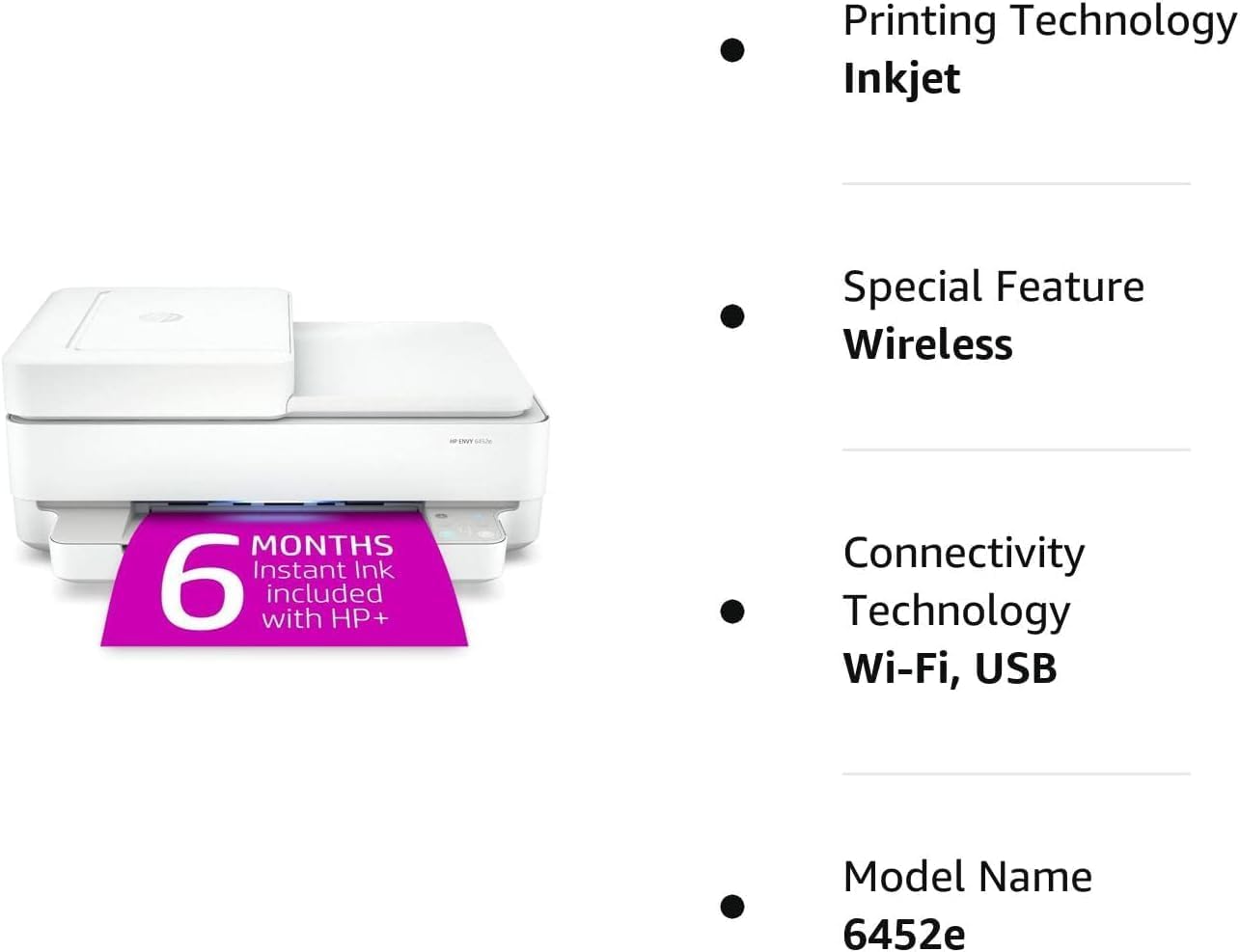
Image: The HP Envy 6452e printer in operation, with a document being printed from the output tray.
4.2 Kopiowanie
Aby wykonać kopię:
- Umieść oryginalny dokument stroną zadrukowaną do dołu na szybie skanera lub stroną zadrukowaną do góry w automatycznym podajniku dokumentów (ADF).
- Use the HP Smart app or the printer's control panel to select the copy function.
- Adjust settings like number of copies, color/black & white, and size.
- Initiate the copy process.
4.3 Skanowanie
To scan documents or photos:
- Umieść oryginalny dokument stroną zadrukowaną do dołu na szybie skanera lub stroną zadrukowaną do góry w automatycznym podajniku dokumentów (ADF).
- Otwórz aplikację HP Smart na komputerze lub urządzeniu mobilnym.
- Select the scan function.
- Choose scan settings such as resolution, file type, and destination.
- Rozpocznij skanowanie.
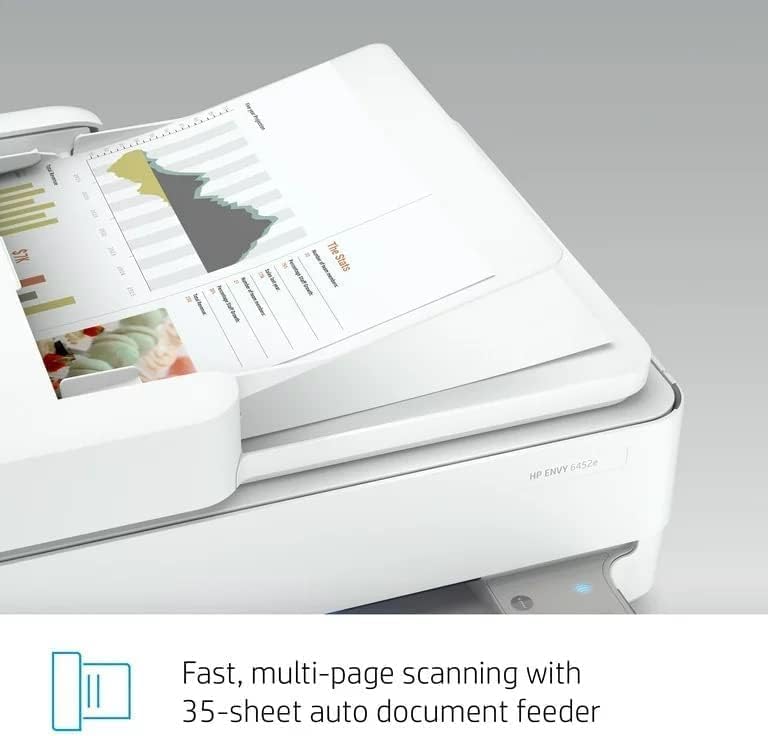
Image: The Automatic Document Feeder (ADF) of the HP Envy 6452e, showing its capability for multi-page scanning.
4.4 Automatyczny podajnik dokumentów (ADF)
The 35-sheet ADF allows for quick scanning or copying of multiple pages without manual placement. Load documents face-up into the ADF tray.
4.5 Drukowanie dwustronne
The printer supports automatic two-sided (duplex) printing. Select the duplex printing option in your print settings to save paper.
4.6 Drukowanie mobilne
Utilize the HP Smart app to print directly from your smartphone or tablet. The app also supports mobile fax for 24 months.
5. Konserwacja
5.1 Wymiana wkładu atramentowego
When ink levels are low, the printer will indicate a need for replacement. Only use Original HP 67 Black and Tri-color Ink Cartridges for optimal performance and to maintain warranty validity.
- Sprawdź, czy drukarka jest włączona.
- Otwórz drzwiczki dostępu do wkładów atramentowych.
- Naciśnij pusty wkład, aby go zwolnić, a następnie wyciągnij go.
- Remove the new cartridge from its packaging, being careful not to touch the copper contacts or ink nozzles.
- Insert the new cartridge into its color-coded slot until it clicks into place.
- Zamknij drzwiczki dostępu do pojemników z tuszem.
5.2 Ładowanie papieru
Regularly check the paper input tray and replenish paper as needed. Ensure paper guides are snug against the paper stack to prevent misfeeds.
6. Rozwiązywanie Problemów
If you encounter issues with your HP Envy 6452e printer, consider the following:
- Brak zasilania: Verify the power cord is securely connected to both the printer and a working electrical outlet.
- Problemy z łącznością: Ensure your printer is connected to the correct Wi-Fi network. Restarting your router, printer, and computer/mobile device can often resolve connection problems.
- Printing Blank Pages: Check ink cartridge levels. Ensure the protective tape has been removed from new cartridges.
- Zacięcia papieru: Carefully remove any jammed paper from the input tray, output tray, or inside the printer. Refer to the HP Smart app for specific instructions on clearing jams.
- Słaba jakość druku: Check ink levels. Perform a printhead cleaning or alignment through the HP Smart app. Ensure you are using appropriate paper for your print job.
- Skaner nie działa: Ensure the scanner lid is fully closed. Check connections if using USB.
For more detailed troubleshooting, refer to the HP Smart app or HP's official support webstrona.
7. Specyfikacje
| Funkcja | Specyfikacja |
|---|---|
| Nazwa modelu | 6452e |
| Wymiary produktu (Gł. x Szer. x Wys.) | 7.64" x 14" x 17" |
| Waga przedmiotu | 13.6 funta |
| Technologia druku | Atramentowy |
| Wyjście drukarki | Kolor |
| Maksymalna prędkość drukowania (monochromatyczna) | 10 stron na minutę |
| Maksymalna prędkość drukowania (kolor) | 7 stron na minutę |
| Technologia łączności | USB, Wi-Fi, Bluetooth |
| Funkcja specjalna | Wireless, Automatic Duplex Printing |
| Typ skanera | Platforma |
| Maksymalna pojemność arkuszy wejściowych | 35 (ADF) |
| Obsługa rozmiaru arkusza | Letter, 4x6 in, 5x7 in, 8x10 in, No. 10 envelopes |
| Kompatybilny wkład | Original HP 67 Black and Tri-color Ink Cartridge |
| Metoda kontroli | App (HP Smart) |
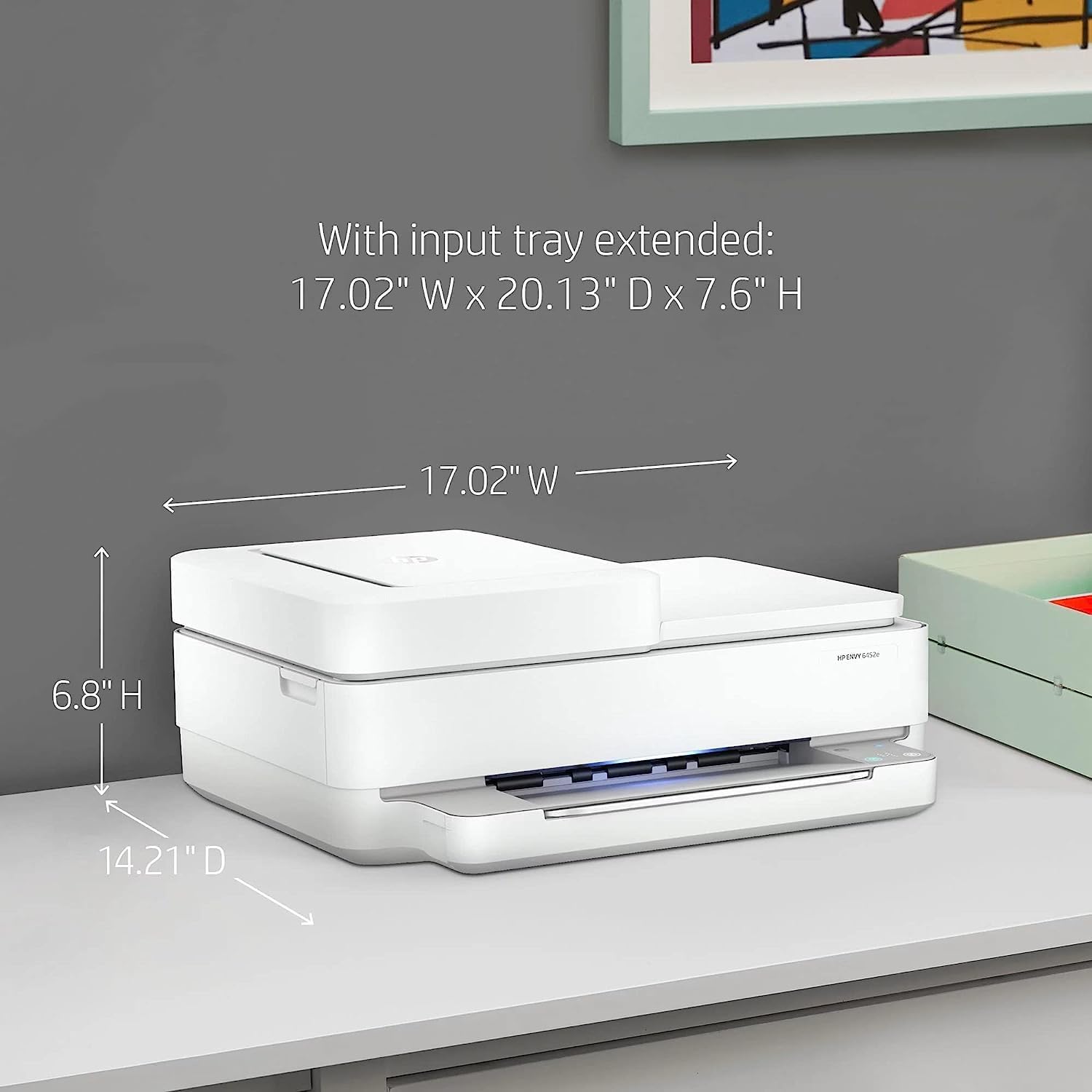
Obraz: wymiarowyview of the HP Envy 6452e printer, indicating height, width, and depth for placement considerations.
8. Gwarancja i wsparcie
8.1 Informacje o gwarancji
This HP Envy 6452e printer comes with a 90-day limited warranty. Please retain your proof of purchase for warranty claims.
8.2 Obsługa klienta
For further assistance, technical support, or warranty inquiries, please visit the official HP support website or contact HP customer service. The HP Smart app also provides access to support resources and guides.