
1. Wprowadzenie
This manual provides essential instructions for the SOLTECH CCTV Remote Control, model RCWN00001B (also identified as EP10-001090A). This remote is specifically designed for use with various Samsung Wisenet Security & Surveillance Camera Systems, including DVRs and NVRs. Please read this manual thoroughly to ensure proper use and functionality of your remote control.
2. Koniec produktuview
The SOLTECH CCTV Remote Control is a dedicated device for managing your Samsung Wisenet security system. It replicates the functionality of the original remote control included with Wisenet All-In-One systems, providing convenient access to your DVR or NVR functions.
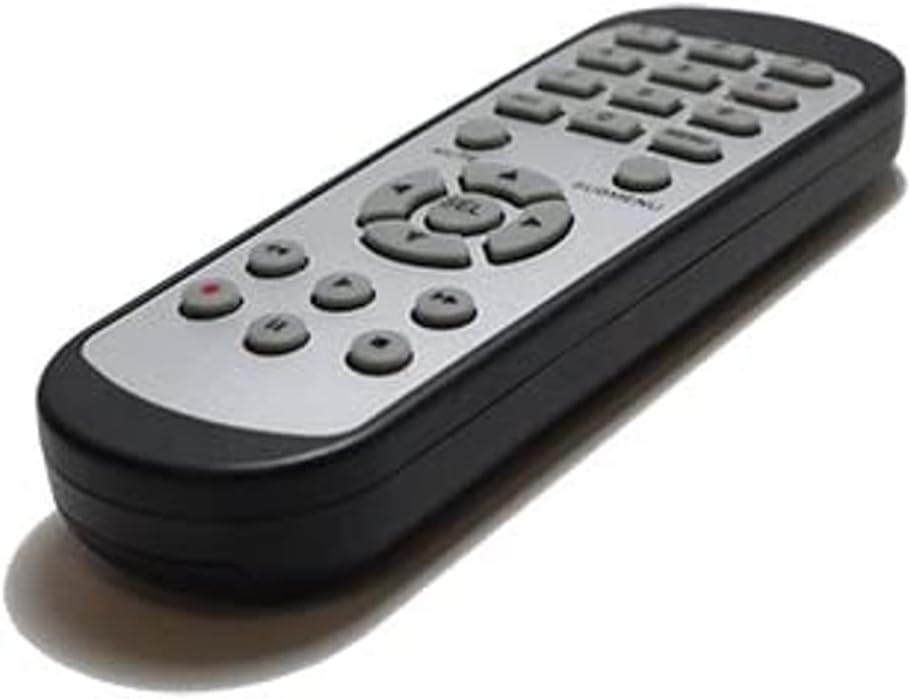
Obraz 2.1: Przód view of the SOLTECH CCTV Remote Control (Model RCWN00001B / EP10-001090A).
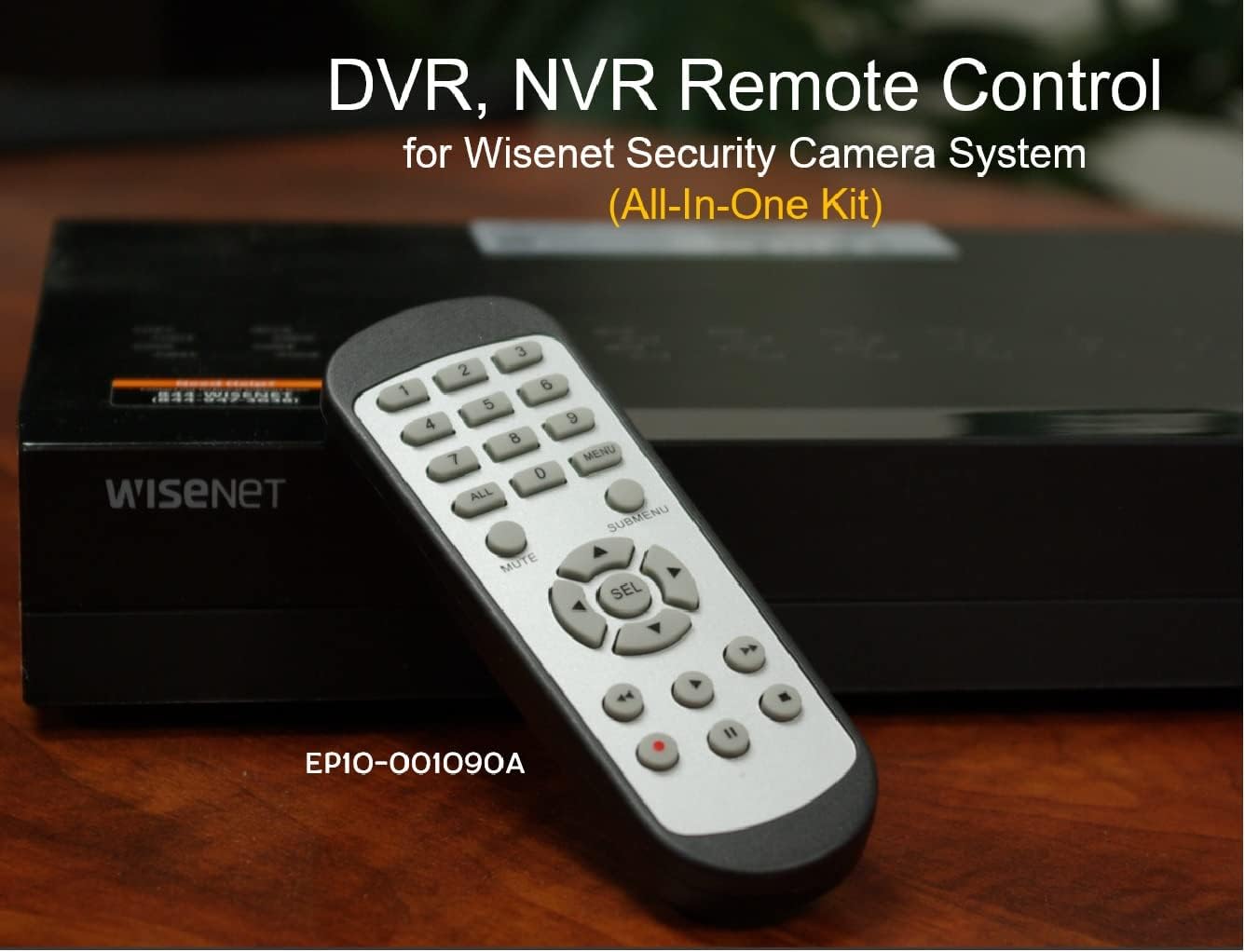
Image 2.2: The remote control positioned on a Wisenet Digital Video Recorder (DVR).
3. Konfiguracja
This remote control requires two AAA batteries for operation. Batteries are not included with the product and must be purchased separately.
3.1 Instalacja baterii
- Znajdź komorę baterii z tyłu pilota.
- Przesuń pokrywę komory baterii w dół i podnieś ją.
- Włóż dwie baterie AAA, zwracając uwagę na prawidłową biegunowość (+ i -), zgodnie ze wskazaniami wewnątrz komory.
- Załóż pokrywę komory baterii, wsuwając ją z powrotem na miejsce, aż do zatrzaśnięcia.

Obraz 3.1: Tył view pilota z otwartą komorą baterii, pokazującą gdzie należy włożyć baterie AAA.
3.2 Połączenie początkowe
The SOLTECH CCTV Remote Control is pre-configured for Samsung Wisenet All-In-One System DVRs and NVRs. No additional setup, programming, or pairing is required. Once batteries are installed, the remote is ready for immediate use with compatible systems.
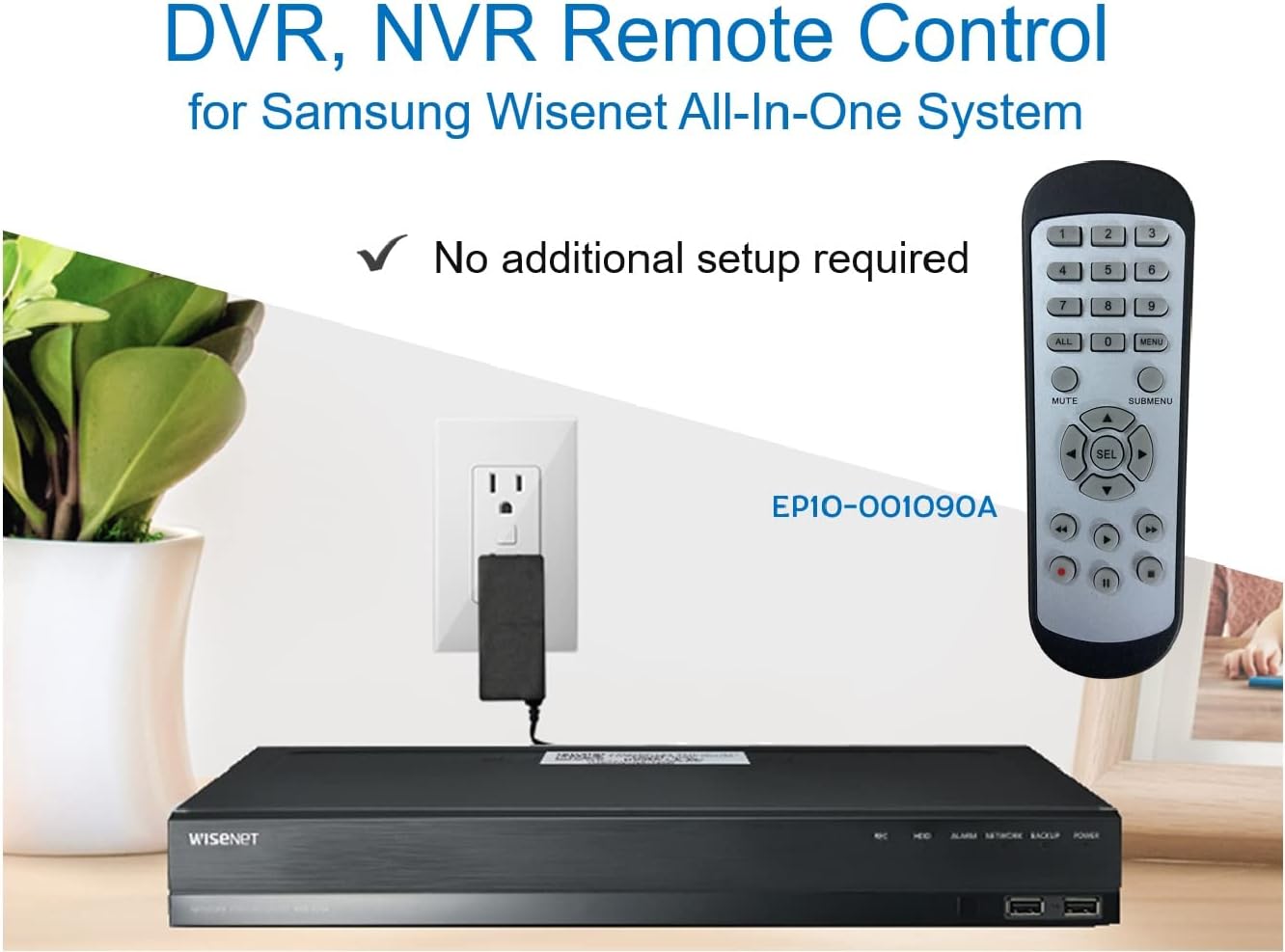
Image 3.2: The remote control shown alongside a Wisenet DVR, illustrating the 'no additional setup required' feature.
4. Instrukcja obsługi
Point the remote control directly at your Samsung Wisenet DVR or NVR. Press the desired buttons to navigate menus, control playback, switch camera views, and access other functions of your security system. The button layout is standard for Wisenet systems, allowing for intuitive operation.
- Przyciski numeryczne (0-9): Used for direct camera selection or data entry.
- Directional Pad (Up, Down, Left, Right, SEL): Do nawigacji po menu i dokonywania wyborów.
- NIEMY: Wycisza wyjście audio.
- SUBMENU: Accesses sub-menus within the system interface.
- Sterowanie odtwarzaniem (odtwarzanie, pauza, zatrzymanie, przewijanie do przodu, przewijanie do tyłu): Manages recorded footagi odtwarzanie.
- REC (Nagranie): Initiates manual recording.
5. Zgodność
This remote control is compatible with various Samsung Wisenet All-In-One System Series. It is designed to function as a direct replacement for the original remote controls supplied with these systems.
5.1 Compatible System Series
The remote control is compatible with, but not limited to, the following Samsung Wisenet All-In-One System Series:
- SDH-E95127
- SDH-B94047
- SDH-C94087
- SDH-B73043
- SDH-C85080
- SDH-SF440
- SDH-B74043
- SDH-B74083
- SDH-B74041
- SDH-B74081
- SDH-C85100
- SDR-C85300
- SNK-B73047
- SDH-B74086
- SDH-C73043
- SDR-C73303
- SDH-C74043DF
- SDR-C74303N1T
- SDR-B74301

Image 5.1: The remote control displayed alongside a partial list of compatible Samsung Wisenet All-In-One System Series.

Image 5.2: An illustration showing the remote control's compatibility with a range of Samsung Wisenet security camera systems.
6. Konserwacja
6.1 Wymiana baterii
When the remote control's performance diminishes or it stops responding, replace the AAA batteries. Always replace both batteries at the same time with new ones. Do not mix old and new batteries, or different types of batteries.
6.2 Czyszczenie
Do czyszczenia pilota należy używać miękkiej, suchej ściereczki. W przypadku uporczywych zabrudzeń należy delikatnie przetrzećampPrzetrzyj ściereczkę wodą. Unikaj stosowania silnych środków chemicznych, ściernych środków czyszczących i rozpuszczalników, ponieważ mogą one uszkodzić powierzchnię pilota lub jego wewnętrzne elementy.
6.3 Przechowywanie
Przechowuj pilota w chłodnym, suchym miejscu, z dala od bezpośredniego światła słonecznego i ekstremalnych temperatur. Jeśli pilot nie będzie używany przez dłuższy czas, zaleca się wyjęcie baterii, aby zapobiec ich wyciekaniu.
7. Rozwiązywanie Problemów
If you experience issues with your SOLTECH CCTV Remote Control, refer to the following common troubleshooting steps:
- Pilot nie odpowiada:
- Sprawdź, czy baterie zostały włożone prawidłowo, z zachowaniem właściwej polaryzacji.
- Wymień baterie na nowe baterie AAA.
- Ensure there is a clear line of sight between the remote control and the infrared receiver on your Wisenet DVR/NVR. Obstructions can block the signal.
- Verify that the remote control is pointed directly at the Wisenet system.
- Przerywana funkcjonalność:
- Często oznacza to niski poziom naładowania baterii. Wymień baterie.
- Upewnij się, że żadne silne źródła światła (takie jak bezpośrednie światło słoneczne lub jasne lampy fluorescencyjne) nie zakłócają sygnału podczerwieni.
- Remote Does Not Control My System:
- Confirm that your security system is a Samsung Wisenet All-In-One System and is listed as compatible in Section 5.1. This remote is specifically designed for these systems and may not work with other brands or models.
- As this remote requires no additional setup, if it is not working with a confirmed compatible system after battery replacement, contact customer support.
8. Specyfikacje
| Funkcja | Szczegół |
|---|---|
| Numer modelu | RCWN00001B (EP10-001090A) |
| Wymiary produktu | 5 x 1.75 x 0.75 cala |
| Waga przedmiotu | 1.76 uncji |
| Wymagane baterie | 2 baterie AAA (brak w zestawie) |
| Producent | SOLTECH |
| Kolor | Szary |
| Maksymalna liczba obsługiwanych urządzeń | 1 (Wisenet DVR/NVR) |
| Kompatybilne urządzenia | Samsung Wisenet Security Camera Systems (DVR/NVR) |

Image 8.1: The remote control with its physical dimensions (length, width, thickness) indicated.
9. Gwarancja i wsparcie
For information regarding product warranty, please refer to the documentation provided with your purchase or contact the seller directly. The seller for this product is SOLTECH America.
For further assistance or technical support, please reach out to the manufacturer or seller through their official contact channels.