
Wstęp
Welcome to your PowerLocus P2 Bluetooth Over-Ear Headphones. This manual provides detailed instructions for setup, operation, maintenance, and troubleshooting to ensure optimal performance and longevity of your device.
Co jest w pudełku
- PowerLocus P2 Bluetooth Headphones
- Kabel ładujący USB
- Kabel audio 3.5 mm
- Twardy futerał
- Instrukcja obsługi (ten dokument)
Produkt ponadview
Familiarize yourself with the key features and components of your PowerLocus P2 headphones.

Image: PowerLocus P2 Rose Gold Headphones highlighting features like Deep Bass, Bluetooth 5.0, Multi-Point Connection, Extended Battery Life, Quick Charging, and Low Latency.
Elementy sterujące i porty
The headphones feature intuitive controls for easy management of audio and calls, along with versatile connectivity options.

Obraz: Szczegółowy view of the headphone's side, illustrating the control buttons, Micro SD/TF card slot, 3.5mm audio jack, and indicating support for Bluetooth, Aux, Micro SD/TF, and FM Radio modes.
Organizować coś
Ładowanie słuchawek
Before first use, fully charge your headphones to ensure maximum battery life.
- Podłącz kabel ładujący USB do portu ładowania w słuchawkach.
- Podłącz drugi koniec kabla USB do kompatybilnego źródła zasilania USB (np. komputera, zasilacza sieciowego).
- Wskaźnik LED będzie pokazywał stan ładowania (np. czerwony oznacza ładowanie, niebieski oznacza pełne naładowanie).
- Pełne naładowanie trwa około 2.5 godziny.
Parowanie Bluetooth
Connect your headphones wirelessly to your preferred devices.
- Upewnij się, że słuchawki są wyłączone.
- Naciśnij i przytrzymaj przycisk zasilania/wielofunkcyjny, aż dioda LED zacznie migać na czerwono i niebiesko, wskazując tryb parowania.
- Na swoim urządzeniu (smartfonie, tablecie, komputerze) włącz Bluetooth i wyszukaj dostępne urządzenia.
- Select "PowerLocus P2" from the list of devices.
- Po nawiązaniu połączenia dioda LED zacznie świecić ciągłym niebieskim światłem lub będzie powoli migać na niebiesko.
- The headphones support simultaneous connection to two devices.
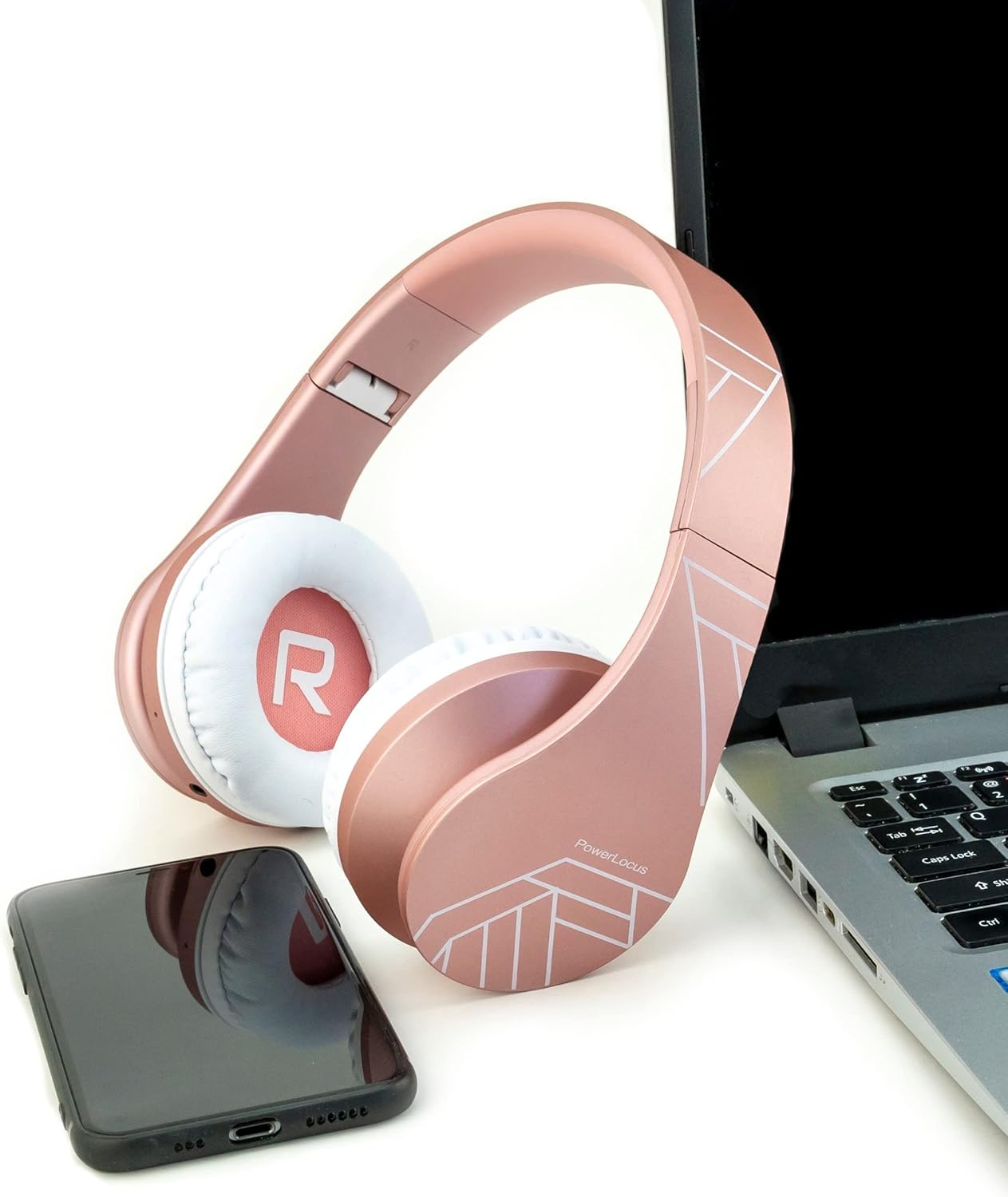
Image: PowerLocus P2 headphones positioned next to a laptop and a smartphone, illustrating their universal compatibility with various devices.
Instrukcja obsługi
Włączanie/wyłączanie zasilania
- To power on: Press and hold the Power button for 3 seconds.
- To power off: Press and hold the Power button for 3 seconds.
Kontrola głośności
- Volume Up: Press the "+" button.
- Volume Down: Press the "-" button.
Odtwarzanie muzyki
- Odtwórz/wstrzymaj: naciśnij jeden raz przycisk wielofunkcyjny.
- Next Track: Press and hold the "+" button.
- Previous Track: Press and hold the "-" button.
Odbieranie połączeń
- Answer/End Call: Press the Multi-function button once.
- Reject Call: Press and hold the Multi-function button for 2 seconds.
- Redial Last Number: Double-press the Multi-function button.
Micro SD/TF Card Mode
Insert a Micro SD/TF card into the designated slot. The headphones will automatically switch to Micro SD/TF card playback mode.
Tryb radia FM
Press the "M" (Mode) button to switch to FM Radio mode. Use the "+" and "-" buttons to scan for stations.
Tryb przewodowy (AUX)
Connect the supplied 3.5mm audio cable to the headphone's AUX port and your audio device. This mode works even if the headphone battery is depleted.

Image: A person wearing PowerLocus P2 headphones, illustrating their universal compatibility with various devices including cellphones, PCs, tablets, laptops, and TVs.
Konserwacja
- Słuchawki należy regularnie czyścić miękką, suchą ściereczką.
- Unikaj narażania słuchawek na działanie ekstremalnych temperatur, wilgoci i płynów.
- Store the headphones in the provided hard carrying case when not in use to prevent damage.
- Nie należy podejmować prób rozmontowania lub modyfikacji słuchawek.
- The ear cushions are made of soft memory foam for comfort and can be gently wiped.

Image: PowerLocus P2 headphones demonstrating their soft memory foam earmuffs, foldable design for portability, and adjustable headband for a comfortable fit.
Rozwiązywanie problemów
Brak zasilania
- Sprawdź, czy słuchawki są całkowicie naładowane.
- Sprawdź kabel ładujący i źródło zasilania.
Nie można sparować przez Bluetooth
- Ensure the headphones are in pairing mode (flashing red and blue LED).
- Upewnij się, że Bluetooth jest włączony w Twoim urządzeniu.
- Move the headphones closer to your device (within 12 feet / approx. 3.6 meters).
- Wyczyść poprzednie połączenia Bluetooth na swoim urządzeniu i spróbuj sparować je ponownie.
Brak dźwięku
- Sprawdź poziom głośności zarówno na słuchawkach, jak i na podłączonym urządzeniu.
- Ensure the headphones are correctly paired via Bluetooth or the 3.5mm audio cable is securely connected.
- If using Micro SD/TF card, ensure the card is inserted correctly and contains playable audio files.
Słaba jakość dźwięku
- Zbliż się do urządzenia Bluetooth, aby uniknąć zakłóceń.
- Wypróbuj inne źródło dźwięku lub file.
- Ensure the earcups are properly seated on your ears for optimal sound isolation.

Image: A person listening to music with PowerLocus P2 headphones, illustrating the amazing sound quality, deep bass, and extended treble for an enjoyable audio experience.
Specyfikacje
| Funkcja | Specyfikacja |
|---|---|
| Marka | PowerLocus |
| Nazwa modelu | P2 |
| Kolor | Różowe złoto |
| Współczynnik kształtu | Nauszne (wokółuszne) |
| Technologia łączności | Bezprzewodowy (Bluetooth), przewodowy (gniazdo 3.5 mm) |
| Wersja Bluetooth | 5.3 |
| Zasięg Bluetooth | 12 stopy (ok. 3.6 metra) |
| Rozmiar sterownika audio | 40 milimetrów |
| Impedancja | 32 omy |
| Wrażliwość | 105dB |
| Zakres częstotliwości | 20 Hz - 20 000 Hz |
| Kontrola hałasu | Izolacja akustyczna |
| Czas ładowania | 2.5 godziny |
| Średnia żywotność baterii | 19 godziny |
| Kompatybilne urządzenia | Gaming Console, Computer, Laptop, Tablet, Phone |
| Cechy specjalne | Micro SD/TF Card Mode, FM Radio, Built-in Microphone |
| Material (Internal) | Skóra syntetyczna |
| Poziom wodoodporności | Nie wodoodporny |
Gwarancja i wsparcie
Your PowerLocus P2 headphones come with a 2-letnia gwarancja.
For any questions or support regarding your PowerLocus P2 headphones, please contact us via Amazon. We aim to respond within one hour.
For more information, visit the official PowerLocus store on Amazon: PowerLocus Store