
1. Wprowadzenie
Thank you for choosing the TMEZON 4G LTE Solar Wireless Outdoor Security Camera. This manual provides detailed instructions for the installation, operation, and maintenance of your camera. Please read this manual thoroughly before use to ensure proper functionality and to maximize the camera's performance.
This camera is designed for outdoor surveillance in areas without Wi-Fi access, utilizing 4G LTE connectivity. It features a built-in rechargeable battery and a solar panel for continuous power, 2K resolution, 355° pan and 90° tilt capabilities, color night vision, PIR motion detection, and two-way audio communication.
2. Zawartość opakowania
Prosimy o sprawdzenie zawartości przesyłki po jej otrzymaniu. Jeśli brakuje któregokolwiek z elementów lub jest on uszkodzony, prosimy o kontakt z obsługą klienta.
- TMEZON 4G LTE Solar Wireless Outdoor Security Camera
- Panel słoneczny
- Uchwyt montażowy
- Śruby montażowe i kotwy
- Kabel ładujący USB
- Instrukcja obsługi
- Pre-installed 100MB SIM Card
3. Koniec produktuview
Familiarize yourself with the camera's components.

Obraz: Przód view of the TMEZON 4G LTE Solar Wireless Outdoor Security Camera, showing the main camera unit, solar panel, and antennas. This camera operates using 4G LTE signal, eliminating the need for Wi-Fi.
- Obiektyw aparatu: Przechwytuje wideo footage.
- Diody podczerwieni: Do widzenia w nocy w czerni i bieli.
- Reflektory: Do kolorowego widzenia nocnego i oświetlenia alarmowego.
- Czujnik PIR: Wykrywa ruch na podstawie sygnatur cieplnych.
- Mikrofon: Nagrywa dźwięk w celu umożliwienia dwukierunkowej komunikacji i nagrywania.
- Głośnik: Wyjście audio umożliwiające dwukierunkową komunikację i alarmy.
- Anteny: Do odbioru sygnału 4G LTE.
- Panel słoneczny: Ładuje wewnętrzny akumulator za pomocą światła słonecznego.
- Gniazdo karty SIM: For the 4G LTE SIM card.
- Gniazdo kart Micro SD: Do lokalnego przechowywania filmów (do 128 GB, nie wliczone w cenę).
- Przycisk resetowania: Służy do przywracania ustawień fabrycznych aparatu.
- Port ładowania USB: For initial charging or manual charging.
4. Konfiguracja
4.1 Pierwsze ładowanie
Before first use, fully charge the camera's built-in battery using the provided USB cable and a 5V/2A power adapter (not included). The charging indicator light will turn solid blue when fully charged.
4.2 SIM Card & Micro SD Card Installation
The camera comes with a pre-installed 100MB SIM card. If you wish to use your own SIM card or install a Micro SD card for local storage, follow these steps:
- Locate the SIM card and Micro SD card slots on the camera body. These are typically protected by a rubber cover.
- Ostrożnie otwórz gumową osłonę.
- Insert the Nano SIM card into the SIM card slot with the gold contacts facing down and the notched corner oriented correctly. Push until it clicks into place.
- Insert a Micro SD card (Class 10 or higher, up to 128GB, not included) into the Micro SD card slot with the gold contacts facing down. Push until it clicks into place.
- Ensure both cards are securely seated.
- Close the rubber cover firmly to maintain the camera's IP65 waterproof rating.

Obraz: Zbliżenie view of the camera's card slots, showing how to insert a Nano SIM card (included) and a Micro SD card (not included).
4.3 Instalacja aplikacji i tworzenie konta
The camera operates with the UBox app. Download it from your smartphone's app store (iOS App Store or Google Play Store).
- Szukaj "UBox" in your app store and download the application.
- Open the UBox app and register a new account using your email address.
- Postępuj zgodnie z instrukcjami wyświetlanymi na ekranie, aby dokończyć proces rejestracji i logowania.
4.4 Parowanie kamery
- Ensure your camera is powered on and fully charged.
- Open the UBox app and tap the "+" icon to add a new device.
- Select "4G Camera" or "Add 4G Device" from the options.
- Zeskanuj kod QR znajdujący się na aparacie lub jego opakowaniu.
- Follow the app's prompts to connect the camera. The camera will emit a voice prompt when successfully connected.
- Nazwij swoją kamerę, aby ułatwić jej identyfikację.
4.5 Montaż kamery
Choose a suitable location for mounting the camera. Consider areas with good 4G signal reception and sufficient sunlight exposure for the solar panel.
- Wybierz lokalizację: Identify a mounting spot that provides the desired viewing angle and receives direct sunlight for several hours daily.
- Zaznacz otwory wiertnicze: Use the mounting bracket as a template to mark the positions for drilling holes on the wall or surface.
- Wiercenie otworów: Drill holes at the marked positions. Insert wall anchors if mounting on masonry or concrete.
- Zamocuj wspornik: Przymocuj uchwyt montażowy do ściany za pomocą dołączonych śrub.
- Podłącz kamerę: Mount the camera onto the bracket. Adjust the angle of the solar panel to maximize sun exposure.
- Bezpieczne połączenia: Ensure all cables (solar panel to camera) are securely connected and protected from weather.

Image: The TMEZON camera mounted outdoors with its solar panel, illustrating its wire-free, solar-powered operation.

Image: The camera being sprayed with water, highlighting its IP65 waterproof rating, suitable for outdoor use in various weather conditions.
5. Instrukcja obsługi
5.1 Na żywo View & Sterowanie panoramowaniem/pochyleniem
Access the live video feed and control the camera's movement through the UBox app.
- Open the UBox app and select your camera from the device list.
- Wyświetli się transmisja wideo na żywo.
- Use the directional controls (pan/tilt) on the app interface to rotate the camera horizontally (355°) and vertically (90°).

Obraz: Smartfon wyświetlający obraz na żywo view from the camera, with on-screen controls for 355° horizontal and 90° vertical rotation.
5.2 Detekcja ruchu i alerty
The camera uses PIR (Passive Infrared) detection to identify human movement and send alerts.
- Enable motion detection in the camera settings within the UBox app.
- W razie potrzeby dostosuj poziom czułości, aby zminimalizować liczbę fałszywych alarmów.
- When motion is detected, the camera will send an alert notification to your smartphone.
- The camera can also activate its spotlights and siren as an alarm.

Image: A smartphone screen showing a "Motion Detection" alarm message from the UBox app, indicating a person detected by the camera.

Image: The camera's alarm siren and flashes activating in response to an intruder, with a smartphone notification showing "Person is detected from Device 01."
5.3 Dźwięk dwukierunkowy
Komunikuj się z gośćmi lub odstraszaj intruzów, korzystając z wbudowanego mikrofonu i głośnika kamery.
- Na żywo view, tap the microphone icon in the UBox app to speak.
- Your voice will be transmitted through the camera's speaker.
- Release the microphone icon to listen to the audio from the camera's location.
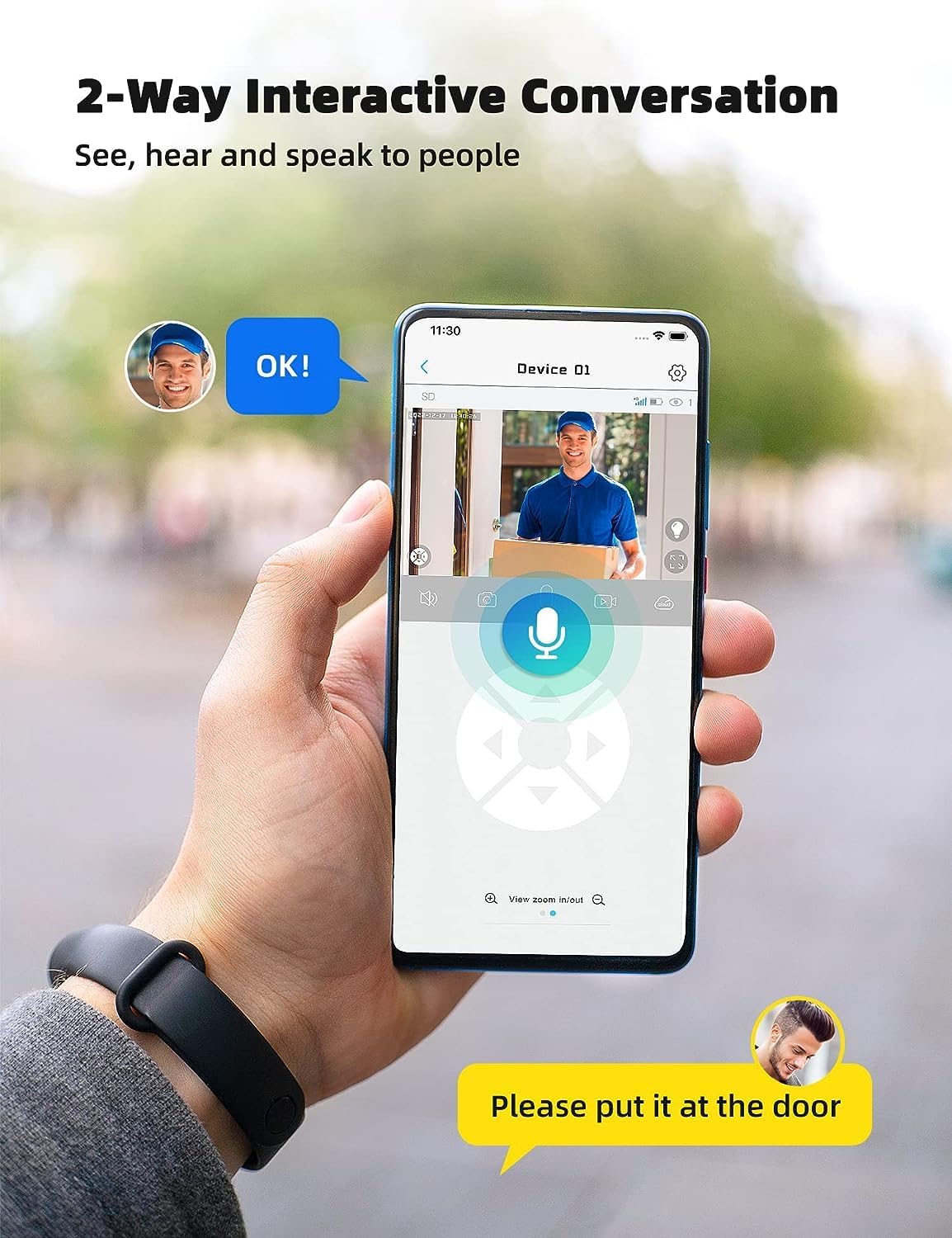
Image: A smartphone displaying the UBox app interface for two-way communication, showing a person speaking through the camera to a delivery person.

Image: A user communicating in real-time with a delivery person via the camera's two-way audio feature, instructing them to place a package by the door.
5.4 Nagrywanie i odtwarzanie
The camera supports both Micro SD card storage and cloud storage (subscription may be required).
- Motion-triggered events are automatically recorded.
- Do view recordings, navigate to the "Playback" section in the UBox app.
- Wybierz datę i godzinę, aby ponownieview nagrano footage.
- If the Micro SD card is full, older recordings will be overwritten by new ones.
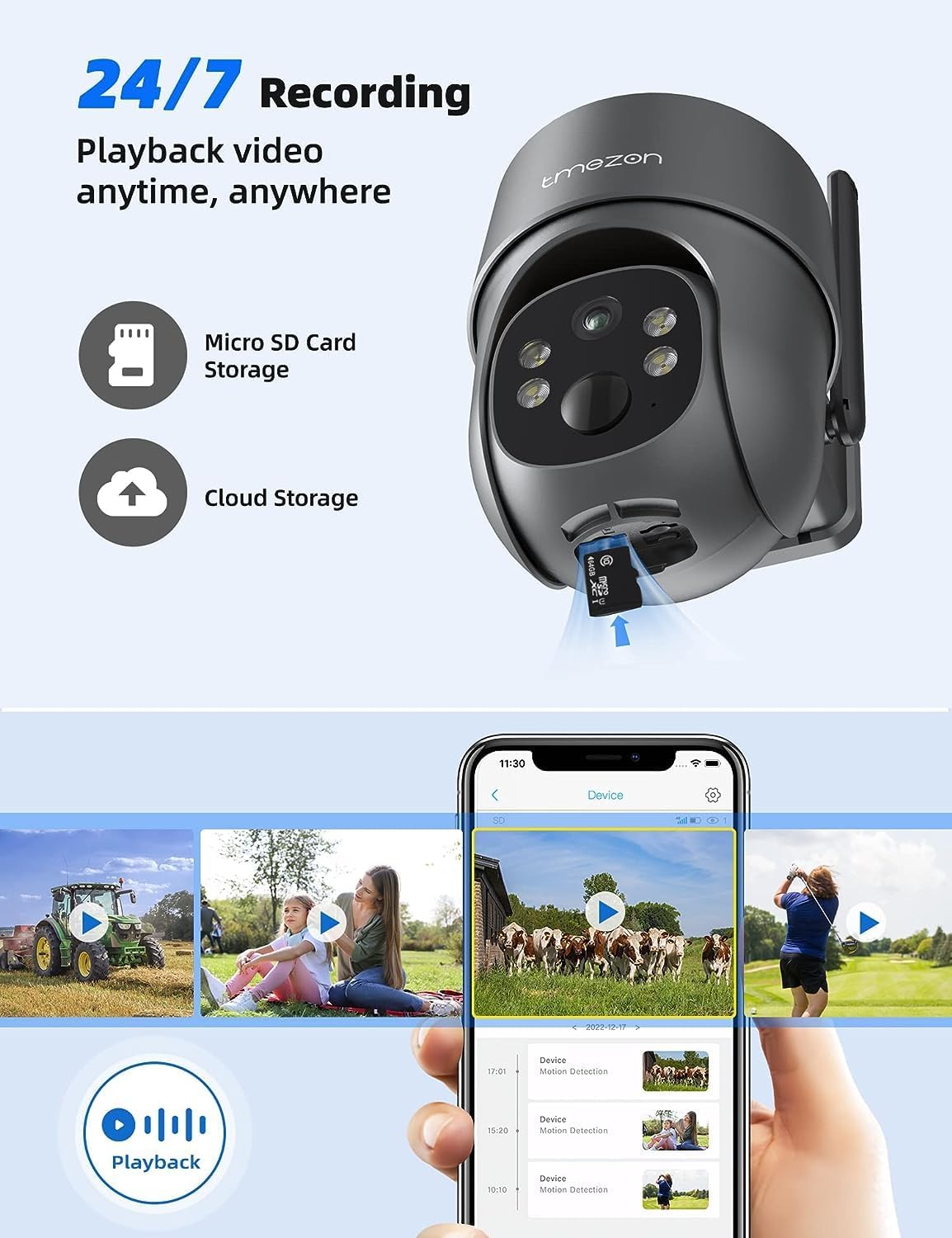
Image: A smartphone displaying the UBox app's playback interface, showing a timeline of recorded events and various video clips.
5.5 Tryby widzenia nocnego
Kamera oferuje dwa tryby widzenia nocnego:
- Widzenie nocne w podczerwieni (IR): Zapewnia wyraźny czarno-biały obraz wideo w warunkach słabego oświetlenia.
- Kolorowe widzenie nocne: Activates the camera's spotlights to provide full-color video even in darkness. This mode can be enabled in the app settings.
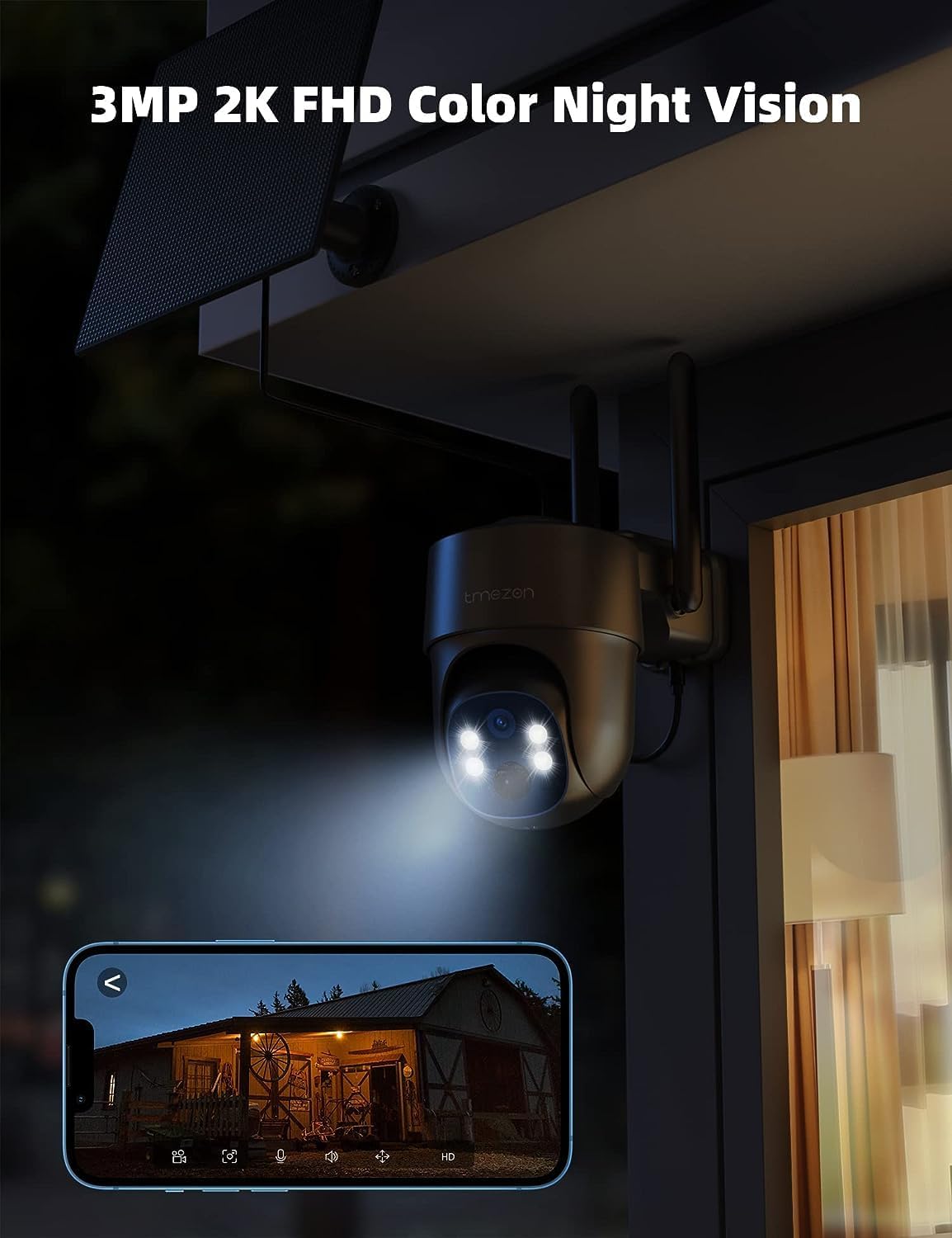
Image: The TMEZON camera operating at night with its spotlights on, providing clear 2K color night vision of the surrounding area.

Image: A split image demonstrating the difference between night vision with spotlights off (monochrome) and spotlights on (color), showcasing the camera's 2K color night vision capability.
6. Konserwacja
6.1 Battery & Solar Panel Care
- Regularly check the battery level in the UBox app.
- Ensure the solar panel is clean and free from dust, dirt, or obstructions (e.g., leaves, snow) to ensure efficient charging.
- Umieść panel słoneczny w miejscu, w którym będzie otrzymywał maksymalną ilość bezpośredniego światła słonecznego przez cały dzień.
- If the camera's battery level is consistently low due to insufficient sunlight, consider manually charging it via the USB port.
6.2 Czyszczenie
- Użyj miękkiego, damp cloth to clean the camera lens and body.
- Nie należy używać silnych środków chemicznych ani ściernych środków czyszczących, gdyż mogą one uszkodzić powłokę aparatu lub obiektyw.
- Ensure the rubber covers for the card slots and charging port are securely closed after any maintenance to maintain waterproofing.
7. Rozwiązywanie Problemów
7.1 Camera Not Connecting to 4G Network
- Sprawdź, czy karta SIM jest prawidłowo włożona i aktywowana.
- Sprawdź, czy karta SIM ma aktywny pakiet danych.
- Verify 4G signal strength at the camera's location. Move the camera to an area with better signal if necessary.
- Restart the camera by pressing the reset button or power cycling it.
7.2 Częste rozłączenia
- Poor 4G signal strength can cause disconnections. Relocate the camera or consider a 4G signal booster.
- Ensure the camera's battery is sufficiently charged.
7.3 Detekcja ruchu nie działa lub zbyt wiele fałszywych alarmów
- Check motion detection settings in the UBox app. Ensure it is enabled.
- Adjust PIR sensitivity levels. Lower sensitivity for fewer false alarms, higher for more sensitive detection.
- Ensure there are no objects (e.g., tree branches, reflective surfaces) that might trigger false alarms in the detection zone.
7.4 Cannot View Nagrania
- Ensure a Micro SD card is inserted correctly and formatted (if applicable) in the app.
- Check if cloud storage is active and your subscription is valid.
- Verify that motion detection recording is enabled in the app settings.
7.5 Aparat nie ładuje się przez panel słoneczny
- Upewnij się, że panel słoneczny jest czysty i nie ma w nim żadnych przeszkód.
- Sprawdź, czy kabel panelu słonecznego jest solidnie podłączony do kamery.
- Check if the solar panel is receiving direct sunlight for several hours daily.
- W przypadku długotrwałego zachmurzenia może być konieczne ręczne ładowanie przez USB.
8. Specyfikacje
| Funkcja | Szczegół |
|---|---|
| Numer modelu | MZ-C8-4G-EU |
| Technologia łączności | Bezprzewodowa (4G LTE) |
| Rezolucja | 2K (2000 Pixels effective capture) |
| Pan Angle | 355 stopni |
| Kąt nachylenia | 90 stopni |
| Wizja nocna | Kolorowa wizja nocna |
| Cechy specjalne | Motion Detector, Two-Way Audio |
| Źródło zasilania | Solar Powered (with 9,600 mAh rechargeable battery) |
| Typ baterii | 2 litowo-jonowy (w zestawie) |
| Tomtage | 5 wolty |
| Cotage | 5 watogodzin |
| Stopień ochrony IP | IP65 (wodoodporne) |
| Składowanie | Micro SD Card (up to 128GB, not included), Cloud Storage (subscription optional) |
| Typ kontrolera | Android (UBox App) |
| Typ montażu | Montaż ścienny |
9. Gwarancja i wsparcie
9.1 Informacje o gwarancji
Produkty TMEZON zazwyczaj objęte są standardową gwarancją producenta. Prosimy o zapoznanie się z kartą gwarancyjną dołączoną do opakowania lub odwiedzenie oficjalnej strony TMEZON. webSzczegółowe warunki gwarancji znajdziesz na stronie. Zachowaj paragon jako dowód zakupu na wypadek roszczeń gwarancyjnych.
9.2 Obsługa klienta
If you encounter any issues or have questions regarding your TMEZON 4G LTE Solar Wireless Outdoor Security Camera, please contact TMEZON customer support. Contact information can usually be found on the official webmiejscu lub w opakowaniu produktu.
- Wsparcie online: Visit the TMEZON official webwitryna z odpowiedziami na często zadawane pytania, poradnikami rozwiązywania problemów i formularzami kontaktowymi.
- Wsparcie e-mailowe: Aby uzyskać adres e-mail pomocy technicznej, zapoznaj się z dokumentacją produktu.