
1. Wprowadzenie
1.1 Produkt powyżejview
The ZKTeco MB2000 is an advanced access control and attendance recording device designed for efficient management of personnel entry and exit. It features fingerprint recognition technology for secure and reliable identification. This manual provides detailed instructions for the installation, operation, and maintenance of your MB2000 device.
1.2 Główne cechy
- Rozpoznawanie odcisków palców: High-accuracy biometric identification for access and attendance.
- IPX7 International Protection Rating: Provides protection against water immersion up to 1 meter for 30 minutes.
- Lekka konstrukcja: Facilitates easy installation and portability.
- Połączenie bezprzewodowe: Enables flexible data transfer and device management.
1.3 Zawartość opakowania
Sprawdź, czy w opakowaniu znajdują się wszystkie elementy:
- ZKTeco MB2000 Fingerprint Device
- Stojak montażowy
- User Card (for initial setup or specific functions)
- Zasilacz (nie wymieniony wprost, ale konieczny do działania)
- Instrukcja obsługi (ten dokument)
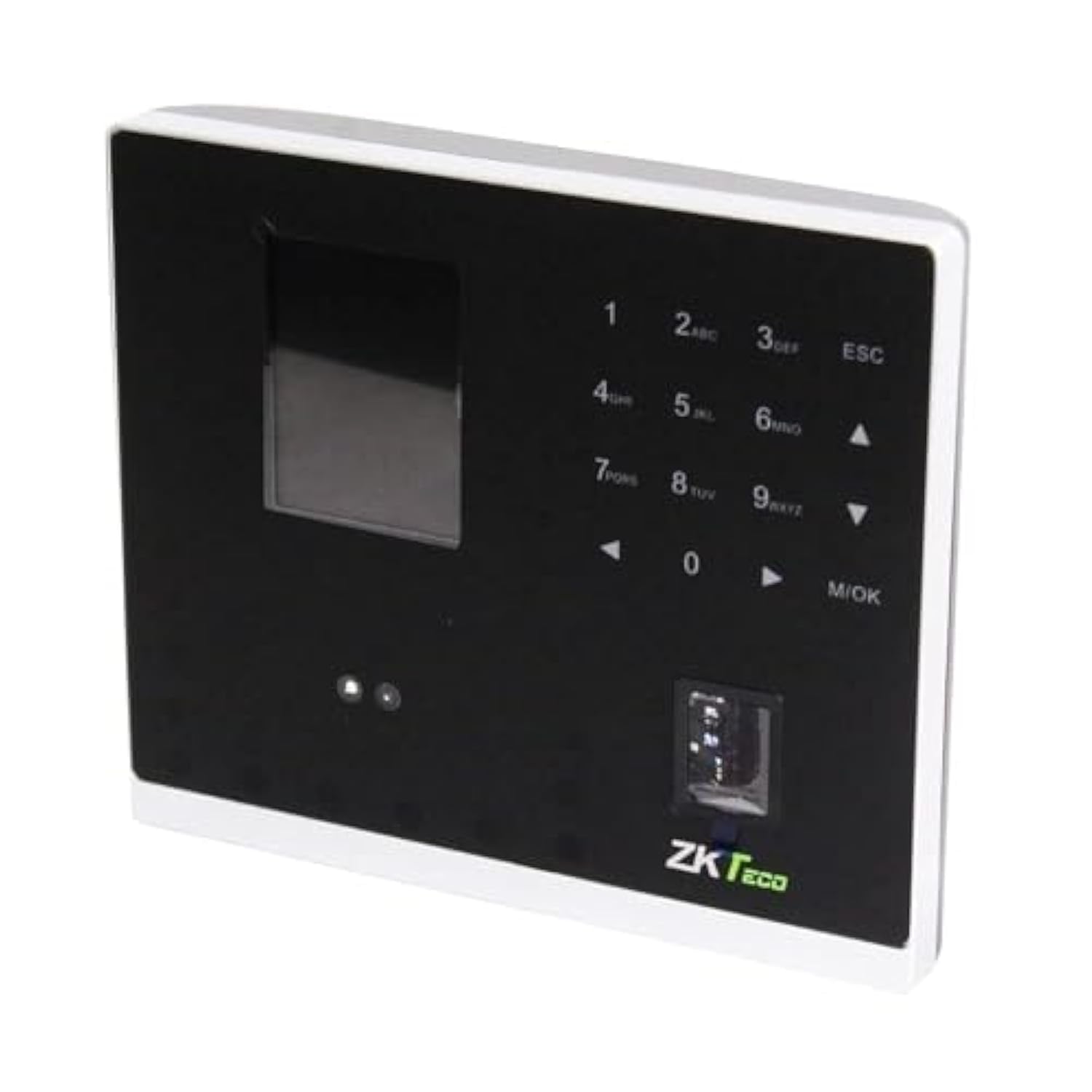
Rysunek 1.1: ZKTeco MB2000 Access Control and Attendance Recording Device. This image shows the front view of the compact device, highlighting its fingerprint sensor and display screen.
2. Informacje dotyczące bezpieczeństwa
Aby zapobiec obrażeniom ciała lub uszkodzeniom urządzenia, przed przystąpieniem do jego użytkowania należy przeczytać i zrozumieć wszystkie instrukcje dotyczące bezpieczeństwa.
- Zasilanie: Use only the specified power adapter provided with the device. Using an incorrect power supply may damage the device and void the warranty.
- Środowisko: Do not expose the device to extreme temperatures, direct sunlight, or corrosive substances. While rated IPX7, prolonged submersion or exposure to high-pressure water jets is not recommended.
- Obsługiwanie: Avoid dropping or subjecting the device to strong impacts. Do not attempt to disassemble or repair the device yourself. Contact qualified service personnel for assistance.
- Czyszczenie: Do czyszczenia należy używać miękkiej, suchej ściereczki. Nie należy używać środków czyszczących w płynie ani w aerozolu.
3. Przewodnik konfiguracji
3.1 Rozpakowanie i kontrola
Carefully remove the device and all accessories from the packaging. Inspect for any signs of damage. If any components are missing or damaged, contact your supplier immediately.
3.2 Montaż urządzenia
The MB2000 can be mounted using the provided stand. Choose a stable, flat surface for placement. Ensure the device is positioned at a comfortable height for users to access the fingerprint sensor.
- Attach the stand securely to the back of the MB2000 device.
- Place the device with the stand on your desired surface.
- Ensure the device is stable and will not easily tip over.
3.3 Połączenie zasilania
Podłącz zasilacz do portu zasilania urządzenia, a następnie do standardowego gniazdka elektrycznego. Urządzenie włączy się automatycznie.
3.4 Konfiguracja początkowa
Upon first power-on, the device may prompt you to set up an administrator. Follow the on-screen instructions to register the first administrator fingerprint or card. This administrator will have privileges to manage users and device settings.
4. Instrukcja obsługi
4.1 Rejestracja użytkownika
Aby zarejestrować nowego użytkownika:
- Access the device menu using the administrator's fingerprint or card.
- Navigate to the 'User Management' section.
- Wybierz „Dodaj użytkownika”.
- Enter the user's ID and name (if applicable).
- Register the user's fingerprint by placing their finger on the sensor multiple times as prompted.
- Alternatively, register a user card by presenting it to the device's card reader.
- Zapisz informacje o użytkowniku.
4.2 Kontrola dostępu
For access control, registered users can gain entry by:
- Fingerprint Verification: Place a registered finger on the sensor. The device will verify the fingerprint and grant access if authorized.
- Card Presentation: Present a registered user card to the device's card reader. The device will verify the card and grant access if authorized.
4.3 Rejestrowanie obecności
The device automatically records attendance when a user successfully verifies their identity for access. The timestamp of the verification is logged as an attendance record.
4.4 Zarządzanie danymi
Attendance logs and user data can be managed through the device's interface or by connecting to a compatible software (if available). Refer to the device's on-screen menu for options to download data via USB or network connection.
5. Konserwacja
5.1 Czyszczenie
Regularne czyszczenie pomaga utrzymać optymalną wydajność:
- Czujnik odcisków palców: Gently wipe the sensor surface with a soft, lint-free cloth. Do not use abrasive materials or harsh chemicals.
- Powierzchnia urządzenia: Clean the device's exterior with a slightly damp cloth, then dry immediately with a soft, dry cloth.
5.2 Aktualizacje oprogramowania
Sprawdź producenta website periodically for software or firmware updates. Updates can improve performance, add features, or fix bugs. Follow the provided instructions carefully when performing updates.
5.3 Kopia zapasowa danych
Regularly back up attendance logs and user data to prevent loss. This can typically be done via USB export or through connected management software.
6. Rozwiązywanie Problemów
This section addresses common issues you might encounter with the MB2000 device.
| Problem | Możliwa przyczyna | Rozwiązanie |
|---|---|---|
| Urządzenie nie włącza się. | No power, faulty adapter, or power outlet issue. | Check power connection. Ensure the adapter is correctly plugged in. Test the power outlet with another device. |
| Odcisk palca nie został rozpoznany. | Odcisk palca nie został zarejestrowany, czujnik jest brudny lub jego umiejscowienie jest nieprawidłowe. | Ensure the fingerprint is registered. Clean the sensor. Place the finger flat and centered on the sensor. Try re-registering the fingerprint. |
| Card not recognized. | Card not registered or incorrect card type. | Verify the card is registered. Ensure it is a compatible card type. |
| Problemy z przesyłaniem danych. | Incorrect settings, cable issues, or software incompatibility. | Check network settings or USB cable connection. Ensure the management software is compatible and correctly configured. |
7. Specyfikacje techniczne
| Specyfikacja | Szczegół |
|---|---|
| Numer modelu | MB2000 |
| Marka | ZKTeco |
| Wymiary wysyłkowe | Wymiary 31 x 25.5 x 12.5 cm |
| Waga przedmiotu | 1.5 kilogramów |
| Cechy specjalne | Lekki |
| Łączność | Bezprzewodowy |
| Kolor | Czarny |
| Zawarte komponenty | Fingerprint device, stand, card |
| Międzynarodowa Ocena Ochrony | IPX7 (wodoodporny) |
| Liczba kanałów | 1 |
| Pierwsza dostępna data | 6 listopada 2022 r. |
8. Gwarancja i wsparcie
For warranty information, please refer to the warranty card included with your product or the purchase documentation. For technical support or service inquiries, please contact your local ZKTeco distributor or visit the official ZKTeco webstrona dla danych kontaktowych.