
1. Wprowadzenie
This manual provides detailed instructions for the setup, operation, and maintenance of your MageGee Star98 Mechanical Keyboard. Designed for gaming and daily use, this 98-key wired keyboard features blue mechanical switches, customizable backlighting, and a hot-swappable design for personalized key switch replacement.
2. Zawartość opakowania
- MageGee Star98 Mechanical Keyboard
- Kabel USB
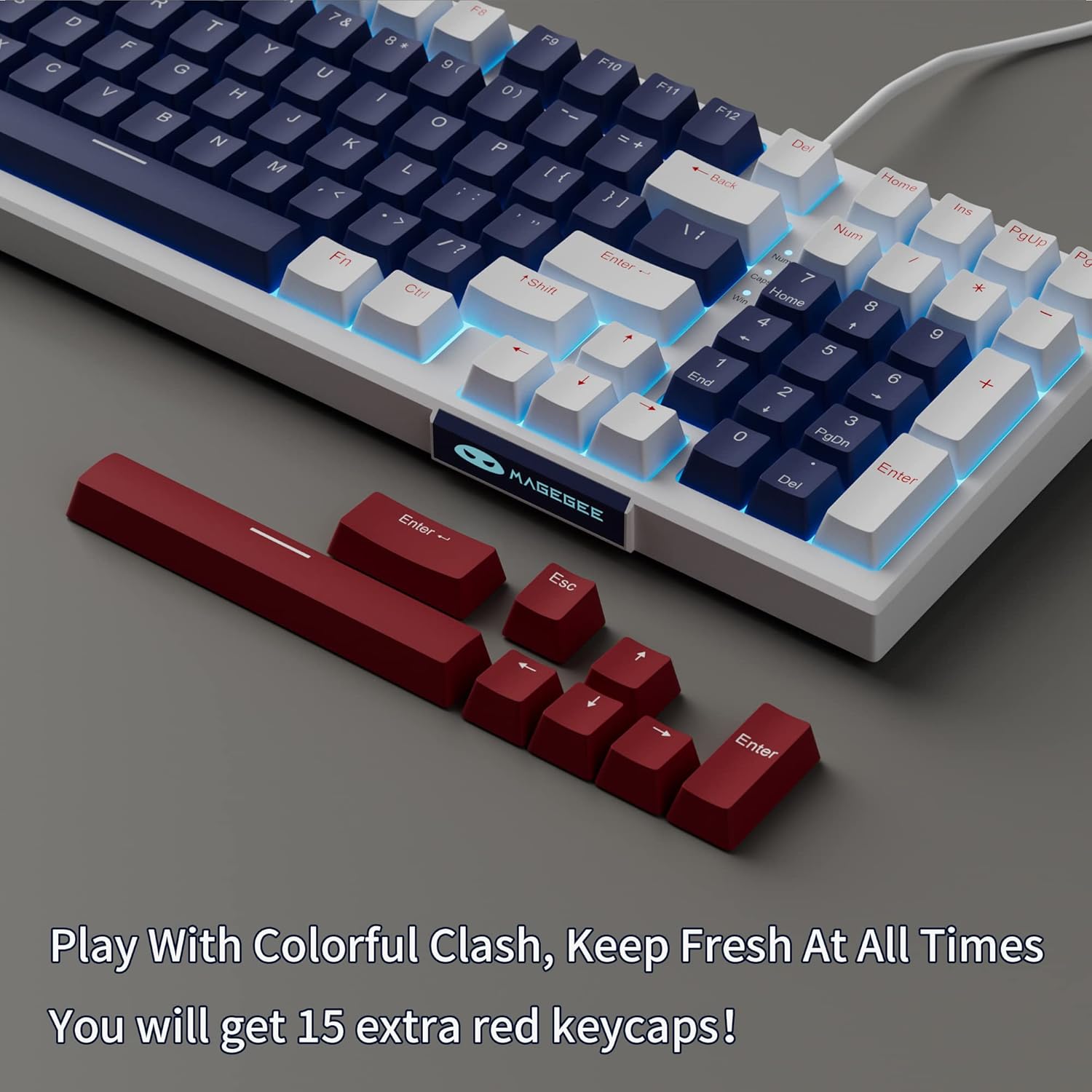
- Additional Red Keycaps (15 pieces)

Image: The MageGee Star98 keyboard displayed with a set of 15 additional red keycaps, highlighting the customization option.
3. Funkcje produktu
- Wygodne pisanie: Equipped with blue mechanical switches for tactile feedback and a stepped layout for ergonomic typing.
- 98-klawiszowy Anti-Ghosting: All 98 keys can be pressed simultaneously without conflict, ensuring fast and accurate input.
- Mixed Keycaps & Adjustable Tilt Legs: Features 3-color mixed double injection keycaps for clear backlighting and foldable brackets for adjustable typing angles.
- Konstrukcja umożliwiająca wymianę podczas pracy: Kompatybilny z większością przełączników mechanicznych 3- i 5-pinowych, co pozwala na łatwą personalizację i wymianę.
- Solid Sea Blue Backlight: Multiple backlight modes with a solid sea blue color, which can also be turned off.
- Szeroka kompatybilność: Supports Win2000, Win XP, Win ME, Vista, Win7, Win8, Win10, Android, Linux, Mac operating systems. Plug and play functionality via USB.

Image: A diagram illustrating the compact 98-key layout of the MageGee Star98 keyboard, highlighting its space-saving design while retaining full functionality.
4. Instrukcje konfiguracji
- Podłącz klawiaturę: Locate the USB cable provided in the package. Plug one end into the USB port on the back of the keyboard and the other end into an available USB port on your computer.
- Rozpoznawanie systemu: Your operating system should automatically detect and install the necessary drivers for the keyboard. This is a plug-and-play device, so no additional software installation is typically required.
- Adjust Tilt Legs: For ergonomic comfort, unfold the adjustable tilt legs located on the underside of the keyboard to achieve your preferred typing angle.

Image: The MageGee Star98 keyboard connected to a laptop, demonstrating the USB connection point and overall setup.
5. Instrukcja obsługi
Sterowanie podświetleniem 5.1
The keyboard features a solid sea blue backlight with multiple operating modes. Use the following key combinations to control the backlighting:
- Fn + [Key]: Specific key combinations for changing backlight modes are typically indicated on the keycaps themselves (e.g., Fn + Ins, Fn + Home, Fn + PgUp, Fn + Del, Fn + End, Fn + PgDn). Refer to the keycap legends for exact functions.
- Fn + Strzałka w górę/w dół: Dostosuj jasność podświetlenia.
- Fn + Strzałka w lewo/prawo: Dostosuj prędkość podświetlenia (w trybach dynamicznych).
- Fn + Win: Blokuje klawisz Windows, aby zapobiec przypadkowemu naciśnięciu podczas gry.
5.2 Przełączniki z możliwością wymiany na gorąco
The MageGee Star98 keyboard supports hot-swappable mechanical switches, allowing you to change switches without soldering. This feature is compatible with most 3-pin and 5-pin mechanical switches on the market.
- Usuń nakładkę klawisza: Use a keycap puller (not included) to gently remove the desired keycap.
- Usuń przełącznik: Ostrożnie chwyć przełącznik za pomocą ściągacza do przełączników (nie jest dołączony do zestawu) i pociągnij go prosto do góry.
- Włóż nowy przełącznik: Dopasuj piny nowego przełącznika do otworów w płytce drukowanej. Dociśnij mocno, aż przełącznik zatrzaśnie się na miejscu. Upewnij się, że piny nie są wygięte.
- Wymień nasadkę klawisza: Place the keycap onto the new switch stem and press down.
Obraz: Zbliżenie view of the keyboard demonstrating the hot-swappable switch feature, with several keycaps and switches removed to show the underlying mechanism.
Video: An official video demonstrating the features of the MageGee Sky98 Mechanical Gaming Keyboard, including its hot-swappable switches and design.
6. Konserwacja
- Czyszczenie nakładek klawiszy: Użyj miękkiego, damp cloth to wipe down keycaps. For deeper cleaning, keycaps can be removed using a keycap puller (not included) and washed with mild soap and water. Ensure they are completely dry before reattaching.
- Czyszczenie przełączników: Użyj sprężonego powietrza, aby usunąć kurz i zanieczyszczenia spomiędzy przełączników. Unikaj rozpylania płynów bezpośrednio na przełączniki.
- Pielęgnacja kabli: Aby zapobiec uszkodzeniom kabla USB, należy unikać jego ostrych zgięć i załamań.
- Składowanie: Przechowuj klawiaturę w czystym i suchym miejscu, z dala od ekstremalnych temperatur i bezpośredniego światła słonecznego.
7. Rozwiązywanie Problemów
- Klawiatura nie odpowiada:
Ensure the USB cable is securely connected to both the keyboard and the computer. Try plugging the keyboard into a different USB port or a different computer to rule out port issues.
- Klawisze nie działają:
If individual keys are not responding, check if any debris is lodged under the keycap or switch. For hot-swappable switches, try removing and re-inserting the switch, or replacing it with a known working switch.
- Backlight Not Working/Flickering:
Ensure the backlight is not turned off (check Fn key combinations). Try adjusting brightness. If flickering persists, ensure the keyboard is connected to a stable USB port providing sufficient power.
- Klawisz Windows zablokowany:
Naciskać Fn + Win to toggle the Windows key lock function.
8. Specyfikacje
| Funkcja | Szczegół |
|---|---|
| Marka | MageGee |
| Numer modelu | Gwiazda98 |
| Opis klawiatury | Mechaniczny |
| Liczba kluczy | 98 |
| Typ przełącznika | Dotykowy (niebieskie przełączniki) |
| Technologia łączności | Przewodowy (USB) |
| Podświetlenie | Single Color (Sea Blue), Multiple Modes |
| Możliwość wymiany podczas pracy | Yes (3-pin and 5-pin switches) |
| Kompatybilne urządzenia | komputer osobisty, laptop |
| Kompatybilny system operacyjny | Win2000, Win XP, Win ME, Vista, Win7, Win8, Win10, Android, Linux, Mac |
| Tworzywo | Akrylonitryl-butadien-styren (ABS) |
| Funkcja specjalna | Ergonomic, Anti-Ghosting |
9. Gwarancja i wsparcie
The MageGee Star98 Mechanical Keyboard comes with a 1-letnia gwarancja od daty zakupu. Niniejsza gwarancja obejmuje wady produkcyjne i problemy wynikające z normalnego użytkowania.
For technical support, warranty claims, or any questions regarding your product, please contact MageGee customer service through the retailer's platform or the official MageGee website. Please have your purchase receipt and product model number (Star98) ready when contacting support.