
Wstęp
Thank you for choosing the Varmilo Minilo VXB67 65% Bluetooth Mechanical Keyboard. This manual provides detailed instructions for setting up, operating, and maintaining your new keyboard. The VXB67 offers a compact 65% layout, dual-mode connectivity (wired USB-C and Bluetooth), and a comfortable typing experience with Varmilo EC Daisy V2 switches and durable ABS double-shot keycaps. It also features a Type-Cool sound dampening structure for a clear typing sound.

Image: The Varmilo Minilo VXB67 keyboard, showcasinze względu na kompaktową konstrukcję i kolorystykę.
Zawartość opakowania
Sprawdź zawartość paczki, aby upewnić się, że znajdują się w niej wszystkie elementy:
- Klawiatura mechaniczna Varmilo Minilo VXB67
- Kabel USB-C
- Ściągacz nasadek klawiszy
- Przełącznik ściągacza
- Osłona przeciwpyłowa
- Instrukcja obsługi (ten dokument)

Image: The Varmilo Minilo VXB67 keyboard alongside its USB-C cable, keycap puller, switch puller, and a clear dust cover.
Organizować coś
1. Połączenie przewodowe
- Znajdź port USB-C na klawiaturze.
- Podłącz jeden koniec dołączonego kabla USB-C do klawiatury.
- Podłącz drugi koniec kabla USB-C do wolnego portu USB w komputerze.
- Klawiatura zostanie automatycznie rozpoznana przez system operacyjny.
2. Połączenie Bluetooth
The VXB67 keyboard can connect to up to 3 devices via Bluetooth.
- Sprawdź, czy klawiatura jest naładowana lub podłączona przez USB-C.
- Turn on Bluetooth on your device (computer, tablet, or smartphone).
- Na klawiaturze naciśnij i przytrzymaj Fn klucz i jeden z kluczy Bluetooth (Q, W, Lub E) for 3-5 seconds to enter pairing mode. The indicator light will flash.
- On your device, search for Bluetooth devices and select "Varmilo VXB67" (or similar) from the list.
- Po sparowaniu kontrolka na klawiaturze przestanie migać i będzie świecić światłem ciągłym.
- Repeat for up to two additional devices using the other Bluetooth keys.
3. Regulacja kąta klawiatury
The keyboard features 3-level adjustable kickstands on the bottom to customize your typing angle for comfort.

Image: The underside of the keyboard, highlighting the foldable kickstands for ergonomic adjustment.
Video: Demonstrates the features of the Varmilo Minilo Eucalyptus keyboard, including the adjustable kickstands and multi-device connectivity.
Instrukcja obsługi
1. Wymiana nasadek klawiszy i przełączników
The VXB67 features hot-swappable switches, allowing you to change switches without soldering. Use the provided keycap and switch pullers for this process.
- Zdejmowanie nakładek klawiszy: Use the keycap puller to gently grip the keycap and pull upwards.
- Demontaż przełączników: Use the switch puller to carefully grip the top and bottom clips of the switch and pull upwards.
- Instalowanie przełączników: Dopasuj piny nowego przełącznika do otworów w płytce drukowanej. Dociśnij mocno, aż przełącznik zatrzaśnie się na miejscu. Upewnij się, że piny nie są wygięte.
- Montaż nakładek na klawisze: Place the keycap over the switch stem and press down gently until it is secure.
Video: Demonstrates the process of changing switches and keycaps on the Varmilo Minilo 67 keyboard.
2. Kontrola podświetlenia
The keyboard features white LED backlighting. Use the following key combinations to control the backlight:
- Fn + \ |:Przełączaj między efektami podświetlenia.
- Fn +: Zwiększ jasność podświetlenia.
- Fn +: Zmniejsz jasność podświetlenia.
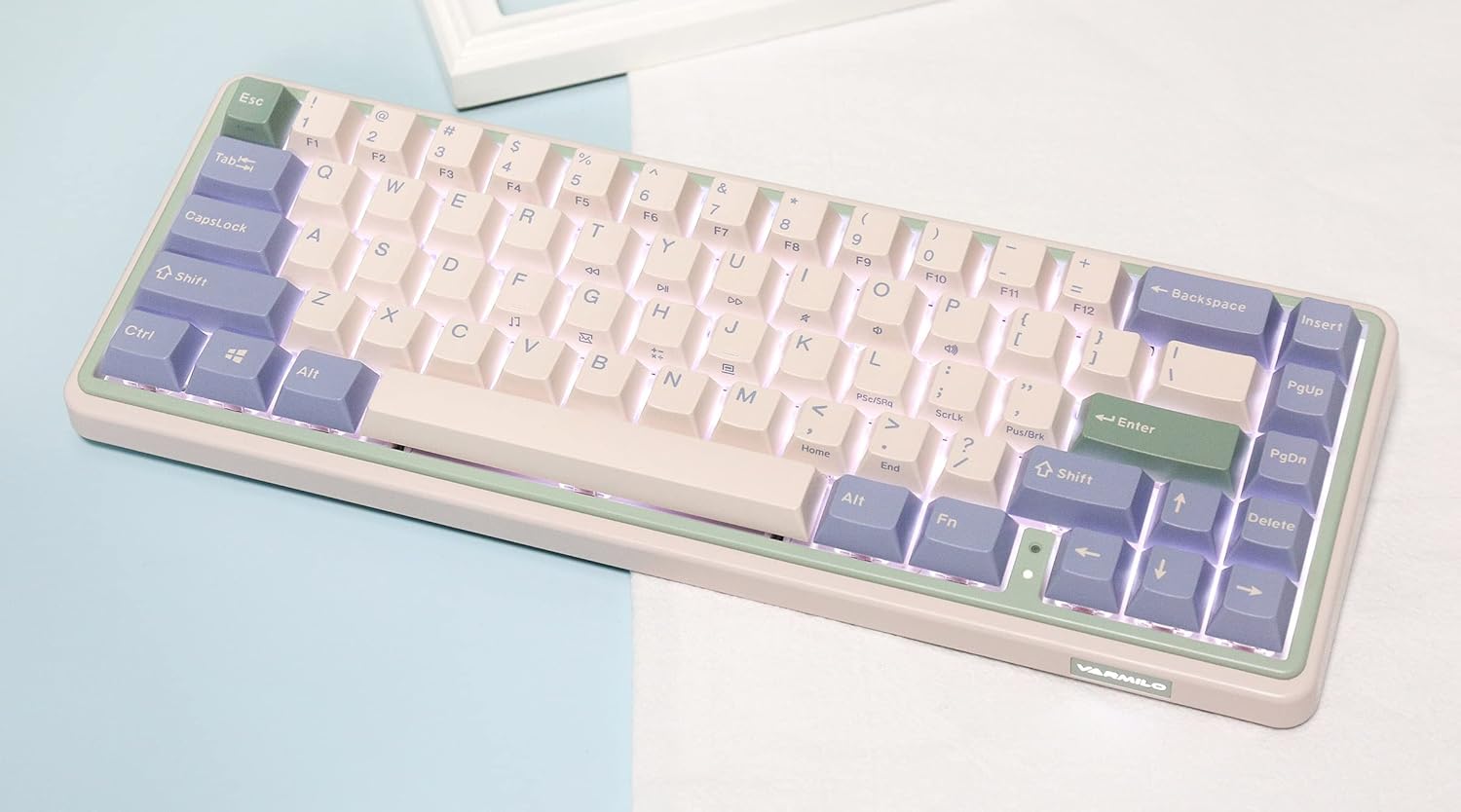
Image: The Varmilo Minilo VXB67 keyboard illuminated by its white LED backlighting.
3. Przełączanie między wieloma urządzeniami
To switch between paired Bluetooth devices:
- Naciskać Fn + Q aby przełączyć się na Urządzenie Bluetooth 1.
- Naciskać Fn + W aby przełączyć się na Urządzenie Bluetooth 2.
- Naciskać Fn + E aby przełączyć się na Urządzenie Bluetooth 3.
The keyboard will quickly connect to the selected device.
Konserwacja
- Czyszczenie: Use a soft, dry cloth to wipe the keyboard surface. For deeper cleaning, remove keycaps using the provided keycap puller and use compressed air to clear debris.
- Ładowanie akumulatora: Connect the keyboard via the USB-C cable to a power source (computer USB port or USB wall adapter). The Escape key will light up while charging and flash when the battery is low.
- Składowanie: When not in use, store the keyboard in a cool, dry place. Use the provided dust cover to protect it from dust and spills.
Rozwiązywanie problemów
- Klawiatura nie odpowiada (przewodowa):
- Sprawdź, czy kabel USB-C jest prawidłowo podłączony do klawiatury i komputera.
- Wypróbuj inny port USB na swoim komputerze.
- Wypróbuj inny kabel USB-C.
- Klawiatura nie odpowiada (Bluetooth):
- Sprawdź, czy Bluetooth jest włączony w Twoim urządzeniu.
- Upewnij się, że klawiatura jest naładowana.
- Ponowne wejście w tryb parowania (Fn + Q/W/E) and attempt to re-pair with your device.
- Forget the device on your computer/tablet/phone and try pairing again.
- Klucze nie są rejestrowane:
- Ensure the keycap and switch are properly seated. Remove and re-install if necessary.
- If using hot-swappable switches, ensure the switch pins are not bent.
- Podświetlenie nie działa:
- Sprawdź ustawienia jasności podświetlenia (Fn + ↑/↓).
- Sprawdź, czy klawiatura nie znajduje się w stanie niskiego poboru energii.
Specyfikacje
| Model | VXB67 |
| Układ | 65% (67 klawiszy) |
| Łączność | Bluetooth 5.0, USB-C przewodowy |
| Przełączniki | Varmilo EC Daisy V2 (Hot-swappable) |
| Klawisze | 1.5mm thick ABS Double Shot |
| Podświetlenie | Biała dioda LED |
| Pojemność baterii | 3400mAh |
| Kompatybilne urządzenia | PC (and other Bluetooth-enabled devices) |
| Tworzywo | Akrylonitryl-butadien-styren (ABS) |
| Wymiary | Około 15 x 7 x 2.5 cala (na podstawie wymiarów opakowania) |
| Waga | 3.21 funta |
Gwarancja i wsparcie
Aby uzyskać informacje dotyczące gwarancji i pomocy technicznej, zapoznaj się z oficjalną stroną Varmilo webOdwiedź witrynę lub skontaktuj się ze sprzedawcą. Zachowaj dowód zakupu na wypadek reklamacji.
Urzędnik Varmilo Webstrona: www.varmilo.com