
Wstęp
This manual provides instructions for the installation, operation, and maintenance of your ANNKE 32-Channel Home Security Camera System. This system includes a 12MP 32-channel Network Video Recorder (NVR) with a pre-installed 6TB Hard Disk Drive (HDD) and 20 wired 5MP Power over Ethernet (PoE) IP cameras. The system is designed for comprehensive surveillance with features such as color night vision, AI motion detection, and facial detection capabilities.
For optimal performance and safety, please read this manual thoroughly before using the product and retain it for future reference.
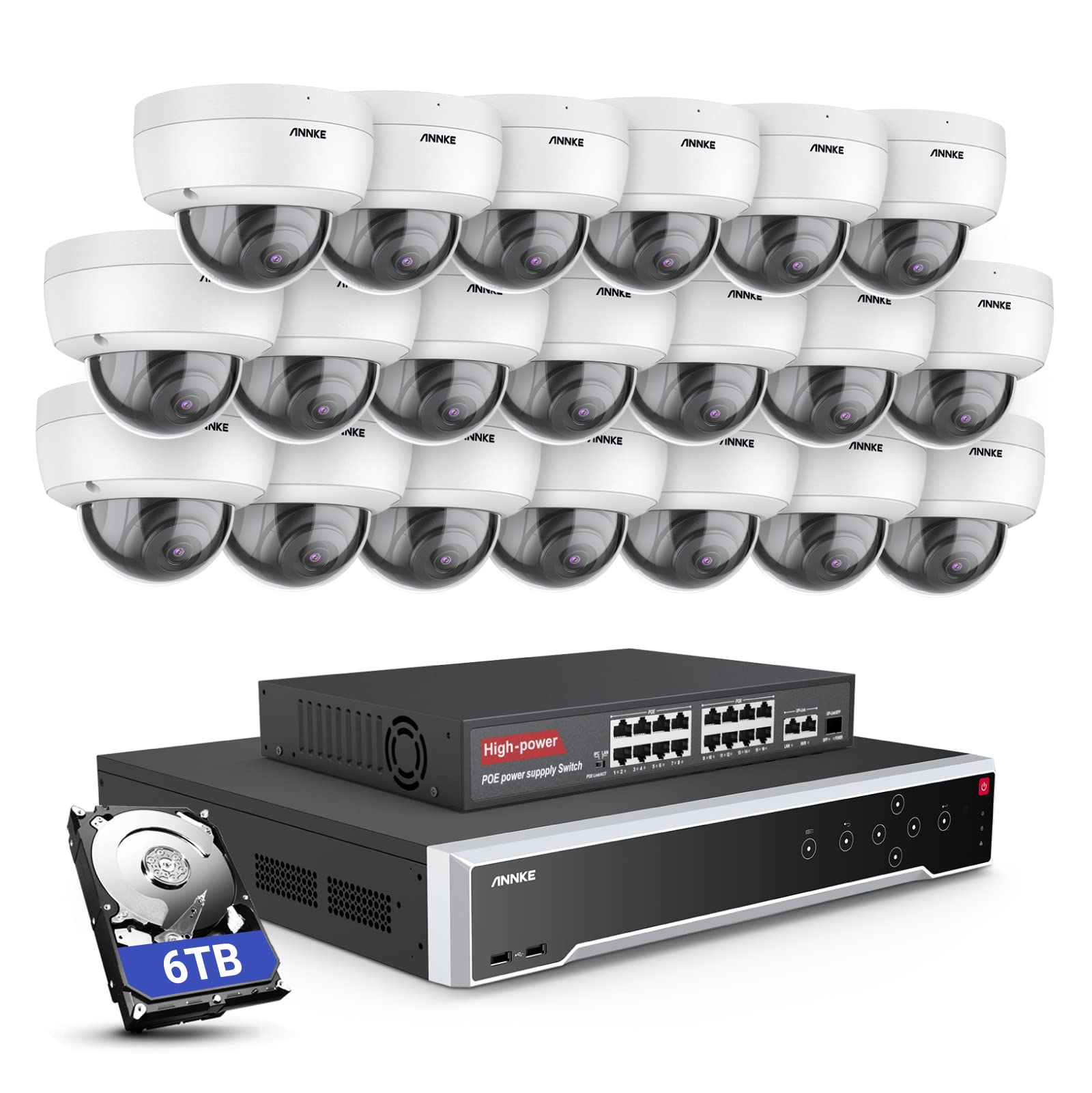
Obraz: Ponadview of the ANNKE 32-Channel Home Security Camera System components, including the NVR and multiple cameras.
Co jest w pudełku
Sprawdź, czy w przesyłce znajdują się wszystkie elementy wymienione poniżej:
- 1x 32CH 12MP PoE NVR with 6TB Hard Drive
- 1x 16-Port PoE Switch
- 20x 5MP IP PoE Cameras
- 10 kabli sieciowych o długości 30 m/100 stóp
- 10 kabli sieciowych o długości 18 m/60 stóp
- 1x Power Adapter & USB Mouse & Quick Instruction Guide
- 1 x kabel HDMI o długości 5.9 stopy/1.8 m
- 1x 3.2-stopowy/1-metrowy kabel Ethernet
Organizować coś
Aby skonfigurować system kamer bezpieczeństwa ANNKE, wykonaj poniższe czynności.
1. NVR and Camera Connection
- Podłącz rejestrator NVR do źródła zasilania za pomocą dołączonego zasilacza.
- Connect the NVR to a monitor using the HDMI cable.
- Podłącz mysz USB do rejestratora NVR w celu nawigacji.
- Connect up to 16 PoE IP cameras directly to the PoE ports on the NVR using the provided Ethernet cables.
- To expand the system beyond 16 cameras (up to 32 channels), connect the additional cameras to the 16-port PoE switch. Then, connect the PoE switch to the NVR's network port using an Ethernet cable.

Image: Diagram illustrating how to connect PoE cameras to the NVR and how to use a PoE switch to expand the system to 32 channels.
2. Połączenie sieciowe
Connect the NVR to your router using an Ethernet cable to enable remote access and network features.
3. Remote Access Setup (ANNKE VISION App)
Download the ANNKE VISION app on your smartphone or tablet for remote viewi kontroli.
- Download the ANNKE VISION app from the Google Play Store or Apple App Store.
- Zarejestruj konto i zaloguj się.
- Dodaj urządzenie NVR, skanując kod QR na urządzeniu NVR lub ręcznie wprowadzając jego dane.
- Po dodaniu możesz view transmisje na żywo, odtwarzanie nagrań i zdalne zarządzanie ustawieniami.

Image: Screenshot of the ANNKE VISION mobile application showing live camera feeds, demonstrating remote access capabilities.
Instrukcja obsługi
Understand the key operational features of your security system.
1. Jakość wideo i widzenie nocne
The 5MP IP cameras provide clear video resolution. The system supports color night vision in low-light conditions and detailed black and white night vision in complete darkness, with a range of up to 100 feet.

Image: A split image demonstrating the clarity of 5MP video during the day and the effectiveness of night vision at night.
2. AI Motion and Face Detection
The PoE IP cameras are equipped with AI features for advanced detection:
- Line Intrusion Detection: Wyzwala alert, gdy obiekt przekroczy zdefiniowaną linię wirtualną.
- Region Detection: Triggers an alert when an object enters or exits a specified area.
- Wykrywanie ludzi/pojazdów: Differentiates between human and vehicle movement to reduce false alarms.
- Facial Detection: The NVR supports 1-channel facial recognition for video streams or 4-channel facial recognition for face pictures.

Image: An illustration showing the system detecting a person and a vehicle, with a highlight indicating 1-channel facial detection.
3. Nagrywanie dźwięku
Each PoE camera includes a built-in microphone capable of recording audio up to 20 feet away, providing additional surveillance detail.
4. Recording Modes and Playback
The NVR supports continuous 24/7 recording and motion detection recording. Recordings can be easily searched and played back through the NVR interface or the ANNKE VISION app.
5. Dostęp dla wielu użytkowników
The system supports up to 20 users simultaneously, allowing multiple individuals to view live video feeds and access recordings from various devices such as PCs, laptops, tablets, and smartphones.
6 Integracja z Alexą
System jest kompatybilny z Amazon Alexa. Możesz używać komend głosowych, aby view live streams from your security cameras on compatible Alexa-enabled devices.
Konserwacja
Właściwa konserwacja gwarantuje długowieczność i optymalną wydajność Twojego systemu bezpieczeństwa.
1. Ochrona środowiska
The IP cameras are rated IP67 weatherproof, ensuring reliable operation in various outdoor conditions, including heavy snow, rain, and wind. Regularly clean camera lenses to prevent obstruction from dirt or debris.
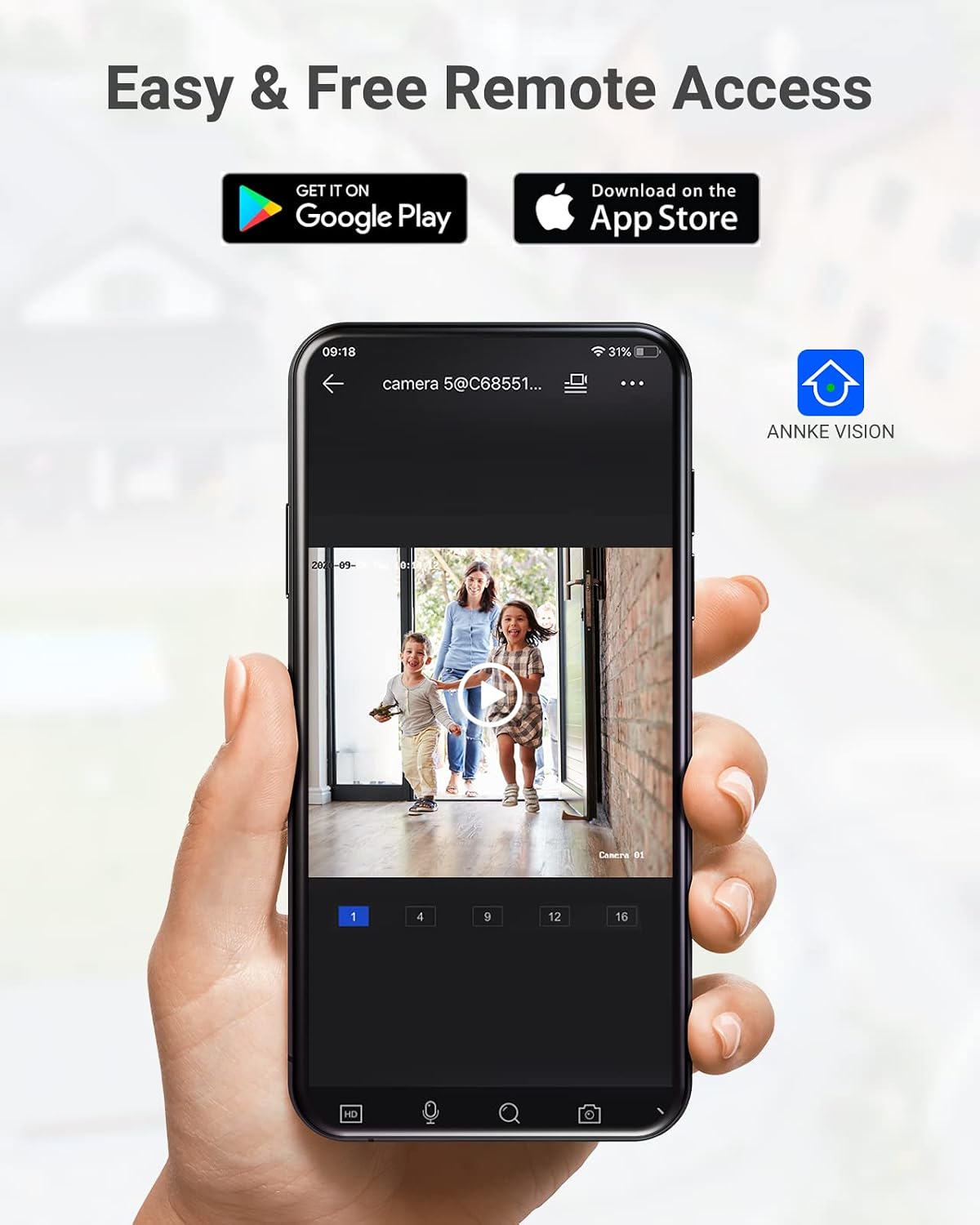
Image: A camera partially submerged in water, illustrating its IP67 weatherproof rating.
2. Zarządzanie magazynem
The NVR utilizes H.265+ video compression for efficient storage and longer recording times. The system comes with a 6TB HDD and supports up to 4 SATA HDD interfaces, allowing for a total storage capacity of up to 40TB (10TB per HDD). The NVR features automatic overwrite functionality, ensuring continuous recording by overwriting the oldest footage gdy dysk jest pełny.

Image: An NVR unit with its top cover removed, showing four internal bays for hard disk drives, indicating expandable storage up to 40TB.
3. Aktualizacje oprogramowania sprzętowego
Okresowo sprawdzaj oficjalnego ANNKE website or the ANNKE VISION app for firmware updates to ensure your system has the latest features and security enhancements.
Rozwiązywanie problemów
If you encounter issues with your system, refer to the following general troubleshooting tips:
- Brak wyświetlania obrazu: Check all cable connections (power, HDMI, Ethernet). Ensure the monitor is on and set to the correct input.
- Kamera offline: Verify the Ethernet cable connection to the camera and NVR/PoE switch. Ensure the camera is receiving power.
- Problemy ze zdalnym dostępem: Confirm the NVR is connected to the internet. Check your network settings and ensure the ANNKE VISION app is updated.
- Problemy z nagrywaniem: Check the HDD status in the NVR settings. Ensure there is sufficient storage space or that automatic overwrite is enabled.
- Alerty o fałszywym ruchu: Adjust the sensitivity settings for motion detection in the NVR or app. Utilize AI human/vehicle detection to filter out irrelevant movements.
For more detailed troubleshooting or persistent issues, please contact ANNKE customer support.
Specyfikacje
| Funkcja | Specyfikacja |
|---|---|
| Marka | ANNKA |
| Numer modelu | AU-N931BB6-V2-5KDN-V5+JHJ014-U |
| Technologia łączności | Przewodowy (PoE) |
| Rozdzielczość przechwytywania wideo | 5MP (1920p) |
| Liczba kanałów | 32 |
| Dysk twardy NVR | 6 TB (wstępnie zainstalowane) |
| Maksymalna pojemność dysku twardego | 40 TB (4 x 10 TB SATA HDDs) |
| Kompresja wideo | H.265 + |
| Zakres noktowizora | 100 stóp |
| Stopień odporności na warunki atmosferyczne aparatu | IP67 |
| Typ soczewki | 2.8 mm szeroki kąt |
| Cechy specjalne | App Control, Audio Recording, Automatic Overwrite, Motion Sensor, Privacy Masking, AI Motion Detection, Face Detection |
| Kompatybilne urządzenia | Cameras, Laptops, Personal Computers, Tablets |
| System operacyjny (aplikacja) | Android, iOS |
Gwarancja i wsparcie
Produkty ANNKE zazwyczaj objęte są ograniczoną gwarancją. Prosimy o zapoznanie się z kartą gwarancyjną dołączoną do opakowania lub odwiedzenie oficjalnej strony ANNKE. webSzczegółowe warunki gwarancji można znaleźć na naszej stronie.
W celu uzyskania pomocy technicznej, zapytania o produkt lub zgłoszenia reklamacji prosimy o kontakt z działem obsługi klienta ANNKE za pośrednictwem oficjalnego biura obsługi klienta webwitrynę lub dane kontaktowe podane w dokumentacji produktu.
Oficjalny ANNKE Webstrona: www.annke.com