
Platinum Karaoke DK-88
Platinum Karaoke DK-88 Duo Speaker System
Instrukcja obsługi użytkownika
Wstęp
Thank you for choosing the Platinum Karaoke DK-88 Duo Speaker System. This manual provides essential information for the safe and efficient operation of your new device. Please read it thoroughly before use and retain it for future reference.
The DK-88 Duo is an all-in-one karaoke solution, featuring a built-in song library, wireless microphones, and various connectivity options. Its robust design and versatile features make it ideal for home parties, family gatherings, and outdoor events.
Informacje dotyczące bezpieczeństwa
- Aby uniknąć pożaru lub porażenia prądem, nie wystawiaj urządzenia na działanie deszczu i wilgoci.
- Nie otwierać casing. Wszelkie prace serwisowe powierzaj wykwalifikowanemu personelowi.
- Zapewnij odpowiednią wentylację wokół urządzenia. Nie blokuj otworów wentylacyjnych.
- Używaj wyłącznie dołączonego adaptera do ładowania.
- Trzymaj urządzenie z dala od bezpośredniego światła słonecznego, źródeł ciepła i nadmiernej ilości kurzu.
- Unikaj umieszczania ciężkich przedmiotów na urządzeniu.
- Przechowywać w miejscu niedostępnym dla dzieci.
Zawartość opakowania
Sprawdź, czy w przesyłce znajdują się wszystkie wymienione poniżej elementy:
- Main Unit (DK-88 Duo Speaker)
- Adapter ładujący
- 2 x mikrofony bezprzewodowe
- Zdalne sterowanie
- Batteries (for remote control and microphones)
- Kabel AV
- Instrukcja obsługi
- Karta gwarancyjna

Rysunek 1: Dołączone akcesoria i komponenty
Produkt ponadview
Przód View

Rycina 2: Przód View of the DK-88 Duo with LED Lighting
Sterowanie na górnym panelu

Figure 3: Top Panel Controls and Inputs
Panel tylny

Rysunek 4: Panel tylny z portami łączności
Organizować coś
1. Powering On/Charging
- Zasilanie prądem zmiennym: Connect the charging adapter to the 'DC IN 20V/4A' port on the top panel and plug it into a wall outlet. The unit can be used while charging.
- Moc baterii: The unit has a built-in rechargeable battery providing up to 6 hours of playback. Ensure the unit is charged before portable use. The battery indicator on the display will show the current charge level.
2. Konfiguracja mikrofonu
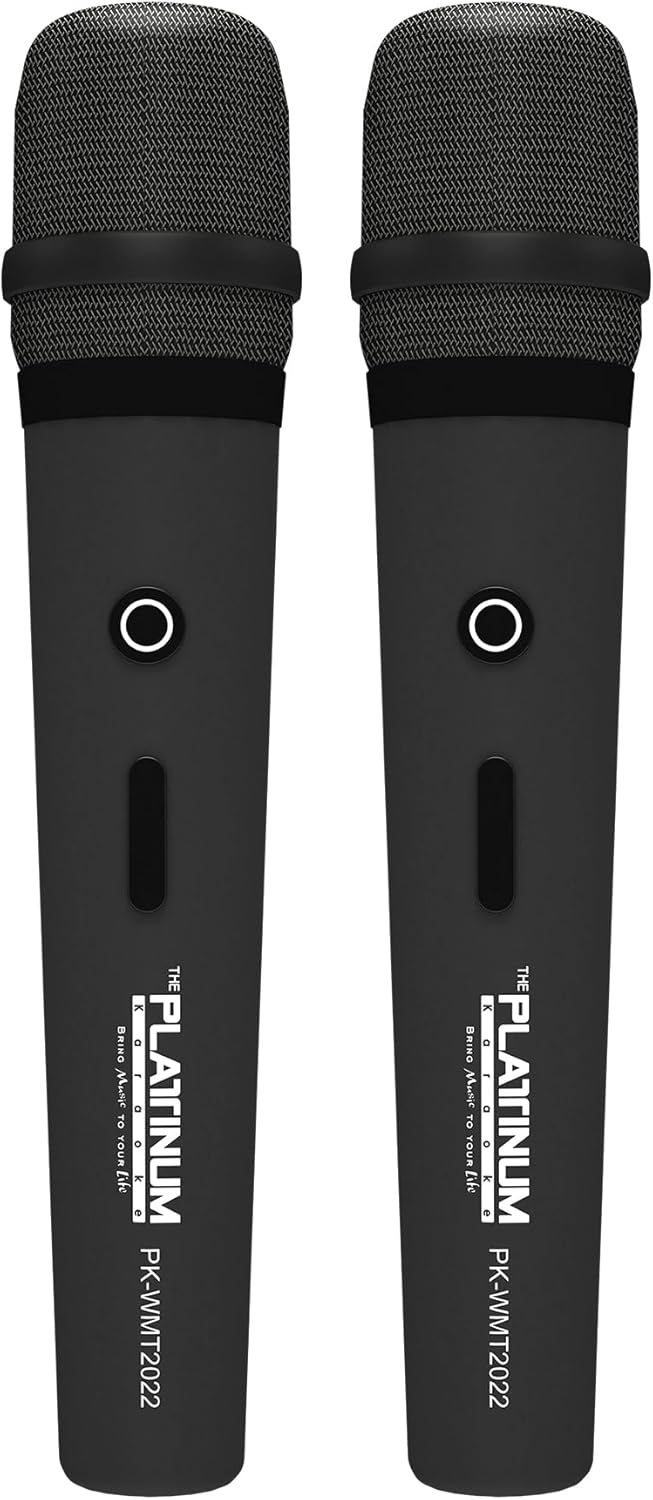
Rysunek 5: Mikrofony bezprzewodowe
- Insert the provided batteries into each wireless microphone.
- Turn on the microphones using their power switches. They will automatically connect to the DK-88 Duo unit.
- Adjust the 'MIC VOLUME' knob on the top panel to control the microphone output level.
3. Podłączanie źródeł audio
- Bluetooth: Turn on the unit. The Bluetooth indicator will flash. Enable Bluetooth on your mobile device and select 'DK-88 Duo' from the list of available devices to pair.
- Dysk USB: Włóż dysk flash USB zawierający muzykę w formacie MP3 files into the 'USB' port on the top panel. The system will automatically detect and play the files.
- Karta micro sd: Insert a Micro SD card (up to 32GB, pre-loaded with songs) into the 'MICRO SD' slot on the top panel. The system will automatically detect and play the songs.
- Wejście AUX: Use the provided AV cable to connect external audio devices (e.g., DVD player, TV) to the 'AUX' input on the top panel.
- Wejście gitarowe: Connect a guitar to the 'GUITAR IN' port on the top panel. Adjust the dedicated 'GUITAR' volume knob.
Instrukcja obsługi
1. Podstawowa obsługa
- Włączanie/wyłączanie: Use the 'POWER' switch on the top panel to turn the unit on or off.
- Regulacja głośności: Rotate the 'VOLUME' knob to adjust the overall sound output.
- Wybór trybu: Press the 'MODE' button to switch between input sources (Bluetooth, USB, Micro SD, AUX).
2. Karaoke Features
- Wybór utworu: Use the 'SKIP' buttons (|< / >>|) to navigate through songs.
- Efekt echa: Adjust the 'ECHO' knob to add or reduce echo to your vocals. This helps blend your voice with the music.
- Nagranie utworu: Press the 'REC' button to start recording your performance. The system will save the music and your vocals to the inserted Micro SD card or USB drive. To share, simply copy the recorded file do komputera.
- Vocal Assist (Training Songs): For training songs, the main vocals will automatically fade out when you sing into the microphone and reappear when you stop.
3. Regulacja dźwięku
- Kontrola tonów wysokich: Use the 'TREBLE' knob to adjust the high-frequency sounds of the music.
- Kontrola basu: Use the 'BASS' knob to adjust the low-frequency sounds of the music.
4. Efekty świetlne
- Press the 'LIGHT' button on the top panel to cycle through different colorful fire lighting modes. The lights glow and dance with the music, enhancing the party atmosphere.
5. Platinum Link App
- Download the 'Platinum Link' app from your mobile device's app store (available on Android and iOS).
- Connect your mobile phone to the DK-88 Duo via Bluetooth.
- Use the app to control song selection, browse the song library, reserve songs, and display karaoke lyrics directly on your phone screen.
- The app also features a karaoke recording function to measure your vocal performance and improve your singing skills.
Konserwacja
- Czyść urządzenie miękką, suchą ściereczką. Nie używaj płynnych środków czyszczących ani aerozoli.
- Gdy urządzenie nie jest używane, przechowuj je w chłodnym i suchym miejscu.
- Remove batteries from the remote control and microphones if storing for extended periods to prevent leakage.
Rozwiązywanie problemów
| Problem | Możliwa przyczyna | Rozwiązanie |
|---|---|---|
| Brak zasilania | Unit is not charged or not connected to AC power. | Connect the charging adapter and ensure it's plugged into a working outlet. Check battery level. |
| Brak dźwięku z mikrofonów | Microphones are off, batteries are low, or volume is too low. | Turn on microphones, replace batteries, increase 'MIC VOLUME' knob. |
| Bluetooth nie łączy się | Bluetooth is not enabled on the unit or mobile device, or device is too far. | Ensure unit is in Bluetooth mode, enable Bluetooth on your device, move closer to the unit. |
| Cannot play songs from USB/SD | Błędny file format, uszkodzony files, or card/drive not inserted properly. | Zapewnić filePliki są w formacie MP3. Włóż ponownie dysk USB/kartę SD. Spróbuj użyć innego dysku/karty. |
| Światła nie działają | Funkcja oświetlenia jest wyłączona. | Press the 'LIGHT' button to activate the lighting effects. |
Specyfikacje
| Funkcja | Szczegół |
|---|---|
| Numer modelu | DK-88 |
| Wymiary (dł. x szer. x wys.) | Wymiary 35 x 38 x 78 cm |
| Waga | 13 kilogramów |
| Źródło zasilania | Battery Powered (1 x 12V battery included), AC Powered |
| Czas pracy baterii | Do 6 godzin |
| Technologia łączności | USB, Bluetooth |
| Porty USB | 1 |
| Ilość głośników | 2 |
| Funkcja specjalna | Built-in Song Track |
| Kolor | Czarny |
| Zalecane zastosowania | Home parties, family gatherings, karaoke bars, outdoor events, musical performances |
Gwarancja i wsparcie
Your Platinum Karaoke DK-88 Duo comes with a warranty. Please refer to the included Warranty Card for detailed terms and conditions, including warranty period and coverage.
For technical support, service, or inquiries not covered in this manual, please contact Platinum Karaoke customer service. Contact information can typically be found on the Warranty Card or the official Platinum Karaoke webstrona.