
1. Koniec produktuview
This Hama USB-C to Lightning charging cable is designed for efficient charging and high-speed data synchronization of Apple iPhones, iPads, and iPods. It supports fast charging when used with a compatible fast charger and offers data transfer speeds up to 480 Mbps.
Zawartość opakowania
- 1x Hama USB-C to Lightning Charging Cable (1.5m, White)
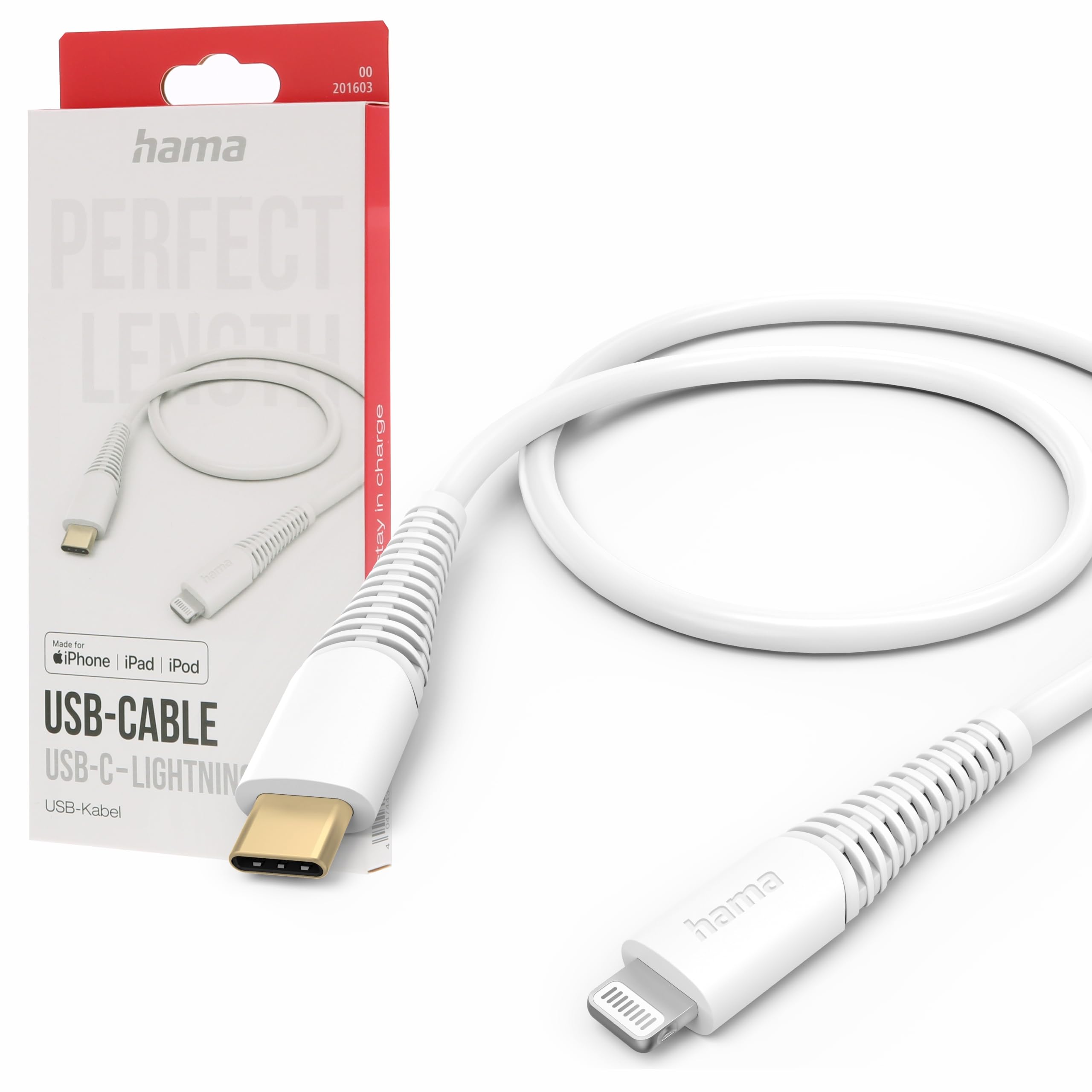
Image: The Hama USB-C to Lightning Charging Cable, white, with a USB-C connector on one end and a Lightning connector on the other.
2. Instrukcje konfiguracji
To begin using your Hama USB-C to Lightning cable, follow these simple steps:
- Zidentyfikuj złącza: Locate the USB-C connector (smaller, oval-shaped) and the Lightning connector (flat, reversible) on the cable.
- Podłącz do źródła zasilania/komputera: Insert the USB-C connector into a compatible USB-C power adapter (for charging) or a USB-C port on your computer (for charging and data transfer).
- Połącz z urządzeniem Apple: Insert the Lightning connector into the charging port of your iPhone, iPad, or iPod. Ensure a firm connection.
Your device should now begin charging or be recognized by your computer for data transfer.
3. Instrukcja obsługi
Ładowanie urządzenia
This cable supports fast charging for compatible Apple devices. For optimal charging speed, use a USB-C power adapter that supports Power Delivery (PD) or other fast charging protocols.
- Connect the USB-C end of the cable to a wall charger or power bank.
- Podłącz końcówkę Lightning do urządzenia Apple.
- The device's screen will indicate that it is charging.
Przesyłanie danych
The cable facilitates high-speed data transfer up to 480 Mbps, allowing you to sync photos, videos, music, and other files between your Apple device and a computer.
- Podłącz koniec kabla USB-C do portu USB-C w komputerze.
- Podłącz końcówkę Lightning do urządzenia Apple.
- Your computer should recognize the device, allowing you to access its storage for data transfer.
4. Pielęgnacja i konserwacja
To ensure the longevity and optimal performance of your Hama charging cable, please follow these care guidelines:
- Unikaj nadmiernego zginania: Nie należy nadmiernie zginać ani zaciskać kabla, zwłaszcza w pobliżu złączy, gdyż może to spowodować uszkodzenie wewnętrznych przewodów.
- Utrzymywać w suchości: Protect the cable from moisture and liquids. Do not use it in wet environments.
- Czyść delikatnie: If necessary, clean the cable and connectors with a soft, dry cloth. Avoid using harsh chemicals or abrasive materials.
- Przechowuj prawidłowo: When not in use, store the cable in a clean, dry place, ideally coiled loosely to prevent tangling and damage.
- Tworzywo: The exterior material is Polychlorure de vinyle (PVC), which is durable but can be damaged by sharp objects or extreme heat.
5. Rozwiązywanie Problemów
Urządzenie nie ładuje się
- Sprawdź połączenia: Ensure both the USB-C and Lightning connectors are fully and securely inserted into their respective ports.
- Sprawdź źródło zasilania: Confirm that the USB-C power adapter or computer port is functional and providing power. Try a different power source if available.
- Sprawdź kabel: Check the cable for any visible damage, such as cuts or frayed wires. If damaged, discontinue use.
- Przetestuj z innym urządzeniem/kablem: Try charging a different Apple device with this cable, or try charging your device with a different, known-working cable to isolate the issue.
Problemy z przesyłaniem danych
- Bezpieczne połączenia: Ensure the cable is firmly connected to both your computer and Apple device.
- Computer Port: Try connecting the USB-C end to a different USB-C port on your computer.
- Device Trust: On your Apple device, ensure you have tapped 'Trust This Computer' when prompted.
- Oprogramowanie/Sterowniki: Ensure your computer's operating system and iTunes (if applicable) are up to date.
6. Specyfikacje techniczne
| Numer modelu | 00201603 |
| ASIN | B0BL1CGYP6 |
| Długość | 1.5 metrów |
| Kolor | Biały |
| Typ złącza | USB typu C, Lightning |
| Płeć złącza | Mężczyzna-mężczyzna |
| Szybkość przesyłu danych | 480 megabitów na sekundę |
| Maksymalny prąd | 3 Ampjesteś |
| Maksymalna objętośćtage | 20 wolty |
| Funkcja specjalna | High Speed Charging and Data Transfer |
| Kompatybilne urządzenia | Smartphones (Apple iPhones, iPads, iPods), Power Banks, Laptops, Speakers, Tablets |
| Materiał zewnętrzny | Polichlorek winylu (PCW) |
| Wymiary produktu (dł. x szer. x wys.) | Wymiary 19.5 x 9 x 1.5 cm |
| Waga przedmiotu | 47.82 gram |
| Zgodność | CE |
7. Gwarancja i wsparcie
Hama products are manufactured with high quality standards. This product includes a 1-letnia dostępność części zamiennych od daty zakupu.
For technical support, warranty claims, or further assistance, please contact Hama customer service through their official websklep lub sklep, w którym zakupiono produkt. Zachowaj dowód zakupu w celach gwarancyjnych.
Więcej informacji znajdziesz na oficjalnej stronie Hama webstrona: www.hama.pl