
1. Wprowadzenie
This manual provides essential instructions for the safe and effective use of your Xiaomi Mi Portable Photo Printer. Please read this manual thoroughly before operating the device and retain it for future reference. This portable printer allows you to print 2x3 inch photos instantly from your iOS or Android device using ZINK inkless printing technology, featuring AR photos and dynamic video capabilities.
2. Zawartość opakowania
Sprawdź, czy w przesyłce znajdują się wszystkie elementy wymienione poniżej:
- Mi Portable Photo Printer x 1
- Photo paper pack (5-sheet) x 1
- Kabel USB x 1
- Instrukcja obsługi x 1

Figure 2.1: Package Contents Diagram. This image illustrates the printer, USB cable, instruction manual, and a 5-sheet photo paper pack included in the box.
3. Koniec produktuview
The Xiaomi Mi Portable Photo Printer is a compact and lightweight device designed for on-the-go photo printing. It utilizes ZINK (Zero Ink) technology, eliminating the need for ink cartridges.
3.1 Główne cechy
- Kompaktowa konstrukcja: Small and portable, easily fits into a pocket or bag.
- ZINK Inkless Printing: Prints vibrant 2x3 inch photos without ink.
- AR Photos & Dynamic Videos: Scan printed photos with the Mi Home/Xiaomi Home app to view augmented reality effects or dynamic videos.
- Łączność Bluetooth: Connects wirelessly to iOS and Android devices.
- Połączenie wielu urządzeń: Supports simultaneous Bluetooth connections for shared printing.
- Integracja aplikacji: Offers various templates, collages, and filters via the Mi Home/Xiaomi Home app.
3.2 Komponenty urządzenia

Rycina 3.1: Przód view of the Xiaomi Mi Portable Photo Printer with a photo being ejected. This image highlights the printer's compact size and its primary function.
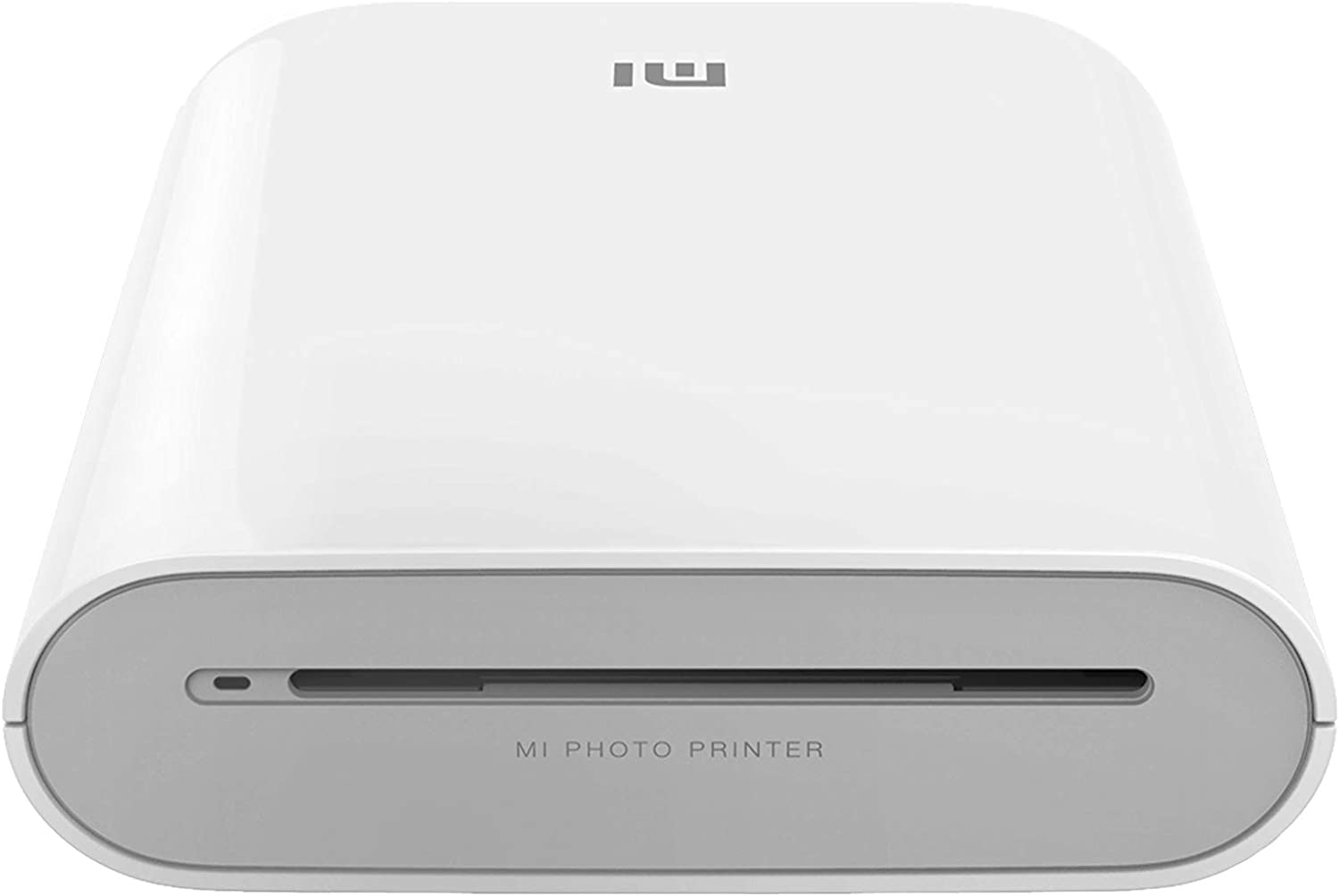
Rycina 3.2: Czołowy view of the printer, displaying the photo output slot and branding.
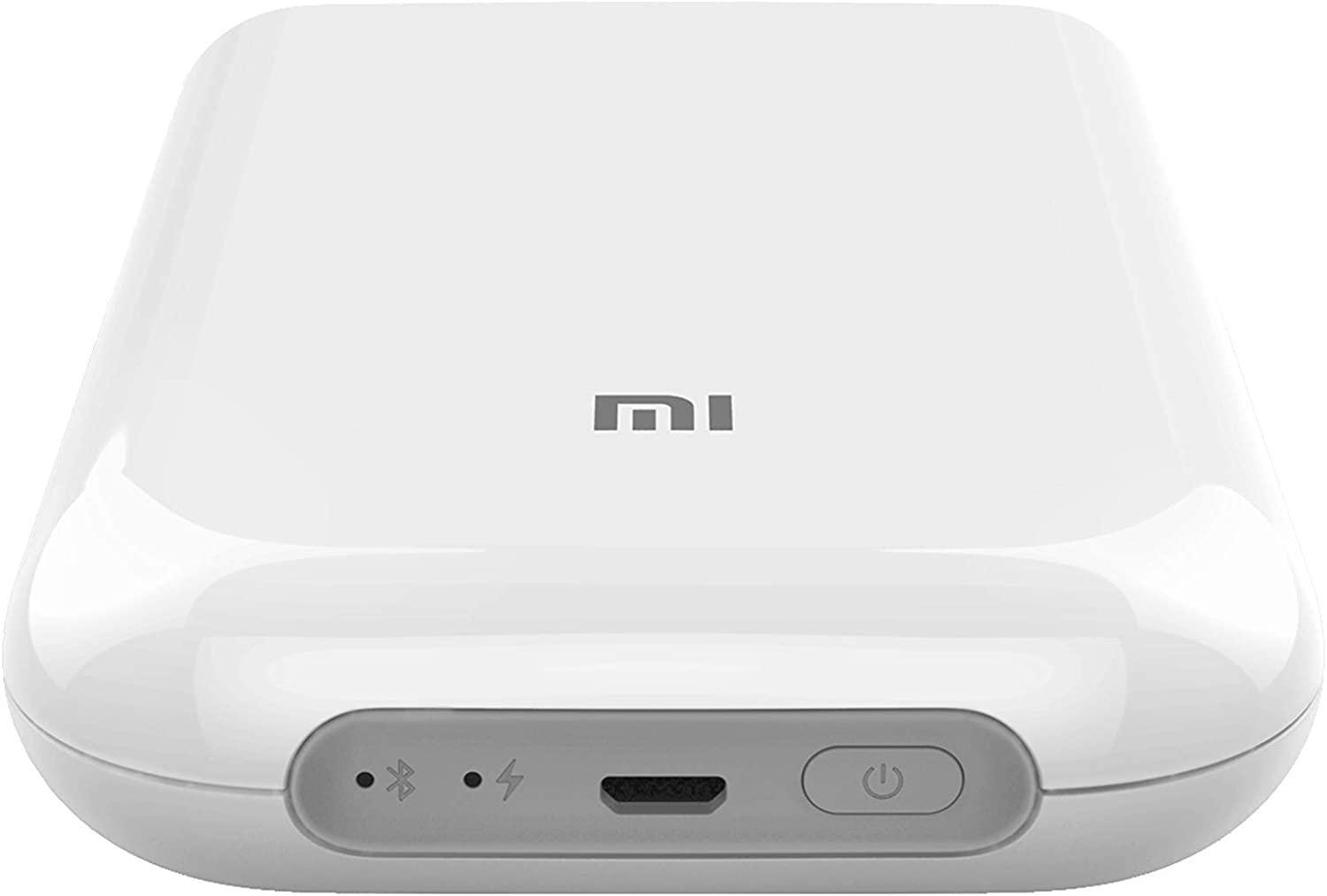
Rysunek 3.3: Góra view of the printer, illustrating the control panel with the power button, charging port, and status indicators.

Figure 3.4: The printer held in a hand, emphasizing its compact and portable design.
4. Konfiguracja
4.1 Ładowanie drukarki
Before first use, fully charge the printer. Connect the provided USB cable to the printer's charging port and a suitable USB power adapter (not included). The indicator light will show charging status.
4.2 Ładowanie papieru fotograficznego
- Otwórz pokrywę zasobnika papieru w drukarce.
- Insert the ZINK photo paper pack into the tray with the blue calibration card facing down, followed by the photo paper with the glossy side facing up.
- Dokładnie zamknij pokrywę tacy na papier.
4.3 Installing the Mi Home/Xiaomi Home App
Download and install the 'Mi Home' or 'Xiaomi Home' app from your device's app store (Google Play Store for Android, Apple App Store for iOS). Follow the on-screen instructions to create an account or log in.
Ważna uwaga: Some users have reported regional restrictions with the app, limiting device usability to specific regions. Please ensure the app and device are compatible with your geographical location before use.
4.4 Pairing via Bluetooth
- Ensure your printer is charged and powered on.
- Włącz Bluetooth na urządzeniu z systemem iOS lub Android.
- Open the Mi Home/Xiaomi Home app and tap the '+' icon to add a new device.
- Select the Xiaomi Mi Portable Photo Printer from the list of available devices.
- Aby dokończyć proces parowania, postępuj zgodnie z instrukcjami aplikacji.
5. Instrukcja obsługi
5.1 Włączanie/wyłączanie zasilania
- Włączanie: Naciśnij i przytrzymaj przycisk zasilania drukarki, aż zaświeci się kontrolka.
- Wyłączone: Naciśnij i przytrzymaj przycisk zasilania ponownie, aż kontrolka zgaśnie.
5.2 Drukowanie zdjęć
- Ensure the printer is connected to your device via Bluetooth and has sufficient paper loaded.
- Otwórz aplikację Mi Home/Xiaomi Home.
- Wybierz zdjęcie, które chcesz wydrukować, z galerii urządzenia lub zrób nowe zdjęcie w aplikacji.
- Utilize the app's editing features, such as filters, collages, or templates, if desired.
- Tap the print icon in the app to send the image to the printer. The photo will emerge from the output slot.

Figure 5.1: Printer in use with the companion app, showcasing printed photos and creative possibilities.
5.3 AR Photos and Dynamic Videos
The printer supports AR (Augmented Reality) photos and dynamic videos. When printing a photo, you can record or upload a video within the Mi Home/Xiaomi Home app. After printing, scan the physical photo using the app's AR feature to experience the embedded virtual effects or play the dynamic video.
5.4 Połączenie wielodostępne
The printer supports multiple simultaneous Bluetooth connections. Up to three devices can connect to the printer at once. Print jobs from different devices will be added to a queue and printed sequentially.
6. Konserwacja
6.1 Czyszczenie drukarki
To maintain optimal print quality, periodically clean the exterior of the printer with a soft, dry cloth. Do not use liquid cleaners or abrasive materials. The ZINK printing technology does not require print head cleaning as there are no ink cartridges.
6.2 Replacing Photo Paper
When the paper supply is depleted, follow the instructions in Section 4.2 to load a new pack of ZINK 2x3 inch photo paper. Always use genuine Xiaomi ZINK photo paper for best results.
6.3 Pielęgnacja baterii
To prolong battery life, avoid exposing the printer to extreme temperatures. If the printer will not be used for an extended period, charge it to approximately 50% before storage and recharge it every few months.
7. Rozwiązywanie Problemów
If you encounter issues with your Xiaomi Mi Portable Photo Printer, refer to the following common problems and solutions:
| Problem | Możliwe rozwiązanie |
|---|---|
| Drukarka się nie włącza | Ensure the printer is fully charged. Connect it to a power source and try again. |
| Nie można połączyć się przez Bluetooth | Verify Bluetooth is enabled on your device and the printer. Restart both devices. Ensure the printer is not already connected to another device. Check app permissions. |
| Słaba jakość wydruku / Puste wydruki | Ensure genuine ZINK photo paper is loaded correctly with the glossy side up. Check if the blue calibration card was used with the paper pack. The paper may be expired or damaged. |
| Zacięcie papieru | Power off the printer. Carefully open the paper tray and remove any jammed paper. Do not force the paper out. Reload paper correctly. |
| App not functioning correctly / Regional restrictions | Ensure the Mi Home/Xiaomi Home app is updated to the latest version. Check your device's region settings. Some app features or device functionality may be restricted based on geographical location. |
If the problem persists, consult the official Xiaomi support webodwiedź witrynę lub skontaktuj się z obsługą klienta.
8. Specyfikacje
| Funkcja | Specyfikacja |
|---|---|
| Model | Moja przenośna drukarka fotograficzna |
| Marka | XIAOMI |
| Technologia druku | Technologia cynkowa |
| Technologia łączności | Bluetooth |
| Kompatybilne systemy operacyjne | Android, iOS |
| Maksymalny rozmiar nośnika | 2 x 3 cali |
| Rozmiar arkusza | 2 x 3 cali |
| Maksymalna rozdzielczość druku | 313 x 400 dpi |
| Wyjście drukarki | Kolor |
| Drukowanie dwustronne | Nie (Simplex) |
| Maksymalna pojemność arkuszy wejściowych | 1 |
| Metoda kontroli | Aplikacja |
| Typ baterii | Litowo-jonowy (w zestawie) |
| Wymiary produktu (dł. x szer. x wys.) | 12.42 x 2.46 x 8.51 cm (124 x 25 x 85 mm) |
| Waga przedmiotu | 281 gramów |
| Kolor | Biały |
9. Informacje dotyczące bezpieczeństwa
- Nie rozbieraj, nie naprawiaj ani nie modyfikuj urządzenia samodzielnie.
- Chroń drukarkę przed wodą, wilgocią i wysokimi temperaturami.
- Unikaj upuszczania drukarki i narażania jej na silne uderzenia.
- Use only the specified charging cable and genuine ZINK photo paper.
- Przechowywać w miejscu niedostępnym dla dzieci.
10. Gwarancja i wsparcie
For warranty information, technical support, or service inquiries, please refer to the warranty card included with your product or visit the official Xiaomi support website. Ensure you have your product model and purchase details available when contacting support.