
1. Koniecview
The SnapFresh 20V 4.0Ah Lithium-Ion Battery (Model BBT-DC40A) is designed to provide reliable power for your SnapFresh 20V cordless tools. This high-capacity battery offers extended runtime and features an integrated LED fuel gauge for convenient monitoring of the charge level. It is engineered for durability and includes multiple protection features to ensure safe operation and longevity.
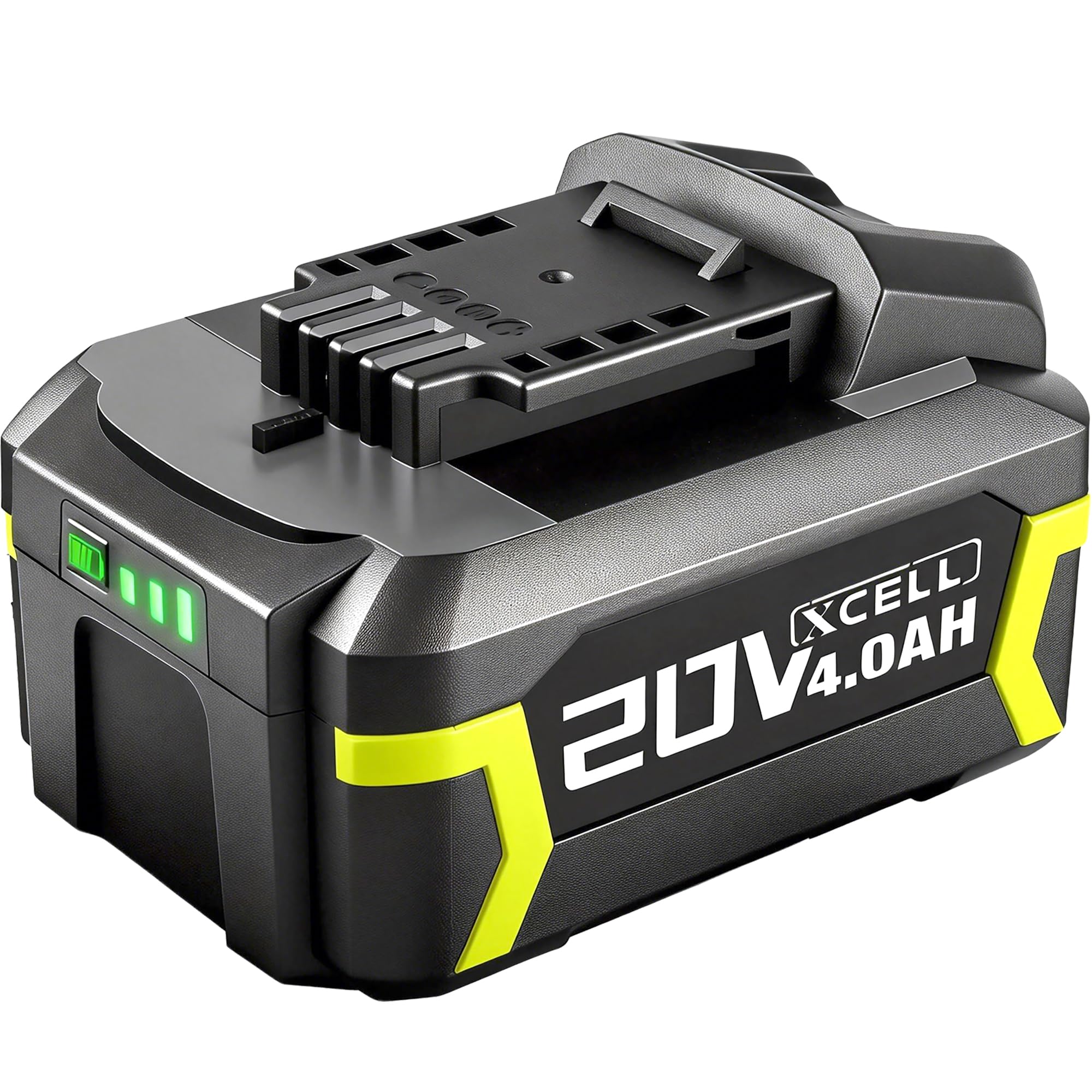
Figure 1: SnapFresh 20V 4.0Ah Lithium-Ion Battery (Model BBT-DC40A)
2. Informacje dotyczące bezpieczeństwa
Przed użyciem akumulatora należy przeczytać i zrozumieć wszystkie ostrzeżenia i instrukcje dotyczące bezpieczeństwa. Nieprzestrzeganie ostrzeżeń i instrukcji może spowodować porażenie prądem, pożar i/lub poważne obrażenia.
- Zgodność: Ta bateria jest ONLY compatible with SnapFresh 20V cordless tools and chargers. Do not attempt to use it with tools or chargers from other brands, as this may cause damage or injury.
- Ładowanie: Use only the specified SnapFresh 20V charger (e.g., BBT-XH20V, BBT-YFT20V) for this battery. Charging with an incompatible charger may create a risk of fire.
- Składowanie: Store the battery away from metal objects like paper clips, coins, keys, nails, screws, or other small metal objects that can make a connection from one terminal to another. Shorting the battery terminals together may cause burns or a fire.
- Temperatura: Nie wystawiaj akumulatora na działanie ekstremalnych temperatur (powyżej 50°C / 122°F lub poniżej -10°C / 14°F) ani bezpośredniego światła słonecznego.
- Szkoda: Nie używaj akumulatora ani urządzenia, które jest uszkodzone lub zmodyfikowane. Uszkodzone lub zmodyfikowane akumulatory mogą wykazywać nieprzewidywalne zachowanie, co może skutkować pożarem, wybuchem lub ryzykiem obrażeń.
- Sprzedaż: Do not dispose of batteries in fire or water. Always follow local regulations for battery recycling and disposal.
- Obsługiwanie: Do not open, crush, heat above 100°C (212°F), or incinerate the battery.

Figure 2: SnapFresh 20V 4.0Ah Battery, compatible only with SnapFresh 20V tools and chargers.
3. Główne cechy
- Duża pojemność: 4.0Ah capacity provides extended runtime for various tasks, effectively doubling the capacity of two 2.0Ah batteries.
- LED Fuel Gauge: A 3-LED indicator system provides immediate feedback on the battery's state of charge, allowing you to monitor remaining power.

Figure 3: Battery with visible LED indicator for charge status.
- Szybkie ładowanie: Achieves full capacity in approximately 110 minutes when used with a compatible SnapFresh fast charger.
- Wzmocniona ochrona: Built-in intelligent management system provides comprehensive protection against:
- Zabezpieczenie przed przegrzaniem
- Zabezpieczenie nadprądowe
- Ponad tomtage Ochrona
- Zabezpieczenie przed zwarciem
- Ochrona przed nadmiernym rozładowaniem
- Ochrona przed przeładowaniem
- Trwała konstrukcja: Features premium 18650 cells and enhanced impact protection for increased durability and heat dissipation.
Wideo 1: Ponadview of the SnapFresh 20V Lithium-ion Battery features and compatibility with various tools.
4. Konfiguracja i instalacja
4.1 Ładowanie akumulatora
Before first use, fully charge the battery. Use only a compatible SnapFresh 20V charger.
- Connect the SnapFresh 20V charger to a standard power outlet.
- Align the battery with the charger's slot and slide it in until it clicks securely into place.
- The charger's indicator light will show the charging status. Refer to your charger's manual for specific light patterns.
- Pełne ładowanie trwa zazwyczaj około 110 minut.
- Po całkowitym naładowaniu wyjmij akumulator z ładowarki.

Figure 4: SnapFresh 20V 4.0Ah Battery on a compatible SnapFresh charger (BBT-XH20V and BBT-YFT20V models shown).
4.2 Montaż akumulatora w narzędziu
Ensure the tool is turned off before installing or removing the battery.
- Align the battery with the battery port on your SnapFresh 20V tool.
- Slide the battery into the tool until it clicks firmly into place. Ensure it is fully seated to prevent accidental dislodgement during operation.
- To remove the battery, press the release button (if present on your tool/battery) and slide the battery out.

Figure 5: Quick release mechanism for inserting and removing the battery from a SnapFresh tool.
5. Instrukcja obsługi
Once the battery is securely installed in a compatible SnapFresh 20V tool, operate the tool according to its specific instruction manual. Always monitor the battery's charge level using the LED indicator to avoid unexpected power loss during tasks.
- Sprawdzanie poziomu naładowania: Press the button on the battery to illuminate the LED indicators.
- 3 diody LED: 90-100% naładowania
- 2 diody LED: 60-70% naładowania
- 1 dioda LED: 30% naładowania (wkrótce doładowanie)
- Optymalna wydajność: For best results, allow the battery to cool down after heavy use before recharging.
Video 2: Demonstrates the SnapFresh 20V 4.0Ah Lithium-ion Battery in use with various SnapFresh tools, including a lawnmower, string trimmer, hedge trimmer, and leaf blower.
6. Konserwacja
- Czyszczenie: Keep the battery terminals clean and free of debris. Use a dry cloth to wipe any dust or dirt.
- Składowanie: When not in use for extended periods, store the battery in a cool, dry place, away from direct sunlight and extreme temperatures. It is recommended to store the battery with a partial charge (around 50%) to prolong its lifespan.
- Unikaj głębokiego rozładowania: Do not allow the battery to completely discharge. Recharge it when the LED indicator shows a low charge.
7. Rozwiązywanie Problemów
| Problem | Możliwa przyczyna | Rozwiązanie |
|---|---|---|
| Bateria się nie ładuje |
|
|
| Short runtime / Rapid discharge |
|
|
| Battery LED indicator not working |
|
|
8. Specyfikacje
| Atrybut | Wartość |
|---|---|
| Marka | Świeży |
| Numer modelu | BBT-DC40A |
| Tomtage | 20 wolty |
| Pojemność baterii | 4.0 Amp Godziny (4.0 Ah) |
| Skład ogniw baterii | Litowo-jonowy |
| Możliwość ponownego użycia | Możliwość ładowania |
| Approx. Full Charge Time | 110 minutes (with compatible fast charger) |
| Waga | 450 gram |
| Zgodność | SnapFresh 20V cordless tools and chargers ONLY |
9. Gwarancja i pomoc techniczna
The SnapFresh 20V 4.0Ah Lithium-Ion Battery comes with a 1-letnia gwarancja od daty zakupu. Niniejsza gwarancja obejmuje wady materiałowe i wykonawcze przy normalnym użytkowaniu.
For warranty claims, technical support, or any questions regarding your SnapFresh product, please contact SnapFresh customer service. You can find contact information on the official SnapFresh webna stronie internetowej lub u sprzedawcy.
Please have your model number (BBT-DC40A) and purchase date available when contacting support.