
Wstęp
This manual provides essential instructions for the safe and effective operation of your Andoer 4K Digital Camera Video Camcorder. Please read this manual thoroughly before use and retain it for future reference.
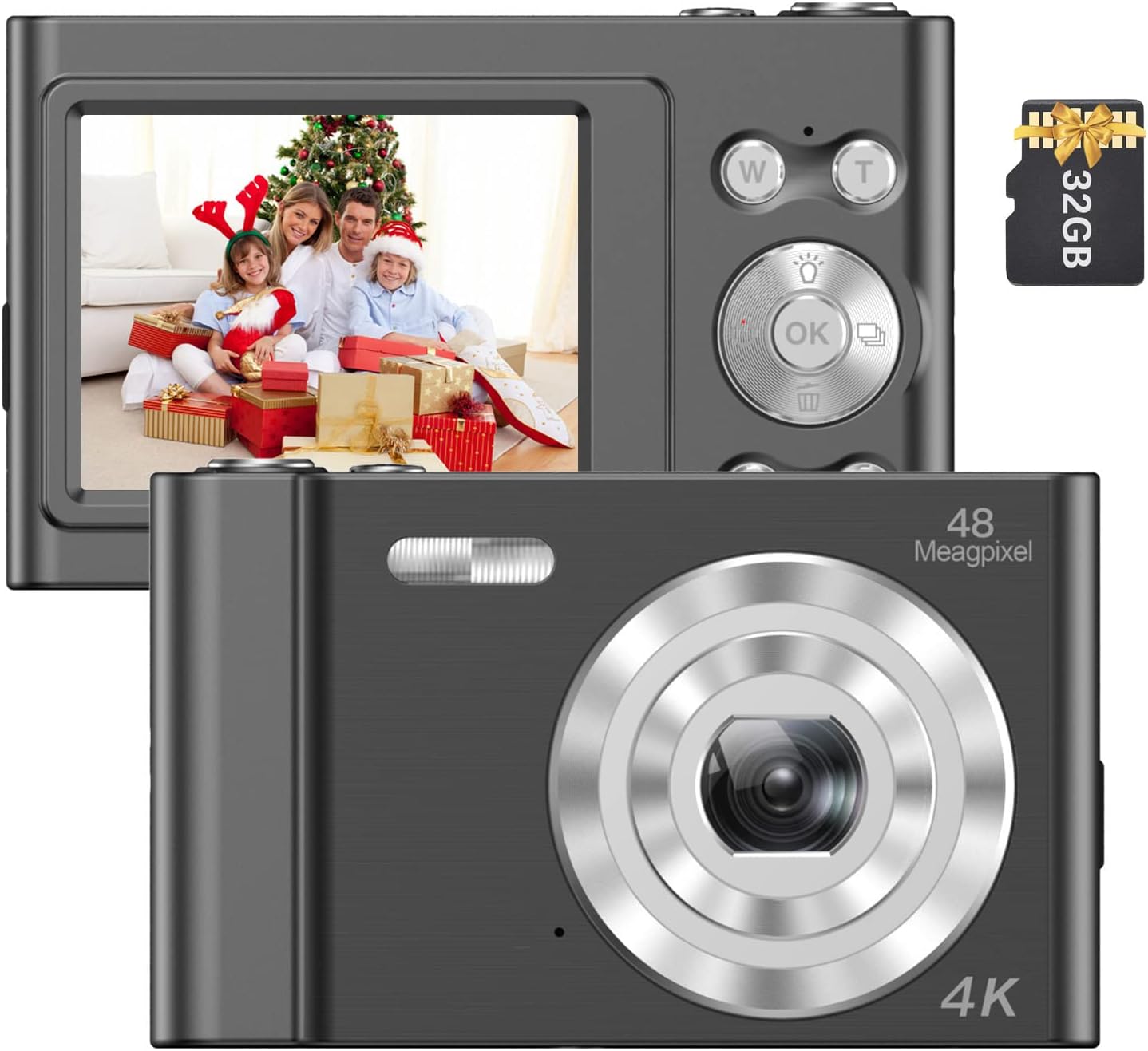
Image: The Andoer 4K Digital Camera, shown with its 2.4-inch IPS screen displaying a family scene and a 32GB memory card.
Zawartość opakowania
Sprawdź, czy w przesyłce znajdują się wszystkie elementy wymienione poniżej:
- 1 x aparat cyfrowy Andoer
- 1 x kabel ładujący USB
- 1 x pasek na nadgarstek
- 1 x torba transportowa
- Karta pamięci 1 x 32GB
- 1 x Instrukcja obsługi (angielski)
Organizować coś
1. Montaż i ładowanie akumulatora
The camera features a built-in lithium battery. Before first use, ensure the battery is fully charged.
- Podłącz kamerę do źródła zasilania USB (np. komputera, zasilacza sieciowego) za pomocą dołączonego kabla ładującego USB.
- The charging indicator light will illuminate. Once charging is complete, the light will typically change color or turn off.
2. Instalacja karty pamięci
A 32GB memory card is included. The camera supports Class-10 external TF (Micro SD) memory cards up to 128GB.
- Znajdź gniazdo karty pamięci w aparacie.
- Insert the memory card into the slot with the gold contacts facing the correct direction (refer to the diagram on the camera body if available) until it clicks into place.
- Aby wyjąć kartę, delikatnie naciśnij ją do środka, aż wysunie się.
3. Pierwsze włączenie zasilania
Press and hold the power button (usually marked with a power symbol) for a few seconds until the screen illuminates.
Instrukcja obsługi
Podstawowe sterowanie
Familiarize yourself with the camera's buttons and their functions:
- Przycisk zasilania: Włącza/wyłącza kamerę.
- Spust migawki: Robi zdjęcia lub rozpoczyna/zatrzymuje nagrywanie wideo.
- W/T Buttons: Control the 16X digital zoom (W for Wide, T for Telephoto).
- Przycisk OK: Potwierdza wybory w menu.
- Przycisk trybu (M): Switches between different shooting modes (e.g., Photo, Video, Playback).
- Przycisk menu: Dostęp do ustawień aparatu.

Obraz: szczegółowy view of the camera's front, highlighting the lens and the '48 Megapixel' marking, indicating its high-resolution capability.
Tryb fotograficzny
Aby uchwycić nieruchome obrazy:
- Turn on the camera and ensure it is in Photo Mode (indicated on the 2.4-inch IPS screen).
- Frame your shot using the screen. Use the W/T buttons to adjust the 16X digital zoom.
- Press the Shutter Button halfway to focus, then fully press to take the picture.
Tryb wideo
Aby nagrać wideo:
- Switch to Video Mode using the Mode (M) button.
- Press the Shutter Button to start recording. A recording indicator will appear on the screen.
- Press the Shutter Button again to stop recording.

Image: A hand holding the Andoer camera, displaying a family on a beach on its screen, illustrating its use for capturing memories.
Funkcja Zoom
The camera features 16X digital zoom. Use the 'T' button to zoom in and the 'W' button to zoom out. Digital zoom magnifies the image electronically, which may affect image quality at higher magnifications.

Image: A visual comparison showing the effect of 1x zoom versus 16x digital zoom, demonstrating the camera's magnification capability.
Tryb odtwarzania
Aby ponownieview Twoje zdjęcia i filmy:
- Switch to Playback Mode using the Mode (M) button.
- Use the navigation buttons (often integrated with the OK button) to scroll through your media.
- Naciśnij przycisk OK, aby view zdjęcie lub odtwórz film.
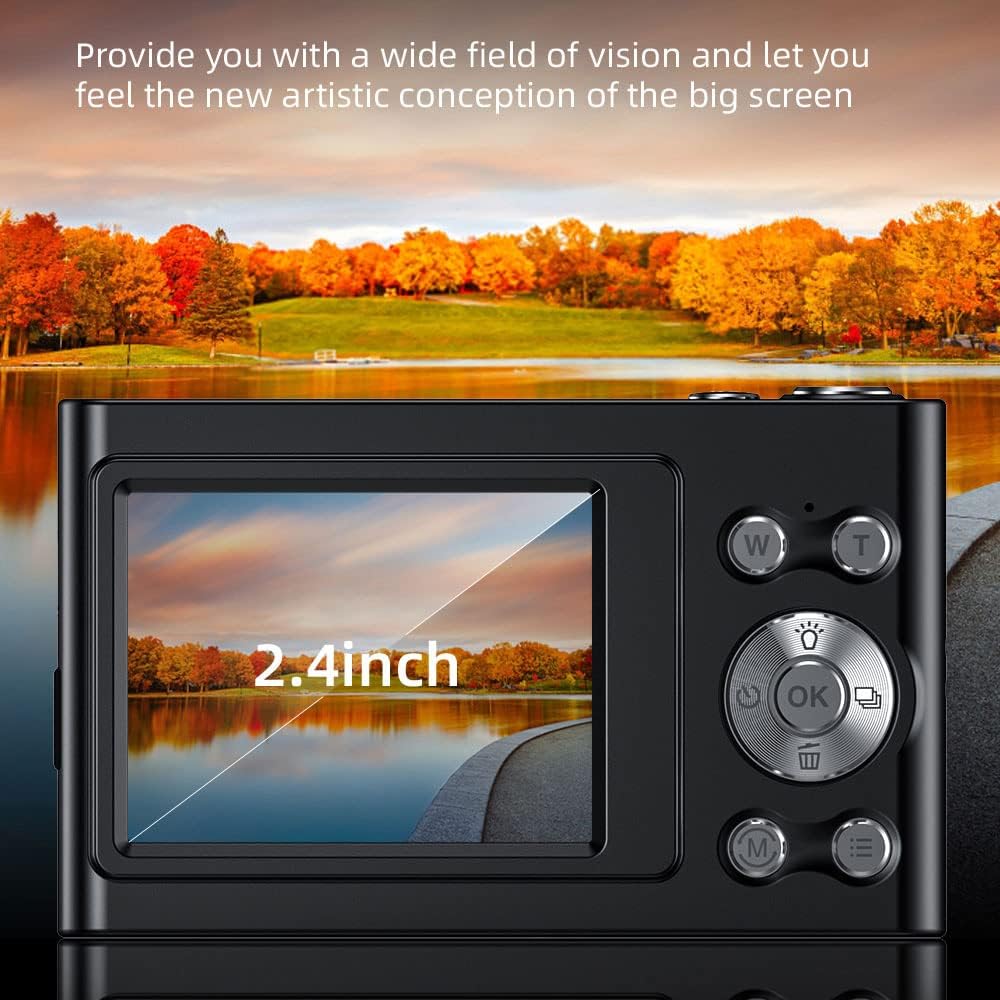
Image: The camera's 2.4-inch IPS screen displaying a vibrant landscape, illustrating the screen size and display quality.
Camera Settings and Features
Access the Menu to adjust various settings:
- Rezolucja: Set photo resolution up to 48MP and video resolution up to 4K.
- Tryby fotografowania: Wybierz spośród trybów: Auto, Sport, Noc, Portret, Krajobraz, Podświetlenie, Impreza, Plaża, Wysoka czułość.
- Balans bieli: Adjust for Auto, Daylight, Cloudy, Fluorescent, Tungsten.
- Samowyzwalacz: Options for Off, 2 sec, 5 sec, 10 sec.
- Przeciwwstrząsowy: Digital image stabilization to reduce blur.
- Wykrywanie twarzy i rejestrowanie uśmiechu: Features to assist in portrait photography.
- Wbudowana lampa błyskowa: Zapewnia oświetlenie w warunkach słabego oświetlenia.
- Automatyczne wyłączanie: Configurable to Off, 1 minute, 3 minutes, 5 minutes, 10 minutes to conserve battery.

Image: A graphic illustrating the camera's image quality enhancement features, including intelligent analysis, color restoration, and fine picture quality.
Konserwacja
Czyszczenie aparatu
- Do czyszczenia korpusu aparatu należy używać miękkiej, niepozostawiającej włókien ściereczki.
- Do czyszczenia soczewek i ekranu należy używać specjalnej ściereczki i płynu do czyszczenia soczewek. Unikać materiałów ściernych.
Pielęgnacja baterii
- Unikaj częstego całkowitego rozładowywania akumulatora.
- Charge the battery regularly, even if the camera is not in use for extended periods.
Składowanie
- Przechowuj kamerę w chłodnym i suchym miejscu, z dala od bezpośredniego światła słonecznego i ekstremalnych temperatur.
- Do transportu należy używać dołączonej torby transportowej.
Rozwiązywanie problemów
Jeśli masz problemy z aparatem, zapoznaj się z poniższymi typowymi problemami i ich rozwiązaniami:
| Problem | Możliwe rozwiązanie |
|---|---|
| Kamera się nie włącza. | Upewnij się, że bateria jest naładowana. Podłącz ją do źródła zasilania i spróbuj ponownie. |
| Błąd karty pamięci. | Reinsert the memory card. Ensure it is a Class-10 TF card and formatted correctly. Try a different compatible memory card. |
| Obrazy są niewyraźne. | Ensure the lens is clean. Check lighting conditions. Use the anti-shake function. Hold the camera steady. |
| Flash nie działa. | Check flash settings in the menu. Ensure the flash is enabled for the current shooting mode. |
| Kamera zawiesza się lub nie reaguje. | Remove and reinsert the battery (if accessible) or press and hold the power button for 10 seconds to force a shutdown. |
Specyfikacje
Detailed technical specifications for your Andoer 4K Digital Camera Video Camcorder:
- Czujnik obrazu: Czujnik CMOS
- Wyświetlacz: Ekran IPS 2.4 cala
- Rozdzielczość obrazu: Do 48 MP
- Rozdzielczość wideo: 4K (3840x2160), 2.7K (2688x1520), 1080P (1920x1080), 720P (1280x720)
- Zoom cyfrowy: 16X
- Stabilizacja obrazu: Cyfrowy
- Typ skupienia: Auto Focus (Contrast Detection)
- Składowanie: Supports Class-10 TF (Micro SD) card up to 128GB (32GB included)
- Łączność: USB
- Zasilanie: Wbudowana bateria litowa
- Rozmiar przedmiotu: 9.5 * 5.8 * 2.5 cm / 3.7 * 2.3 * 1 cala
- Waga przedmiotu: 115g / 4.1 uncji
- Kolor: Czarny
Informacje dotyczące bezpieczeństwa
Ostrzeżenie:
Aby uniknąć niebezpieczeństwa uduszenia, trzymaj plastikową torbę poza zasięgiem dzieci i niemowląt.

Image: A warning label in multiple languages advising to keep plastic bags away from children to prevent suffocation.
Gwarancja i wsparcie
For warranty information, please refer to the documentation included with your purchase or contact your retailer. For technical support or further assistance, please reach out to Andoer customer service through their official webstronę internetową lub dane kontaktowe podane na opakowaniu produktu.