
1. Wprowadzenie
This manual provides essential information for setting up, operating, maintaining, and troubleshooting your Beelink SEI10 Mini PC. Please read this manual thoroughly before using the device to ensure optimal performance and longevity.
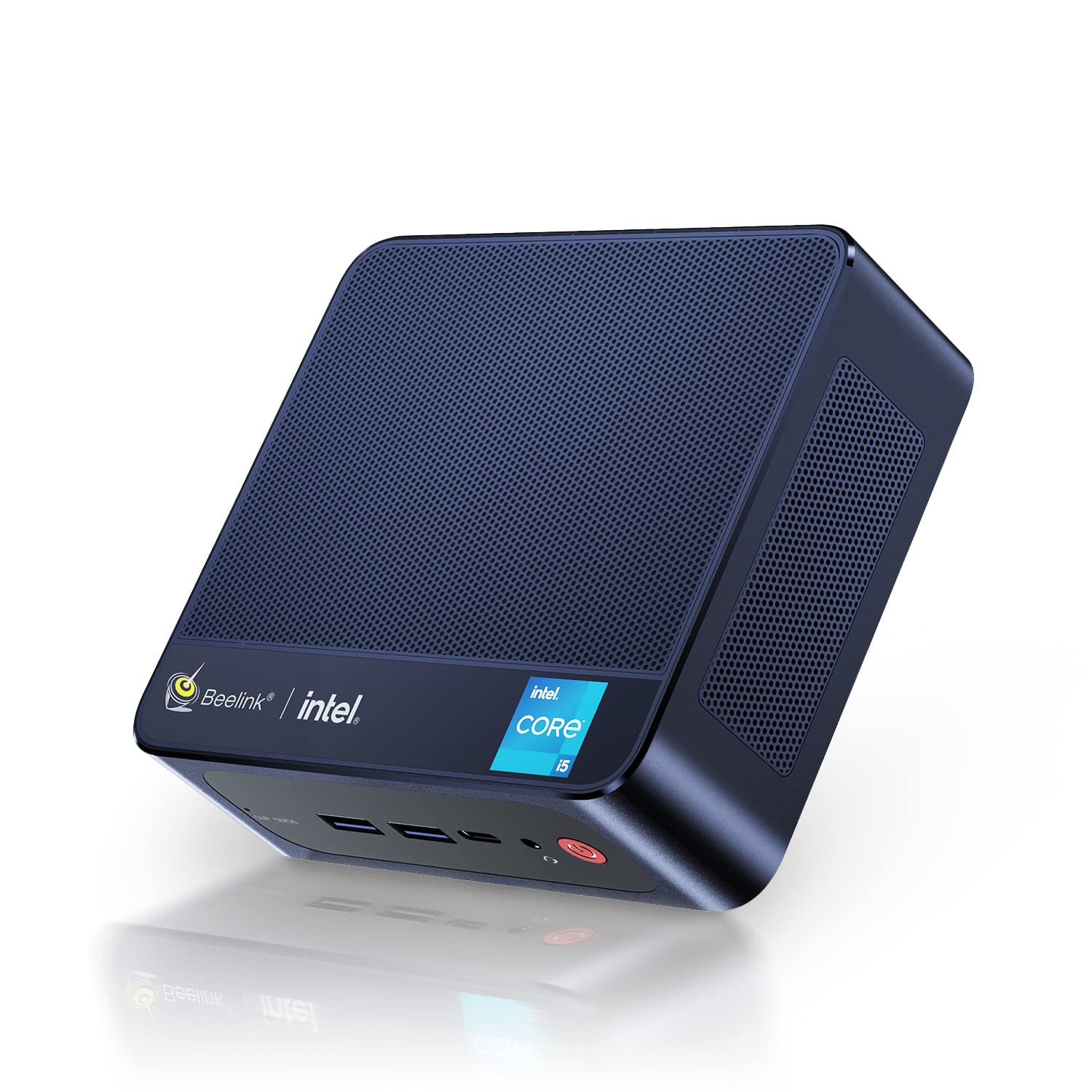
Figure 1: Beelink SEI10 Mini PC
The Beelink SEI10 is a compact and powerful mini PC designed for various computing tasks, from home entertainment to office productivity. It features an Intel Core i5-1035G4 processor, 16GB DDR4 RAM, and a 500GB SSD, offering efficient performance in a small form factor.
2. Zawartość opakowania
Sprawdź, czy w opakowaniu znajdują się wszystkie elementy:
- 1 × Beelink SEI10 Mini PC
- 2 × HDMI Cables (25cm and 100cm)
- 1 × Zasilacz
- 1 × wspornik montażowy
- 1 × Instrukcja obsługi (ten dokument)
3. Koniec produktuview i porty
The Beelink SEI10 Mini PC offers a range of connectivity options for various peripherals and displays.

Rycina 2: Przód view of the Beelink Mini PC, highlighting its support for WiFi 6 and Bluetooth 5.2 connectivity.
Porty i złącza:
- 1 × DC Jack Port (for power input)
- 4 porty USB 3.0
- 2 × RJ45 Ports (Gigabit LAN)
- 2 × HDMI Ports (supports dual 4K display output)
- 1 × Audio Jack Port (for headphones and microphone)
- 1 × Type-C Port (supports video output)
4. Konfiguracja
Follow these steps to set up your Beelink SEI10 Mini PC:
- Podłącz do wyświetlacza: Use one of the provided HDMI cables to connect the Mini PC to your monitor or TV. If your display supports Type-C video input, you can use the Type-C port.
- Podłącz urządzenia peryferyjne: Plug in your USB keyboard and mouse into the USB 3.0 ports.
- Podłącz do zasilania: Connect the power adapter to the DC Jack port on the Mini PC, then plug the adapter into a power outlet.
- Włączanie: Press the power button located on the front of the Mini PC. The device will boot up, and you should see the operating system on your display.
- Konfiguracja wstępna: Postępuj zgodnie z instrukcjami wyświetlanymi na ekranie, aby dokończyć konfigurację systemu Windows 11 Pro, wybierając m.in. język, region, połączenie sieciowe i tworząc konto użytkownika.
5. Obsługa
Włączanie/wyłączanie:
- Włączanie: Naciśnij przycisk zasilania.
- Wyłączyć: Kliknij przycisk Start w systemie Windows, a następnie wybierz Zasilanie > Wyłącz.
- Zrestartować: Kliknij przycisk Start w systemie Windows, a następnie wybierz Zasilanie > Uruchom ponownie.
Łączność sieciowa:
- Wi-Fi: The Mini PC supports Wi-Fi 6 (802.11ax). To connect, click the Wi-Fi icon in the taskbar, select your network, enter the password, and click Connect.
- Ethernet: For a wired connection, connect an Ethernet cable from your router to one of the RJ45 ports on the Mini PC.
- Bluetooth: The Mini PC supports Bluetooth 5.0. To pair devices, go to Windows Settings > Bluetooth & devices, and follow the instructions to add a new device.
Konfiguracja wielu wyświetlaczy:
The Beelink SEI10 supports dual 4K display output via its two HDMI ports and an additional display via the Type-C port, allowing for a triple display setup. Connect your monitors to the available ports, and Windows will automatically detect them. You can configure display settings (extend, duplicate, etc.) in Windows Settings > System > Display.
6. Pamięć masowa i rozszerzanie pamięci
The Mini PC comes with 16GB DDR4 RAM and a 500GB M.2 NVMe SSD. You can expand the storage and memory as follows:
- Pamięć (RAM): The system supports configurable memory up to 16GB with a single card and 32GB with dual cards.
- Dysk SSD M.2 NVMe: The M.2 2280 NVMe SSD can be upgraded to up to 2TB.
- 2.5-inch SATA Drive: An additional 2.5-inch SATA drive (HDD/SSD) can be installed for further storage expansion.

Rysunek 3: Wewnętrzne view of the Beelink Mini PC's cooling system, showing the fan, heatsink, and hard drive cooler, along with a table of noise levels.
7. Konserwacja
Czyszczenie:
- Regularnie czyść zewnętrzną część komputera Mini PC miękką, suchą ściereczką.
- Use compressed air to clear dust from ventilation openings to ensure proper airflow and cooling.
- Nie należy używać płynnych środków czyszczących ani rozpuszczalników bezpośrednio na urządzeniu.
Aktualizacje oprogramowania:
Keep your Windows operating system and drivers updated to ensure optimal performance and security. Windows Update can be accessed via Settings > Update & Security > Windows Update.
Zarządzanie ciepłem:
The Beelink SEI10 is equipped with an efficient cooling system, including a quiet fan and dual heat pipes. Ensure the Mini PC is placed in a well-ventilated area and that its vents are not obstructed to prevent overheating.
8. Rozwiązywanie Problemów
Brak zasilania:
- Upewnij się, że zasilacz jest prawidłowo podłączony do komputera Mini PC i do sprawnego gniazdka elektrycznego.
- Sprawdź, czy gniazdko elektryczne działa prawidłowo, podłączając do niego inne urządzenie.
Brak wyświetlacza:
- Sprawdź, czy kabel HDMI lub typu C jest prawidłowo podłączony do komputera Mini PC i monitora.
- Sprawdź, czy monitor jest włączony i ustawiony na prawidłowe źródło sygnału wejściowego.
- Try a different HDMI port or cable if available.
Problemy z łącznością sieciową:
- For Wi-Fi, ensure your router is working and the Wi-Fi password is correct.
- For Ethernet, check the cable connection and ensure your router's LAN port is active.
- Uruchom ponownie router i komputer Mini PC.
Niska wydajność:
- Zamknij niepotrzebne aplikacje działające w tle.
- Ensure the system has sufficient free storage space.
- Sprawdź, czy są dostępne oczekujące aktualizacje systemu Windows i zainstaluj je.
- Ensure proper ventilation to prevent thermal throttling.
9. Specyfikacje
The following table details the technical specifications of the Beelink SEI10 Mini PC:
| Funkcja | Specyfikacja |
|---|---|
| Marka | Pszczółka |
| Nazwa modelu | SEI10 |
| System operacyjny | Windows 11 Pro (Windows 10 Pro also possible, upgradeable) |
| Model procesora | Intel Core i5-1035G4 (10th Gen) |
| Częstotliwość bazowa procesora | 1.1 GHz |
| Maksymalna częstotliwość turbo procesora | 3.70 GHz (4 Cores / 8 Threads) |
| Inteligentna pamięć podręczna | 6 MB |
| Grafika | Intel Iris Plus Graphics (Integrated) |
| BARAN | 16 GB DDR4 (3200 MHz) |
| Maksymalna pojemność pamięci RAM | 32GB (via dual slots) |
| Składowanie | Dysk SSD M.2 2280 NVMe o pojemności 500 GB |
| Rozszerzenie pamięci masowej | Up to 2TB M.2 NVMe SSD, 2.5-inch SATA HDD/SSD slot |
| Sieć Ethernetowa | 1000Mbps LAN (2x RJ45 ports) |
| Wi-Fi | Wi-Fi 6 (802.11ax) |
| Bluetooth | Bluetooth 5.0 |
| Wyjście wideo | 2x HDMI (4K support), 1x Type-C (video output) |
| Porty USB | 4x USB 3.0 |
| Port audio | 1x Audio Jack (HP & Mic) |
| Proporcje obrazu | 16:9 |
| Rezolucja | 3840 × 2160 (4K) |
| Rok produkcji | 2022 |
| UPC | 810056048167 |
Note: Some images in this manual may depict features or specifications of similar Beelink models or general Intel processor capabilities. The specifications listed above are specific to the Beelink SEI10 model with the Intel Core i5-1035G4 processor.

Figure 4: An illustration detailing processor specifications, showing an Intel Core i5-11320H processor. Note: This specific model (SEI10) features an Intel Core i5-1035G4 processor.

Figure 5: A table comparing power consumption and performance metrics between different Intel Core i5 processors.

Figure 6: Performance comparison chart for different Intel Core i5 processors, illustrating benchmark scores.
10. Gwarancja i wsparcie
Beelink provides lifetime technical support for the SEI10 Mini PC. If you encounter any issues or require assistance, please contact our support team. We offer 7-day/24-hour service to address your concerns.
All Beelink products, including this Mini PC, are certified by FCC, CE, and RoHS, ensuring compliance with quality and safety standards.
If your device was shipped with Windows 10 Pro, you can contact us for a free upgrade to Windows 11 Pro.