
Wstęp
Thank you for choosing the Panacare Smart Night Light. This device combines a night light, white noise machine, and smart alarm clock, designed to create a comfortable and soothing environment for babies, children, and adults. It features smart app control, voice control compatibility with Alexa and Google Assistant, and a baby cry detection function. Please read this manual carefully before use to ensure proper operation and to fully utilize all features.
Informacje dotyczące bezpieczeństwa
- Trzymaj urządzenie z dala od wody i wilgoci.
- Nie demontuj ani nie próbuj samodzielnie naprawiać urządzenia.
- Use only the provided USB cable and a compatible DC5V/1A power adapter for charging.
- Ten produkt nie jest zabawką. Przechowywać w miejscu niedostępnym dla małych dzieci.
- Podczas pracy urządzenia należy zapewnić odpowiednią wentylację.
Zawartość opakowania
Sprawdź, czy w opakowaniu znajdują się wszystkie elementy:
- 1 x Panacare Smart Night Light
- 1 x kabel USB (typ C)
- 1 x Pin (for reset, if applicable)
- 1 x Instrukcja obsługi
Produkt ponadview
The Panacare Smart Night Light offers a versatile range of features to enhance your environment:
- Inteligentna kontrola aplikacji: Manage colors, brightness, sounds, and timers via your smartphone.
- Szeroki wybór kolorów: Choose from up to 16 million colors to set the perfect mood.
- Kojąca maszyna dźwiękowa: Features 34 types of calming sounds, including white noise, nature sounds, and lullabies.
- Sterowanie głosowe: Kompatybilny z Alexą i Asystentem Google, co umożliwia obsługę bez użycia rąk.
- Baby Cry Detection: Sends notifications to your smartphone when a baby's cry is detected.
- Sterowanie dotykowe: Simple touch interface for basic light functions.
- Funkcja timera: Create custom light alarms and sleep schedules.
- Przenośna konstrukcja: Built-in 1800mAh battery for cordless use.
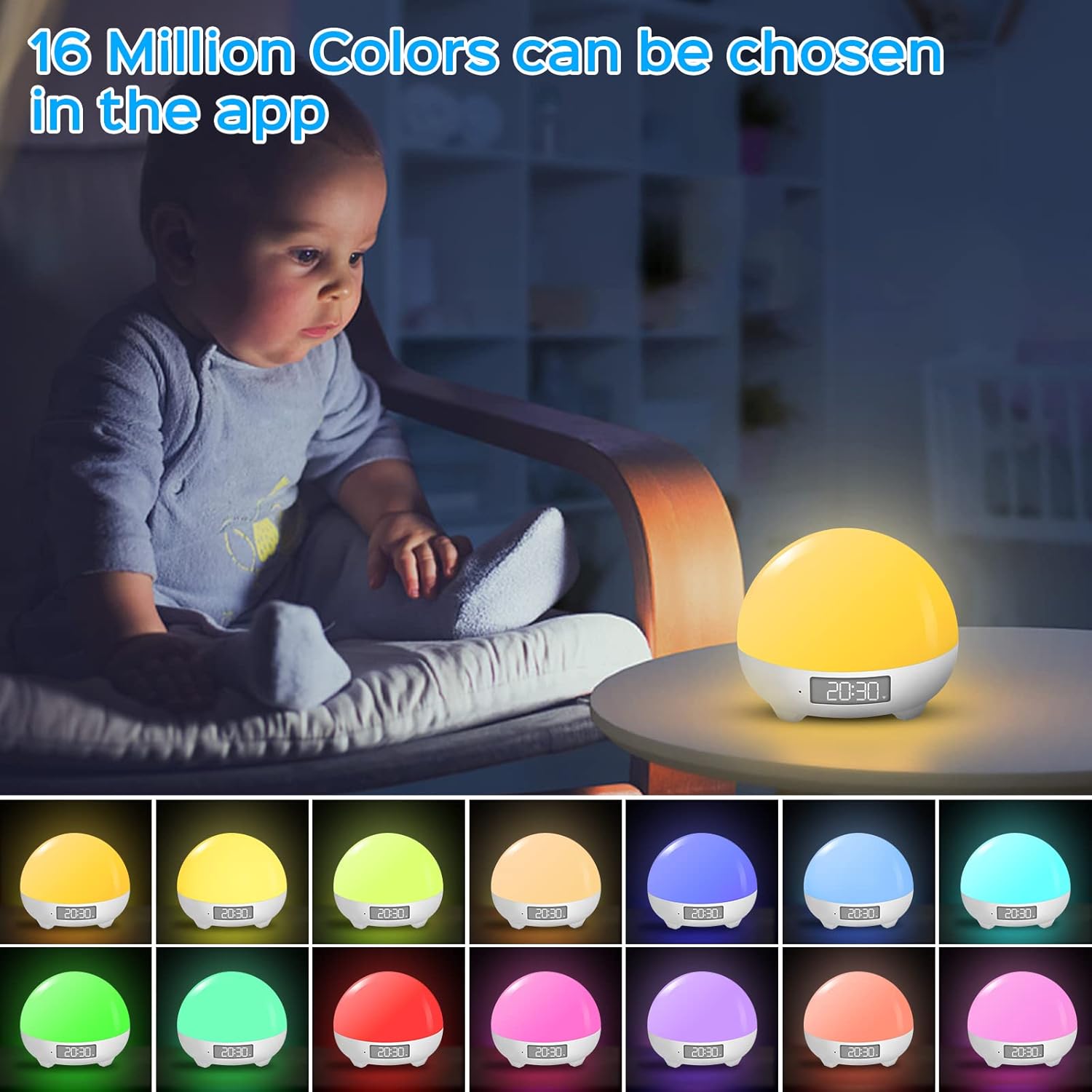
The Panacare Smart Night Light offers 16 million color options, controllable via the dedicated app. This image shows the night light in different hues, demonstrating its color-changing capabilities.

Voice control functionality allows users to manage the night light's power, colors, and brightness using Alexa or Google Assistant, as depicted by a user interacting with an Alexa device while holding a baby.

The night light includes 34 soothing sounds, such as white noise, wind, rain, water, and various nature sounds, designed to aid relaxation and sleep. This image shows a couple enjoying the calming atmosphere created by the device.
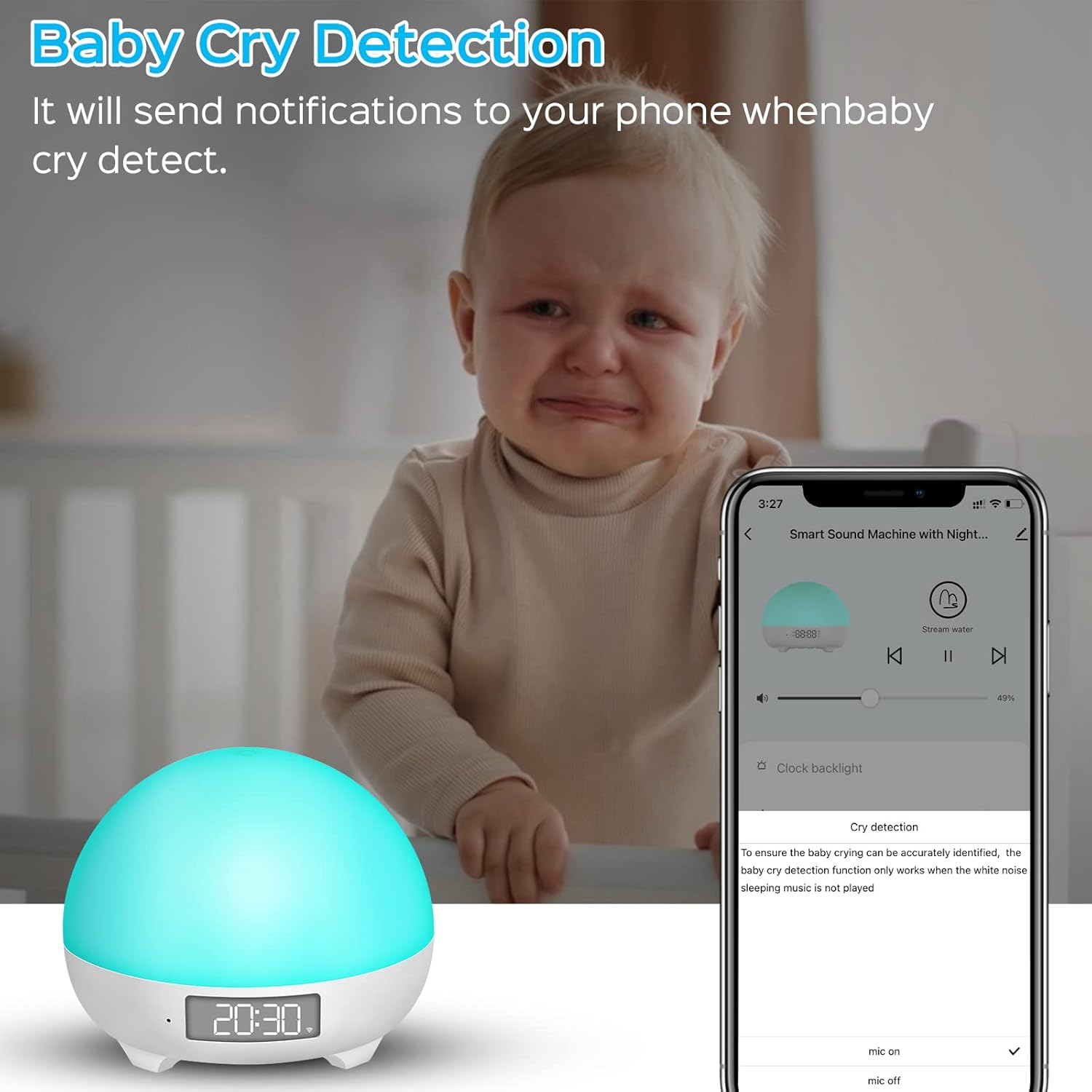
The baby cry detection feature sends notifications to your smartphone when the device detects a baby crying, providing peace of mind. Note that this feature is active only when no sleep music is playing.
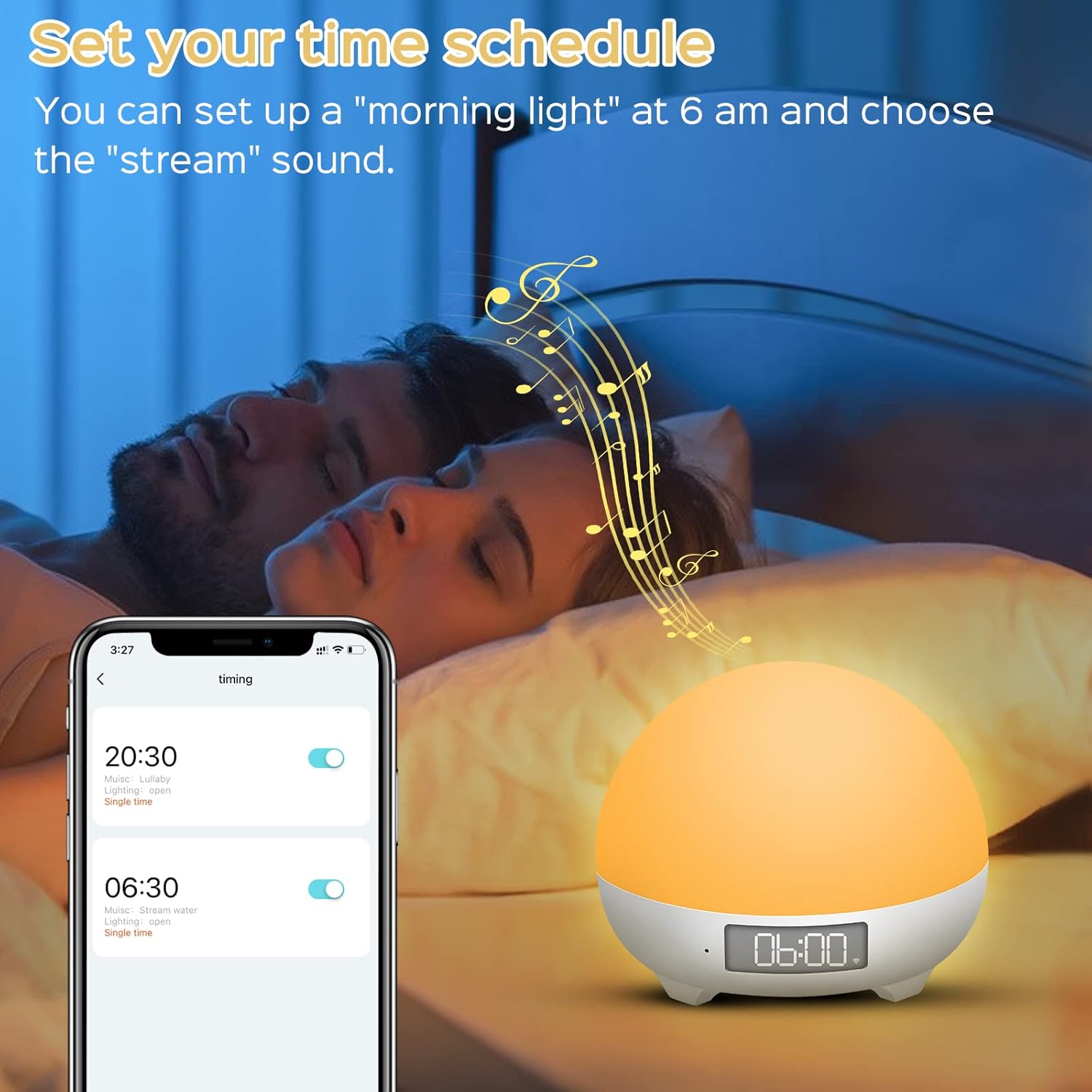
Users can set custom time schedules for the night light, such as a 'morning light' alarm at 6 AM with a preferred sound, to align with family sleep rhythms.
Specyfikacje
| Numer modelu | MBZ212 |
| Wejście | Prąd stały 5 V/1 A |
| Objętość roboczatage | 3.7 V |
| Moc znamionowa | 3 watów |
| Pojemność baterii | 1800 mAh Li-ion |
| Żywotność baterii | 4 to 10 hours (continuous use on full charge) |
| Wymiary (dł. x szer. x wys.) | Wymiary 8 x 10 x 10 cm |
| Waga | 450 gramów |
| Długość kabla | 1 metr |
| Cechy specjalne | Color Changing, Dimmable, Voice Control, Cry Detection |
| Łączność | Wi-Fi (tylko 2.4 GHz) |
Organizować coś
1. Ładowanie urządzenia
Before first use, fully charge the Smart Night Light using the provided USB Type-C cable and a DC5V/1A power adapter. The charging indicator will show the charging status.
2. Instalacja aplikacji
Pobierz Inteligentne życie app from your smartphone's app store (iOS/Android) or scan the QR code found on the product packaging. You can also visit http://e.tuya.com/smartlife.
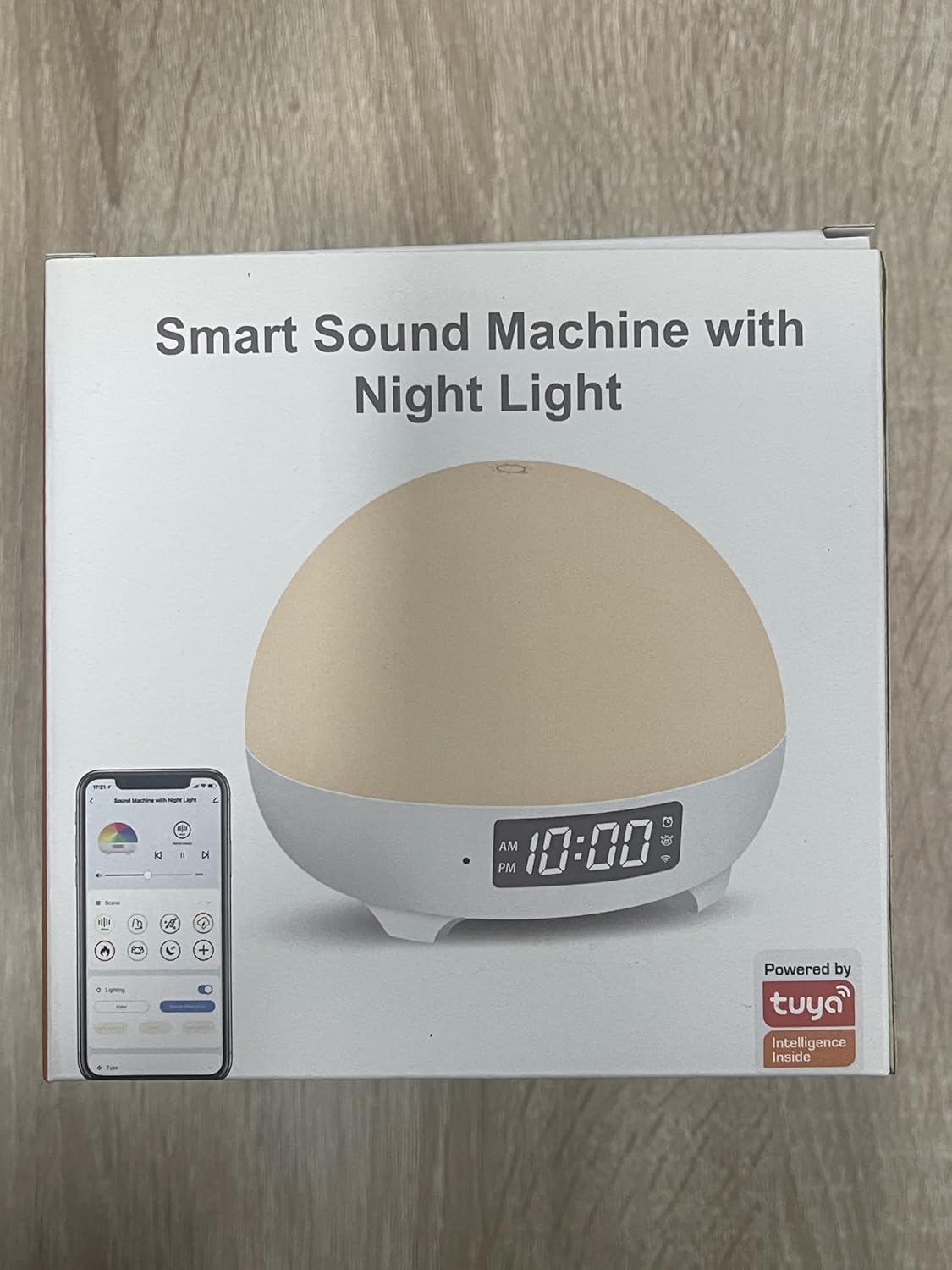
The product packaging highlights its smart features and Tuya integration, indicating app compatibility.
3. Parowanie urządzeń (połączenie Wi-Fi)
- Upewnij się, że Twój smartfon jest podłączony do Sieć Wi-Fi 2.4 GHzUrządzenie nie obsługuje Wi-Fi 5 GHz.
- Otwórz aplikację Smart Life i załóż konto lub zaloguj się.
- Press and hold the 'M' button on the back of the night light for approximately 5 seconds until the indicator light starts blinking, indicating pairing mode.
- In the Smart Life app, tap 'Add Device' or the '+' icon. The app should automatically detect the night light.
- Select the night light from the detected devices.
- Gdy zostaniesz o to poproszony, wprowadź hasło swojej sieci Wi-Fi 2.4 GHz.
- Follow the on-screen instructions to complete the pairing process. Once connected, the indicator light will stop blinking.
Instrukcja obsługi
1. Sterowanie dotykowe
- Włącz/Wyłącz: Lightly tap the top surface of the night light to turn it on or off.
- Dostosuj jasność: Press and hold the top surface to continuously adjust the brightness. Release when the desired brightness is reached.
2. Kontrola aplikacji
Once connected to the Smart Life app, you can access a full range of controls:
- Wybór kolorów: Choose from 16 million colors and various lighting modes.
- Regulacja jasności: Fine-tune the light intensity from 1% to 100%.
- Kontrola dźwięku: Select from 34 soothing sounds, adjust volume (0-100%), and set playback duration.
- Timer i harmonogram: Set custom on/off times, light alarms, and sleep routines.
- Baby Cry Detection: Enable or disable this feature and receive notifications.
3. Sterowanie głosowe (Alexa i Asystent Google)
Integrate your Panacare Smart Night Light with Alexa or Google Assistant for convenient voice commands. Ensure your smart assistant is linked to your Smart Life account.
- Włącz/Wyłącz: "Alexa, turn on the Baby Night Light." / "Hey Google, turn off the night light."
- Dostosuj jasność: "Alexa, dim the Baby Night Light to 50%." / "Hey Google, brighten the night light."
- Mienić się: "Alexa, set the Baby Night Light to blue."
- Dostosuj głośność: "Alexa, set the volume of the night light to 70%."
4. Sound Machine Features
The device offers 34 unique soothing sounds, including:
- 3 dźwięków białego szumu
- 4 Wind sounds
- 4 Rain sounds
- 2 Water sounds
- 21 other sounds (e.g., fetal heart sound, crickets, lullabies, music box)
Adjust the volume via the app or voice commands to suit your preference.
5. Baby Cry Detection
When enabled in the app, the device will send a notification to your smartphone upon detecting a baby's cry. Ważny: Cry detection is only active when no sleep music or white noise is playing from the device to avoid interference.
6. Funkcja timera
Use the app to set personalized schedules:
- Wyłącznik czasowy: Automatically turn off the light and/or sound after a set duration.
- Światło budzące: Schedule the light to gradually brighten at a specific time, optionally accompanied by a chosen sound. For example, set a 30% brightness light at 6 AM with a 'wind chimes' sound.
Konserwacja
- Czyszczenie: Przetrzyj urządzenie miękką, suchą ściereczką. Nie używaj środków czyszczących o właściwościach ściernych ani nie zanurzaj go w wodzie.
- Pielęgnacja baterii: To prolong battery life, avoid fully discharging the device frequently. Recharge when the battery is low.
- Składowanie: Przechowuj urządzenie w chłodnym i suchym miejscu, jeśli nie będziesz go używać przez dłuższy czas.
Rozwiązywanie problemów
- Urządzenie nie włącza się: Upewnij się, że urządzenie jest naładowane. Podłącz je do źródła zasilania za pomocą kabla USB.
- Nie można połączyć się z Wi-Fi:
- Sprawdź, czy Twoja sieć Wi-Fi obsługuje częstotliwość 2.4 GHz. Urządzenie nie obsługuje sieci 5 GHz.
- Sprawdź, czy hasło Wi-Fi zostało wprowadzone poprawnie.
- Zbliż urządzenie do routera Wi-Fi.
- Restart your router and the night light, then try pairing again.
- Aplikacja nie odpowiada lub ulega awarii:
- Ensure your Smart Life app is updated to the latest version.
- Zamknij i ponownie otwórz aplikację.
- Uruchom ponownie smartfon.
- Sterowanie głosowe nie działa:
- Verify that your Alexa or Google Assistant account is correctly linked to your Smart Life account.
- Sprawdź swoje połączenie internetowe.
- Upewnij się, że nazwa urządzenia używana w poleceniach głosowych jest taka sama, jak nazwa ustawiona w aplikacji Smart Life.
- Baby Cry Detection not working: Ensure no sleep music or white noise is playing from the device, as this feature is disabled when sounds are active.
- Krótka żywotność baterii: The 1800mAh battery provides 4-10 hours of continuous use depending on brightness and sound usage. If battery life is significantly shorter, ensure it is fully charged and consider reducing brightness or sound volume.
Gwarancja i wsparcie
Panacare provides 24/7 online customer service and a 12-month quality warranty for this product. If you encounter any quality issues or require assistance, please do not hesitate to contact our customer support team. Refer to your purchase documentation for contact details.