
Nanit N311NK
Instrukcja obsługi inteligentnego monitora dziecięcego Nanit Pro i uchwytu ściennego
Model: N311NK
Brand: Nanit
Wstęp
The Nanit Pro Smart Baby Monitor is an advanced system designed to provide comprehensive monitoring of your baby. It features a 1080p secure Wi-Fi video camera, sensor-free sleep and breathing motion tracking, 2-way audio, sound and motion alerts, and night vision. This manual provides detailed instructions for setting up, operating, and maintaining your Nanit Pro system.
Co jest zawarte:
- Kamera Nanit Pro
- Montaż ścienny
- Small sensor-free Breathing Band (0-3 months)
- Introductory trial of Nanit Insights Sleep Plan

Image: The Nanit Pro Smart Baby Monitor system, including the camera, wall mount, and a smartphone displaying the Nanit app interface with sleep tracking data and live video feed of a baby in a crib.
Organizować coś
1. Instalacja na ścianie:
The Nanit Pro camera is designed for optimal performance when mounted directly to the wall above the crib. Ensure the mounting location provides a clear, unobstructed view of the entire crib area.
- Choose a wall location directly above the center of the crib.
- Follow the detailed instructions provided in the Nanit app for precise drilling and mounting.
- Securely attach the wall mount to the wall using the provided hardware.
- Route the power cable safely along the wall, away from the crib and out of reach of children.

Obraz: Zbliżenie view of the Nanit Pro camera being attached to its wall mount, illustrating the installation process.
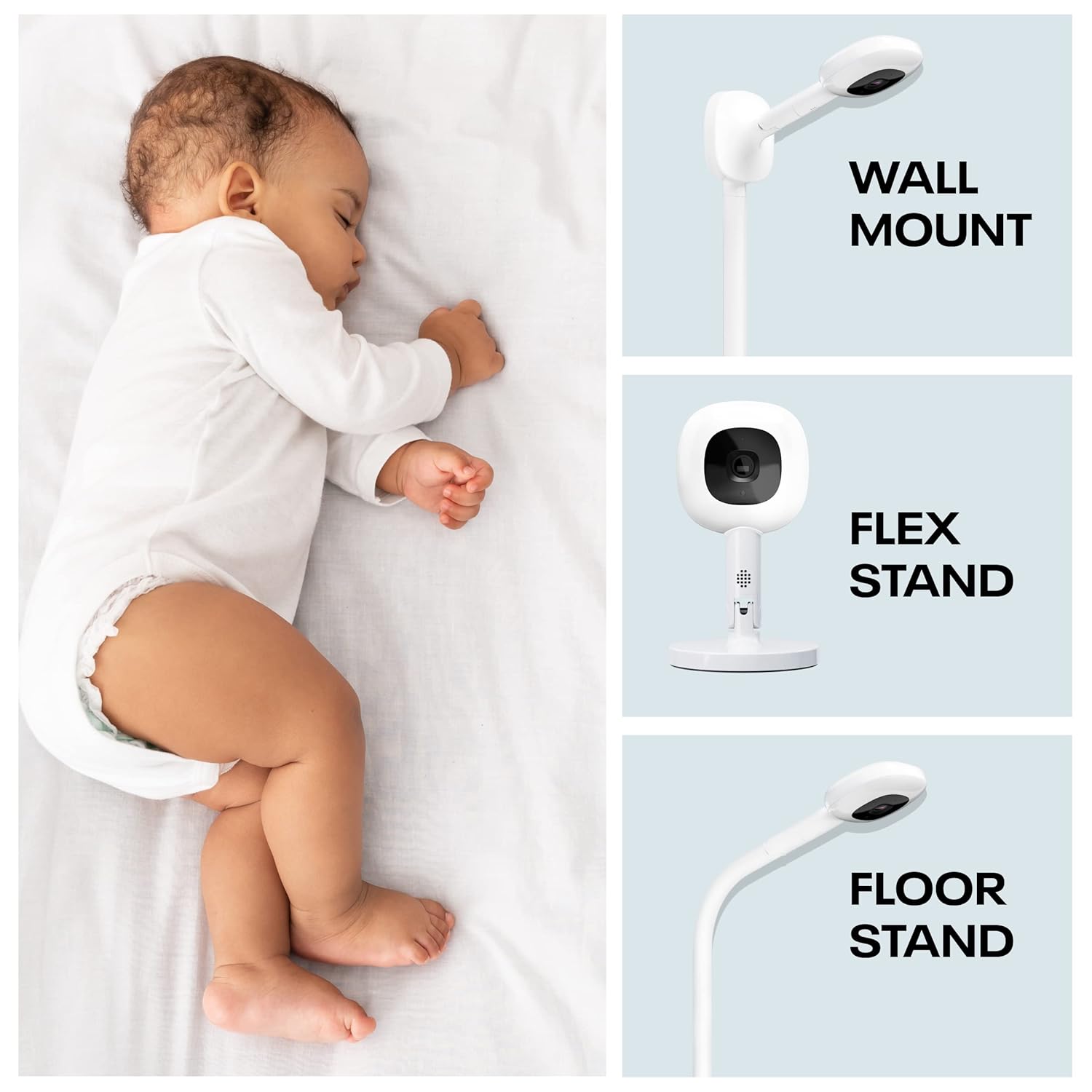
Image: The Nanit Pro camera securely mounted on a wall in a nursery, positioned to overlook a crib.
2. App Download & Pairing:
- Download the Nanit app from your device's app store (iOS or Android).
- Create a Nanit account or log in if you already have one.
- Follow the in-app instructions to pair your Nanit Pro camera with your Wi-Fi network. The camera supports both 2.4GHz and 5GHz Wi-Fi bands.
- Ensure your smartphone is connected to the same Wi-Fi network during the initial setup process.
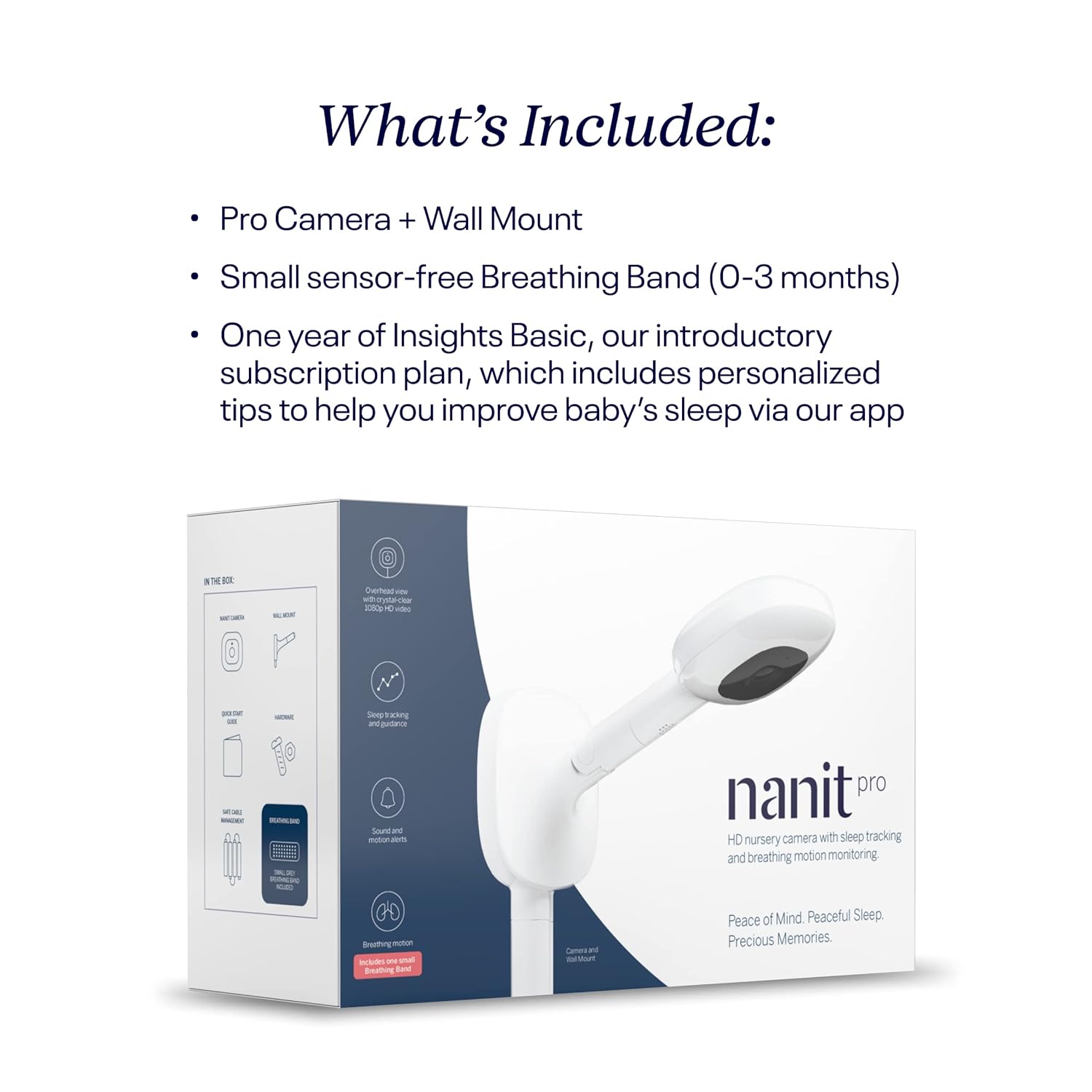
Image: A visual representation highlighting the Nanit Pro camera's secure 256-bit AES Encryption and its compatibility with 2.4GHz and 5GHz Wi-Fi networks.
Operating the Nanit Pro Monitor
Główne cechy:
- Wideo HD 1080p: Provides a crystal-clear overhead view twojego dziecka.
- Widzenie nocne: Automatically activates in low-light conditions for clear vieww nocy.
- Dwukierunkowe audio: Allows you to speak to your baby or listen to them from anywhere.
- Sound & Motion Alerts: Receive real-time notifications on your smartphone for significant sound or motion events.
- Warunki pokoju: Monitor room temperature and humidity directly from the app.
- Adjustable Nightlight: Integrated nightlight with adjustable brightness.
- Biały szum i dźwięki kojące: Play calming sounds directly from the monitor.

Image: A close-up of the Nanit Pro camera highlighting its core features: overhead crystal clear 1080p video, the ability to see baby from anywhere, and real-time sound & motion alerts.

Image: The Nanit Pro camera with its integrated adjustable nightlight illuminated, indicating its ability to monitor room temperature and humidity, provide 2-way audio, and play white noise and soothing sounds.
Using the Nanit App:
The Nanit app is your primary interface for monitoring and interacting with your baby. It provides a comprehensive dashboard for tracking sleep, viewing live video, and managing alerts.
- Na żywo View: Access real-time video and audio of your baby.
- Monitorowanie snu: Monitor sleep efficiency, longest sleep stretches, and overall progress.
- Historia wideo: Review continuous video recordings and past events.
- Podzielony ekran: View multiple Nanit cameras simultaneously on one device.
- Obraz w obrazie: Keep an eye on your baby while using other apps.
- Breathing Motion Tracking: When used with the Breathing Band, the camera tracks breathing motion without sensors or electronics on the baby.

Image: A smartphone displaying the Nanit app's dashboard, showing detailed sleep efficiency and progress tracking, including the baby's longest stretch of sleep.

Image: A baby wearing the Nanit Breathing Band, with a smartphone displaying the Nanit app's live view, emphasizing the sensor-free real-time alerts for breathing motion.
Konserwacja
Czyszczenie aparatu:
To ensure optimal performance, periodically clean the camera lens and body.
- Unplug the camera from the power source before cleaning.
- Use a soft, dry, lint-free cloth to gently wipe the camera lens and exterior.
- Do not use abrasive cleaners, solvents, or aerosol sprays directly on the camera.
Zarządzanie kablami:
Proper cable management is crucial for safety. Ensure all wires are securely fastened and out of reach of children.
- Utilize the provided cable management clips to secure the power cord along the wall.
- Ensure no loose wires are accessible from the crib or play area.
- The Nanit Pro system is ASTM Certified for safety, including cable management.

Image: A close-up of the Nanit Pro camera's base and wall mount, illustrating the safe cable management system designed to keep wires away from curious hands, along with a label indicating ASTM Certification.
Rozwiązywanie problemów
Typowe problemy i rozwiązania:
| Wydanie | Możliwe rozwiązanie |
|---|---|
| No video feed / Offline camera | Sprawdź połączenie Wi-Fi, upewnij się, że kamera jest włączona, uruchom ponownie kamerę i router. |
| Słaba jakość wideo | Ensure strong Wi-Fi signal, clean camera lens, check for obstructions. |
| No audio / Poor audio | Check app volume settings, ensure microphone is not blocked, restart app. |
| Breathing motion not tracking | Ensure baby is wearing the Breathing Band correctly, camera has clear view of baby's chest. |
| Alerty nie zostały odebrane | Check app notification settings, ensure phone is connected to internet, verify camera is online. |
For more detailed troubleshooting or issues not listed here, please refer to the Nanit support section within the app or visit the official Nanit support webstrona.
Specyfikacje
| Funkcja | Szczegół |
|---|---|
| Marka | Nanit |
| Numer modelu | N311NK |
| Kolor | Czarny |
| Tworzywo | Poliwęglan (PC) |
| Wymiary produktu | 5" dł. x 3.3" szer. x 1" wys. |
| Waga przedmiotu | 2.94 funta |
| Kompatybilne urządzenia | Smartfony |
| Technologia komunikacyjna | Wi-Fi (kompatybilne z 2.4 GHz i 5 GHz) |
| Typ czujnika | Auditory, Motion, Breathing (via band) |
| Tryb pracy | Dźwięk i ruch |
| Wymagany akumulator | No (AC powered) |
| Bezpieczeństwo | 256-bit AES Encryption |
| UPC | 857034008867 |
Gwarancja i wsparcie
Nanit products are designed for reliability and performance. For information regarding product warranty, please refer to the documentation included with your purchase or visit the official Nanit webstrona.
Plany ochrony:
Extended protection plans may be available for your Nanit Pro monitor, offering additional coverage beyond the standard warranty. Details on these plans can typically be found where the product was purchased or through authorized retailers.
Obsługa klienta:
If you encounter any issues or have questions about your Nanit Pro Smart Baby Monitor, please contact Nanit Customer Support. Support resources, including FAQs and contact information, are available through the Nanit app and on the official Nanit webstrona.
Ask a question about this manual
Ask about setup, troubleshooting, compatibility, parts, safety, or missing instructions. Manuals+ will review the question and use this page’s manual context to help answer it.